当前位置:网站首页>树莓派rtmp推流本地摄像头图像
树莓派rtmp推流本地摄像头图像
2022-07-27 04:54:00 【Suyuoa】
目录
1. 安装ffmpeg
输入 sudo apt-get install ffmpeg omxplayer
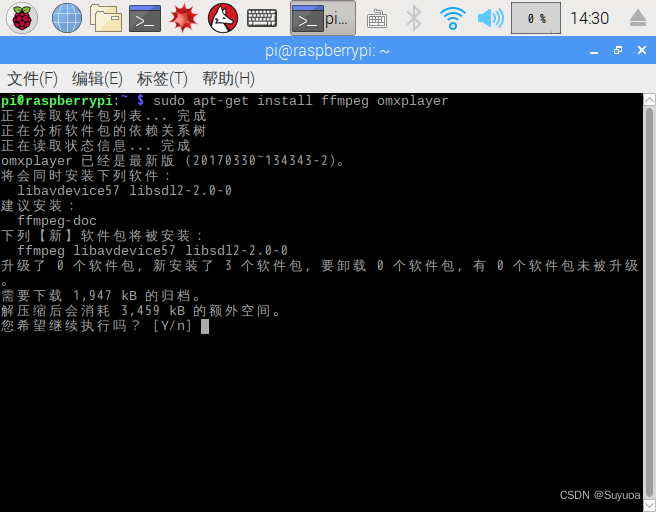
如果显示如下错误
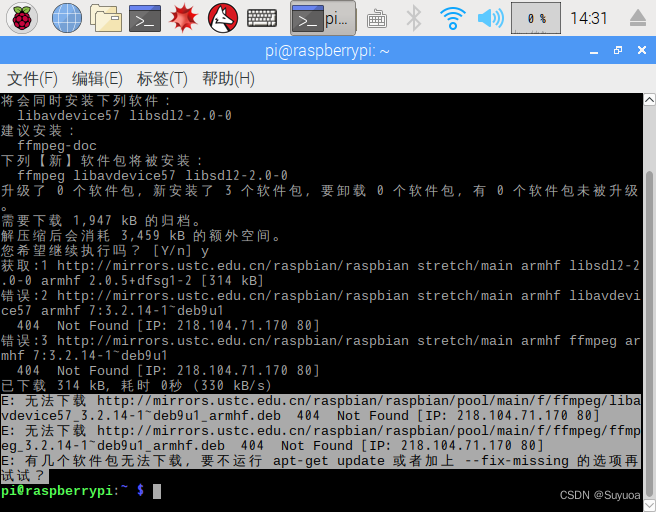
需要执行一遍 sudo apt-get update

之后再次输入 sudo apt-get install ffmpeg omxplayer

安装成功后,可输入ffmpeg进行查看,我当前的ffmpeg版本为3.2.15

2. 安装srs
srs你可以部署在其他的服务器上,也可以直接部署在树莓派上,srs项目地址 GitHub - ossrs/srs: SRS is a simple, high efficiency and realtime video server, supports RTMP, WebRTC, HLS, HTTP-FLV and SRT.
解压后输入
cd ./srs-3.0release/trunk
./configure && make
执行之后会进行编译,编译的过程会输出很多东西,开头部分已经挤没了,我截取最后编译成功的图像

默认端口为1935,如果想改端口可以输入 vim ./conf/srs.conf进行修改

我这里没做修改
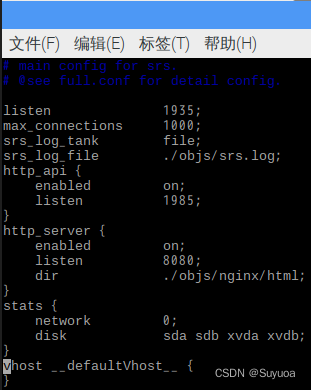
之后输入 ./objs/srs -c conf/srs.conf

之后再输入 sudo iptables -I INPUT -p tcp --dport 1935 -j ACCEPT
- 这里的1935是要和你上面的端口一致的

3.推流
用python写的,需要opencv,其余库不需要,IP就用树莓派本地IP(如果你的srs放在了别处就用srs所在设备的IP),端口也是srs的端口,后面的 /live/test 可以自定义
import cv2
import subprocess as sp

cam = cv2.VideoCapture(0)
img_counter = 0
ret, frame = cam.read()
WIDTH = frame.shape[1]
HEIGHT = frame.shape[0]
RTMP_URL = 'rtmp://192.168.33.68:1935/live/test'
FPS = 24

def ffpemgtortmp(width, height, recivedrtmp_addr, fps):
    print(recivedrtmp_addr)
    command = ['ffmpeg',
               '-y',
               '-f', 'rawvideo',
               '-vcodec', 'rawvideo',
               '-pix_fmt', 'bgr24',
               '-s', "{}x{}".format(width, height),
               '-r', str(fps),
               '-i', '-',
               '-c:v', 'libx264',
               '-pix_fmt', 'yuv420p',
               '-preset', 'ultrafast',
               '-f', 'flv',
               recivedrtmp_addr]
    print('command', command)
    p = sp.Popen(command, stdin=sp.PIPE)
    return p

def main():
    p = ffpemgtortmp(WIDTH, HEIGHT, RTMP_URL, FPS)
    while cam.isOpened():
        ret, frame = cam.read()
        p.stdin.write(frame.tostring())
        print('send frame')

if __name__ == '__main__':
    main()
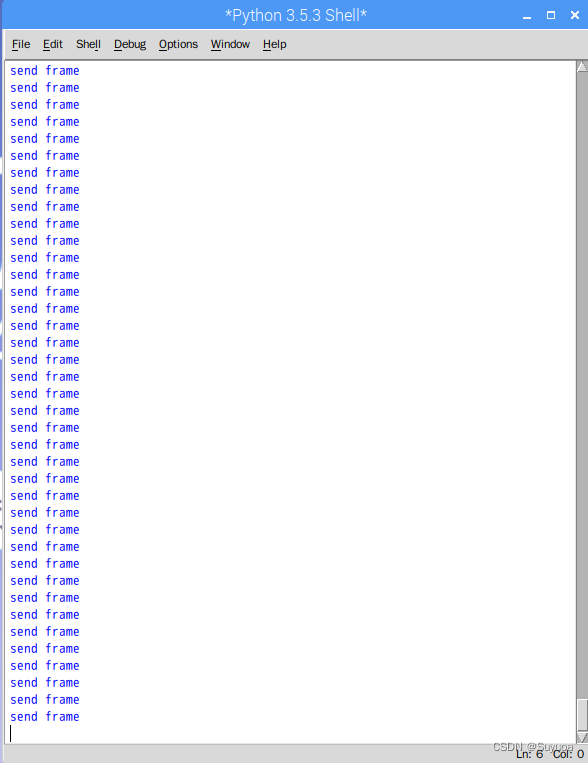
如果一直出现send frame就代表推流成功了
4.接收
- 接收端要与树莓派处于同一内网下
我在windows用VLC播放器进行接收

点击左上角的媒体,打开网络串流

输入在树莓派推送的地址,然后点击播放

稍等一会儿会出现你摄像头的图像
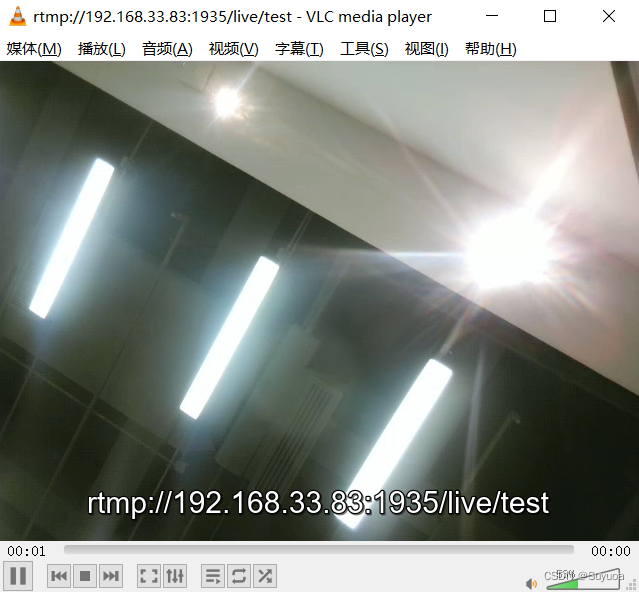
会有延时,但不卡,不知道是不是两个设备wifi通讯的原因
边栏推荐
- Use of file i/o in C
- Explanation of index failure principle and its common situations
- Comprehensive experiment of static routing
- vim的基本操作
- Deep Qt5 signal slot new syntax
- Reproduce ssa-gan using the nine day deep learning platform
- Stm32 cubemx hal----- PWM - change frequency
- 【搜索】Flood Fill 和 最短路模型
- Photoshop裁剪工具隐藏技巧
- Counting Nodes in a Binary Search Tree
猜你喜欢

Plato Farm有望通过Elephant Swap,进一步向外拓展生态

Introduction to MySQL optimization

.htaccess learning

Summary of fire safety training materials

Review of various historical versions of Photoshop and system requirements

集成开发环境Pycharm的安装及模板设置
HCIA dynamic routing rip basic experiment

Comprehensive experiment of static routing

会议OA之我的审批

二叉搜索树详讲
随机推荐
【搜索】Flood Fill 和 最短路模型
柔性数组以及常见问题
Invert a Binary Tree
Approval of meeting OA
Final Cut Pro Chinese tutorial (1) basic understanding of Final Cut Pro
How to import PS style? Photoshop style import tutorial
Reproduce ssa-gan using the nine day deep learning platform
[search] - multi source BFS + minimum step model
事件过滤器
ps太卡怎么办?几步帮您解决问题
对话框数据传递
Advantages of smart exhibition hall design and applicable industry analysis
[error reporting] cannot read property 'parsecomponent' of undefined
Simple static routing in ENSP
Photoshop裁剪工具隐藏技巧
集成开发环境Pycharm的安装及模板设置
Explanation of index failure principle and its common situations
C语言 通讯录管理系统(链表,手机号码分段存储,txt文件存取,完整源码)
Svn usage details
Idea 如何新建一个groovy的项目(图文详细解释)