当前位置:网站首页>Shell process control
Shell process control
2022-07-01 23:51:00 【Resound through heaven】
1 if else sentence
1.1 if grammar
# Multiple lines
if   Conditions
then
     command
fi
# a line
if  Conditions ; then  command ; fi
1.2 if else grammar
if   Conditions
then
    command
else
    command
fi
1.3 if elif else grammar
if   Conditions 1
then
    command 1
elif  Conditions 2
then
     command 2
elif  Conditions 3
then
     command 3
……
else
    command N
fi
1.2 demo
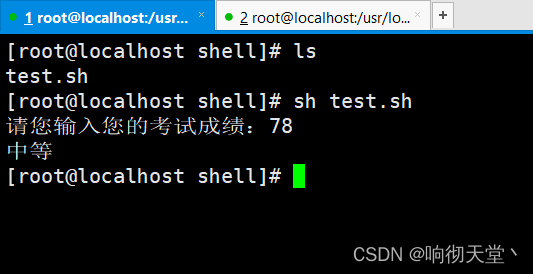
 Tips " Please enter your test scores :"  Receive users to enter a score ,  Then use if else Conditional sentence judgement
 requirement 1:  Less than  60  Output " fail, "
 requirement 2:  Greater than or equal to 60  also   Less than 70  Output " pass "
 requirement 2:  Greater than or equal to 70  also   Less than 80  Output " secondary "
 requirement 3:  Greater than or equal to 80  also   Less than 90  Output " good "
 requirement 4:  Greater than or equal to 90  also   Less than or equal to 100  Output " good "
 requirement 5:  The above does not conform to the output " The results are illegal "
#!/bin/bash
read -p " Please enter your examination result :"  score
if ((score<60))
then
   echo " fail, "
elif ((score>=60 && score<70))
then
   echo " pass "
elif ((score>=70 && score<80))
then
   echo " secondary "
elif ((score>=80 && score<90))
then
   echo " good "
elif ((score>=90 && score<=100))
then
   echo " good "
else
   echo " The results are illegal "

fi
2 Built in commands :test
Shell Medium test The command is used to check if a condition holds , It can do numerical 、 Character and file testing .
2.1 grammar
if test  Numbers 1 options  Numbers 2
then
...
fi
options As follows :
| Parameters | explain |
|---|---|
| -eq | Equal is true |
| -ne | True if not equal |
| -gt | Greater than is true |
| -ge | True if greater than or equal to |
| -lt | Less than is true |
| -le | True if less than or equal to |
2.2 demo
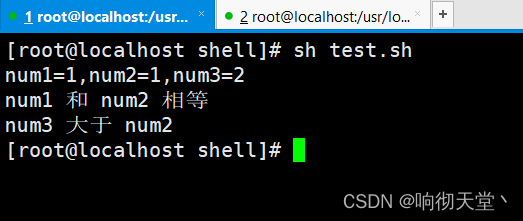
#/bin/bash
num1=1 num2=1 num3=2
echo "num1=${num1},num2=${num2},num3=${num3}"


if test $num1 -eq $num2
then
   echo "num1  and  num2  equal "
else
   echo "num1  and  num2  It's not equal "
fi


if test $num3 -gt $num2
then
   echo "num3  Greater than  num2"
else
   echo "num3  Less than  num2"
fi
3 Process control :case sentence
3.1 grammar
case  value  in
 Matching mode 1)
     command 1
     command 2
    ...
    ;;
 Matching mode 2)
     command 1
     command 2
    ...
    ;;
*)
     command 1
     command 2
    ...
    ;;
esac
3.2 demo
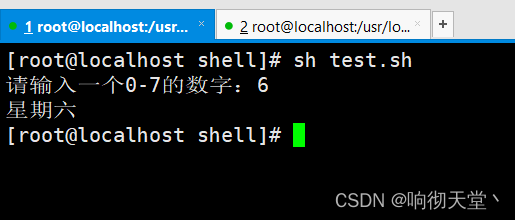
#!/bin/bash
read -p " Please enter a 0-7 The number of :" number
case $number in
1)
   echo " Monday "
   ;;
2)
   echo " Tuesday "
   ;;
3)
   echo " Wednesday "
   ;;
4)
   echo " Thursday "
   ;;
5)
   echo " Friday "
   ;;
6)
   echo " Saturday "
   ;;
7)
   echo " Sunday "
   ;;
*)
   echo " The number you entered is invalid "
   ;;
esac
4 Process control :while sentence
4.1 grammar
while  Conditions
do
	 command 1
	 command 2
	...
	continue; #  End the current cycle ,  Enter next cycle
	break; #  End the current cycle
done
4.2 demo
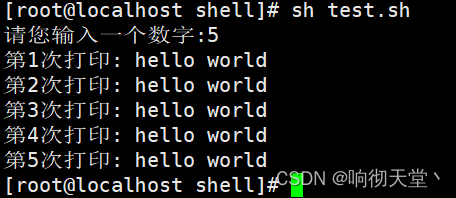
#!/bin/bash
read -p " Please enter a number :" number
let i=1
while (( $i <= $number))
do
   echo " The first ${i} Second print : hello world"
   ((i++))
done
5 Process control :until sentence
5.1 grammar
until  Conditions
do
     command
done
5.2 demo
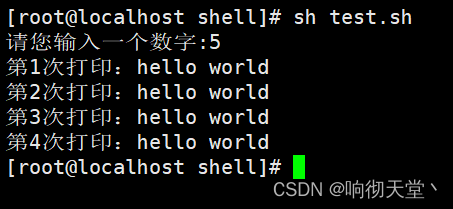
#!/bin/bash
read -p " Please enter a number :" number
let i=1
until (( $i >= $number  ))
do
   echo " The first ${i} Second print :hello world"
   ((i++))
done
6 Process control :for sentence
6.1 grammar
for var in item1 item2 ... itemN
do
     command 1
     command 2
    ...
done
#start:  The starting value of the cycle range , Must be an integer
#end:  The end value of the loop range ,  Must be an integer
for var in {
    start..end}
do
	 command
done
for((i=start;i<=end;i++))
do
	 command
done
6.2 demo
#!/bin/bash
echo "########## Circulation mode 1############"
for i in 1 2 3 4 5
do
  echo " The first  ${i} Second print : hello world"
done


echo "########## Circulation mode 2############"
for i in {
    1..5}
do
 echo " The first  ${i} Second print : hello world"
done


echo "########## Circulation mode 3############"
for((i=1;i<=5;i++))
do
 echo " The first  ${i} Second print : hello world"
done
6.3 Wireless loop
for((;;)); do command ; done
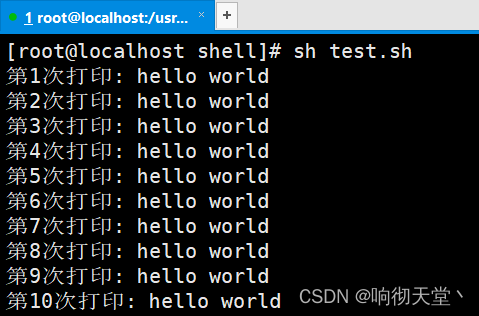
#!/bin/bash
let i=1

for((;;))
do
   echo " The first ${i} Second print : hello world"
   if test $i -eq 10
   then
      break
   fi
   ((i++))
done
7 Process control :select sentence
select in Loops are used to enhance interactivity , It can display numbered menus , Users can choose different menus by entering different numbers , And perform different functions . select in yes Shell A unique cycle , Very suitable for terminals (Terminal) Such an Interaction scenario , No other language ;
7.1 grammar
select var in menu1 menu2 ...
do
     command
done
7.2 demo
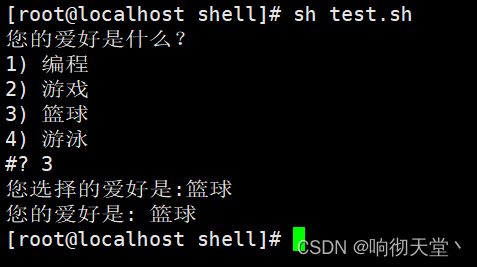
#!/bin/bash
echo " What is your hobby ?"
select hobby in " Programming " " game " " Basketball " " swimming "
do
   echo " Your chosen hobby is :${hobby}"
   break
done

echo " Your hobby is : ${hobby}"
边栏推荐
- 哈工大《信息内容安全》课程知识要点和难点
- 字典、哈希表、数组的概念
- Multi table operation - one to one, one to many and many to many
- 使用 pair 做 unordered_map 的键值
- [must] bm41 output the right view of the binary tree [medium +]
- 【QT】Qt 使用MSVC2017找不到编译器的解决办法
- 安全协议重点
- 【QT】QtCreator卸载与安装(非正常状态)
- The third part of the construction of the defense system of offensive and defensive exercises is the establishment of a practical security system
- Resumption of attack and defense drill
猜你喜欢

The essence of software architecture

华为HMS Core携手超图为三维GIS注入新动能
Redis AOF log

有没有一段代码,让你为人类的智慧所折服

关联性——组内相关系数

E-commerce RPA robot helps brand e-commerce to achieve high traffic
![[understanding of opportunity-35]: Guiguzi - flying clamp - the art of remote connection, remote control and remote testing](/img/08/9ecfd53a04e147022dde3449aec132.png)
[understanding of opportunity-35]: Guiguzi - flying clamp - the art of remote connection, remote control and remote testing

【必会】BM41 输出二叉树的右视图【中等+】

Material Design组件 - 使用BottomSheet展现扩展内容(一)

字典、哈希表、数组的概念
随机推荐
What are the common types of points mall games?
起床困难综合症(按位贪心)
2021 RoboCom 世界机器人开发者大赛-高职组复赛
Concepts of dictionary, hash table and array
Similarities and differences between the defined identity execution function authid determiner and PostgreSQL in Oracle
BlocProvider为什么感觉和Provider很相似?
[QT] test whether QT can connect to the database
. env. XXX file, with constant, but undefined
Future trend and development of neural network Internet of things
2022-07-01:某公司年会上,大家要玩一食发奖金游戏,一共有n个员工, 每个员工都有建设积分和捣乱积分, 他们需要排成一队,在队伍最前面的一定是老板
在长城证券上买基金安全吗?
Material Design组件 - 使用BottomSheet展现扩展内容(一)
Redis 主从同步
const // It is a const object...class nullptr_t
cookie、session、tooken
excel如何打开100万行以上的csv文件
【.Net Core】程序相关各种全局文件
[understanding of opportunity-35]: Guiguzi - flying clamp - the art of remote connection, remote control and remote testing
How to display real-time 2D map after rviz is opened
Concurrentskiplistmap -- principle of table skipping