当前位置:网站首页>Excel file parsing
Excel file parsing
2022-07-26 07:54:00 【I like iced black tea】
In the process of application development , Need to be used frequently Excel File to import or export data . therefore , Through Java When the language implements such requirements , Often face Excel File analysis ( Import ) Or produce ( export ).
stay Java In the technological ecosystem , Can be done Excel The mainstream technologies of document processing include :Apache POI,Alibaba EasyExcel etc. .
Today we will introduce how these two technologies can parse and generate files .
Apache POI
Apache POI It is a free and open source cross platform Java API , stay Apache POI The classes we often use to parse files in HSSF and XSSF.
HSSF Used to parse old versions (*.xls) Excel file , Because of the old version of Excel Files can only exist 65535 Row data , Currently, it is not commonly used . So at present, it mainly adopts XSSF Make a new version (*xlsx)Excel File analysis .
POI Technology required Jar package

WorkBook file (Excel file )
Workbook The interface represents a Excel file , Used to create or load ( analysis )Excel file . The common implementation classes are XSSFWorkbook.
Sheet( workbook )
Sheet representative Excel A workbook in a table , adopt Workbook To carry out Sheet Object acquisition or creation .
Row( data row )
Row representative Sheet One row in Workbook , adopt Sheet To carry out Row Object acquisition and creation .
Cell( Cell )
Cell Represents a cell in a data row , adopt Row To carry out Cell Object acquisition and creation .
Apache POI The creation process and parsing process
Create a process :
1, Create a Workbook , Write through the output stream Excel file
// Output stream
FileOutputStream out = new FileOutputStream("c:\\test\\2022.xlsx");

//Excel File object
Workbook workbook = new XSSFWorkbook();

// Write through the output stream
workbook.write(out);

// close resource
2, adopt Workbook Create a workbook Sheet
Sheet sheet = workbook.creatSheet();3, adopt Sheet Create a work line Row
Row row = sheet.createRow();4, adopt Row Create a cell Cell
// stay row Create the first cell in this row
Cell cell = Row.createCell(0);
Analytical process
1, Create a Workbook , Load through input stream ( analysis ) Excel file
// Input stream
FileInputStream in = new FileInputStream(c:\\test\\2022.xlsx);

//Excel File object
Workbook workbook = new XFFSWorkbook(in)
2, adopt Workbook Get the workbooks Sheet
// Get by workbook subscript Sheet
Sheet sheet01 = workbook.getSheetAt(0);

// Get by workbook name Sheet
Sheet sheet02 = workbook.getSheet("Sheet0");
3, adopt Sheet Get row Row
// Get the first line of subscript
int first = sheet.getFirstRowNum();

// Get the trailing subscript
int last = sheet.getLastRowNum();

// Get the specified line according to the subscript
Row row = sheet.getRow(0);
4, adopt Rowt Get the cell Cell
// Get cells according to the following table
Cell cell = row.getCell(1);

// Get cell type
CellType type = cell.getCellType();

// Set cell style
// Create format encoding values
DataFormat dataFormat = workbook.createDataFormat();
short dateFormatCode = dataFormat.getFormat("yyyy year MM month dd Japan  HH when mm branch ss second ");

// Create date format object
CellStyle dataCellStyle = workbook.createCellStyle();
dataCellStyle.setDataFormat(dateFormatCode);

// Create cells , Cells are not formatted
Cell cell = row.createCell(2);// date
cell.setCellStyle(dataCellStyle);
cell.setCellValue(new Date());
Part of the code is implemented as follows
public class Demo {
	public static void main(String[] args) {
		try (FileOutputStream out = new FileOutputStream("C:\\POI\\data.xlsx");
				Workbook workbook = new XSSFWorkbook()) {
			// Create Workbook
			Sheet sheet01 = workbook.createSheet("2020 Data list ");
			Sheet sheet02 = workbook.createSheet("2021 Data list ");
			Sheet sheet03 = workbook.createSheet("2022 Data list ");

			// Create lines
			Row row = sheet01.createRow(0);

			// Create cells
			Cell cell0 = row.createCell(0);
			cell0.setCellValue(UUID.randomUUID().toString());
			Cell cell1 = row.createCell(1);
			cell1.setCellValue(Math.random() * 10000);
			Cell cell2 = row.createCell(2);
			cell2.setCellValue(LocalDateTime.now());

			// take workbook The data contained in the object , Through output stream , Write to Excel file
			workbook.write(out);
		} catch (IOException e) {
			// TODO Auto-generated catch block
			e.printStackTrace();
		}
	}
}
Alibaba EasyExcel
When we need to read or write a very large Excel When you file ,Apache POI Technology has been unable to read and write files quickly , We need to use Alibaba EasyExcel Technology operates on documents , Let's look at a group of two technologies for reading and writing large files CPU And memory occupation .


So let's see EasyExcel Part of the code implementation of
public class Demo {
	public static void main(String[] args) {
        long begin = System.currentTimeMillis();
		//  write in 100w
        EasyExcel.write("E:\\easyExcel\\easy.xlsx", Order.class)
                 .sheet(" Order list ")
                 .doWrite(data());
        long end = System.currentTimeMillis();

        System.out.println(" Total time consuming " + (end - begin) + " millisecond ");
    }

    //  establish 100w Order data
    private static List<Order> data() {
        List<Order> list = new ArrayList<Order>();
        for (int i = 0; i < 1000000; i++) {
            list.add(new Order());
        }
        return list;
    }
}
边栏推荐
- 什么是消息订阅和发布?
- Speech at 2021 global machine learning conference
- Abnormal (2)
- The bigger the project is, the bigger it is. This is how I split it
- Logical volume management (LVM)
- Simulation of transfer function step response output of botu PLC first-order lag system (SCL)
- 现在开发人员都开始做测试了,是不是以后就没有软件测试人员了?
- Summary of API method
- PXE efficient batch network installation
- The difference between abstract classes and interfaces
猜你喜欢
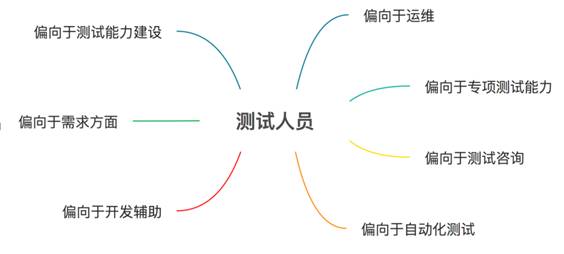
Now developers are beginning to do testing. Will there be no software testers in the future?

“尝鲜”元宇宙,周杰伦最佳拍档方文山将于7月25日官宣《华流元宇宙》

系统架构&微服务

IDEA settings设置快捷键实现字符串中的英文字母转大小写
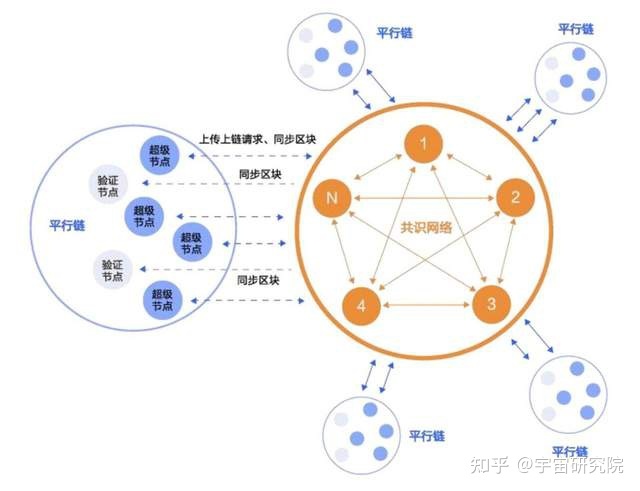
Meta universe infrastructure: analysis of the advantages of Web 3.0 chain33

The bigger the project is, the bigger it is. This is how I split it
Fang Wenshan, Jay Chou's best partner, will officially announce "Hualiu yuancosmos" on July 25

博途PLC一阶滞后系统传递函数阶跃响应输出仿真(SCL)

Selenium: detailed explanation of browser crawler use (I)

Network ()
随机推荐
力扣(LeetCode)206. 反转链表(2022.07.25)
The difference between abstract classes and interfaces
What is message subscription and publishing?
给项目日志加上traceid
Introduction to C language (8)
Command line execution and test report generation of JMeter performance test
Yaml language-01 (data type, array, object)
Ethernet switching security
记一次路由器频繁掉线问题的分析、解决与发展
From boosting to lamdamart
AQS implementation principle
Speech at 2021 global machine learning conference
[daily question 1] 919. Complete binary tree inserter
NFS service and Samba service deployment
The analysis, solution and development of the problem of router dropping frequently
Sort sort IP addresses
Hcip--- MPLS detailed explanation and BGP route filtering
Enterprise private network construction and operation and maintenance
Idea settings set shortcut keys to convert English letters to case in strings
Jmeter性能测试之命令行执行和生成测试报告