当前位置:网站首页>Face++ realizes face detection by flow
Face++ realizes face detection by flow
2022-06-25 06:20:00 【mjlong123123】
We use face detection sdk The process of face recognition can be roughly divided into the following steps :
- load model File and initialize the interface
- Get authorization
- Call face detection to get key points
- Notice the key points of the drawing
- Release interface resources
Here are the steps 3 and 4 On receiving camera Execute repeatedly after data . We can abstract these steps into data flow for encapsulation .face++ Face coordinates are generated continuously after face detection , So the whole detection process is the process of face coordinate data production , Here with flow The concept of corresponds to .
face++ Need to deal with camera Data to get face key points , therefore camera again face++ Face detection api Data providers for . The following figure shows the process of data flow :

Seeing this, people also think that we passed flow It is more reasonable to realize this process ! Let's implement it step by step detect flow The creation of .
The first step is to pass flow Of builder Create a flow:
 private val imageChannel = Channel<FacePPImage>()

flow {
            while (currentCoroutineContext().isActive) {
                emit(imageChannel.receive())
            }
        }
Use here Channel To receive image data and transmit . stay detect flow We also need some initialization before processing image data face++ The job of , These work in onStart In dealing with .
flow.onStart {
            var ret = -1
            context.assets.open("megviifacepp_model").use { ios ->
                modelBuffer = ByteArray(ios.available())
                ios.read(modelBuffer)
                FaceppApi.getInstance().setLogLevel(4)
                ret = FaceppApi.getInstance().initHandle(modelBuffer)
            }
            if (ret != 0) {
                Log.d("dragon_debug", " onStart open failed!")
                throw RuntimeException("init")
            }
            if (requestTakeLicense && modelBuffer != null) {
                Log.d("dragon_debug", " onStart takeLicense")
                ret = takeLicense(context, modelBuffer!!)
            }
            if (ret != 0) {
                Log.d("dragon_debug", " onStart takeLicense failed!")
                throw RuntimeException("takeLicense")
            }
            ret = FaceDetectApi.getInstance().initFaceDetect()
            DLmkDetectApi.getInstance().initDLmkDetect()
            if (ret != 0) {
                if (requestTakeLicense) {
                    Log.d("dragon_debug", " onStart initFaceDetect error")
                    throw RuntimeException("error")
                }
                requestTakeLicense = true
                Log.d("dragon_debug", " onStart initFaceDetect retry exception")
                throw RuntimeException("initFace")
            }
            val config = FaceDetectApi.getInstance().faceppConfig
            config.face_confidence_filter = 0.6f
            config.detectionMode = FaceDetectApi.FaceppConfig.DETECTION_MODE_TRACKING
            FaceDetectApi.getInstance().faceppConfig = config
        }
face++ The initialization operation includes loading the model 、 Detect interface authorization 、 Face detection interface initialization and other steps .
The detection interface authorization processing is somewhat special ,face++ The interface authorization of is only executed when the authorization expires . So here we go flow Of retryWhen To handle expired authorizations .
flow.retryWhen { cause, attempt ->
            Log.d("dragon_debug", " retryWhen $cause attempt $attempt")
            if (attempt > 1) {
                false
            } else {
                (cause as? RuntimeException)?.message?.equals("initFace") ?: false
            }
        }
First try to initialize face++ Interface , If initialization fails , An exception will be thrown here RuntimeException("init").retryWhen Catch this exception and initiate retry processing , When onStart When executed again , We will try to obtain the interface permission .
face++ After the interface authorization is initialized successfully , We can use face++ Face detection interface . Use here map Converting image data into face coordinate data , Conversion operation by face++ Face detection interface is completed .
flow.map { image ->
            val faces = FaceDetectApi.getInstance().detectFace(image)
            faces.forEach { face ->
                FaceDetectApi.getInstance().getLandmark(face, FaceDetectApi.LMK_84, true)
            }
            block.invoke(faces)
            faces
        }
The obtained face coordinate data passes through block Callback notification screen drawing .
face++ The release operation of the interface is in onCompletion in ,
flow.onCompletion {
            Log.d("dragon_debug", " onCompletion ")
            FaceppApi.getInstance().ReleaseHandle()
            DLmkDetectApi.getInstance().releaseDlmDetect()
        }
Complete code :GitHub - mjlong123123/FaceDetectorFlow
边栏推荐
- Sword finger offer II 095 Longest common subsequence
- Location object
- Gb28181 protocol -- timing
- SAP ui5 application development tutorial 32 - how to create a custom SAP ui5 control
- Personal blog system graduation project opening report
- [kicad image] download and installation
- Research Report on global and Chinese vaccine market profit forecast and the 14th five year plan development strategy 2022-2028
- Ping command – test network connectivity between hosts
- Monitoring access: how to grant minimum WMI access to the monitoring service account
- Three tier architecture experiment
猜你喜欢
Websocket in the promotion of vegetable farmers
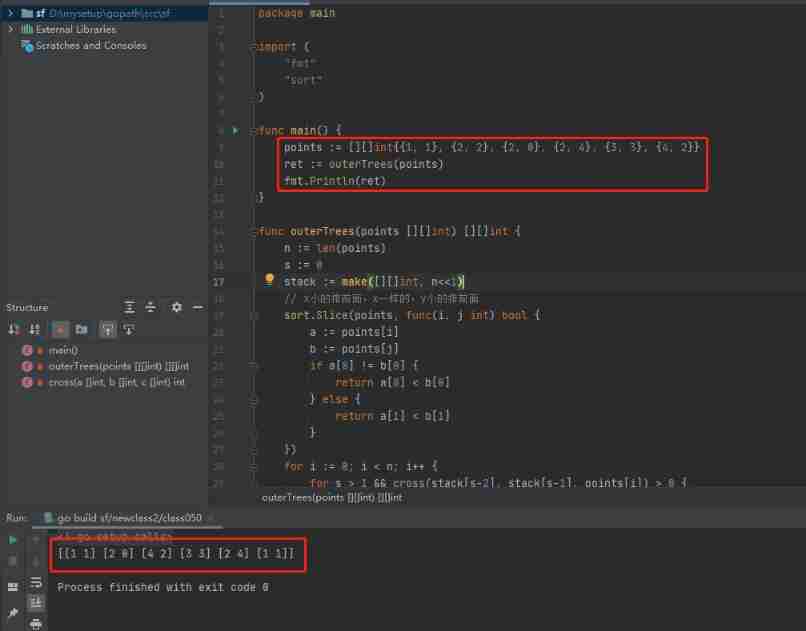
2022-02-19: fence installation. In a two-dimensional garden, there are some trees represented by (x, y) coordinates. As the installation cost is very expensive, your task is to enclose all the trees w

What elements are indispensable for the development of the character? What are the stages

What is the slice flag bit
Trial version of routing history and routing back and history of SAP ui5

Wireless industrial Internet of things data monitoring terminal

At the age of 26, I was transferred to software testing with zero foundation. Now I have successfully entered the job with a monthly salary of 12K. However, no one understands my bitterness
Wind farm visualization: wind farm data
![[kicad image] download and installation](/img/88/cebf8cc55cb8904c91f9096312859a.jpg)
[kicad image] download and installation
MySQL transaction learning notes (I) first encounter


随机推荐
General test point ideas are summarized and shared, which can be directly used in interview and actual software testing
Uni app wechat applet customer service chat function
Detailed explanation of @jsoninclude annotation in Jackson
What are the reasons why most webmasters choose Hong Kong site group servers?
[hand torn STL] Stack & queue
Lesson 8: FTP server setup and loading
Location object
Echo command – output a string or extract the value of a shell variable
C switch nested syntax
【LeetCode】40. Combined summation II (2 strokes of wrong questions)
Personal blog system graduation project opening report
Ifconfig command – displays or sets network devices
Sword finger offer II 095 Longest common subsequence
Huawei machine test question: splicing URL
The e-book "action guide for large organizations to further promote zero code application platform" was officially released!
Count the grid
Analysis report on global and Chinese pharmaceutical excipients industry competition and marketing model 2022-2028
Mongodb basic concept learning - Documentation
Ping command – test network connectivity between hosts
Folding mobile phones are expected to explode, or help Samsung compete with apple and Chinese mobile phones