当前位置:网站首页>Rock PI Development Notes (II): start with rock PI 4B plus (based on Ruixing micro rk3399) board and make system operation
Rock PI Development Notes (II): start with rock PI 4B plus (based on Ruixing micro rk3399) board and make system operation
2022-07-02 16:14:00 【Changsha Red fatty】
Preface
Starting with rock pi 4b plus The board , Check the specific objects , Then make the system , Brush system , Let the rock and roll ubuntu The system is up and running .
<br>
Rock Pi 4B plus
Introduce
ROCK Pi 4 yes Radxa be based on Rockchip RK3399 Of SBC( Single board computer ). It can run android Or some Linux Distribution version .ROCK Pi 4 Equipped with six cores ARM processor 、64 Bit two channel 3200Mb/s LPDDR4、 The highest [email protected] HDMI、MIPI DSI、MIPI CSI、3.5mm Microphone jack 、802.11 ac WIFI、 bluetooth 5.0、USB port 、GbE LAN、 40 Pin color expansion connector ,RTC. Besides ,ROCK Pi 4 Support USB PD and QC Power supply . ROCK Pi 4 There are two models , model A And models B, Each model has 1GB、2GB or 4GB Memory options .

positive
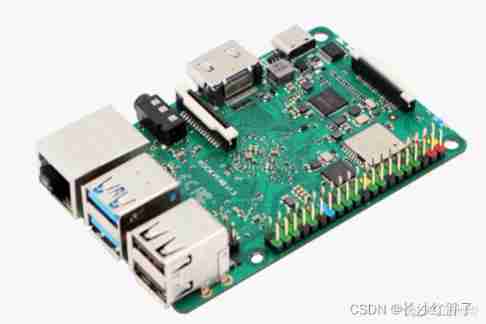

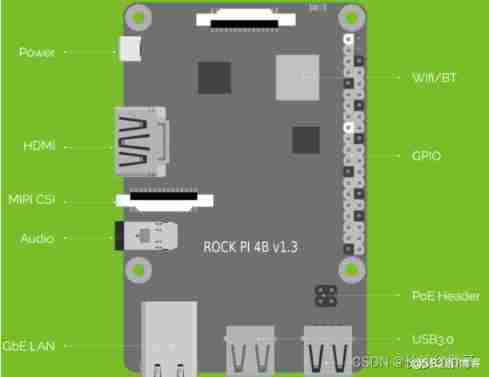
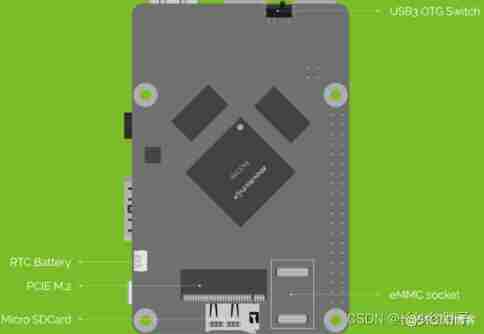
<br>
System startup mode
Use emmc start-up
buy plus Bring their own emmc, Will use emmc.
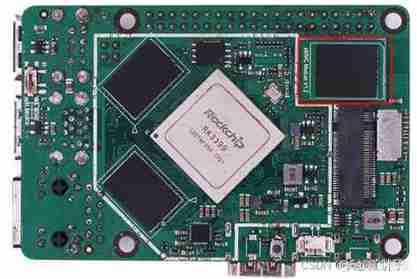
Use tf Card activation
Plus edition , Before use emmc Before (emmc You can use it before you brush the system tf Card activated ,A、B、C You can use ), So emmc and tf Can be switched (emmc It's a converted version , No, plus Welding in pcb So stable on the ).

<br>
Start with the board
Material object
Start with rock pi 4b plus, On board emmc, Configure to 4GB Memory /64GB Of emmc(emmc Once you brush the system , Can no longer be used tf Card activation ), Yes tf Card slot ,tf Memory card supports the most 128GB.

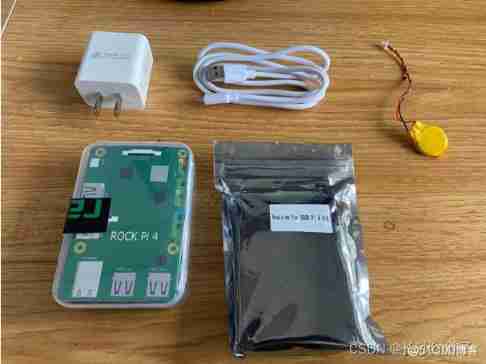

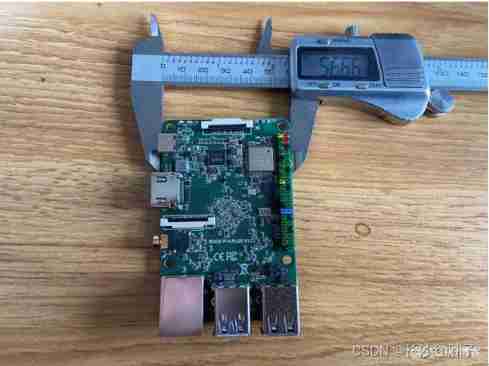
RK3399 The size of the chip is 21 x 21 The square of :

Be careful :
- QC Power Supply : Fast charging head supporting fast charging , It's not normal to charge your mobile phone 5V Of , Is the voltage range again 9~20V Of ,RK3399 The board power supply is 12V The majority .(PS:5V You can run, too , Maybe running and crashing , Later, I will test ).
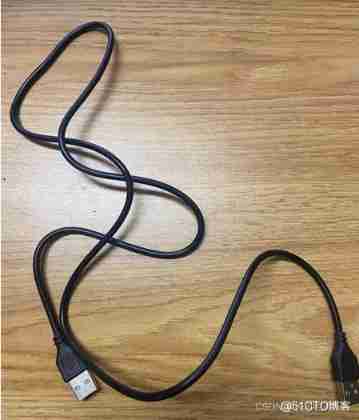
- Shuanggongtou USB Line ( important ): This is the brush system to emmc Required line , There is no... In the package , and plus Version of , Once brushed emmc, Can't use tf The card is activated , need Be careful .
Before the author Hi3516AV100 Development board belt , Here's the picture ( The one marked in red ):
<br>
Prepare before burning
Burning tools
( Be careful : Must be 2.69 Version of the brush tool ).

Bin file
Downloaded from the official website .

Ubuntu System ( Mirror image )
(PS: With other systems , Readers themselves )

install USB drive

<br>
Start burning
Step one : connection

Step two : Turn on the burn tool
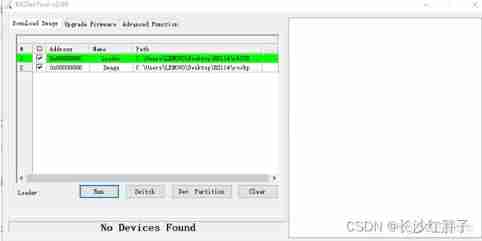
Step three : Power up the motherboard
( According to the development data, it is necessary to press one more key and power on , The author brushes for the first time , You can recognize it without pressing a button , I don't care about the buttons , Be careful , Equipment identification line installation USB The driver 1)
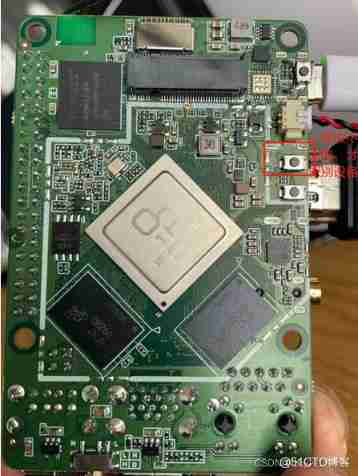
( Post test , Brush again , If there is a system, you need to press the key , Can also be run Brush in )

Step four : choice bin and image file
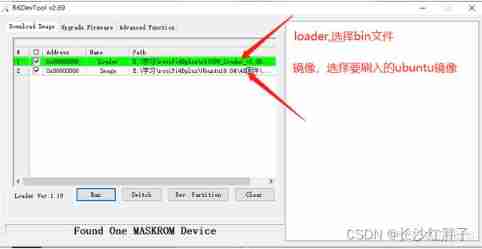
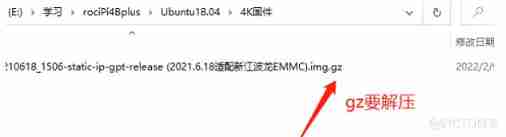
Be careful : Supporting system , There are multiple mirrors , Some are .gz Need to decompress , Here's the picture :
Step five : Click on run

Download successful , Here's the picture :

Step six : After successful brushing , The blue light on the motherboard will be constant

<br>
Check the normal operation of the system
A serial port connection
( It will be introduced later , Just connect like this first ), Here's the picture :
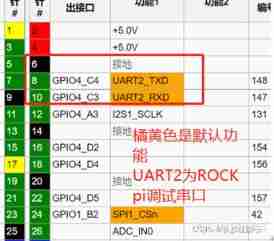
TXD Wired RTX,RTX Wired TXD, Here's the picture :
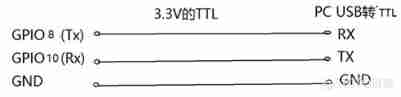
After connecting , Here's the picture :

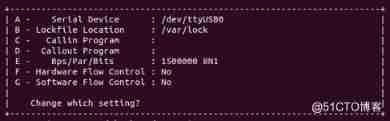
Then install a debuggable terminal software , Open the corresponding serial port ,( Be careful : I am used to using virtual machines ubuntu do arm Development , Ensure the development environment , So use virtual machines ubuntu 了 ), Here's the picture :
<br>
System interface
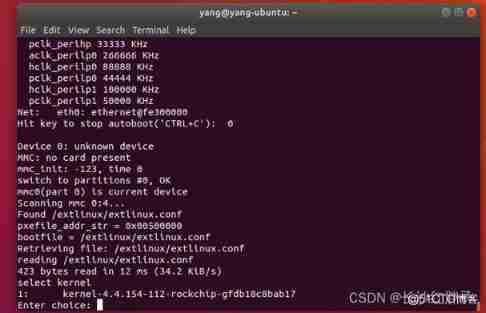
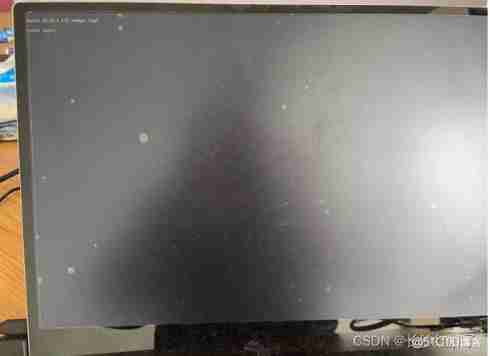
Succeed , Here's the picture :
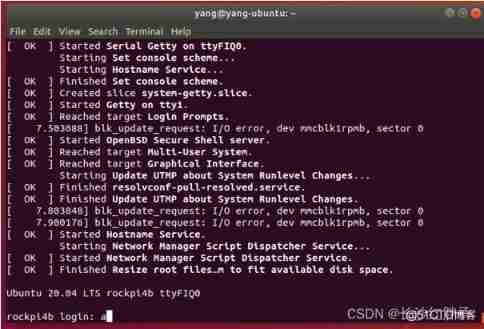
The interface is command-line , There is no official with a desktop ubuntu, Here's the picture :
<br>
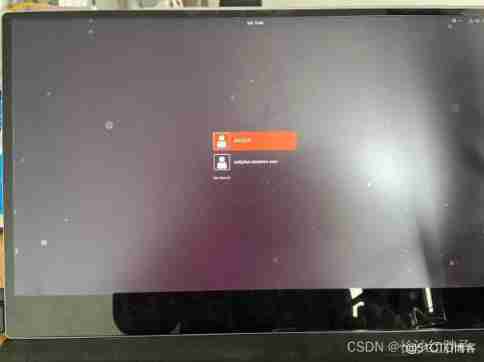
Install desktop running environment
When installing , Network required , And it takes dozens of minutes .
After the installation , Here's the picture :
边栏推荐
- AWS virtual machine expansion
- PyC file decompile
- Recommended practice sharing of Zhilian recruitment based on Nebula graph
- Route service grid traffic through two-level gateway design
- 可视化技术在 Nebula Graph 中的应用
- JS learning notes - data types
- [Xiaobai chat cloud] suggestions on container transformation of small and medium-sized enterprises
- day4
- Boot connection to impala database
- 又是一年毕业季
猜你喜欢
Mobile web development learning notes - Layout
潘多拉 IOT 开发板学习(RT-Thread)—— 实验2 RGB LED 实验(学习笔记)
Pandora IOT development board learning (RT thread) - Experiment 2 RGB LED experiment (learning notes)
![[Yu Yue education] reference materials of sensing and intelligent control technology of Nanjing University of Technology](/img/5c/5f835c286548907f3f09ecb66b2068.jpg)
[Yu Yue education] reference materials of sensing and intelligent control technology of Nanjing University of Technology

Introduction to dynamic planning I, BFS of queue (70.121.279.200)
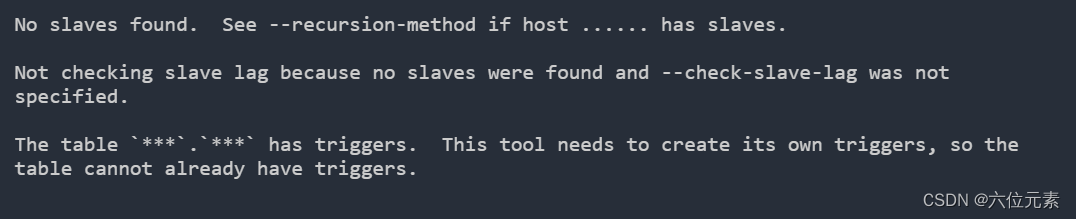
How to use percona tool to add fields to MySQL table after interruption
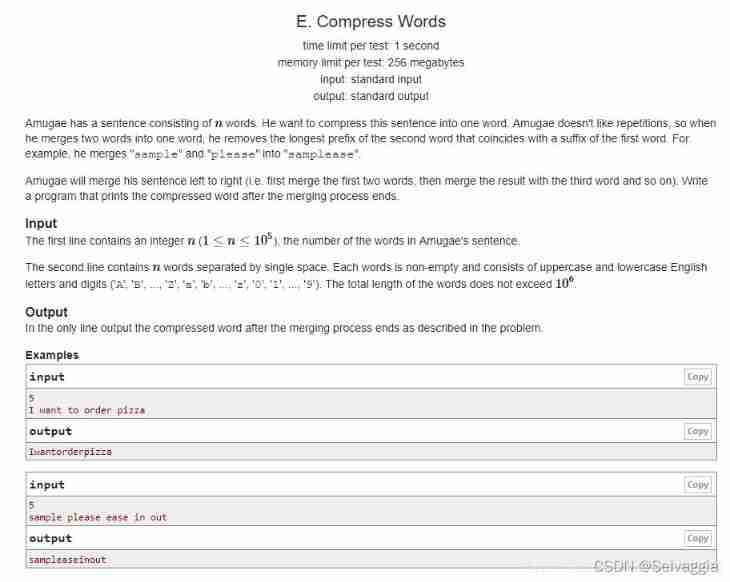
Compress words (kmp/ string hash, double hash)

理想之光不灭

Boot 事务使用

触发器:Mysql实现一张表添加或删除一条数据,另一张表同时添加
随机推荐
2020.4.12 byte written test questions B DP D monotone stack
Idea public method extraction shortcut key
The sea of stars hidden behind the nebula graph
JS learning notes - process control
Recommended practice sharing of Zhilian recruitment based on Nebula graph
JS learning notes - operators
End time processing method of wechat v3native payment settings
图数据库|Nebula Graph v3.1.0 性能报告
How to import a billion level offline CSV into Nepal graph
JS learning notes - variables
Bean configuration override in boot
/Bin/ld: cannot find -lxml2
AWS云主机扩容
Sqlserver queries which indexes are underutilized
由ASP.NET Core根据路径下载文件异常引发的探究
/Bin/ld: cannot find -lssl
/Bin/ld: cannot find -lgssapi_ krb5
Leetcode -- number of palindromes
Song of cactus - throwing stones to ask the way (2)
Remove the underline in router link