当前位置:网站首页>115. secondary packaging of table components
115. secondary packaging of table components
2022-06-21 09:17:00 【@Upwind smile code dog】
table Secondary packaging of components
1. Component encapsulation
<template>
  <div>
    <el-table
      ref="multipleTable"
      v-loading="loading"
      :data="tableData"
      border
      fit
      :row-key="getRowkeys"
      @row-click="handleRowClick"
      @sort-change="handleSort"
      @filter-change="filterHandler"
      @selection-change="handleSelectionChange"
    >
      <!--  Checkbox  -->
      <el-table-column v-if="selectionShow" :selectable="checkSelectable" type="selection" width="50" align="center" :reserve-selection="true" />
      <el-table-column v-if="indexShow" type="index" :index="typeIndex" label=" Serial number " width="50" align="center" />
      <el-table-column
        v-for="(th, key) in tableHeader"
        :key="key"
        :prop="th.prop"
        :label="th.label"
        :fixed="th.fixed"
        :sortable="th.custom?'custom':false"
        :filters="th.filters"
        :column-key="th.columnKey"
        :filtered-value="th.filteredValue"
        :filter-multiple="th.filterMultiple"
        :min-width="th.minWidth || 120"
        :width="th.width"
        :show-overflow-tooltip="!th.noTooltip"
        :class-name="th.className"
        :align="th.align || 'center'"
      >
        <template slot-scope="scope">
          <!--  Custom slot  -->
          <slot v-if="th.type == 'slot'" :name="th.prop" :row="scope.row" />
          <!--  Operate the button  -->
          <template v-else-if="th.type == 'button'">
            <template v-for="(o, i) in th.operation">
              <el-button
                v-if="o.isHide ? o.isHide(scope.row) : true"
                :key="i"
                :type="o.type || 'text'"
                @click="o.clickFun(scope.row)"
                @mousedown="o.mousedown(scope.row, $event)"
              >
                {
   { o.name }}
              </el-button>
            </template>
          </template>
          <!--  Click to jump to the page  -->
          <router-link v-else-if="th.type == 'router'" :to="{path: th.path, query: th.query(scope.row)}">
            <span
              :class="typeof th.itemClassName == 'function'
                ? th.itemClassName(scope.row) : th.itemClassName"
              v-html="handleFilter(th, scope.row, th.prop)"
            />
          </router-link>
          <!--  Input box  -->
          <el-input
            v-else-if="typeof th.type == 'function' ? th.type(scope.row) == 'input': th.type == 'input'"
            v-model="scope.row[th.prop]"
            @keyup.enter.native="th.change && th.change(scope.row)"
          />
          <el-switch
            v-else-if="th.type == 'switch'"
            v-model="scope.row[th.prop]"
            active-color="#13ce66"
            inactive-color="#ff4949"
            :active-value="1"
            :inactive-value="0"
            @change="th.handelChange(scope.row, $event)"
          />
          <span
            v-else
            :class="typeof th.itemClassName == 'function' ? th.itemClassName(scope.row) : th.itemClassName"
            v-html="handleFilter(th, scope.row, th.prop)"
          />
        </template>
      </el-table-column>
    </el-table>
    <div class="pagination" :style="{textAlign:`${pagination_loaction}`}">
      <el-pagination
      v-if="total > 0"
      background
      layout="total, prev, pager, next"
      class="text-center mt_20"
      :current-page="page"
      :page-size="limit"
      :total="total"
      @current-change="handleCurrentChange"
    />
    </div>

  </div>
</template>

<script>
export default {
  name: 'CompTable',
  filters: {
    formatters (val, format) {
      if (typeof (format) === 'function') {
        return format(val)
      } else return val
    }
  },
  props: {
    showRowKey: {
      type: Boolean,
      default: false
    },
    tableData: {
      type: Array,
      default: function () {
        return []
      }
    },
    tableHeader: {
      type: Array,
      default: function () {
        return []
      }
    },
    multipleSelection: {
      type: Array,
      default: function () {
        return []
      }
    },
    loading: {
      type: Boolean,
      default: false
    },
    selectionShow: {
      type: Boolean,
      default: false
    },
    indexShow: {
      type: Boolean,
      default: false
    },
    page: {
      type: Number,
      default: 1
    },
    limit: {
      type: Number,
      default: 10
    },
    total: {
      type: Number,
      default: 0
    },
    pagination_loaction: {
      type: String,
      default: 'right'
    }
  },
  methods: {
    //  Process table serial number
    typeIndex (index) {
      const vm = this //  Processing paged data  index
      return (vm.page - 1) * vm.limit + index + 1
    },
    //  Data processing
    handleFilter (item, val, prop) {
      let value = val[prop]
      if (item.templet) value = item.templet(val)
      return item.filter ? this.$options.filters[item.filter](val[prop]) : value
    },
    handleSelectionChange (val) {
      this.$emit('multiple-Selection', val)
    },
    handleSort (sort) {
      this.$emit('sort-events', sort)
    },
    filterHandler (filters) {
      this.$emit('filter-events', filters)
    },
    //  Current page change triggers
    handleCurrentChange (val) {
      this.$emit('current-events', val)
    },
    handleRowClick (row, column) {
      this.$emit('handle-row-click', row, column)
    },
    checkSelectable (row) {
      let isshow = false
      if (row.status === 1) {
        isshow = false
      } else {
        isshow = true
      }
      return isshow

      // return !row.status || row.status === 1
    },
    getRowkeys (row) {
      if (this.showRowKey) {
        return row.bill_data_id
      }
    },
    //  Empty
    clearSelection () {
      this.$refs.multipleTable.clearSelection()
    }
  }
}
</script>

<style>
body .el-table th.gutter {
  display: table-cell!important;
}
body .pagination {
  margin-top: 10px;
}
</style>
2. Global registration
import compTable from '@/components/compTable'
Vue.use(compTable)
3. Global use
import compTable from '@/components/compTable'
Vue.use(compTable)
4. Page using
<template>
  <div class="wrap">
      <el-card class="card-box">
        <!--
          1.formData:
             explain : form  Form bound values
             type :Object
             Case study :
            formData: {
               name: 1,
            }
          2.formArr
             explain :  Text box  label
             type :Array
             Case study :
            formArr: [{
                type: 'select',
                label: ' Filter types ',
                prop: 'type',
                placeholder: ' All ',
                optionLabelName: 'label',
                optionValueName: 'type',
                closeClearable: true
              }]
          3.btnArr
             explain :  Button
             type :Array
             Case study :
            btnArr: [
              { label: ' Inquire about ', type: 'primary', handle: () => this.handleSearch() }
            ]
          4.inline
            explain :  Whether it is an inline form
            type :Boolean
            Case study ,
           :inline='true'
         5.formWidth
            explain : The width of the entire form
            type :String
            Case study ,
           :formWidth='formWidth', data  In the definition of  formWidth:200
        6.
      -->
        <fr-form
         ref="formData"
         form-name="formData"
        :form-data="formData"
        :form-arr="formArr"
        :labelWidth="labelWidth"
        :btn-arr="btnArr"
        :inline='false'
        :rules="formRules"
        :formWidth='formWidth'
        />
      </el-card>
  </div>
</template>

<script>
export default {
  data () {
    return {
      formWidth: '200',
      labelWidth: '100px',
      size: 'medium',
      formData: {
        select: '',
        input: '',
        textarea: '',
        number: '',
        tel: '',
        password: '',
        radio: 0,
        radioButton: 0,
        checkbox: [' Beijing '],
        cascader: '',
        date: '',
        switch: '',
        // img: '',
        tinymce: ''
      },
      btnArr: [
        { label: ' confirm ', type: 'primary', handle: () => this.handleSearch('formData') },
        { label: ' Reset ', type: 'success', handle: () => this.handleReset('formData') },
        { label: ' Refresh ', type: 'plain', handle: () => this.handleFresh() }
      ],
      formArr: [
        {
          type: 'divider',
          title: ' The title bar '
        },
        { type: 'select',
          label: 'select',
          prop: 'select',
          placeholder: ' All ',
          optionLabelName: 'label',
          optionValueName: 'value',
          closeClearable: true,
          disabled: () => this.disabled(),
          change: () => this.selectChange(),
          visibleChange: () => this.visibleChange(),
          options: () => this.initSelectValue()
        },
        { type: 'input',
          label: 'input',
          childWidth: '220px',
          prop: 'input',
          placeholder: ' Please enter ',
          handle: () => this.backEnter(),
          closeClearable: true
        },
        {
          type: 'textarea',
          label: 'textarea',
          prop: 'textarea',
          childWidth: '420px',
          placeholder: ' Please enter ',
          optionLabelName: 'label',
          maxlength: '10',
          closeClearable: true
        },
        {
          type: 'number',
          label: 'number',
          prop: 'number',
          placeholder: ' Please enter ',
          childWidth: '420px'
        },
        {
          type: 'tel',
          label: 'tel',
          prop: 'tel',
          placeholder: ' Please enter ',
          maxlength: 11,
          change: () => this.telChange(),
          childWidth: '420px'
        },
        {
          type: 'password',
          label: 'password',
          prop: 'password',
          placeholder: ' Please enter ',
          maxlength: 11,
          childWidth: '420px'
        },
        {
          type: 'radio',
          label: 'radio',
          prop: 'radio',
          radios: [
            {
              label: ' Beijing ',
              value: 0
            },
            {
              label: ' Shanghai ',
              value: 1
            },
            {
              label: ' Guangzhou ',
              value: 2
            },
            {
              label: ' Deep evidence ',
              value: 3
            }
          ],
          change: (e) => this.radioChange(e)
        },
        {
          type: 'radioButton',
          label: 'radioButton',
          prop: 'radioButton',
          radios: [
            {
              label: ' Beijing ',
              value: 0
            },
            {
              label: ' Shanghai ',
              value: 1
            },
            {
              label: ' Guangzhou ',
              value: 2
            },
            {
              label: ' Deep evidence ',
              value: 3
            }
          ],
          change: (e) => this.radioButtonChange(e)
        },
        {
          type: 'checkbox',
          label: 'checkbox',
          prop: 'checkbox',
          childWidth: '420px',
          change: (e) => this.CheckButtonChange(e),
          checkboxs: this.checkBoxList()
        },
        {
          type: 'cascader',
          prop: 'cascader',
          label: 'Cascader',
          placeholder: ' Please select ',
          childWidth: '300px',
          options: () => this.CascaderOptions(),
          change: () => this.cascaderChange()
        },
        {
          type: 'date',
          prop: 'date',
          label: 'date',
          placeholder: ' Please select ',
          childWidth: '300px'
        },
        {
          type: 'switch',
          prop: 'switch',
          label: 'switch',
          placeholder: ' Please select '
        },
        {
          type: 'tinymce',
          label: 'tinymce',
          prop: 'tinymce',
          childWidth: '300px'
        }
      // {
      //   type: 'img',
      //   prop: 'img',
      //   limit: 1,
      //   label: 'img',
      //   remark: '',
      //   placeholder: ' Please select '
      // }
      ],
      formRules: {
        select: [ { required: true, message: ' Please select ', trigger: 'change' } ],
        input: [ { required: true, message: ' Please enter ', trigger: 'change' } ],
        textarea: [ { required: true, message: ' Please enter ', trigger: 'change' } ],
        number: [ { required: true, message: ' Please enter ', trigger: 'change' } ],
        tel: [ { required: true, message: ' Please enter ', trigger: 'change' } ],
        password: [ { required: true, message: ' Please enter ', trigger: 'change' } ],
        radio: [ { required: true, message: ' Please select ', trigger: 'change' } ],
        radioButton: [ { required: true, message: ' Please select ', trigger: 'change' } ],
        checkbox: [ { required: true, message: ' Please select ', trigger: 'change' } ],
        cascader: [ { required: true, message: ' Please select ', trigger: 'change' } ],
        date: [ { required: true, message: ' Please select ', trigger: 'change' } ],
        tinymce: [ { required: true, message: ' Please enter ', trigger: 'change' } ],
        img: [ { required: true, message: ' Please select ', trigger: 'change' } ]
      },
      checkBox: [{
        label: ' Beijing ',
        value: 0
      },
      {
        label: ' Shanghai ',
        value: 1
      }]
    }
  },
  methods: {
    //  Inquire about
    async handleSearch (formData) {
      if (await this.$refs.formData.validate(formData)) {
        console.log(' The form data ', this.formData)
        this.$success(' Verification passed ')
      } else {
        this.$error(' Validation failed ')
      }
    },
    //  Drop down box data
    initSelectValue () {
      return [
        { label: ' Subscription number ', value: 'subscribe' },
        { label: ' Service number ', value: 'server' }
      ]
    },
    //  The drop-down box appears / Trigger when hidden , When it appears, it is  true, Hidden is  false
    visibleChange () {
      this.$success(' Drop down box triggers ')
    },
    //  A drop-down box   Change
    selectChange () {
      this.$success(' Drop down box change triggers ')
    },
    // tel  Change
    telChange () {
      this.$success(' Mobile phone crazy change input ')
    },
    //  The radio
    radioChange (e) {
      console.log(' Radio button ', e)
      this.$success(' Radio button ')
    },
    //  Radio button
    radioButtonChange (e) {
      console.log('radioButtonChange', e)
    },
    //  Check box data
    checkBoxList () {
      return [{
        label: ' Beijing ',
        value: 0
      },
      {
        label: ' Shanghai ',
        value: 1
      }]
    },
    //  The value of the check box changes
    CheckButtonChange (e) {
      console.log(' The value of the check box changes ', e)
    },
    //  Cascading data
    CascaderOptions () {
      return [
        {
          value: 'zhinan',
          label: ' guide ',
          children: [{
            value: 'shejiyuanze',
            label: ' Design principles ',
            children: [{
              value: 'yizhi',
              label: ' Agreement '
            }, {
              value: 'fankui',
              label: ' feedback '
            }, {
              value: 'xiaolv',
              label: ' efficiency '
            }, {
              value: 'kekong',
              label: ' controllable '
            }]
          }, {
            value: 'daohang',
            label: ' Navigation ',
            children: [{
              value: 'cexiangdaohang',
              label: ' Lateral navigation '
            }, {
              value: 'dingbudaohang',
              label: ' Top navigation '
            }]
          }]
        }
      ]
    },
    //  Cascade selector z
    cascaderChange (e) {
      console.log(' Cascade selector --cascaderChange', e)
    },
    //  Refresh
    handleFresh () {
      this.$success(' Refresh ')
      /*  Forced to refresh
         this.$router.go(0)
      */
    },
    //  Reset
    handleReset (formName) {
      this.$refs[formName].resetForm()
      this.$success(' Reset ')
    },
    //  Reset... Or not
    disabled () {
      return false
    },
    //  Input box enter key
    backEnter () {
      this.$success(' You click on the  Enter  key ')
    }
  }
}
</script>

<style scoped lang="less">
.wrap{
  height: 200px;
}

</style>
边栏推荐
- Retrofit扩展阅读
- 微信小程序
- Binary search (integer binary)
- The R language uses the fix function to modify the name of the data variable through the editor. For example, use the fix function to modify the name of the dataframe data column
- Waiting in webdriver
- Abstractqueuedsynchronizer (AQS) source code detailed analysis - lock competitive resource analysis
- 南京理工大学MOOC慕课:程序设计基础(Ⅰ)第8章测试选择题答案及解析
- The R language uses the sink function to export the dataframe data and save it as a CSV file in the specified directory. In practice, if no directory is specified, it will be output to the current wor
- Retrofit extended reading
- The spring recruitment is also terrible. Ali asked at the beginning of the interview: how to design a high concurrency system? I just split
猜你喜欢

Wechat applet
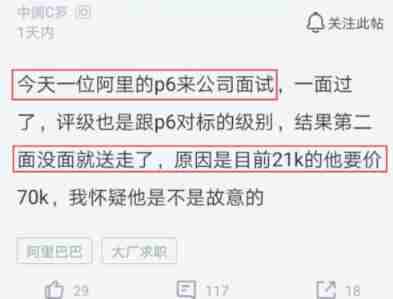
Alibaba P6 employees came to a small company for an interview and asked for an annual salary increase of 500000 yuan. How dare you speak

STL教程3-类型转换static_cast、dynamic_cast、const_cast、reinterpret_cast方法

【实战】STM32 FreeRTOS移植系列教程4:FreeRTOS 软件定时器

Character function and string function
[actual combat] STM32 FreeRTOS porting series Tutorial 4: FreeRTOS software timer

Figure out how MySQL works

How to connect the Internet - FTTH

Full stack development

Verification code ----- SVG captcha
随机推荐
适配华为机型中出现的那些坑
How to use ADB shell to query process traffic
基于Retrotfit2.1+Material Design+ijkplayer开发的一个APP
南京理工大学MOOC慕课:程序设计基础(Ⅰ)第8章测试选择题答案及解析
High precision calculation
Summary of Web automated testing
Unmanned, automation technology affects the world
Alibaba P6 employees came to a small company for an interview and asked for an annual salary increase of 500000 yuan. How dare you speak
Android database upgrade
Merge sort of sorting
Jar package required for full stack development
The R language uses the fix function to modify the name of the data variable through the editor. For example, use the fix function to modify the name of the dataframe data column
Shortcut keys accumulated when using various software
A command starts the monitoring journey!
并发-条件变量
The way of filling holes in APK Decompilation
Abstractqueuedsynchronizer (AQS) source code analysis - cyclicbarrier source code analysis
Form Validation
Stm32mp1 cortex M4 development part 10: expansion board nixie tube control
Junit5 unit test