当前位置:网站首页>Auto. JS learning notes 5:ui interface foundation of autojs Chapter 1
Auto. JS learning notes 5:ui interface foundation of autojs Chapter 1
2022-06-12 09:53:00 【PYB3】
Declare that I use autojs yes 4.1.1 edition
Catalog
Control common base properties
UI Definition
with ui The first part of the script must use "ui"; Appoint ui Pattern , Otherwise the script will not ui mode .
"ui";
ui.layout(
    <horizontal>
        <button text=" The first button "/>
        <button text=" The second button "/>
    </horizontal>
);
Control common base properties
w:
View Width , Attribute width Abbreviated form . The value that can be set is *, auto And specific values . among * Width As far as possible Fill the parent layout , and auto Indicates that the width will be based on View The content of is automatically adjusted ( Adaptive width ).
h:
View Height , Attribute height Abbreviated form . The value that can be set is *, auto And specific values . among * Width As far as possible Fill the parent layout , and auto Indicates that the width will be based on View The content of is automatically adjusted ( Adaptive width ).
If this property is not set , Different controls and layouts have different default heights , Most of them are auto.
id:
View Of id, It is used to distinguish different controls and layouts under an interface , An interface id It is usually unique under the same interface , In other words, there are generally no two View Have the same id.id Attributes are also connections xml Layout and JavaScript Code bridge , In the code, you can use a View Of id To get this View, And operate him ( Set click action 、 Set properties 、 Get properties, etc ).
gravity:
View Of " gravity ". Used to decide View The content of is relative to View The location of , The value that can be set is :
leftKeep to the leftrightKeep righttopNear the topbottomNear the bottomcenterIn the middlecenter_verticalVertical centercenter_horizontalHorizontal center
layout_gravity:
View In the layout " gravity ", Used to decide View Itself in his Parent layout The location of , Values that can be set and gravity Same attribute . Note that this attribute is associated with gravity Attribute to distinguish .
margin:
margin by View And others View The distance between , The outer margin .margin The attribute contains four values :
marginLeftLeft outer marginmarginRightRight outer marginmarginTopThe upper and outer marginsmarginBottomThe lower outer margin
padding:
View And his own content , That is, the inner margin . Pay attention to and margin Attribute to distinguish ,margin The attribute is View The gap between , and padding yes View And his own content . for instance , A text control padding That is, the distance between the edge of the text control and its text content ,paddingLeft That is, the space between the left side of the text control and its text content .
bg:
View The background of . Its value can be a link or a path to the image , perhaps RGB Color of format , Or other backgrounds .
visibility:
View The visibility of , This attribute can determine View Is it displayed . Its value can be :
goneinvisible .visibleso . By default View It's all visible .invisibleinvisible , But it still takes up space .
rotation:
View The angle of rotation of . Through this attribute, you can make this View Rotate clockwise for a certain angle . for example rotation="90" You can make him rotate clockwise 90 degree .
marginTop:
View Upper and outer margins of . If this property is the same as margin Property specifies a value that conflicts , Then the following attributes take effect , The preceding attribute is invalid .
Text control :text
Text controls are used to display text , You can control the font size of text , The font color , Font, etc. .
text:
Text controls are used to display text , You can control the font size of text , The font color , Font, etc. .
Set the content of the text . for example text=" Test content ".
textColor:
Set the color of the font , It can be RGB Color of format ( for example #ff00ff), Or color names ( for example red, green etc. ).
Example , In red :<text text=" In red " textColor="red"/>
textStyle:
Set the font style , For example, italics 、 Bold, etc . The optional value is :
- bold Bold font
- italic Italics
- normal Normal font
You can use or ("|") Put them together , For example, bold italics is "bold|italic".
lines:
Set the number of lines of the text control . Even if the text content does not reach the set number of lines , Control also leaves a corresponding width to display blank lines ; If the text content exceeds the set number of lines , The excess part will not be displayed .
textSize:
Set the font size , The unit is usually sp. according to Material Design The specification of , The font size of the text is 14sp, The font size of the title is 18sp, Sub title is 16sp.
maxLines:
Set the maximum number of lines for the text control .
ellipsize:
Set the ellipsis position of the text . The ellipsis of the text is displayed when the text content exceeds the text control . The optional value is :
endShow ellipsis at the end of textmarqueeRunning lamp effect , The text will scrollmiddleShow ellipsis in the middle of the textnoneDon't show ellipsisstartShow ellipsis at the beginning of the text
autoLink:
Controls whether to automatically find url And email addresses , And convert to clickable links . The default value is “none”.
Setting this value makes the links in the text 、 The phone becomes clickable .
The optional values are the following values to pass through or ("|") The combination of :
allMatch all connections 、 mail 、 Address 、 TelephoneemailMatch email addressmapMatch map addressnoneMismatch ( Default )phoneMatch phone numberwebmatching URL Address
ems:
When this property is set ,TextView Length of displayed characters ( The unit is em), The excess will not be displayed , Or according to ellipsize Property to display ellipsis .
Interface UI Example
"ui";
ui.layout(
    <relative w = "*" h = "*">
     <vertical w = "*" h = "auto" gravity = "center" layout_centerInParent="true">
                <text id = "textTitleHintTxt" textStyle = "bold" padding="15 10 15 10"
                marginBottom = '5' bg = "#34b1e7" textColor = "black" textSize="26sp"> Welcome to use </text>
              <text id = "textHintTxt" textStyle = "italic" marginTop = '10dp' padding="3 1 3 1" bg = "#34b1e7" textColor = "black" textSize="16sp"> describe </text>
      <vertical >

           <input id = "countIt" digit="1234567890" singleLine = "true" hint=" Enter the number of days overdue " ></input>

            <text id = "bottmHintTxt" w = "*" text = " Important prompt statement : nothing " gravity = "center" marginBottom = "15" layout_alignParentBottom="true" textStyle = "bold" padding="0 10 15 0"  textColor = "black"/>

    </relative>
);
Conclusion
Did you learn Android Native development will quickly adapt autojs Of ui Interface development , It's not too difficult , Write according to the document , Some later control documents do not describe in detail , I will also record it in my notes .
It's no use just looking without knocking
After reading, we must practice
Be sure to type the code
Be sure to run trial and error
This is meaningful learning
边栏推荐
猜你喜欢
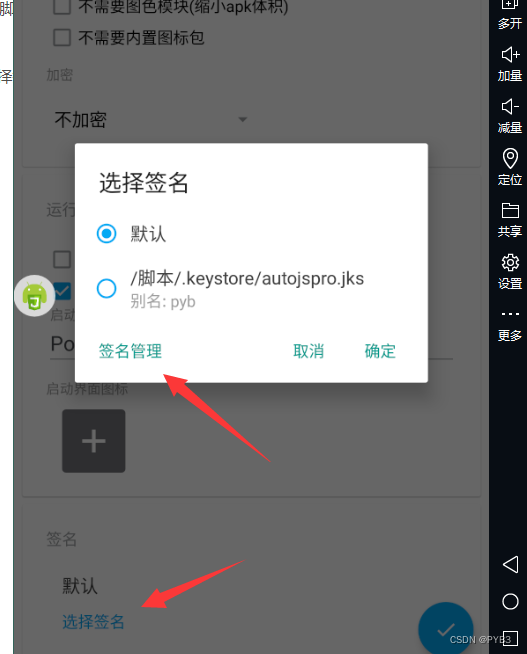
Auto.js学习笔记4:autojs打包后,大部分华为等大牌子手机无法安装?利用模拟器远程在autoPro里签名打包可以解决该问题。
Do you know how to improve software testing ability?

Explication du principe d'appariement le plus à gauche de MySQL

传输层协议 ——— TCP协议

III Regular expression to finite state automata: NFA to DFA

GNU EFI development environment settings
Test case and bug description specification reference

CEPH performance optimization and enhancement
How should the test plan be written? A thought teaches you
gnu-efi开发环境设置



随机推荐
【云原生 | Kubernetes篇】Kubernetes 网络策略(NetworkPolicy)
使用Visual Studio 2017创建简单的窗口程序
Do you know how to improve software testing ability?
Explication du principe d'appariement le plus à gauche de MySQL
Golandidea 2020.01 cracked version
行业分析怎么做
GNU EFI development environment settings
I Regular expression to finite state automata: regular expression to NFA
ThreadLocal
软件定义存储概览(一篇就够)
005:数据湖与数据仓库的区别
【系统分析师之路】第十八章 复盘系统安全分析与设计
哈希表的理论讲解
UE4_以现成资源探索创建背景场景的方法
Implementation of hotspot synchronized
Theoretical explanation of hash table
Reading notes of the fifth cultivation
电阻的作用有哪些?(超全)
卖疯了的临期产品:超低价、大混战与新希望
Transport layer protocol -- TCP protocol