当前位置:网站首页>Endeavouros installation configuration introduction!
Endeavouros installation configuration introduction!
2022-06-22 12:18:00 【Palpitation】
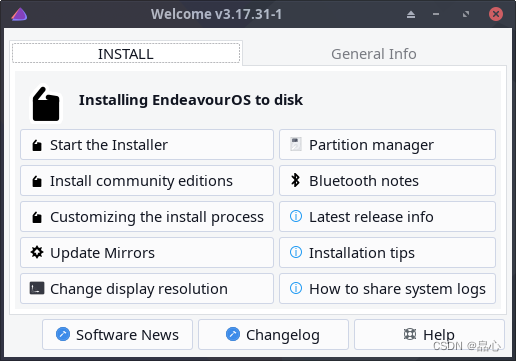
anzhuang
add to Archlinuxcn Software sources
Edit the configuration
Execute the following command to edit the file :
vi /etc/pacman.conf
Add at the end of the file 2 Row content :
[archlinuxcn]
Server = https://mirrors.aliyun.com/archlinuxcn/$arch
Activate Archlinuxcn Software sources
sudo pacman -Sy archlinuxcn-keyring haveged
Then execute the following command :
typewriting
install
yay -Ss fcitx5 fcitx5-configtool fcitx5-chinese-addons fcitx5-material-color
To configure
vi ~/.pam_environment
Paste the following :
GTK_IM_MODULE DEFAULT=fcitx
QT_IM_MODULE  DEFAULT=fcitx
XMODIFIERS    DEFAULT=\@im=fcitx
SDL_IM_MODULE DEFAULT=fcit
Fcitx To configure
typewriting
function fcitx5 There is an input method indicator in the lower right corner , Right click , choose “ To configure ”, The pop-up dialog box is as follows :
First select the pinyin on the left , Then click the small icon in the middle red box , In the pop-up dialog box, click the following configuration :
“ Forget the words ” Use ctrl+ Backspace ,“ Page size ” Set to 10,“ Cloud Pinyin ”-“ Back end ” Choose Baidu .
“ The dictionary ”, Configure and import several Sohu online thesaurus .
Global options

I configured it as left shift Turn input methods on and off , All other switching options are deleted , This configuration is very responsive .
Add ons
Classic user interface

punctuation

clipboard

This is super easy to use , Press ctrl+ A semicolon , You can quickly enter... In the clipboard 10 Bar record . Other Clipboard software can be omitted .
Full angle characters
I set the activation shortcut to ctrl+ comma .
Common software
System tools
#  Disk Cleanup Tool
yay -S stacer
#  The deep font manager is beautiful and easy to use , Is worth to recommend .
yay -S deepin-font-manager
#  System backup
yay -S timeshift
Network class
#  browser ,edge
yay -S microsoft-edge-stable-bin
#  email
yay -S mailspring
#  Download tool
yay -S motrix
Office software
# wps And font
yay -S wps-office-cn wps-office-mui-zh-cn ttf-wps-fonts
Programming class
# vscode
yay -S visual-studio-code-bin
#  Database management tools , When installing, the operating environment is selected jdk
yay -S dbeaver
# docker
yay -S docker
# go
yay -S go
go env -w GO111MODULE=on
go env -w GOPROXY=https://goproxy.cn,direct
# watchman
yay -S watchman
multimedia
#  player
yay -S qmplay2
#  Screenshot tool
yay -s flameshot
边栏推荐
- 有时候努力,并不是自己心甘情愿
- chown改变目录的所有者、所属组失败的诡异问题
- redisTemplate序列化
- TiFlash 函数下推必知必会丨十分钟成为 TiFlash Contributor
- [2206] An Improved One millisecond Mobile Backbone
- Fight, programmer chapter 39 how can you admire a bosom friend if you are not disappointed in life
- Linux下启动oracle
- Authenticated cookies, sessions, JWT
- Solution to the 55D problem of Niuke challenge
- 软件架构设计原则
猜你喜欢

Machine learning and deep learning - activation function (to be continued)
![[2206] An Improved One millisecond Mobile Backbone](/img/75/b040f4b88050937dee57003b62f7b0.png)
[2206] An Improved One millisecond Mobile Backbone

"Meng Hua Lu" has become the king of gold: advertisers can't line up with 5million yuan. Has Tencent video won?

Differences between SPI and API

Redis - 10、主从复制

Reddit产品主管:为Web3创作者准备的NFT会员实用指南

About cache exceptions: solutions for cache avalanche, breakdown and penetration
![[cloud native | kubernetes] Introduction to kubernetes (I)](/img/e0/c75e72fc3636b3de8f5caded19a883.png)
[cloud native | kubernetes] Introduction to kubernetes (I)

【李宏毅】机器学习深度学习笔记 -- 训练模型通关攻略

“中国巴菲特”段永平:投资有道
随机推荐
Redis - 4、新的3种数据类型
客户成员价值分析
Differences between SPI and API
ppt数据采集方法与分析技能
Yunshang people and IOT technology joined the dragon lizard community to jointly create a software and hardware service ecosystem
如何从数据库层面统计每天业务数据的增长量?
推荐系统从入门到接着入门
分享7个免费超清的影视资源站!不管是剪辑还是珍藏都实用到哭!
初始transformer需要了解的一些概念
论文解读——Factorization Meets the Neighborhood: a Multifaceted Collaborative Filtering Model
宏定义使用以及typedef和const
运筹优化基础知识
2022过半,没有新风口
Arc128 C convex hull optimized suffix and?
Redis - 7. Opérations de transaction
增长知识网
【云原生 | Kubernetes篇】Kubernetes简介(一)
oracle存储过程2
本地裸文件包含
求100-200之间全部的素数