当前位置:网站首页>Openharmony Mengxin contribution Guide
Openharmony Mengxin contribution Guide
2022-07-27 09:11:00 【Hua Weiyun】
This tutorial is designed to help Mengxin people participate in OpenHarmony In the open source business of , Let everyone become an open source person , sparks of fire , Can start a prairie fire ! At the bottom is my way to join the Group .
Before that, let's talk about ,
Official T T-shirt
My Hongmeng books
My bird decorations
The scope of activities covers OpenHarmony Trunk warehouse 、SIG warehouse 、 Three party Library , total 1000+ A code warehouse :
OpenHarmony The address of the primary database organization :
OpenHarmony SIG Organization Address :
https://gitee.com/openharmony-sig
OpenHarmony The organization address of the third-party database :
https://gitee.com/openharmony-tpc
Prerequisite
There is one , If not , Remember
If Git The foundation is weak , You can also use a graphical interface
windows recommend
mac recommend
Next is the hand-in-hand link
Here are also two pictures to see
One 、 To configure Git
1. register
Address : https://gitee.com/ Sign up for a cloud account , Just click... In the navigation bar “ register ”, Or click the big one on the homepage “ Add code cloud ” Button , You can enter the registration page .
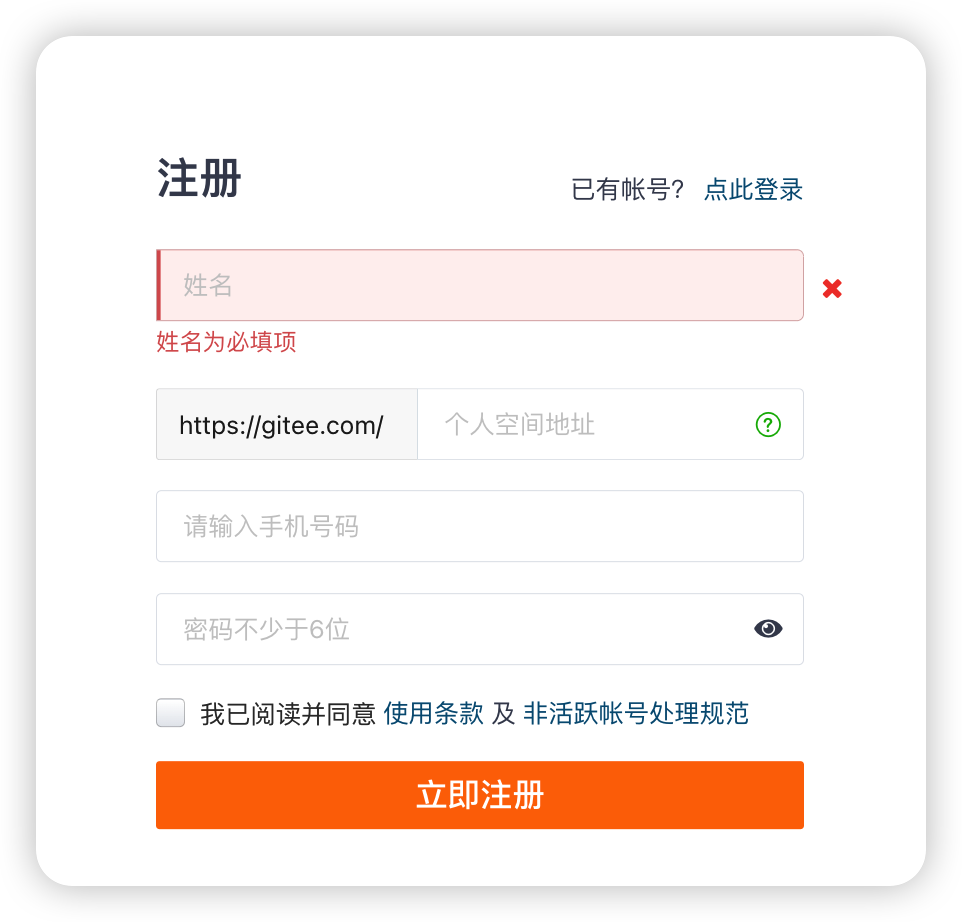
Enter account 、 mailbox 、 password , Then click the register button .
When registering, it's best to choose a meaningful name , For example, spell all the names , Nickname spell , If occupied , You can add meaningful numbers .
After registration, the official will send an activation email to everyone's email , Please click the link to activate your account , After the account is activated , The registration process is complete . After registration, log in with the newly registered account , After logging in, you will enter the user's control panel page .
Can't find ssh-keygen The command is because your working directory is not in ssh-keygen.exe Under the directory , Caused the command not to be found , So switch the working directory to ssh-kengen In the directory (Git/usr/bin/) that will do . Take me for example , my Git Installed in the D disc Git Next , So operate cd D:/Git/usr/bin/ , And then execute ssh-keygen -t rsa -C “ Your email address ” that will do
2. Public key authentication management
The most commonly used protocol for developers to write to the code cloud version library is SSH agreement , because SSH The protocol uses public key authentication , It can realize password free access , And if you use HTTPS The protocol needs to provide password every time when authenticating . Use SSH Public key authentication , It involves the management of public key .
3. How to generate ssh Public key
You can generate it as follows sshkey:
This mailbox is the mailbox above you
ssh-keygen -t rsa -C "[email protected]" # Generating public/private rsa key pair...# Three carriage returns will generate ssh keySuch as my
ssh-keygen -t rsa -C "[email protected]" Then enter three times to generate ssh key,
View your public key,
mac
cat ~/.ssh/id_rsa.pub# ssh-rsa AAAAB3NzaC1yc2EAAAADAQABAAABAQC6eNtGpNGwstc....windows
stay C:\Users\ user .ssh In the directory id_rsa.pub Copy everything inside
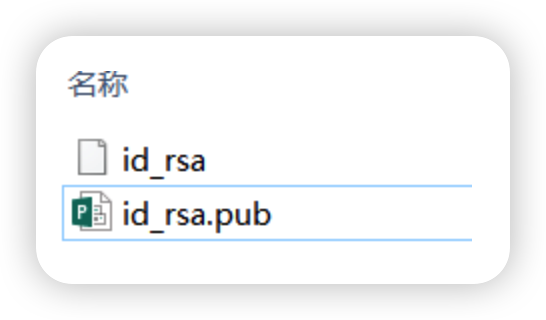
4. add to public key To code cloud
And add it to the code cloud (Gitee.com)
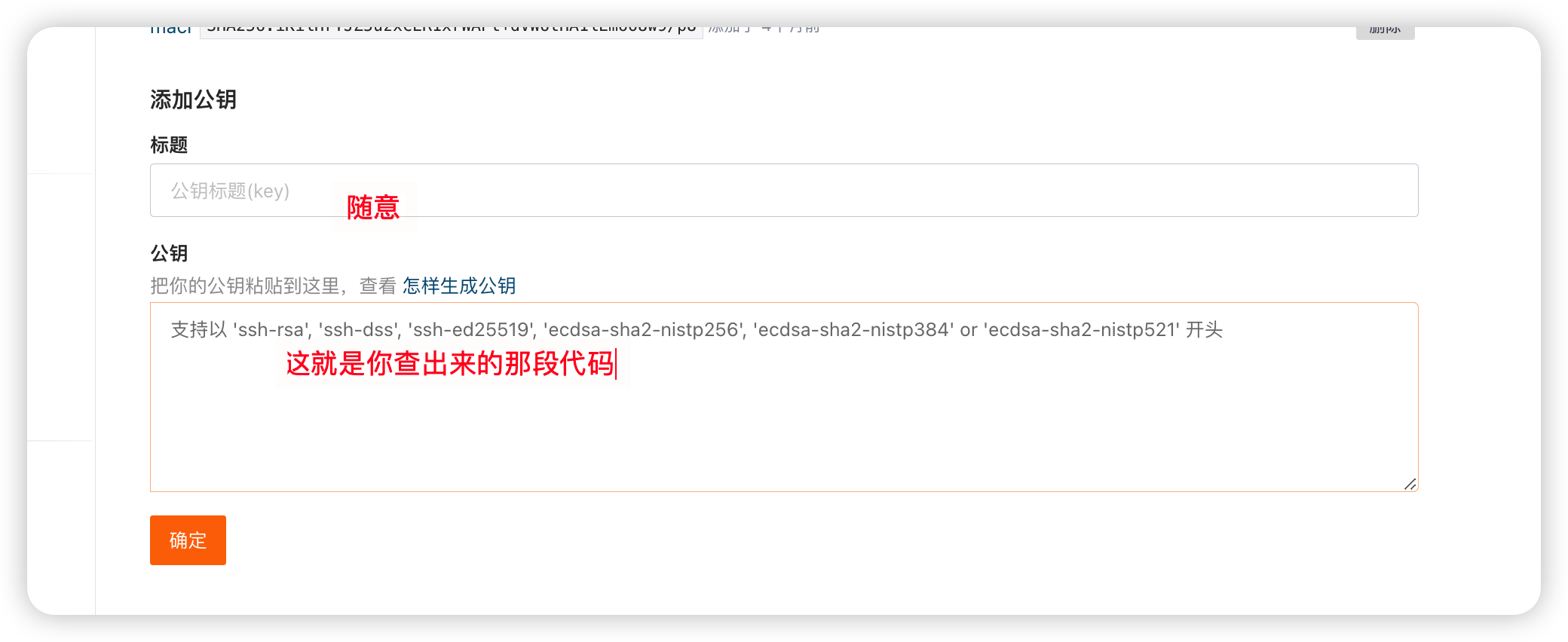
After adding , At terminal (Terminal) Input in
ssh -T [email protected]If returns
Welcome to Gitee.com, yourname!It proves that the addition is successful .
Two 、DCO signed
1.DCO Signing website
2. signed DCO
Be careful :
DCO signed Name And git config --global user.name The settings are consistent ( In fact, inconsistency can also , But there is less trouble after agreement )
DCO signed E-mail And git config --global user.email The settings are consistent
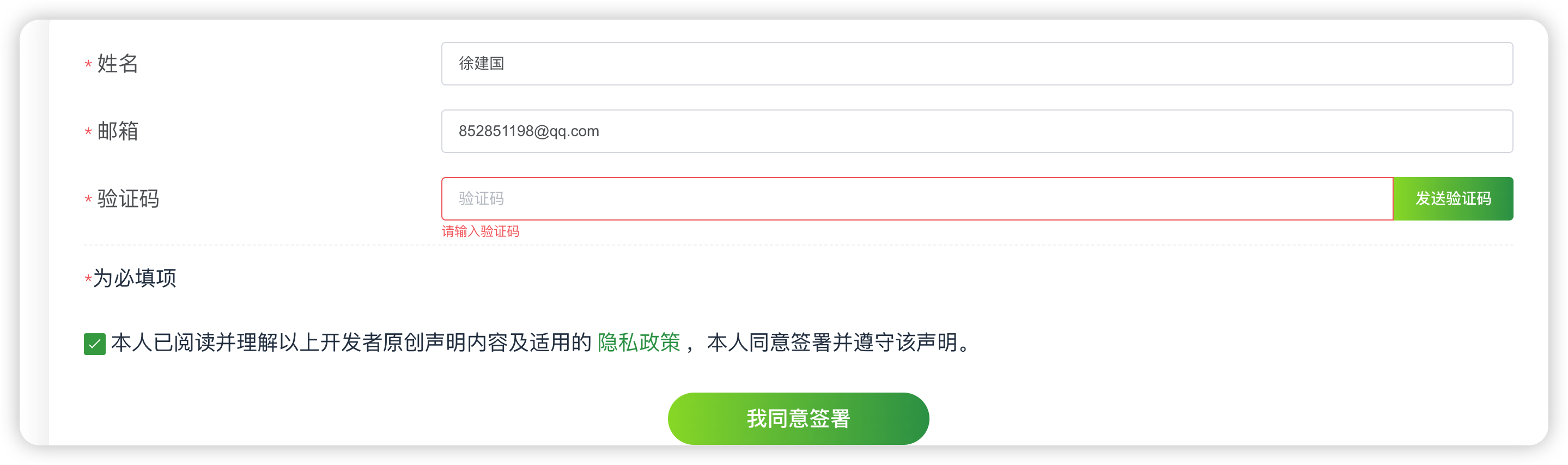
3. Modify the local mailbox to be consistent with the signing mailbox
git config --global user.name " What's your name " git config --global user.email " Yours gitee Bind mailbox "git config --global --listSuch as my :
git config --global user.name " Xu Jianguo " git config --global user.email "[email protected]"git config --global --list3、 ... and 、 Submission code
1. Download code
1.1 Find the community code repository where you want to submit the code ,fork One to his own private warehouse ;
For example, I fork Yes. docs warehouse
The original address :https://gitee.com/openharmony/docs
fork after :https://gitee.com/jianguo888/docs
And behind you git clone It is the latter .
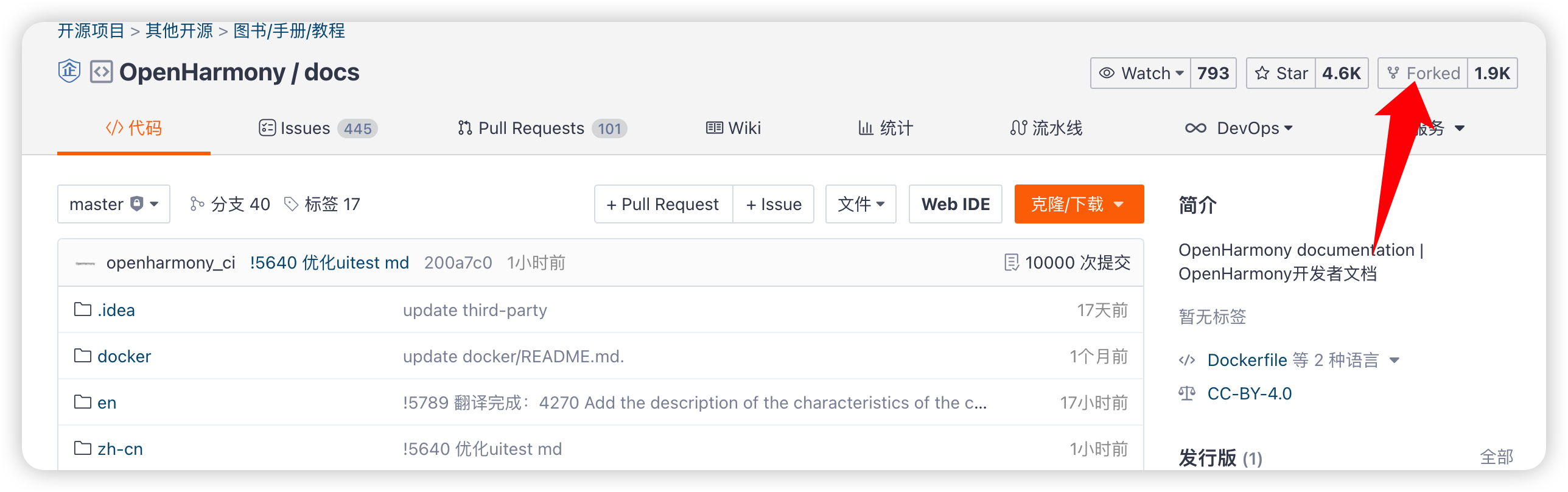
1.2 Copy your own private warehouse “ clone / download ” Medium HTTPS/SSH Link to download code
Create workspace locally , then
git clone https://gitee.com/ Yours giteeID/docs.gitSuch as my
git clone https://gitee.com/jianguo888/docs.git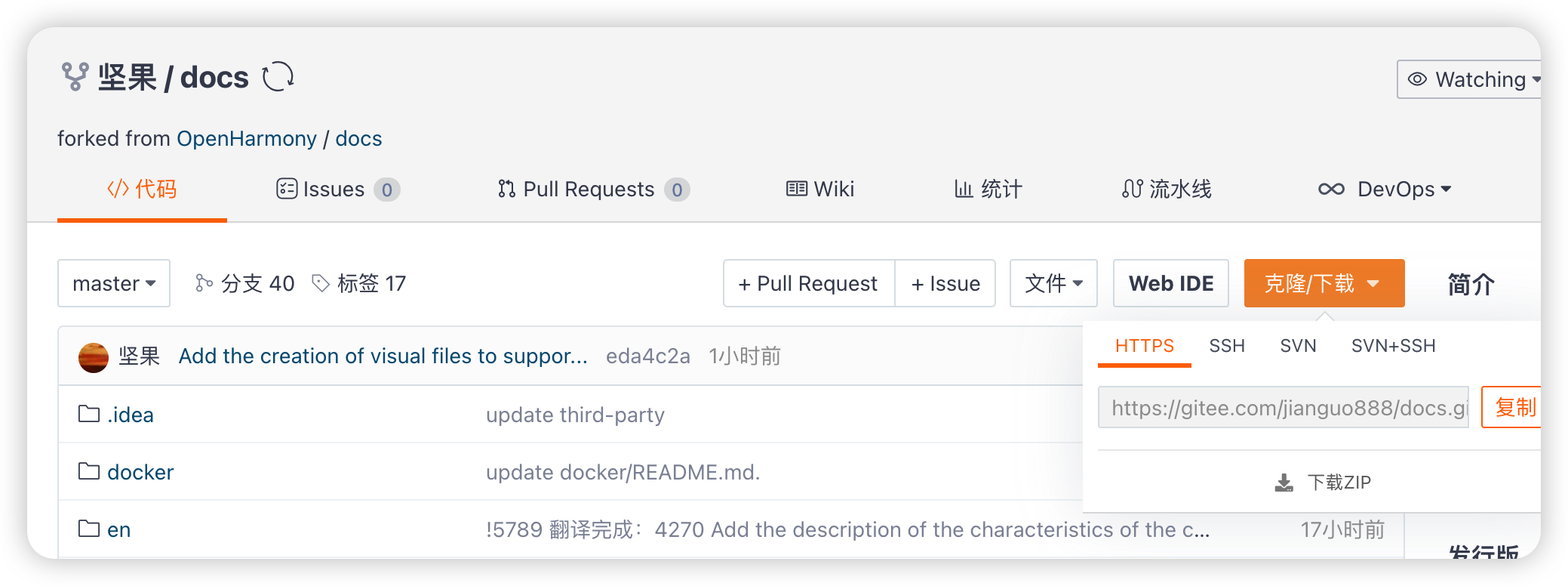
2. Submission code
2.1 Merge the modified code into the submission Repository ;
Mailbox must be added , Or the back doc The calibration is not good
Bear in mind : The submission must be -s -m
-s It means taking your signoff
git add .git commit -s -m ' Modify the information ' // Submit information including your profile git push -f origin master Such as my :
git add .git commit -s -m ' modify redeme Improve readability ' // The submitted information contains signoff mailbox git push -f origin master 2.2 How to add signoff To the last time commit?
perform git commit --amend --signoff command .
2.3 If the same problem is modified
git commit --amendUsually one by one is recommended commit Solve a problem
Four 、 Submit ISSUE
1.( No fork Code warehouse of ), At the same time, pay attention to Issue There are many types of options to choose from , Choose... According to the actual situation
name
【OpenHarmony Open source contributor program 2022】+Issue Content description
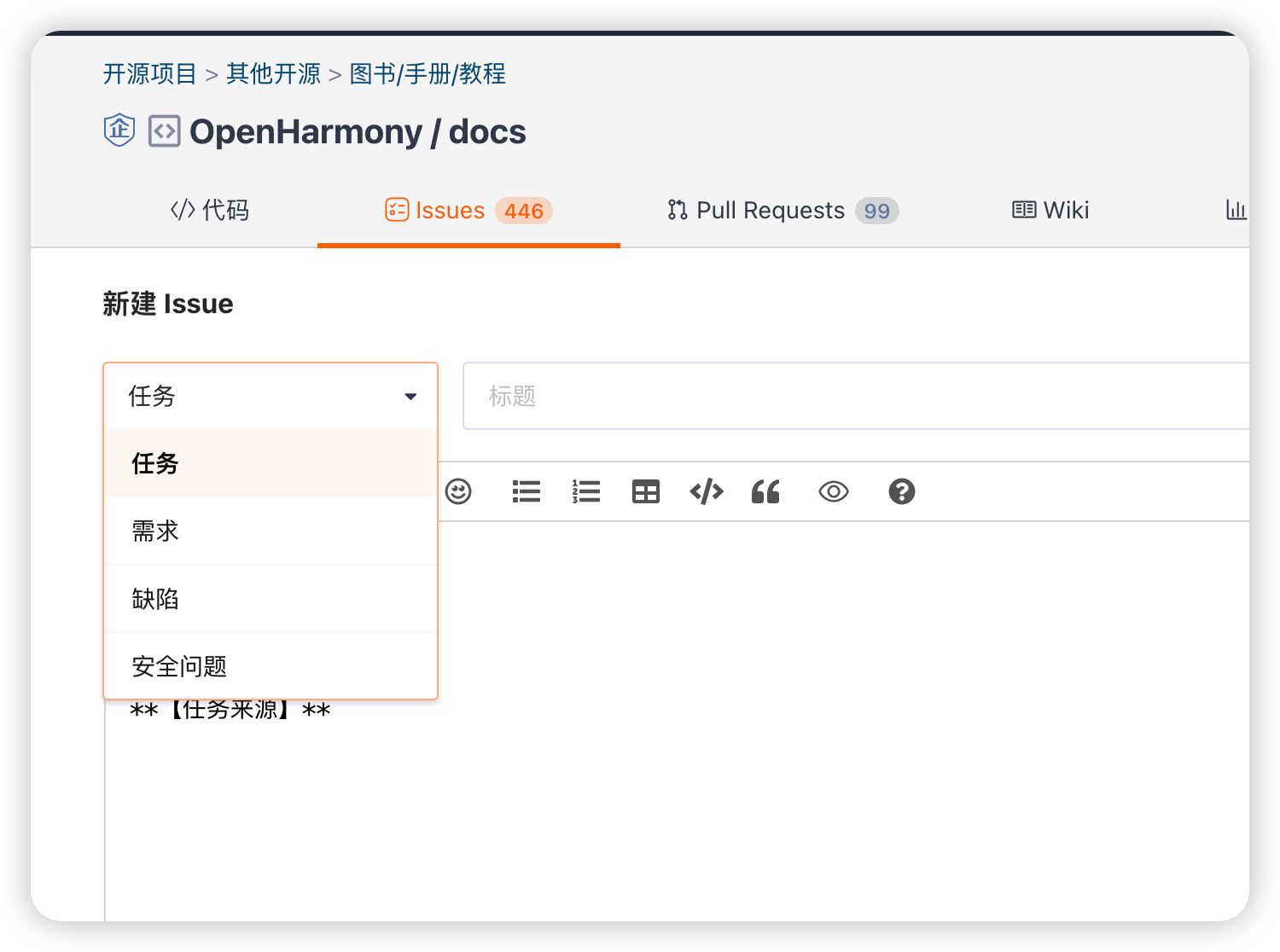
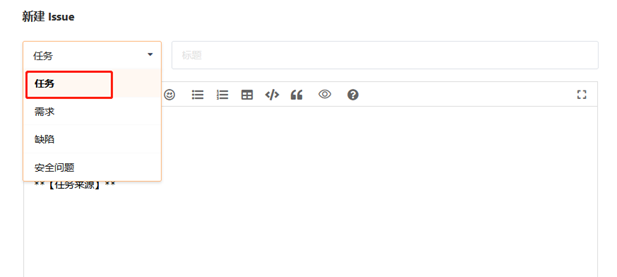
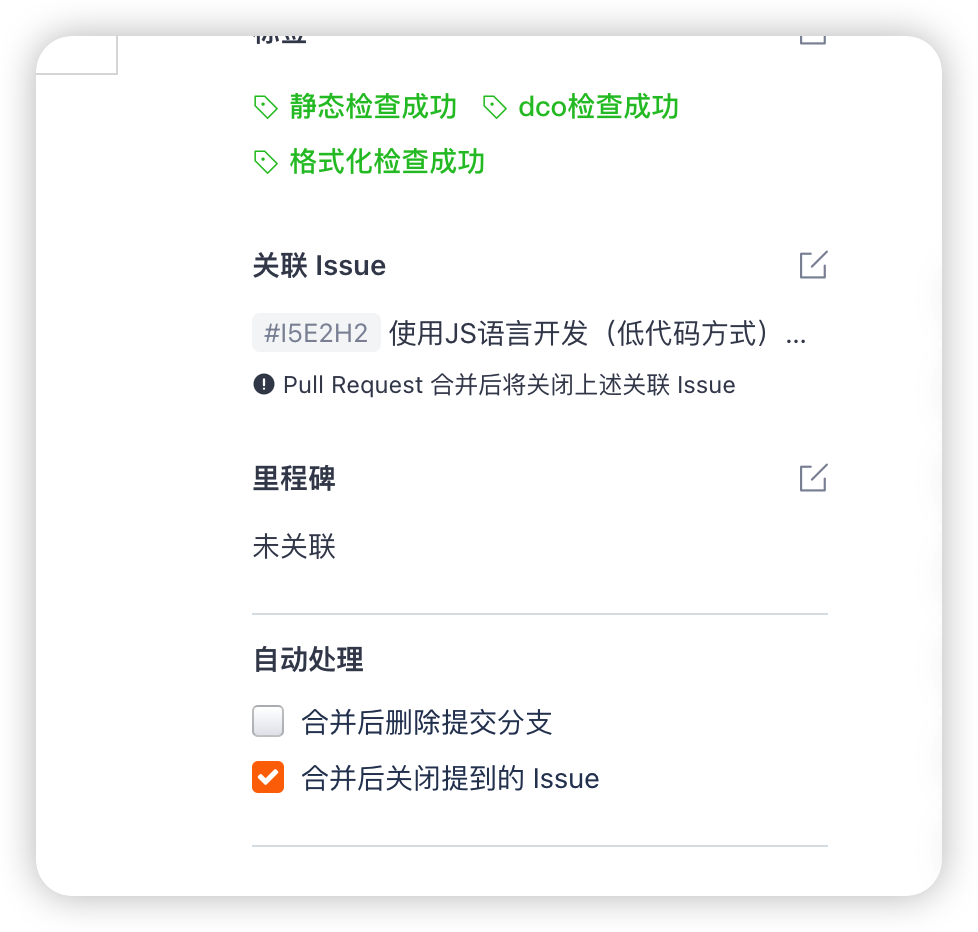
2. If the creation is successful, a #XXXXX(I5E2H2) Of IssueID, Subsequent submission PR Can relate to , relation PR Integration ,Issue It will shut down automatically .
5、 ... and 、 Submit PR
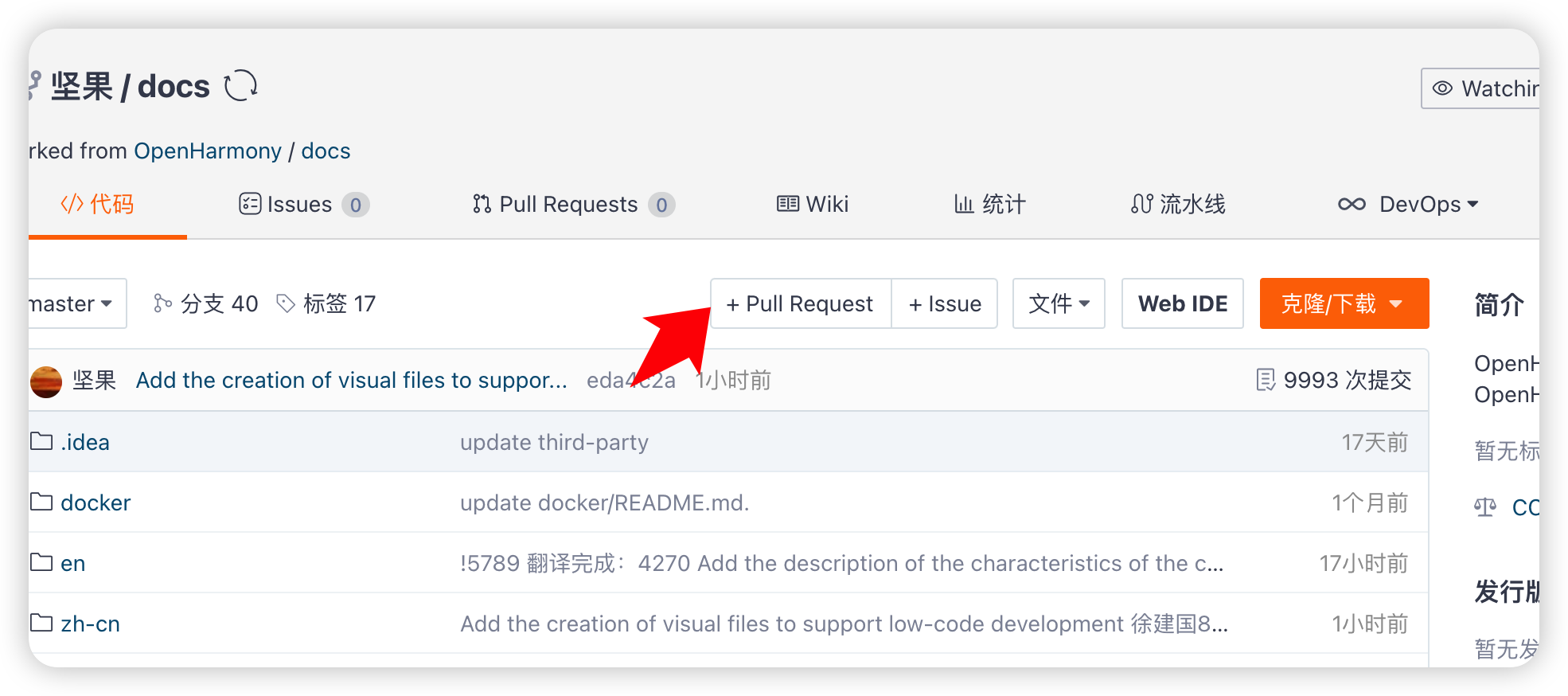
1. Submit the code to your own private repository , Refresh , Click on “+ Pull Request” build PR Merge the code into the community main code warehouse ;
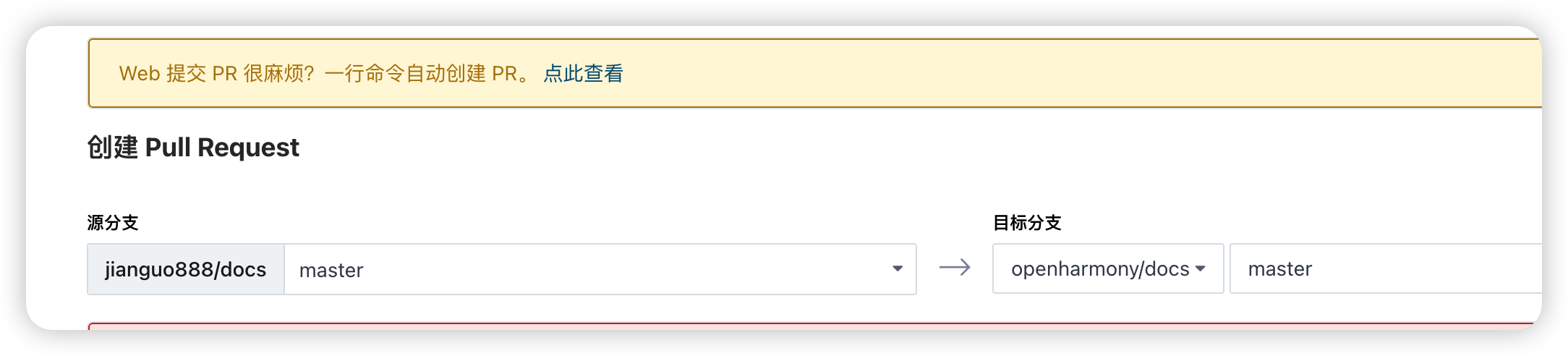
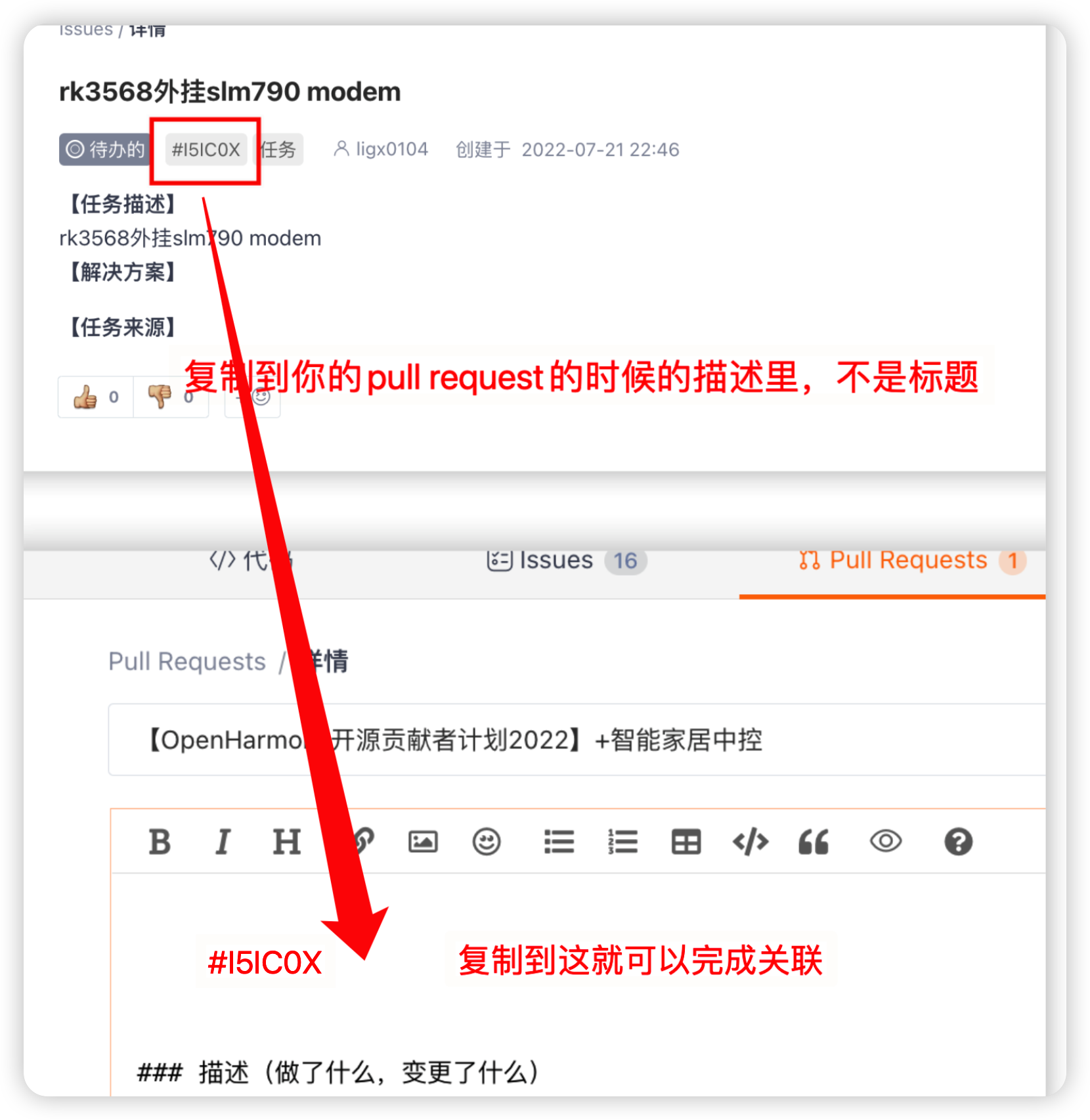
2. Get into PR Submit interface , Code warehouse branches can be selected , And correlation ISSUE ID, Briefly describe the combined PR Modification and other information ;
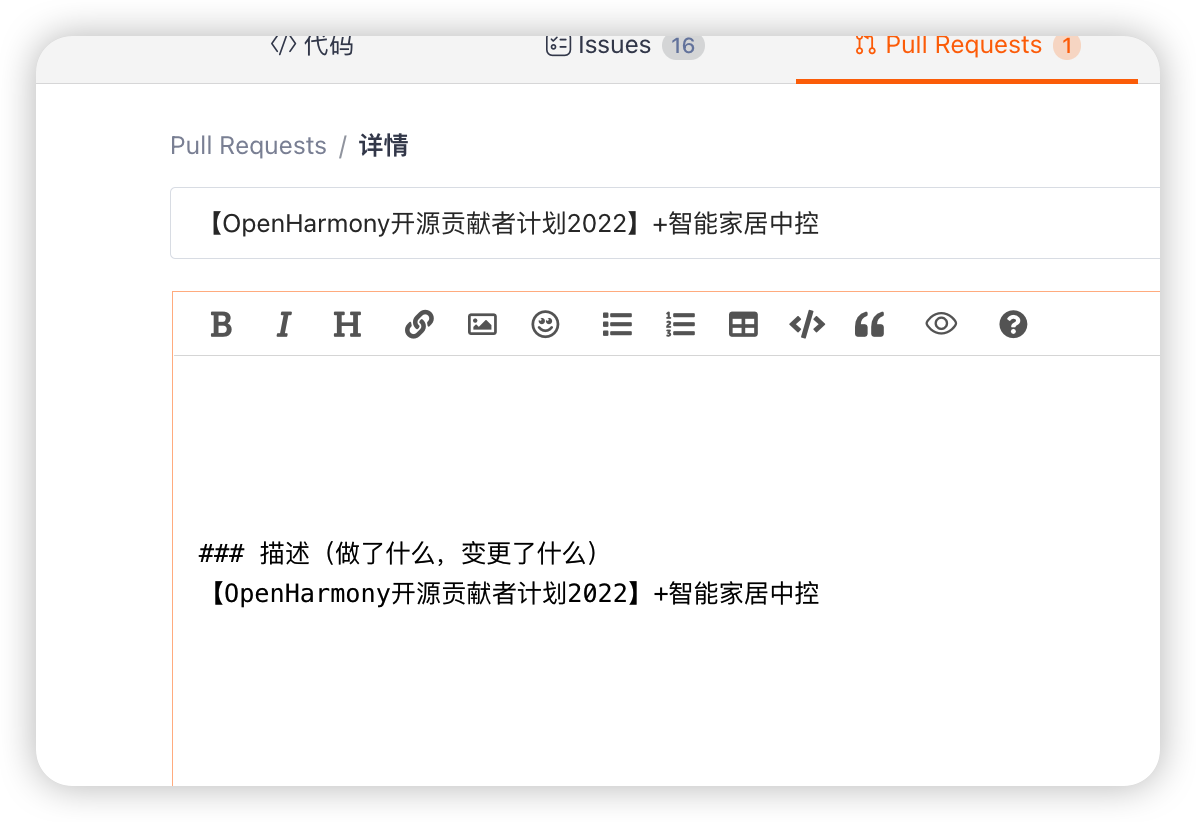
The titles are 【OpenHarmony Open source contributor program 2022】+ The task summary you modified
Such as my :
【OpenHarmony Open source contributor program 2022】+ Smart home central control
relation ISSUE ID
The first step is to check your issues ID
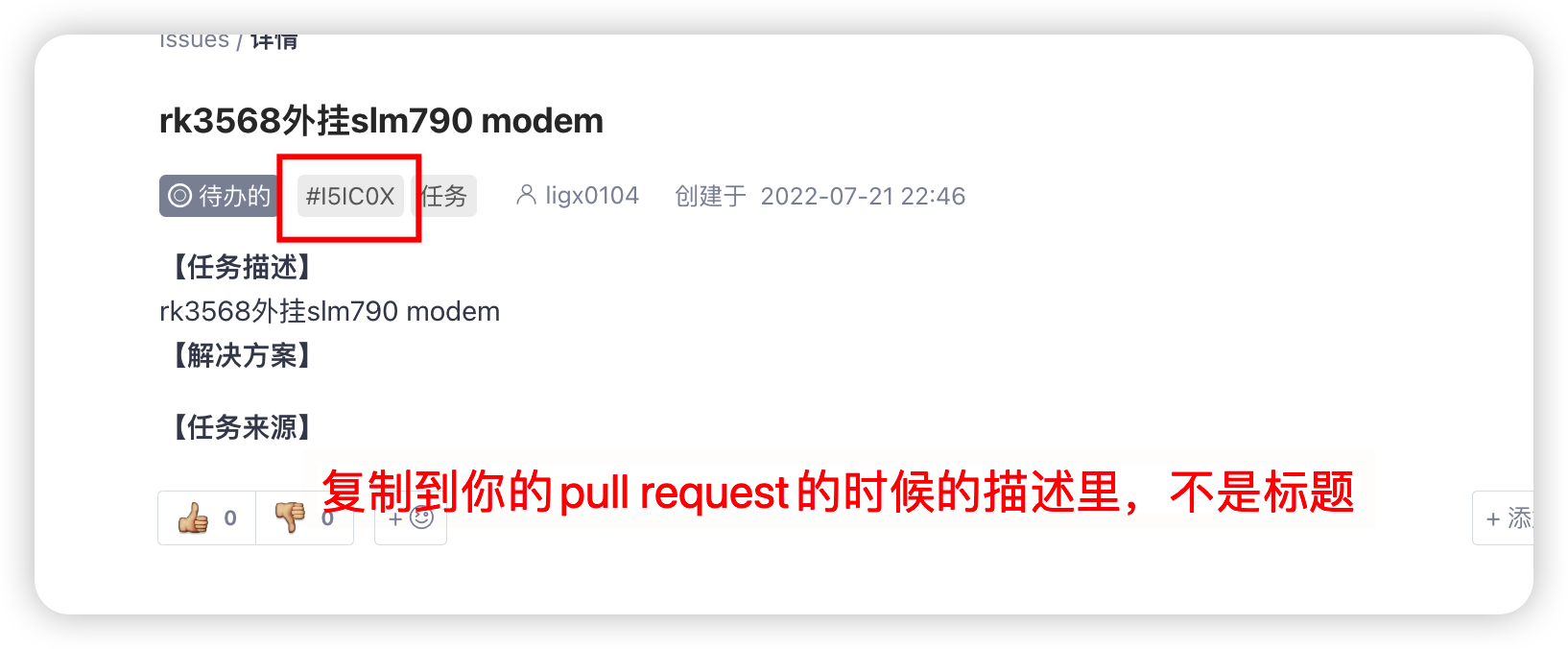
Step 2 add to your Pull request In my description
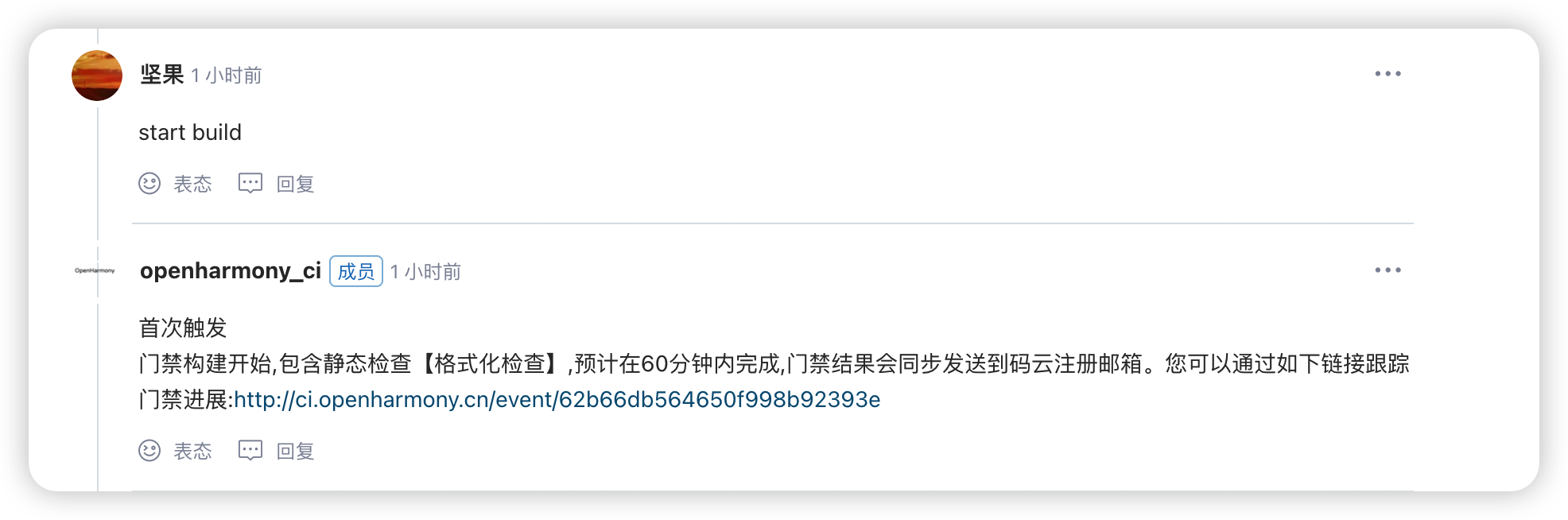
3.PR Build success , First, by default DCO Check , Check success , You need to manually enter a reply in the comment area ”start build” To access the code CI Static checking and compilation .
6、 ... and 、 contact committer
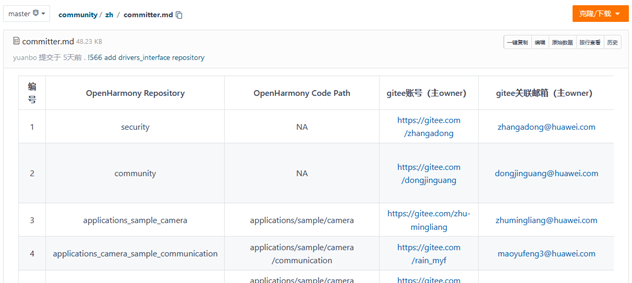
committer:https://gitee.com/openharmony/community/blob/master/zh/committer.md
1. committer The corresponding committer Home page of the person in charge , Find a way to contact
This step , Just talk to me , I'll help you contact .
I was in committer The person in charge of the discovery , Then wechat search , From the crowd .

Reference material
The little friends of nuts mentioned Pr
Youyousen :https://gitee.com/openharmony/docs/pulls/6910
https://gitee.com/openharmony/docs/pulls/6921
https://gitee.com/openharmony/docs/pulls/6937
https://gitee.com/openharmony-sig/knowledge_demo_entainment/pulls/35
边栏推荐
- BEVFormer: Learning Bird’s-Eye-View Representation from Multi-Camera Images via Spatiotemporal Trans
- 5G没能拉动行业发展,不仅运营商失望了,手机企业也失望了
- Restful
- CUDA programming-02: first knowledge of CUDA Programming
- 对 int 变量赋值的操作是原子的吗?
- How to upload dynamic GIF map in blog
- 【云驻共创】华为云:全栈技术创新,深耕数字化,引领云原生
- As a VC, the auction house invested Web3 for the first time
- 罗克韦尔AB PLC 通过RSLinx Classic与PLC建立通信的具体方法步骤
- Common operations of BOM and compatible writing methods for obtaining page / window height, width and scrolling
猜你喜欢
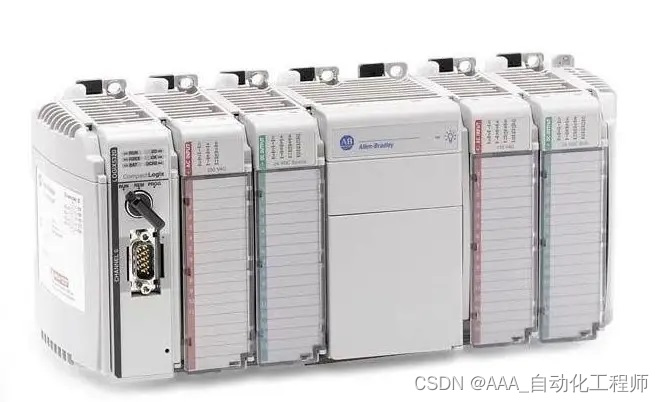
罗克韦尔AB PLC 通过RSLinx Classic与PLC建立通信的具体方法步骤

vscod
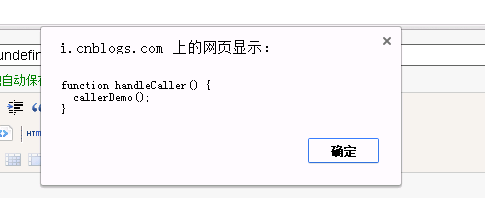
JS call and apply

Activation functions commonly used in deep learning
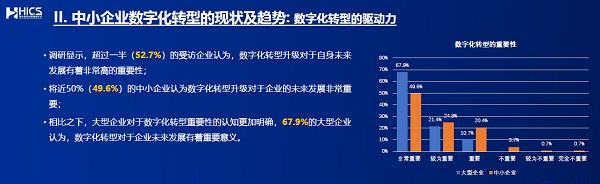
Low cost, low threshold, easy deployment, a new choice for the digital transformation of 48 million + small and medium-sized enterprises
![[interprocess communication IPC] - semaphore learning](/img/47/b76c329e748726097219abce28fce8.png)
[interprocess communication IPC] - semaphore learning

linux安装和远程连接mysql记录

Aruba learning notes 10 security authentication portal authentication (web page configuration)
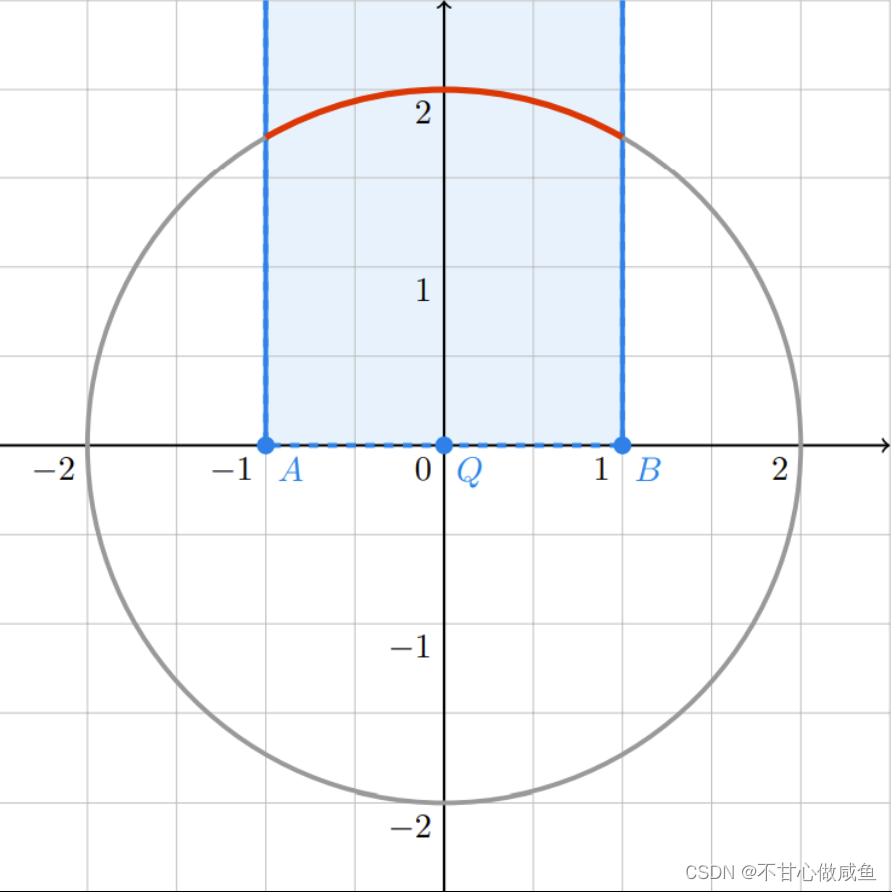
“蔚来杯“2022牛客暑期多校训练营1

Deep understanding of Kalman filter (3): multidimensional Kalman filter
随机推荐
苹果降价600元,对本就溃败的国产旗舰手机几乎是毁灭性打击
Five kinds of 2D attention finishing (non local, criss cross, Se, CBAM, dual attention)
Qt中发送信号时参数为结构体或者自定义的类怎么办?
Qdoublevalidator does not take effect solution
Five kinds of 3D attention/transformer finishing (a-scn, point attention, CAA, offset attention, point transformer)
DNS域名空间
Ztree custom title attribute
全排列递归思路整理
[daily algorithm 94] classic interview question: motion range of robot
Can "Gulangyu yuancosmos" become an "upgraded sample" of China's cultural tourism industry
TensorFlow损失函数
js call和apply
"Weilai Cup" 2022 Niuke summer multi school training camp 1
二叉树讲解
Storage and computing engine
Built in method of tensorflow model training and evaluation
Nutrecipes developed based on arkui ETS
CUDA programming-05: flows and events
The execution sequence of async/await, macro tasks and micro tasks
How to upload dynamic GIF map in blog