当前位置:网站首页>Repository Manager之Nexus配置yum仓库
Repository Manager之Nexus配置yum仓库
2022-06-11 14:18:00 【华为云】
创建步骤
创建blob存储位置
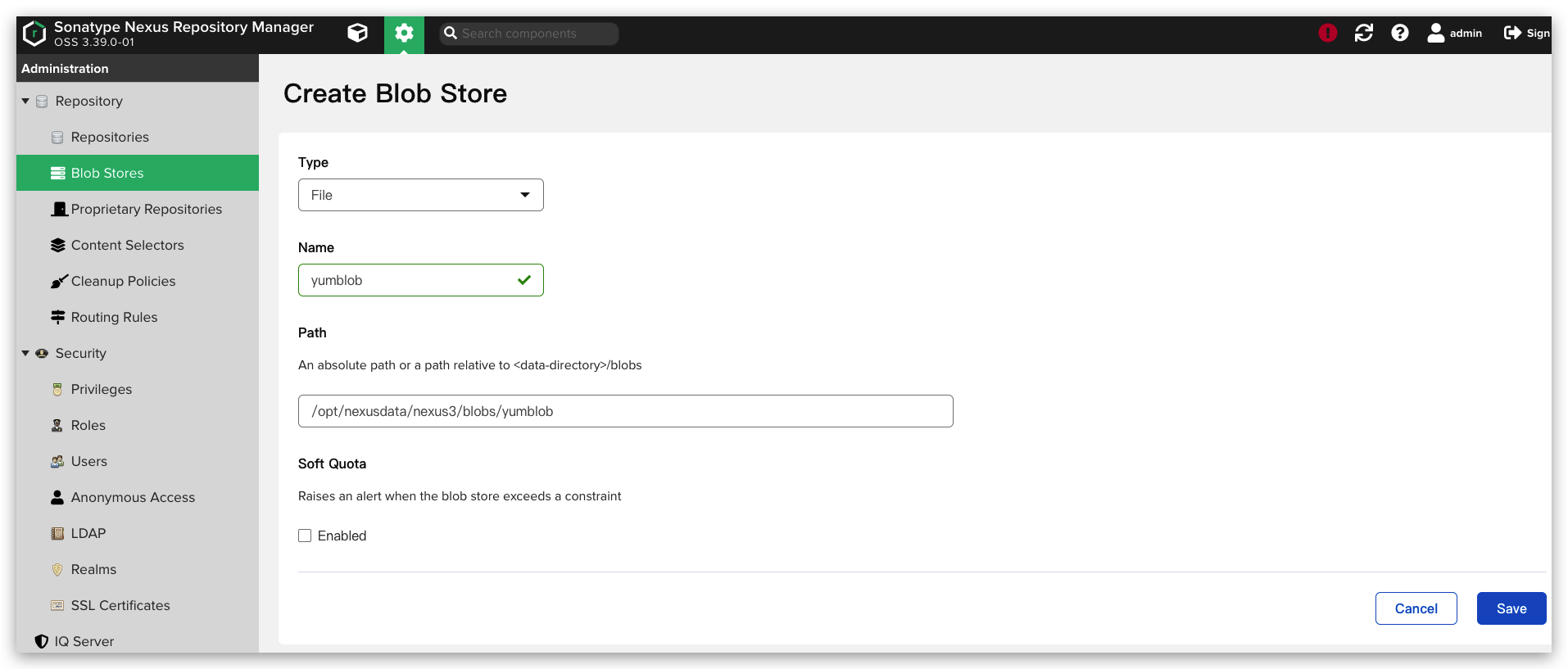
创建仓库
2. 创建仓库[三种类型:hosted(自建yum)、proxy(代理阿里yum、163yum等)、group(透明代理,将hosted和proxy组合)]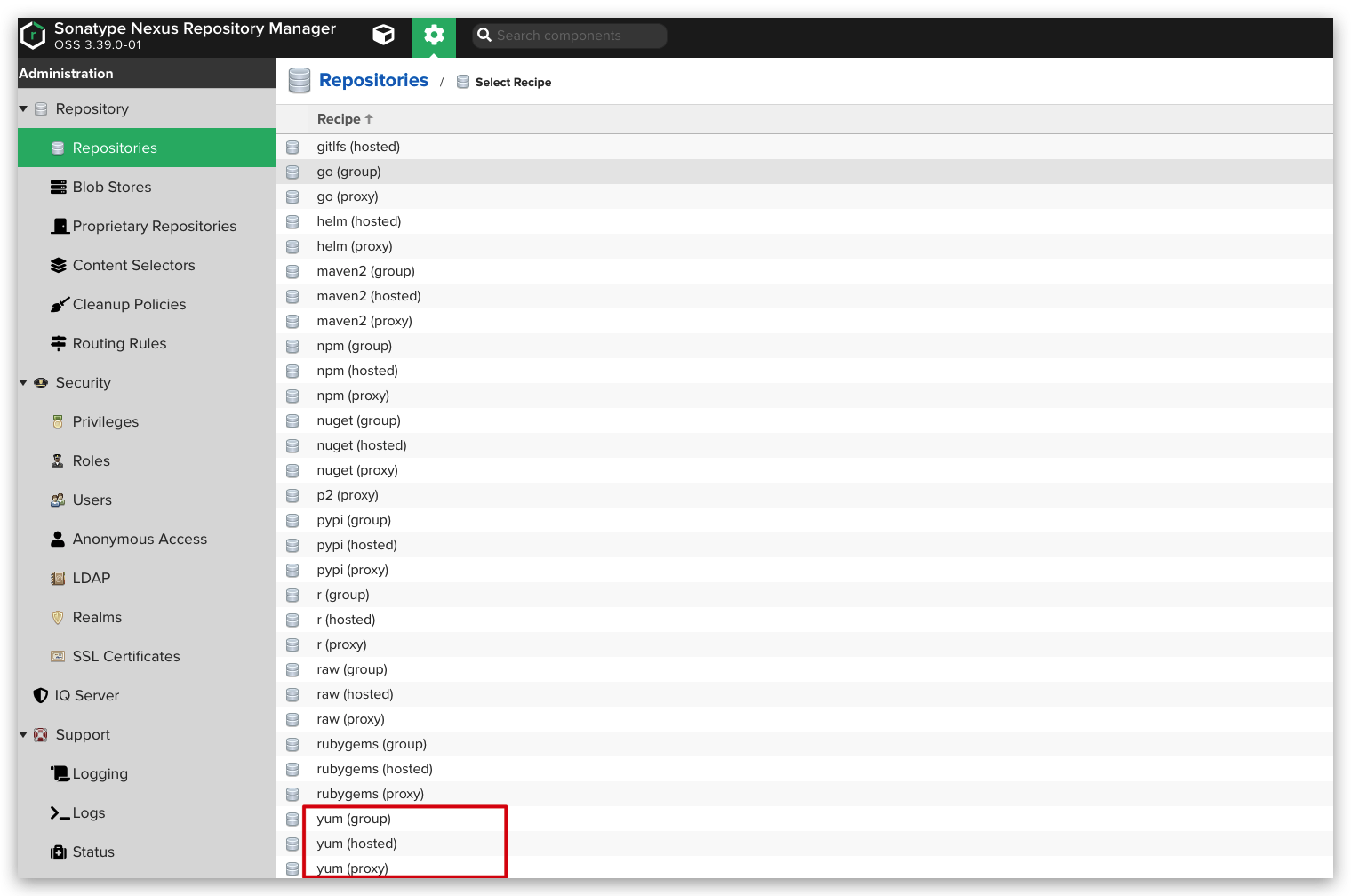
创建代理仓库
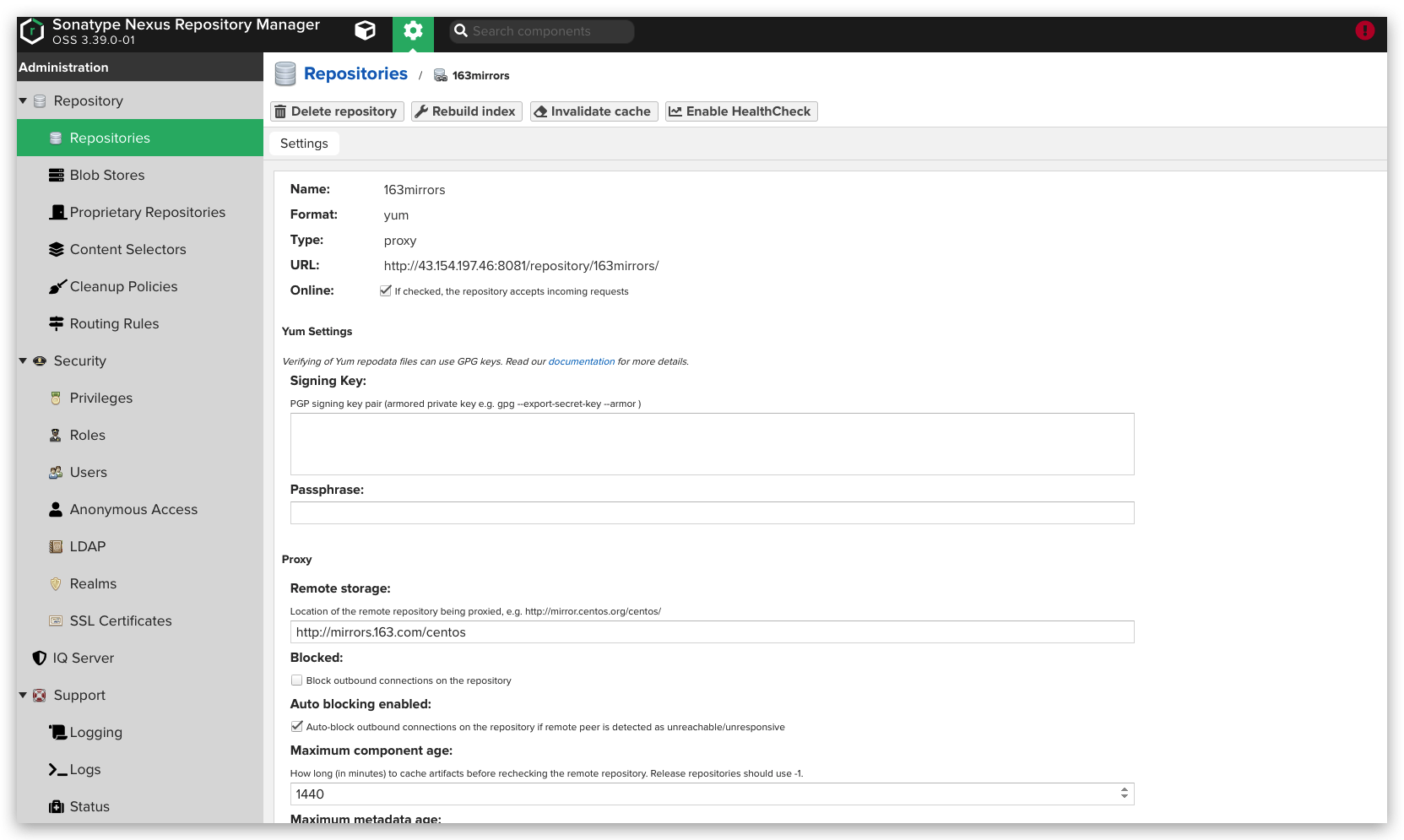
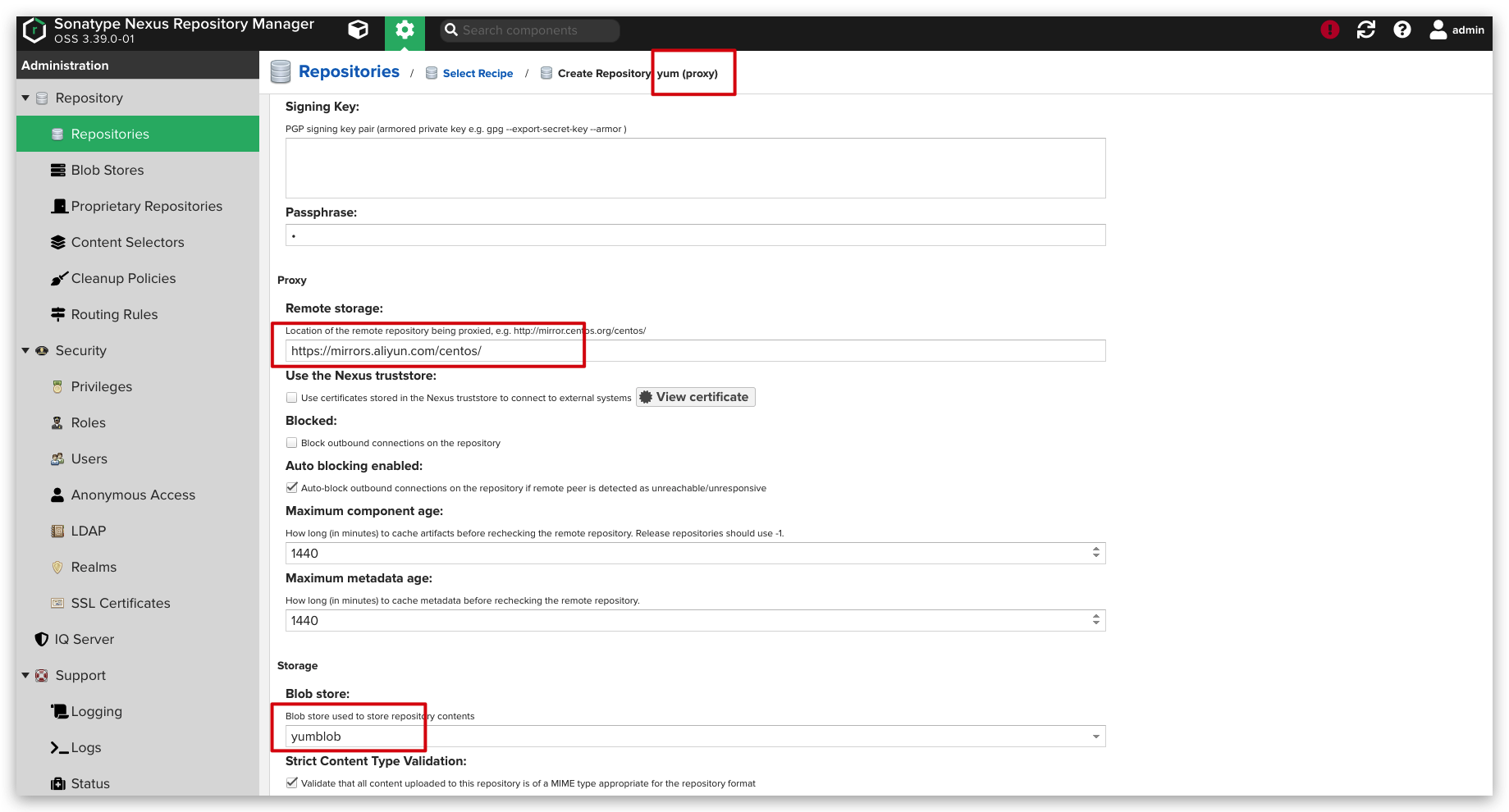
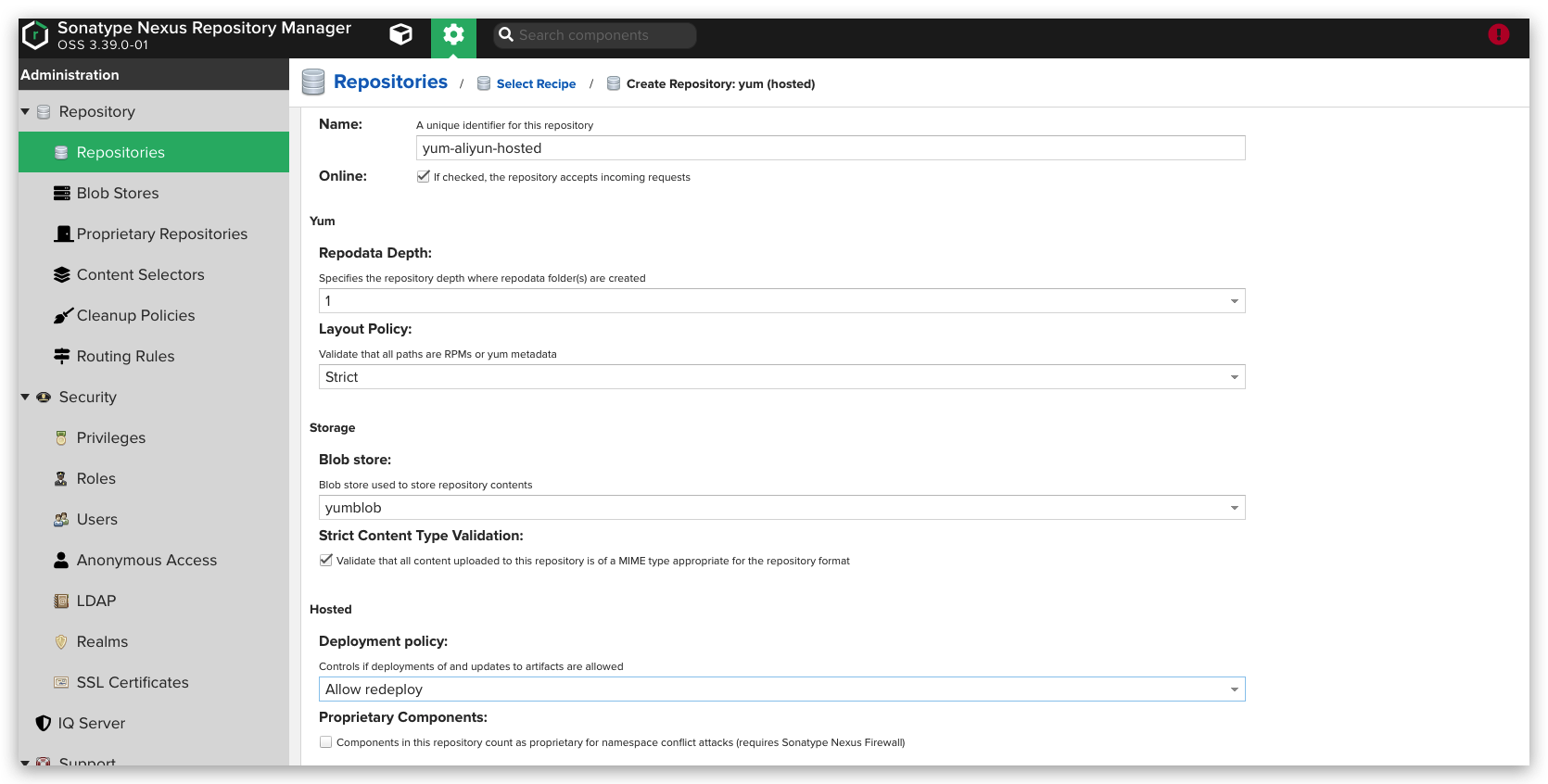
创建主机仓库
创建组合yum仓库
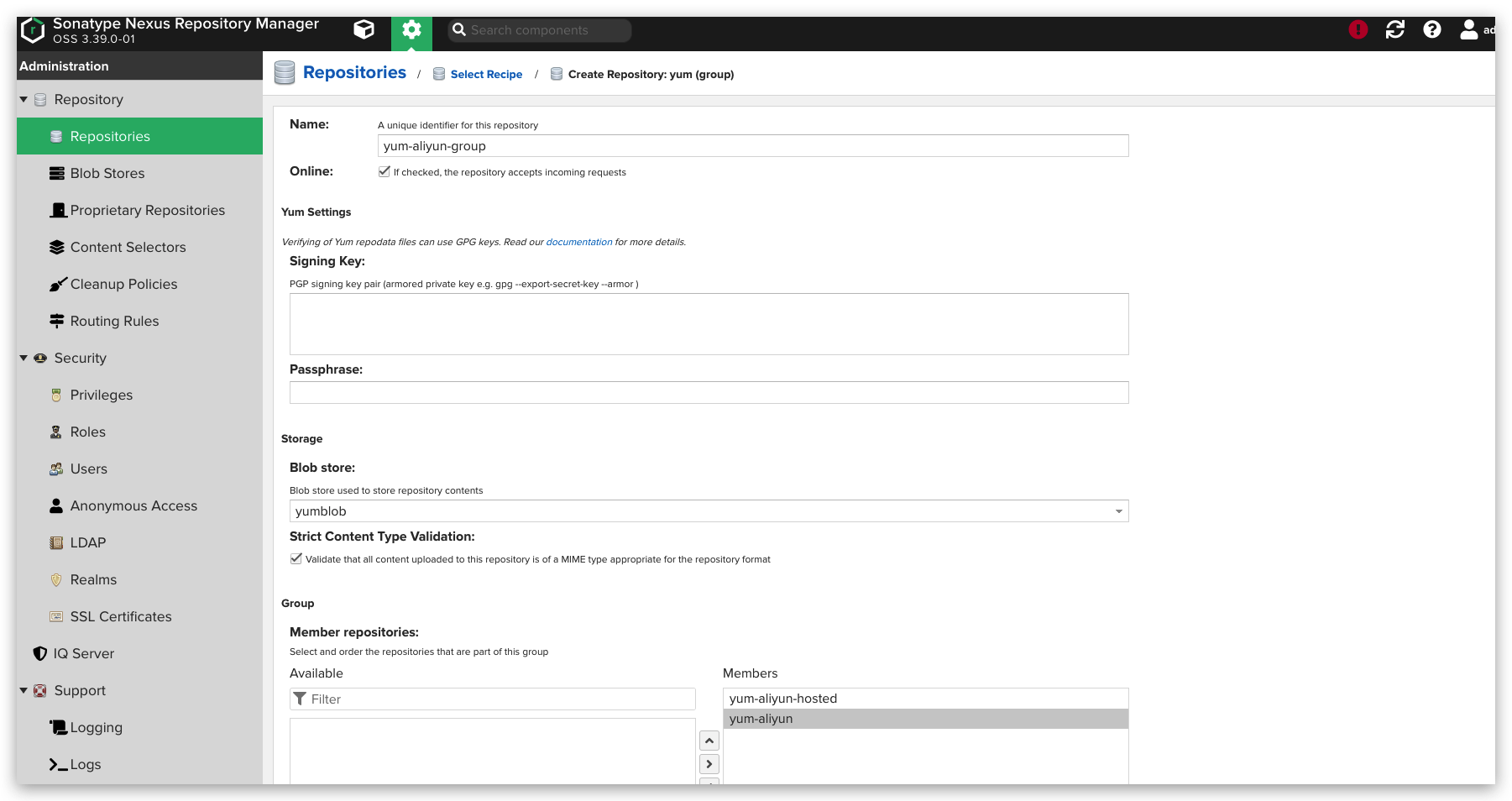
生成的url为:http://43.154.197.46:8081/repository/yum-aliyun-group/
主机测试
wget -O /etc/yum.repos.d/CentOS-Base.repo http://mirrors.aliyun.com/repo/Centos-7.repo替换http://mirrors.aliyun.com/centos/–>http://43.154.197.46:8081/repository/yum-aliyun-group/
/etc/yum.repos.d/CentOS-Base.repo
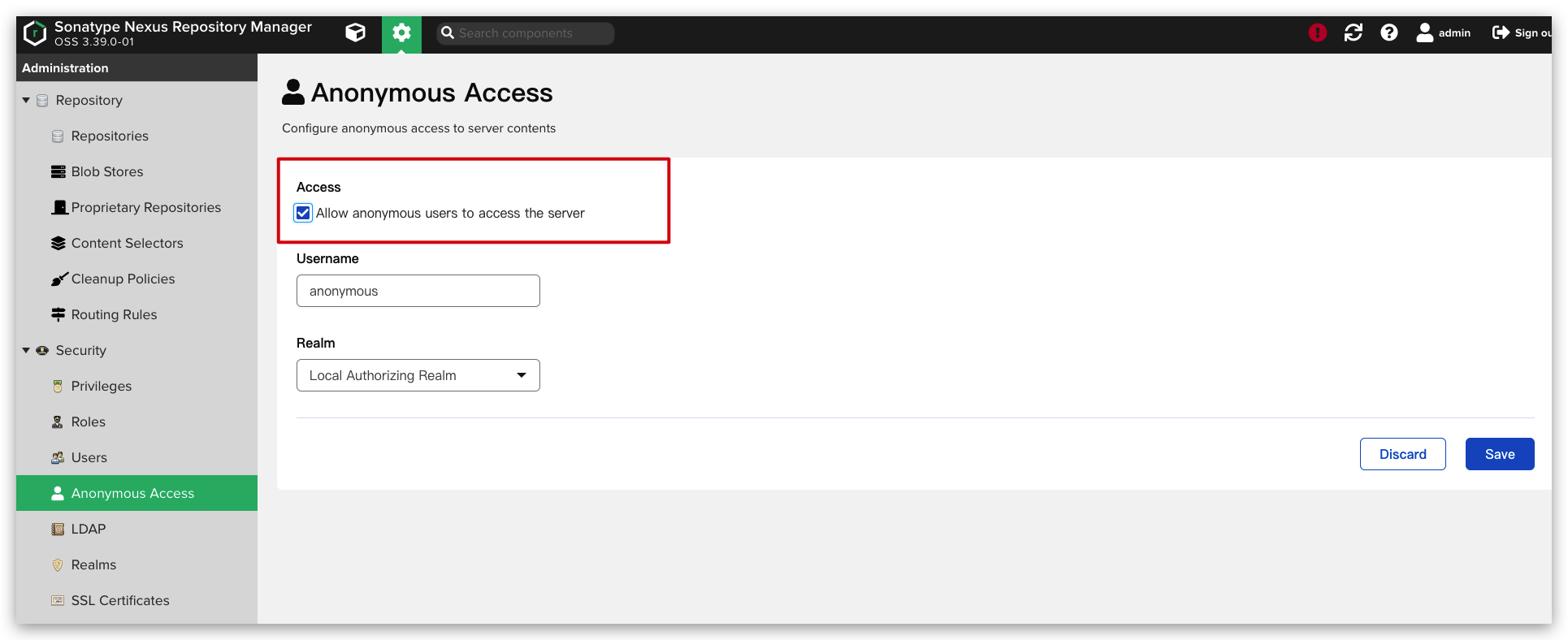
[base]name=CentOS-$releasever - Base - mirrors.aliyun.comfailovermethod=prioritybaseurl=http://43.154.197.46:8081/repository/yum-aliyun-group/$releasever/os/$basearch/ http://43.154.197.46:8081/repository/yum-aliyun-group/$releasever/os/$basearch/ http://43.154.197.46:8081/repository/yum-aliyun-group/$releasever/os/$basearch/gpgcheck=1gpgkey=http://43.154.197.46:8081/repository/yum-aliyun-group/RPM-GPG-KEY-CentOS-7#released updates[updates]name=CentOS-$releasever - Updates - mirrors.aliyun.comfailovermethod=prioritybaseurl=http://43.154.197.46:8081/repository/yum-aliyun-group/$releasever/updates/$basearch/ http://43.154.197.46:8081/repository/yum-aliyun-group/$releasever/updates/$basearch/ http://43.154.197.46:8081/repository/yum-aliyun-group/$releasever/updates/$basearch/gpgcheck=1gpgkey=http://43.154.197.46:8081/repository/yum-aliyun-group/RPM-GPG-KEY-CentOS-7#additional packages that may be useful[extras]name=CentOS-$releasever - Extras - mirrors.aliyun.comfailovermethod=prioritybaseurl=http://43.154.197.46:8081/repository/yum-aliyun-group/$releasever/extras/$basearch/ http://43.154.197.46:8081/repository/yum-aliyun-group/$releasever/extras/$basearch/ http://43.154.197.46:8081/repository/yum-aliyun-group/$releasever/extras/$basearch/gpgcheck=1gpgkey=http://43.154.197.46:8081/repository/yum-aliyun-group/RPM-GPG-KEY-CentOS-7#additional packages that extend functionality of existing packages[centosplus]name=CentOS-$releasever - Plus - mirrors.aliyun.comfailovermethod=prioritybaseurl=http://43.154.197.46:8081/repository/yum-aliyun-group/$releasever/centosplus/$basearch/ http://43.154.197.46:8081/repository/yum-aliyun-group/$releasever/centosplus/$basearch/ http://43.154.197.46:8081/repository/yum-aliyun-group/$releasever/centosplus/$basearch/gpgcheck=1enabled=0gpgkey=http://43.154.197.46:8081/repository/yum-aliyun-group/RPM-GPG-KEY-CentOS-7#contrib - packages by Centos Users[contrib]name=CentOS-$releasever - Contrib - mirrors.aliyun.comfailovermethod=prioritybaseurl=http://43.154.197.46:8081/repository/yum-aliyun-group/$releasever/contrib/$basearch/ http://43.154.197.46:8081/repository/yum-aliyun-group/$releasever/contrib/$basearch/ http://43.154.197.46:8081/repository/yum-aliyun-group/$releasever/contrib/$basearch/gpgcheck=1enabled=0gpgkey=http://43.154.197.46:8081/repository/yum-aliyun-group/RPM-GPG-KEY-CentOS-7允许匿名用户yum下载。
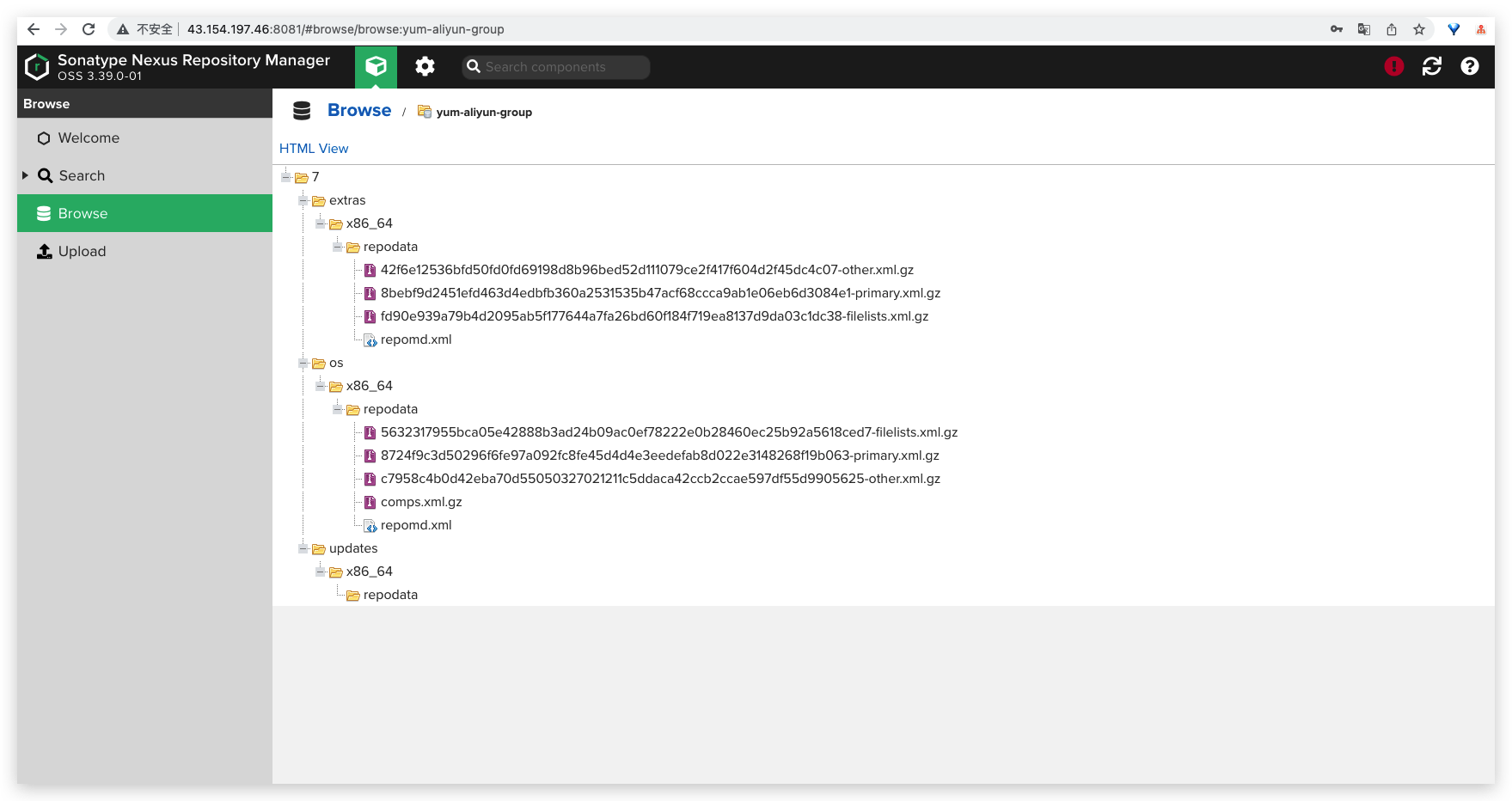
yum -y install httpd查看已经缓存下来的包
其他
一般配置多个proxy,一个hosts,一个group将hosts和proxy进行组合。
参考链接
边栏推荐
- Live800: several ways for intelligent customer service to improve customer experience
- Invalid bound statement (not found)错误【已解决】
- 【Try to Hack】URL
- My struggle: my years in foreign enterprises (1)
- CVPR 2022 | 神经辐射场几何编辑方法NeRF-Editing
- 线程池的七个参数与拒绝策略
- 基于Qt开发实现的任务管理器
- Recommandation de la Bibliothèque open source de programmation
- Powerful full text search tool anytxt searcher
- Current situation and future development trend of global and Chinese metal casting robot market
猜你喜欢
Leetcode 1962. Remove stones to minimize the total amount (should be rounded up)

Avenue to Jane | Comment concevoir un vit pour configurer l'auto - attraction est - il le plus raisonnable?

How to quickly make the title and ending with one click?

The global mobile phone market is declining, and even apple does not expect too much of the iphone14

.NET C#基础(6):命名空间 - 有名字的作用域

My struggle: my years in foreign enterprises (1)

Leetcode 1968. Construct an array whose elements are not equal to the average value of two adjacent elements (yes, finally solved)

HMS core shows the latest open capabilities in mwc2022, helping developers build high-quality applications

NoSQL之Redis配置与优化
Question bank and answers of the latest national fire-fighting facility operators (primary fire-fighting facility operators) in 2022
随机推荐
Each of D is inconsistent with the map
2022.2.27 library management system 3 - book borrowing and returning registration module
Avenue to Jane | Comment concevoir un vit pour configurer l'auto - attraction est - il le plus raisonnable?
[Clickhouse] the clckhouse view can be inserted but not queried
MySQL数据库创建索引的方法和好处
2022质量员-市政方向-岗位技能(质量员)考试模拟100题及模拟考试
System. out. What should I pay attention to when using the println () method
Which exchange is PTA futures on? How can PTA futures be safe?
What is excess product power? Find the secret key of the second generation cs75plus in the year of the tiger
111. minimum depth of binary tree
树莓派知识大扫盲
YOLOv3学习笔记:YOLOv3的模型结构
In depth research and analysis report on global and Chinese gas monitor market
Pond (topology + priority queue)
gensim. Models word2vec parameter
Precision alignment adjustment platform
In depth research and analysis report on global and Chinese p-chlorotrifluoromethane Market
. Net C Foundation (6): namespace - scope with name
2022年全国最新消防设施操作员(初级消防设施操作员)题库及答案
Repository Manager之Nexus