当前位置:网站首页>Yolo7 mask recognition practice
Yolo7 mask recognition practice
2022-07-23 22:02:00 【maerdym】
List of articles
1. Make datasets
1.1 Install the dataset creation tool
Execute the following command to install the dataset creation tool labelimg
pip install labelimg
1.2 Run the dataset creation tool
Carry out orders labelimg, Run the dataset creation tool 
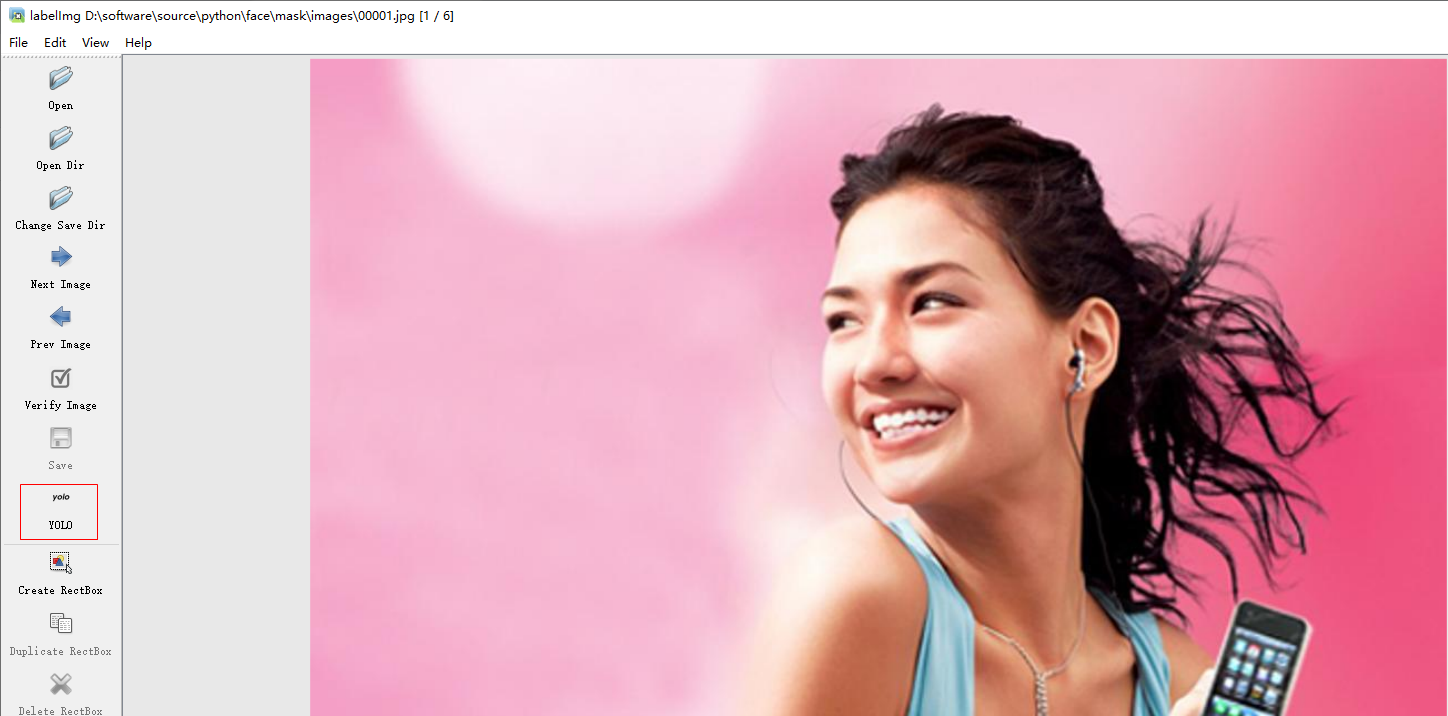
labelimg The tool interface is as follows :
1.3 Make datasets
Click on Open Dir Button , Open the picture file to be made ( Try to place the picture in images Under the table of contents , It is convenient to split the data set later )

Click the mode switch button on the left , Change the data pattern from PascalVOC Switch to YOLO Pattern
draw box box , And indicate the label
Click on createBox Button , Draw a rectangular border , And set the label text ( No mask ).
Click on Save Button , Save the sample label information ( Try to place the label file in labels Under the folder , Facilitate data segmentation later )

Click on Next Image Button , Process the next image ( With mask )
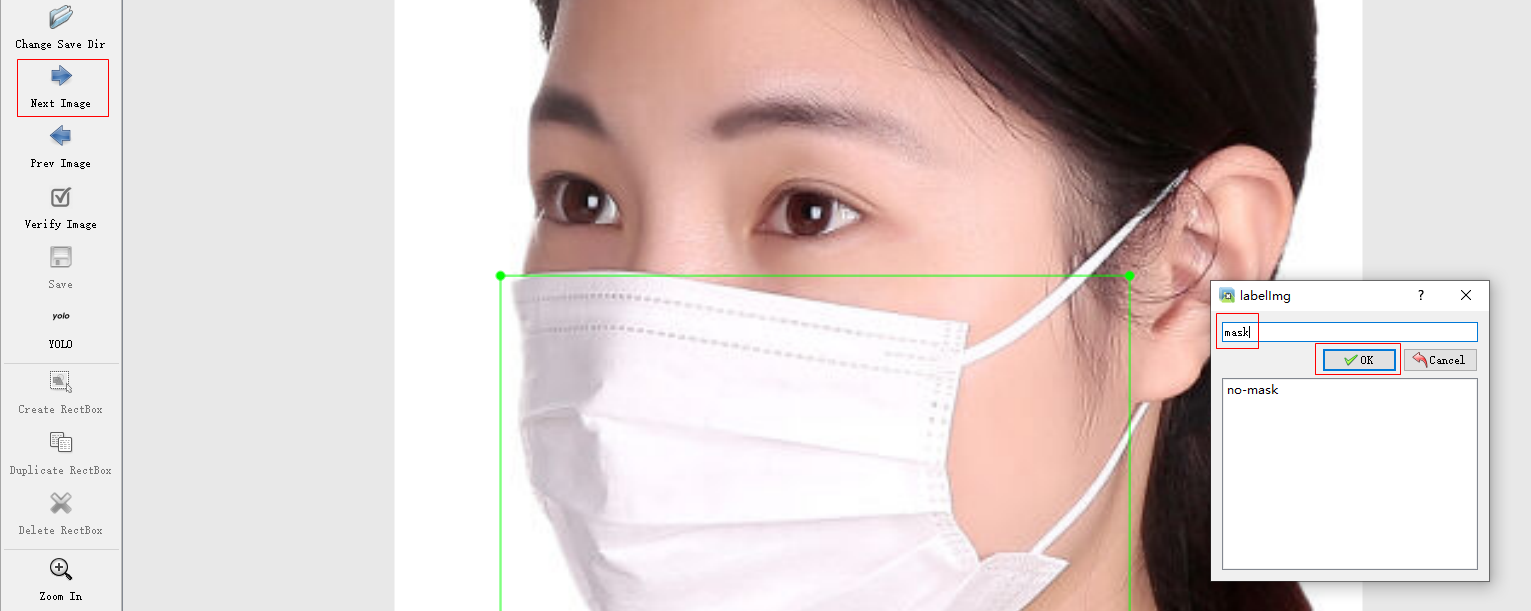
After clicking on save Button , Save the sample label information ( Try to save the label information in labels Under the folder )Process the pictures one by one , You can complete the data set production
2. Using data sets
2.1 Download the mask data set
If you don't want to make data sets , You can download the mask data set ( Click to download , password :sv74), And extract the data set to the root directory of the project (mask Catalog data sets ).
2.2 Split the dataset
Download dataset segmentation code ( Click to download ), Put it on mask Under the table of contents , perform data_split.py, Divide the data set into training data set and verification data set . After split , The data set directory structure is as follows :
You can adjust data_split.py Medium TRAIN_RATIO = 80, To indicate the proportion of training data set and validation data .
2.3 Dataset configuration
Copy data In the catalog coco.yaml, Save as mask.yaml, And modify the content . The revised content is as follows :
train: ./mask/train.txt
val: ./mask/val.txt

nc: 2

names: [ 'no-mask', 'mask' ]

3. Training models
3.1 Download pre training model
Download pre training model ( Click to download ), Put it in the project root directory .
3.2 Modify the training code
A copy of train.py, And rename to train_mask.py.
open train_mask.py, Modify the following configurations :
- Pre training model name
parser.add_argument(‘–weights’, type=str, default=‘yolov7_training.pt’, help=‘initial weights path’)
- Dataset path
parser.add_argument(‘–data’, type=str, default=‘data/mask.yaml’, help=‘data.yaml path’)
- Number of training rounds ( Default 300, It took a long time , It may take hours or even days )
parser.add_argument(‘–epochs’, type=int, default=100)
- Modify the model output path
parser.add_argument(‘–project’, default=‘runs/train/mask’, help=‘save to project/name’)
- Adjust the number of pictures processed in each batch ( If the memory of the graphics card is small , It is recommended to change the value to 2 perhaps 4)
parser.add_argument(‘–batch-size’, type=int, default=2, help=‘total batch size for all GPUs’)
3.3 Training models
function train_mask.py, Model training . About 20 Round left and right , The accuracy of model recognition can reach 95% above .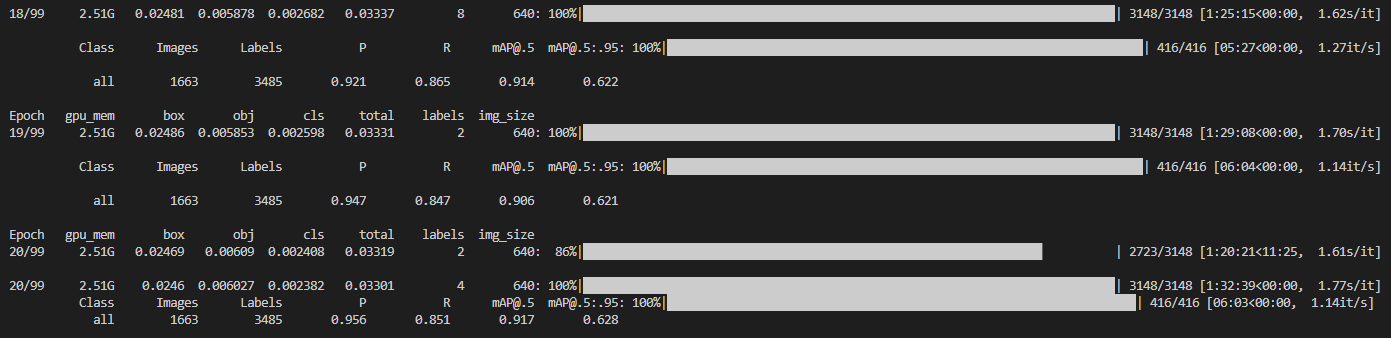
runs\train\mask\exp11\weights\best.pt It is the best model parameter .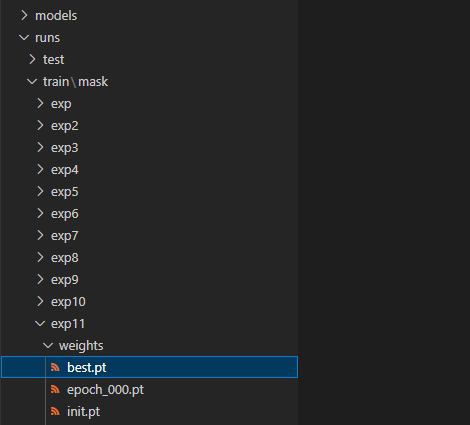
Can be best.pt Copy to the project root directory , And rename to yolov7_mask.pt, Convenient for later use .
4. Model test
4.1 Copy test code
Copy the test code file test.py, And rename to test_mask.py
4.2 Modify the test code
Modify the model parameter file
parser.add_argument(‘–weights’, nargs=‘+’, type=str, default=‘yolov7_mask.pt’, help=‘model.pt path(s)’)
Modify dataset path
parser.add_argument(‘–data’, type=str, default=‘data/mask.yaml’, help=‘*.data path’)
Modify the test item name
parser.add_argument(‘–project’, default=‘runs/test/mask’, help=‘save to project/name’)
4.3 Run test code
Run code test_mask.py, The running log is as follows :
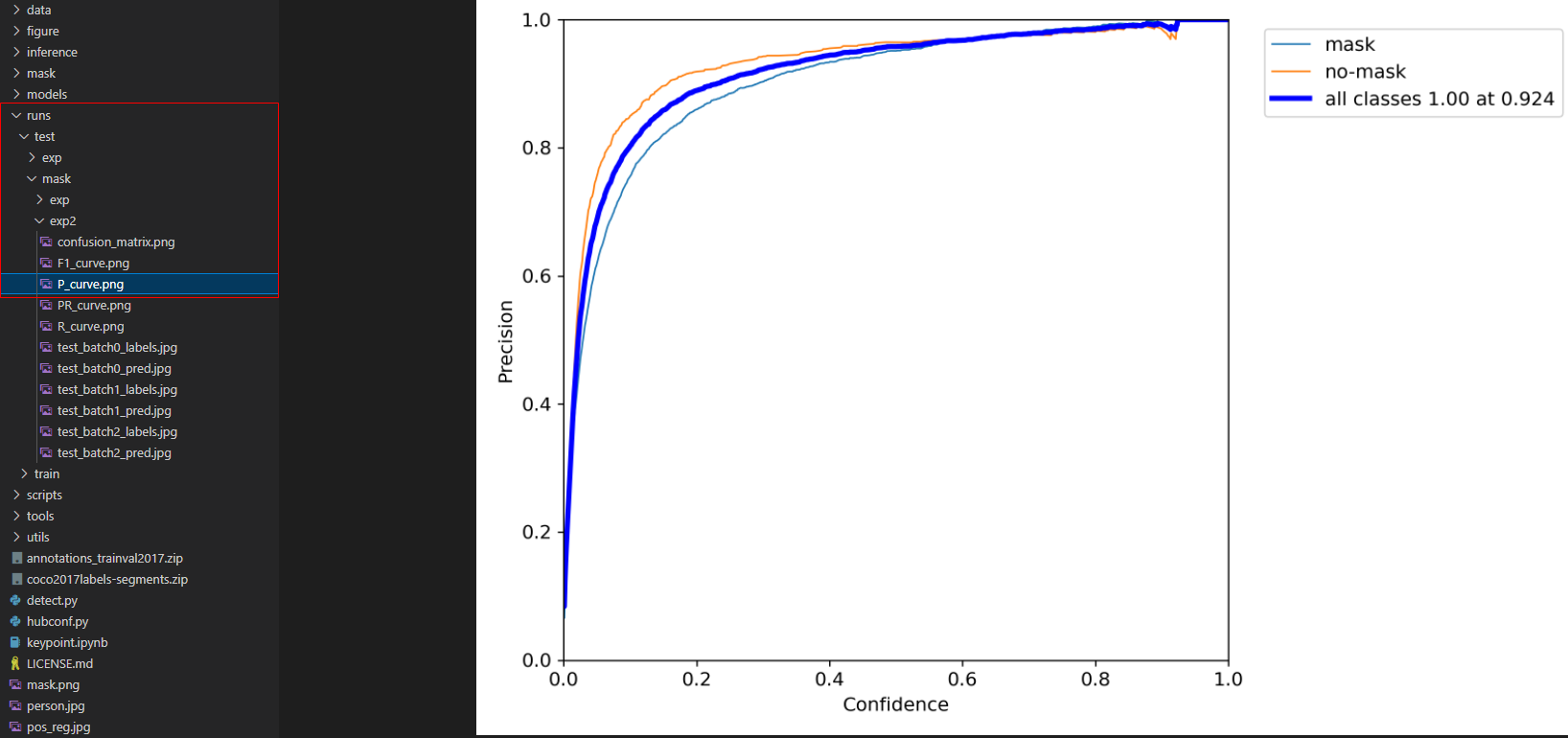
The operation results are as follows ( stay runs/test/mask/exp Under the table of contents ):
5. problem
5.1 error :FileNotFoundError: [Errno 2] No such file or directory
If pip install When installing the software , Tips FileNotFoundError: [Errno 2] No such file or directory error , You need to execute the following command to update pip And installation tools .
pip install --upgrade setuptools
python -m pip install --upgrade pip
5.2 error :ModuleNotFoundError: No module named ‘tensorboard’
If something goes wrong :ModuleNotFoundError: No module named ‘tensorboard’, execute pip install tensorboard Install this class library .
5.3 error :If reserved memory is >> allocated memory
If you run out of memory , adjustment batch-size that will do , The adjustment method is detailed in 3.2 section .
边栏推荐
- 10 basic written interview questions, how many questions can you answer?
- 138 - query case - knowledge points involved: foreach traversal & computed calculation attributes & V-for loop
- Cluster chat server: how to solve the problem of cross server communication | redis publish subscribe
- Real time monitoring of MySQL database changes_ Synchronize data_ Learn about canal_--- Canal work notes 001
- The simple use of ADB command combined with monkey is super detailed
- Jedis 6 - Introduction and difference between redisson and jedis
- Machine learning exercises -- right rate regression
- Golang invalid argument to INTN
- 大淘营批量采集商品,如何将未上传的宝贝保存下来等后面再导入采集上传
- 节流和防抖的说明和实现
猜你喜欢

机器学习习题——对率回归

Taoying collects goods in batches. How to save the babies that have not been uploaded and then import them later

Use Gaode map JS API 2.0 to load the starting and ending path tracks

Openlayers instances advanced mapbox vector tiles advanced mapbox vector maps
MySQL的JDBC编程

Preliminary discussion on POC compilation

I, AI doctoral student, online crowdfunding research topic

多线程问题:为什么不应该使用多线程读写同一个socket连接?
Union and union all of Hana SQL

阿里onedate分层思想
随机推荐
SQL injection attack
Kuberntes cloud native combat VI uses rook to build CEPH cluster
Compare kernelshap and treeshap based on speed, complexity and other factors
Cluster chat server: how to solve the problem of cross server communication | redis publish subscribe
U++ learning notes control object scale
详解NAT技术
【数学建模暑期培训】配送中心选址问题
MySQL索引事务
I, AI doctoral student, online crowdfunding research topic
Complete set of official openlayers instances
JMeter performance comprehensive practice - sign in and batch sign in
Comment forcer complètement le meurtre de processus indépendants de l'arrière - plan?
节流和防抖的说明和实现
Postgraduate entrance examination | advanced mathematics Chapter4 indefinite integral
Leaderboard design in game server
NLP field history most complete must read classic papers classification, sorting and sharing (with Chinese analysis)
Storage structure and management disk. It's a bit like installing Win98. You need to partition and format the hard disk first
Record the process of the first excavation and intersection
启牛是什么?请问一下手机开户股票开户安全吗?
二分函数细节