当前位置:网站首页>Liunx instruction
Liunx instruction
2022-06-29 20:15:00 【There are poems and distant places】
liunx Instructions
- 1. ls( see file )
- 2. mkdir( Create folder )
- 3. touch ( create a file )
- 4. cat( View content )
- 5. rm -rf( Delete file )
- 6. vi( modify )
- 7. Modify environment variables
- 8. docker exec -it( Into the container )
- 9. ls -lah( Show hidden files )
- 10. cp( Copy command )
- 11. docker logs -f ( View container log )
- 12. Clear container log
1. ls( see file )
ls
2. mkdir( Create folder )
mkdir Folder name
3. touch ( create a file )
touch file name
4. cat( View content )
cat file name
5. rm -rf( Delete file )
rm -rf deamon.json
6. vi( modify )
1.vi + filename // Enter file edit mode
2. Press i, Enter insertion mode
3. Press esc sign out
4. Press shift+ :  Number   Then input  wq sign out
7. Modify environment variables

1. Open editor
 vim /etc/profile
2.$PATH:( route 1):$PATH:( route 2)
   The first environment 		 The second environment
8. docker exec -it( Into the container )
docker exec -it Containers ID /bin/bash
9. ls -lah( Show hidden files )
ls -lah
10. cp( Copy command )
cp file name Catalog
11. docker logs -f ( View container log )
docker logs -f logstash( Container name )
12. Clear container log
New file docker-clear-log, Put it in /usr/local/bin/ Under the table of contents , The contents of the document are as follows :
#!/bin/bash -e

if [[ -z $1 ]]; then
    echo "No container specified"
    exit 1
fi

if [[ "$(docker ps -aq -f name=^/${1}$ 2> /dev/null)" == "" ]]; then
    echo "Container \"$1\" does not exist, exiting."
    exit 1
fi

log=$(docker inspect -f '{
    {
    .LogPath}}' $1 2> /dev/null)
truncate -s 0 $log
Give the file corresponding permissions , I only gave its owner read / write permission to execute , Others have no permission to execute :
chmod 700 /usr/local/bin/docker-clear-log
Last , perform
docker-clear-log <container>
边栏推荐
- Finally, Amazon~
- Flume ng configuration
- [notes] take notes again -- learn by doing Verilog HDL – 008
- Flume理论
- fastadmin后台设置单选按钮
- 深入Go底层原理,重写Redis中间件实战无密
- Flume configuration 4 - Custom source+sink
- [buuctf.reverse] 142_[SUCTF2019]babyunic
- Flume配置4——自定義Source+Sink
- There are more than 20 databases in a MySQL with 3306 ports. How can I backup more than 20 databases with one click and do system backup to prevent data from being deleted by mistake?
猜你喜欢

Linux安装MySQL5

Win7 easy connect 提示:选路连接失败,可能当前连接网络异常,请稍后重试

Regular expression series of mobile phone numbers

Koa source code analysis

Tiger painter mengxiangshun's digital collection is on sale in limited quantities and comes with Maotai in the year of the tiger
Koa 源码剖析

Bigder:自动化测试工程师

A keepalived high availability accident made me learn it again!
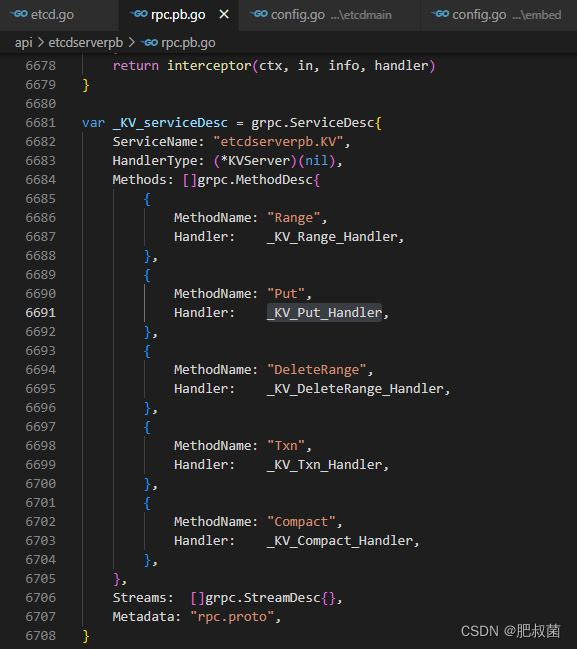
Etcd database source code analysis - put process of server

Lock4j -- distributed lock Middleware -- customize the logic of lock acquisition failure
随机推荐
一次 Keepalived 高可用的事故,让我重学了一遍它!
Community interview -- jumpserver open source fortress in the eyes of an it newcomer
Nutch2.1分布式抓取
Several policies of Shenzhen Futian District to support investment attraction in 2022
畫虎國手孟祥順數字藏品限量發售,隨贈虎年茅臺
jfinal中如何使用过滤器监控Druid监听SQL执行?
PHP implementation extracts non repeated integers (programming topics can be the fastest familiar functions)
[notes] take notes again -- learn by doing Verilog HDL – 008
Is it safe to open a new bond Online
JMeter BeanShell explanation and thread calling
Understanding of software test logic coverage
How to use the configuration in thinkphp5
[buuctf.reverse] 142_[SUCTF2019]babyunic
[fishing artifact] code tool for lowering the seconds of UI Library -- form part (I) design
文件包含漏洞
Cmake开发-多目录工程
Measures to support the development of advanced manufacturing industry in Futian District of Shenzhen in 2022
.NetCore统一认证授权学习——Run(1)
Notepad++ -- macro (record operation process)
Flume配置4——自定义Source+Sink