当前位置:网站首页>Qtablewidget / qtableview practical tips
Qtablewidget / qtableview practical tips
2022-06-10 18:20:00 【rainbow_ lucky0106】
Add a check box to the header QCheckBox( Single column )
- rewrite QHeaderView
DCheckBoxHeaderView::DCheckBoxHeaderView(Qt::Orientation orientation, QWidget *parent)
    :QHeaderView(orientation, parent)
{

    m_bPressed = false;  //  The mouse click
    m_bChecked = false;  //  Is it checked?
    m_bTristate = false;  //  Three status boxes
    m_bNoChange = false;
	m_bMoving = false;
    m_iCheckboxColumn = 0;  //  Columns to add check boxes
    m_sizeIconSize = QSize(20, 20);
    m_strText = "";
    setSectionsClickable(true);  //  Respond to header events
}
void DCheckBoxHeaderView::SetCheckBoxColumn(int iCheckBoxColumn)
{

    m_iCheckboxColumn = iCheckBoxColumn;
}

void DCheckBoxHeaderView::paintSection(QPainter *painter, const QRect &rect, int logicalIndex) const
{

    painter->save();
    QHeaderView::paintSection(painter, rect, logicalIndex);
    painter->restore();

    //  To draw a check box column
    if (logicalIndex == m_iCheckboxColumn)
    {

        QStyleOptionButton option;
        option.initFrom(this);
        option.text = m_strText;

        if (m_bChecked)
            option.state |= QStyle::State_Sunken;

        if (m_bTristate && m_bNoChange)
            option.state |= QStyle::State_NoChange;
        else
            option.state |= m_bChecked ? QStyle::State_On : QStyle::State_Off;
        // if (testAttribute(Qt::WA_Hover) && underMouse()) {

        // if (m_bMoving)
        // option.state |= QStyle::State_MouseOver;
        // else
        // option.state &= ~QStyle::State_MouseOver;
        // }

        option.iconSize = m_sizeIconSize;
        option.rect = rect;
        // style()->drawPrimitive(QStyle::PE_IndicatorCheckBox, &option, painter, &checkBox);
        // style()->drawItemPixmap(painter, rect, Qt::AlignCenter, QPixmap(":/images/checkBoxChecked"));
        style()->drawControl(QStyle::CE_CheckBox, &option, painter, this);
    }
}

//  Press the mouse down on the header
void DCheckBoxHeaderView::mousePressEvent(QMouseEvent *event)
{

    int nColumn = logicalIndexAt(event->pos());
    if ((event->buttons() & Qt::LeftButton) && (nColumn == m_iCheckboxColumn))
        m_bPressed = true;
    else
        QHeaderView::mousePressEvent(event);
}

//  Release the mouse from the header , Sending signal , to update model data
void DCheckBoxHeaderView::mouseReleaseEvent(QMouseEvent *event)
{

    if (m_bPressed)
    {

        if (m_bTristate && m_bNoChange)
        {

            m_bChecked = true;
            m_bNoChange = false;
        }
        else
        {

            m_bChecked = !m_bChecked;
        }
        update();
        Qt::CheckState state = m_bChecked ? Qt::Checked : Qt::Unchecked;
        emit stateChanged(state);
    }
    else
    {

        QHeaderView::mouseReleaseEvent(event);
    }

    m_bPressed = false;
}

//  Slot function , Used to update check box status
void DCheckBoxHeaderView::onStateChanged(int state)
{

    if (state == Qt::PartiallyChecked) {

        m_bTristate = true;
        m_bNoChange = true;
    } else {

        m_bNoChange = false;
    }
    m_bChecked = (state != Qt::Unchecked);
    update();
}

//  The mouse slip 、 Leave , Update check box status
bool DCheckBoxHeaderView::event(QEvent *event)
{

    if (event->type() == QEvent::Enter || event->type() == QEvent::Leave)
    {

        QMouseEvent *pEvent = static_cast<QMouseEvent *>(event);
        int nColumn = logicalIndexAt(pEvent->x());
        if (nColumn == m_iCheckboxColumn)
        {

            m_bMoving = (event->type() == QEvent::Enter);
            update();
            return true;
        }
    }
    return QHeaderView::event(event);
}
- Set in QTableWidget
QStringList m_Header2;
m_Header2<<QString("1")<<QString("2")<<QString("3")<<QString("4")<<QString("5");
DCheckBoxHeaderView *headerview = new DCheckBoxHeaderView();
headerview->SetCheckBoxColumn(3);  //  Add check boxes in the first four columns
this->setHorizontalHeader(headerview);
this->setHorizontalHeaderLabels(m_Header2);// Add horizontal header
https://blog.csdn.net/liang19890820/article/details/50772562
https://blog.csdn.net/weixin_44429308/article/details/106093685
边栏推荐
- 【存储】下一代分布式文件系统 研究
- This article introduces you to j.u.c's futuretask, fork/join framework and BlockingQueue
- High number_ Chapter 6 infinite series__ Absolute convergence_ Conditional convergence
- Jouer avec la classe de fonctions de pytorch
- XML&Xpath解析
- PMP考生,深圳2022年6月PMP考试地点有这些
- C language -- 13 loop statement while
- C语言---1 C语言认知
- 踩坑了,BigDecimal 使用不当,造成P0事故!
- Abbexa 无细胞 DNA 试剂盒说明书
猜你喜欢
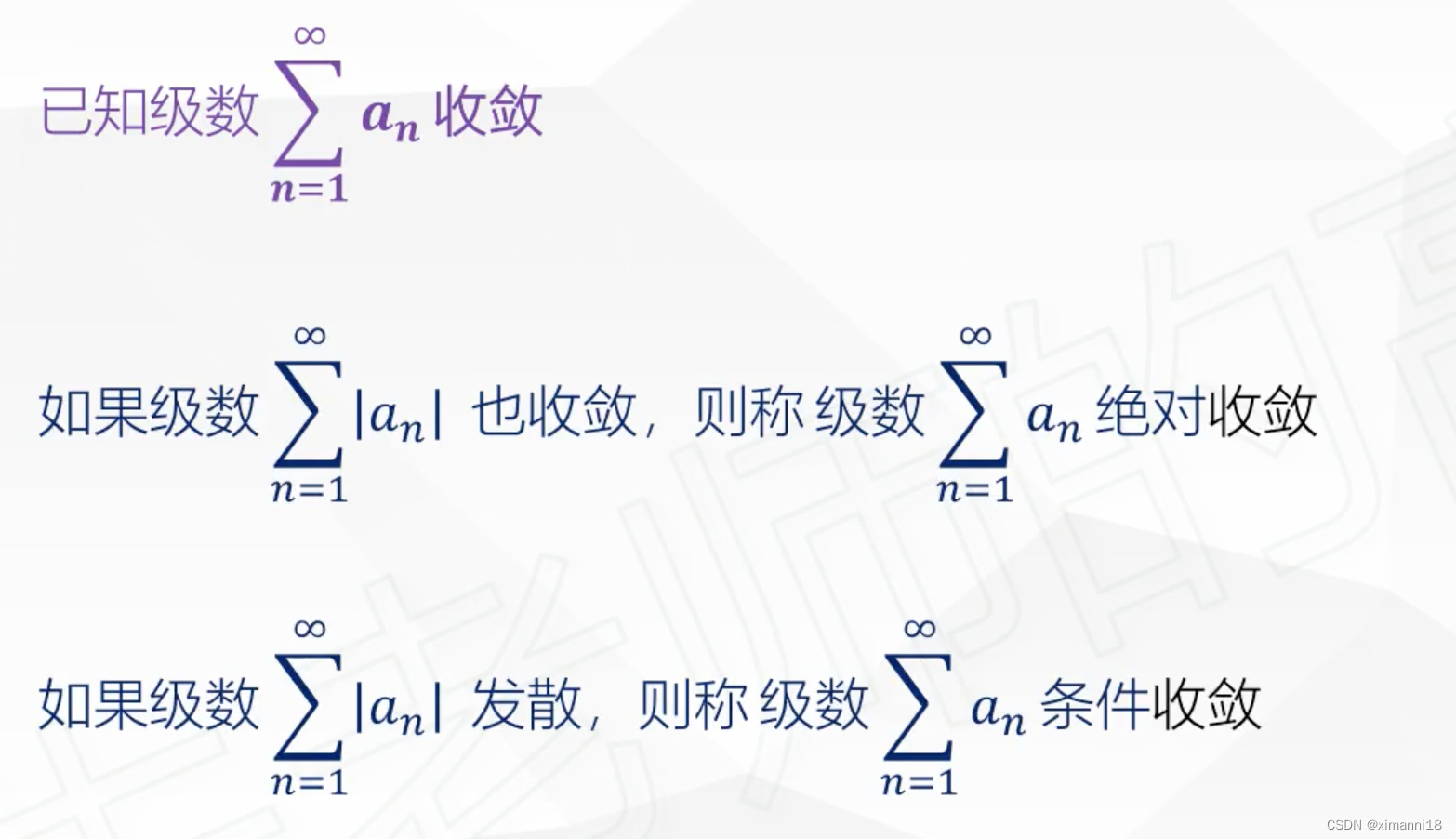
High number_ Chapter 6 infinite series__ Absolute convergence_ Conditional convergence
最新好文 | 基于因果推断的可解释对抗防御

(CVPR 2020) RandLA-Net: Efficient Semantic Segmentation of Large-Scale Point Clouds

ACL2022 | bert2BERT:参数复用的高效预训练方法,显著降低超大模型的训练成本
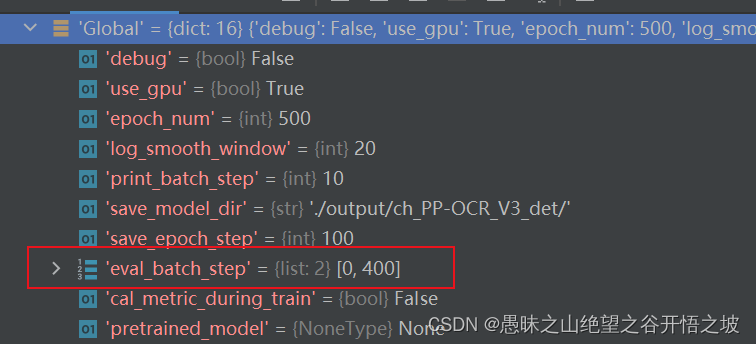
yml文件配置参数定义字典和列表
![[technical analysis] discuss the production process and technology of big world games - preliminary process](/img/44/5404f0da2e17099e89a92e37b2a0cb.png)
[technical analysis] discuss the production process and technology of big world games - preliminary process
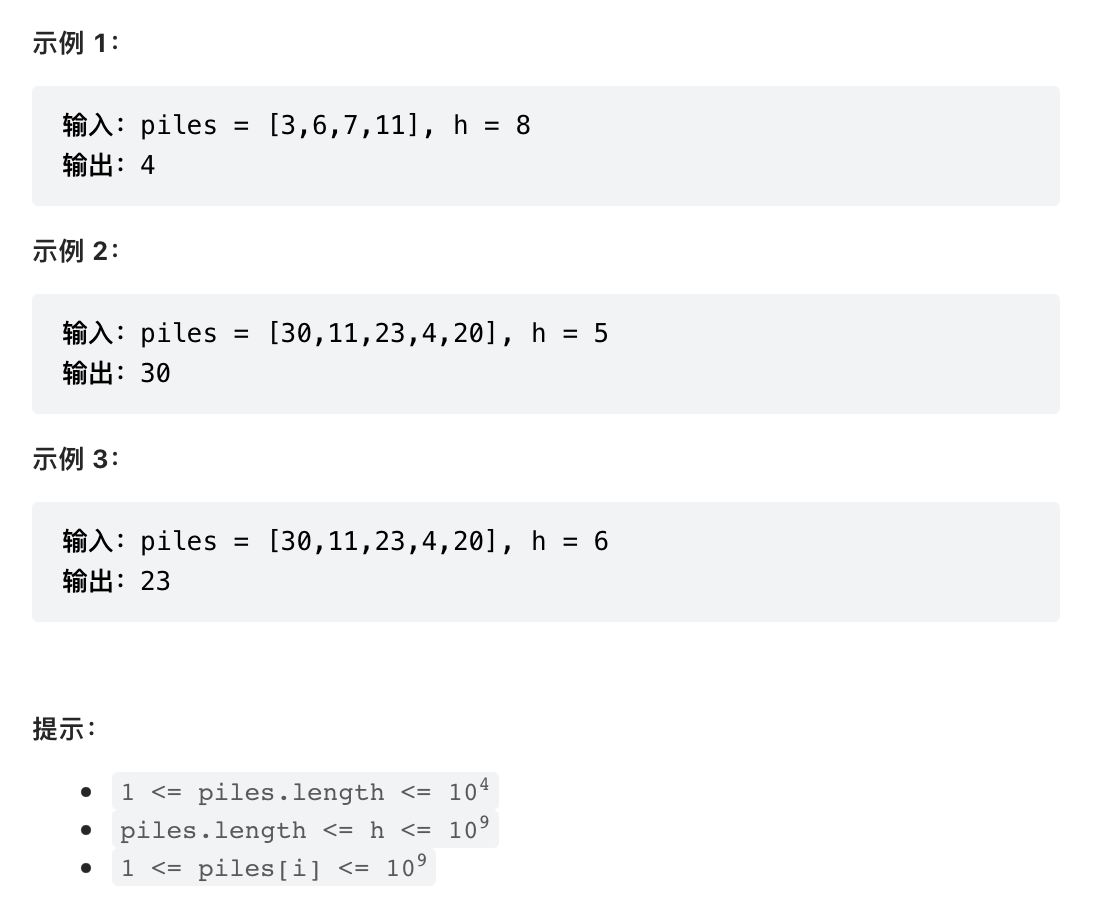
Leetcode 875. Coco, who likes bananas

云计算搭建全部内容总结,保证可以搭建一个完整的云计算服务器,包括节点安装、实例的分配和网络的配置等内容

作为程序员,对于底层原理真的有那么重要吗?

js锚点定位可以扩展很多功能
随机推荐
C语言---1 C语言认知
关于目前CIM(BIM+GIS)行业的一些看法
CCF A类会议或期刊----回归相关论文
聊聊远程办公那些事儿,参与征文领稿费拿大奖!
红色垂直左侧边菜单导航代码
Linear mobile chess
Solve the problem that vs2022 slowly loads a pile of symbols when debugging the program
Memory pool principle I (based on the whole block)
LeetCode树经典题目(一)
传统企业在进行信息化升级的过程中,如何做好信息化顶层设计
High number_ Chapter 6 infinite series__ Properties of positive series
Detailed explanation of MySQL windowing function
CodeCraft-22 and Codeforces Round #795 (Div. 2)
Wireshark学习笔记(一)常用功能案例和技巧
Abbexa CDAN1 siRNA使用说明书
c语言---9 初识宏、指针
mmdetection之dataset类解读
How to locate the hot problem of the game
2022上半年信息系统项目管理师论文真题
Abbexa低样本量鸡溶菌酶 C (LYZ) ELISA 试剂盒