当前位置:网站首页>人脸检测和识别--face recognition包
人脸检测和识别--face recognition包
2022-08-03 05:41:00 【茫茫人海一粒沙】
环境准备
pip install cmake
pip install dlib==19.8.1
pip install face_recognition
pip install opencv-python
人脸检测
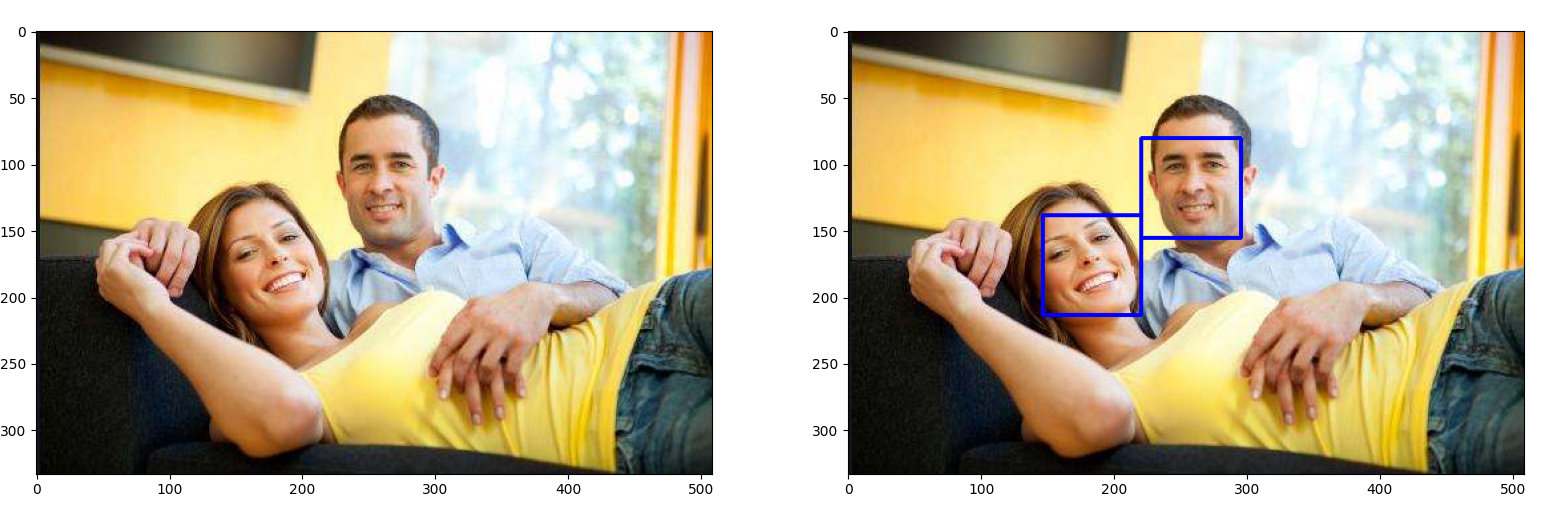
代码
提取图片中人脸的位置
import face_recognition
image = face_recognition.load_image_file("your_file.jpg")
face_locations = face_recognition.face_locations(image)
结果
[(297, 810, 759, 348)]
完整代码
import face_recognition
import cv2

from matplotlib import pyplot as plt

image = cv2.imread("test1.jpeg")
# image = face_recognition.load_image_file("test1.jpeg")
image = cv2.cvtColor(image, cv2.COLOR_BGR2RGB)
image_orign = image.copy()
face_locations = face_recognition.face_locations(image)

for (top, right, bottom, left) in face_locations:
        image = cv2.rectangle(image, (left, top), (right, bottom), (0, 0, 255), 2)

plt.subplot(1, 2, 1)
plt.imshow(image_orign)
plt.subplot(1, 2, 2)
plt.imshow(image)
plt.show()
人脸中具体部分的位置
import face_recognition
image = face_recognition.load_image_file("your_file.jpg")
face_landmarks_list = face_recognition.face_landmarks(image)
结果
[{'chin': [(299, 533), (316, 592), (337, 648), (367, 696), (410, 733), (463, 758), (520, 778), (574, 790), (618, 785), (649, 763), (668, 725), (688, 686), (707, 644), (719, 599), (725, 551), (723, 502), (713, 454)], 'left_eyebrow': [(375, 465), (405, 431), (450, 409), (501, 403), (549, 414)], 'right_eyebrow': [(590, 411), (618, 390), (648, 380), (679, 383), (700, 401)], 'nose_bridge': [(574, 471), (585, 504), (596, 537), (608, 571)], 'nose_tip': [(568, 613), (587, 614), (606, 615), (620, 606), (633, 594)], 'left_eye': [(429, 503), (453, 483), (482, 478), (510, 495), (485, 504), (456, 508)], 'right_eye': [(612, 476), (629, 450), (654, 443), (675, 454), (661, 468), (636, 474)], 'top_lip': [(540, 694), (571, 668), (595, 650), (612, 651), (624, 642), (643, 647), (658, 661), (647, 662), (626, 660), (614, 665), (598, 669), (555, 689)], 'bottom_lip': [(658, 661), (649, 680), (636, 694), (622, 701), (604, 705), (577, 705), (540, 694), (555, 689), (601, 675), (617, 672), (630, 666), (647, 662)]}]人脸识别
代码
那你要识别的人脸照片与检测出来的照片做一个对比,如果自信度高,就是你要找的人脸
import face_recognition
known_image = face_recognition.load_image_file("me.jpg")
unknown_image = face_recognition.load_image_file("unknown.jpg")

biden_encoding = face_recognition.face_encodings(known_image)[0]
unknown_encoding = face_recognition.face_encodings(unknown_image)[0]

results = face_recognition.compare_faces([biden_encoding], unknown_encoding)
总结
人脸检测没有MTCNN好,人脸的小的时候就检测不出来了。或者模糊的时候也检测不出来。
下图可以看出第三个人的脸没检测出来,这种例子很多,你们可以试一试。

参考资料
边栏推荐
- 解决plt.imshow()不显示图片cv2.imshw()不显示图片
- El - table column filter functions, control columns show and hide (effect and easy to implement full marks)
- empty() received an invalid combination of arguments - got (tuple, dtype=NoneType, device=NoneType),
- CISP-PTE真题演示
- PCB制造常用的13种测试方法,你了解几种?
- process.env环境变量配置方式(配置环境变量区分开发环境和生产环境)
- Flink的Exactly-Once、状态机制、watermark机制
- RADIUS计费认证如何配置?这篇文章一步一步教你完成
- AlexNet网络详解及复现
- spark中的bykey
猜你喜欢
ClickHouse删除数据之delete问题详解
关于Attention的超详细讲解
linux安装redis

El - table column filter functions, control columns show and hide (effect and easy to implement full marks)
Cesium loads offline maps and offline terrain
超全!9种PCB表面处理工艺大对比

MySQL的Replace用法详解
Getting Started with Chrome Plugin Development
pyspark df 二次排序
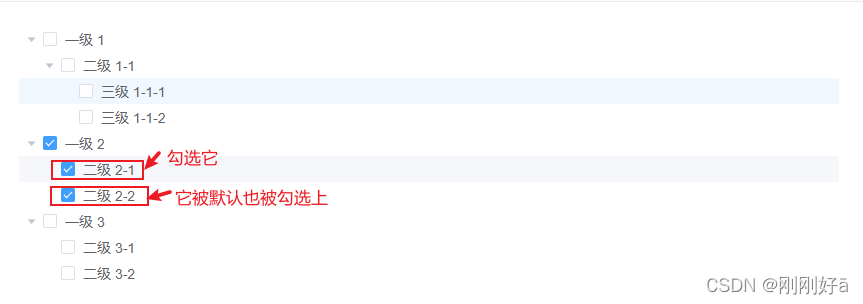
El - tree set using setCheckedNodessetCheckedKeys default check nodes, and a new check through setChecked specified node
随机推荐
Example of embedding code for continuous features
MySQL的触发器
连续型特征做embedding代码示例
零代码工具拖拽流程图
MySQL的 DDL和DML和DQL的基本语法
Basic syntax of MySQL DDL and DML and DQL
el-tree设置选中高亮焦点高亮、选中的节点加深背景,更改字体颜色等
ES 中时间日期类型 “yyyy-MM-dd HHmmss” 的完全避坑指南
Multi-Head-Attention principle and code implementation
Charles capture shows
solution 重量级大咖来袭:阿里云生命科学与智能计算峰会精彩内容剧透
2021新版idea过滤无用文件.idea .iml
记一次postgresql中使用正则表达式
信息学奥赛一本通T1451:棋盘游戏
mysql慢查询优化
Detailed explanation and reproduction of AlexNet network
编程语言有什么
Detailed explanation of AutoInt network and pytorch reproduction
502 bad gateway原因、解决方法
cookie和session区别