当前位置:网站首页>CircleIndicator组件,使指示器风格更加多样化
CircleIndicator组件,使指示器风格更加多样化
2022-07-25 18:17:00 【OpenHarmony开发者社区】
CircleIndicator组件,使指示器风格更加多样化
UI界面是应用程序可视化必不可少的部分。设计精致的UI界面可以使得整个可视化应用程序给用户留下深刻的印象,是改善用户界面体验最直接的方式。
ArkUI开发框架为开发者提供了丰富的UI原生组件,如Navigation(Page页面的根容器)、ScrollBar(滚动条组件)、Swiper(滑动容器)及Tabs(通过页签进行内容视图切换的容器组件)等。其中,Swiper组件和Tabs组件在应用程序开发中对于指示器的使用引入较多,但是直接使用原生的Swiper组件和Tabs组件不适用于表现复杂的UI指示器交互变化。因此,我们针对Swiper组件和Tabs组件在指示器应用方向做了一个简单的封装,以CiecleIndicator三方组件的形式提供应用程序依赖使用,从而提升了ArkUI开发框架的UI界面之指示器风格多样化的能力。
CircleIndicator介绍
CircleIndicator组件UI效果展示
圆形指示器:
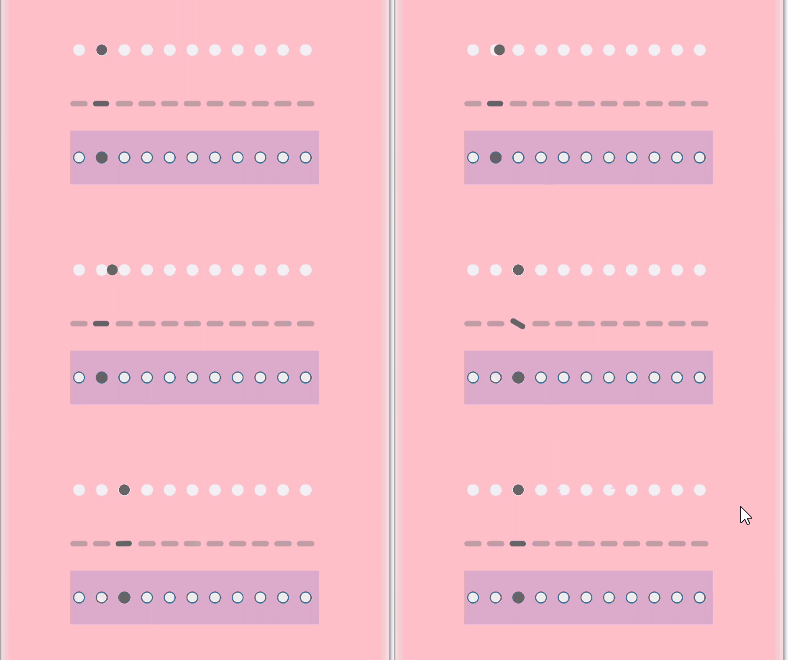
长条指示器:

横幅指示器:

三角指示器:

图标指示器:

携带中央视图的Tabs指示器:
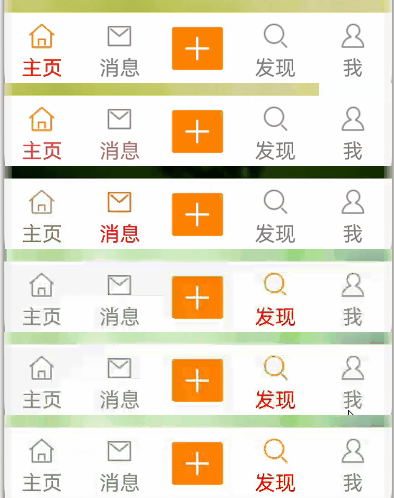
固定位置Tabs指示器:
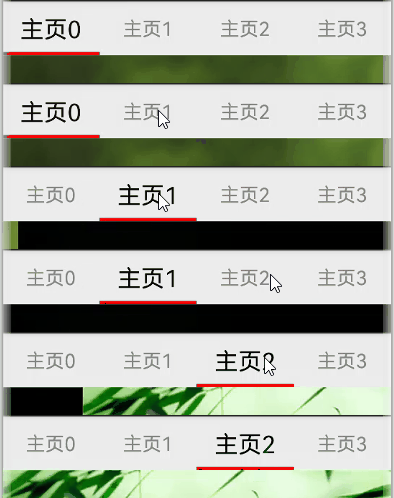
固定位置Tabs指示器(胶囊风格):

固定位置Tabs指示器(携带角标):

可滑动Tabs指示器:
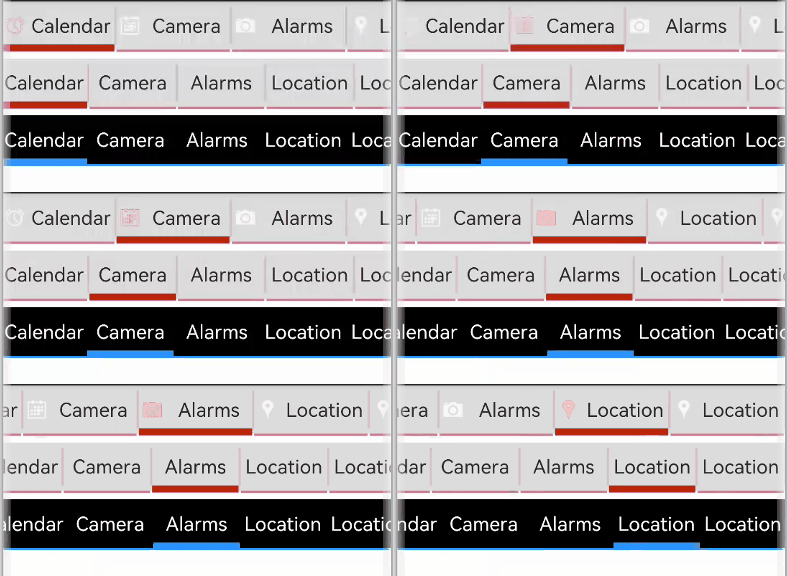
可滑动Tabs指示器(水滴滑块):

可滑动Tabs指示器(首列固定):
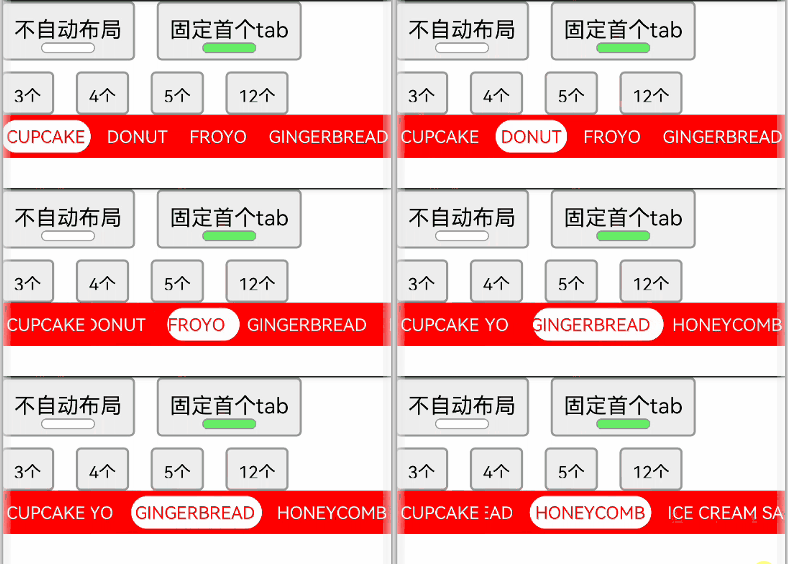
titles指示器:
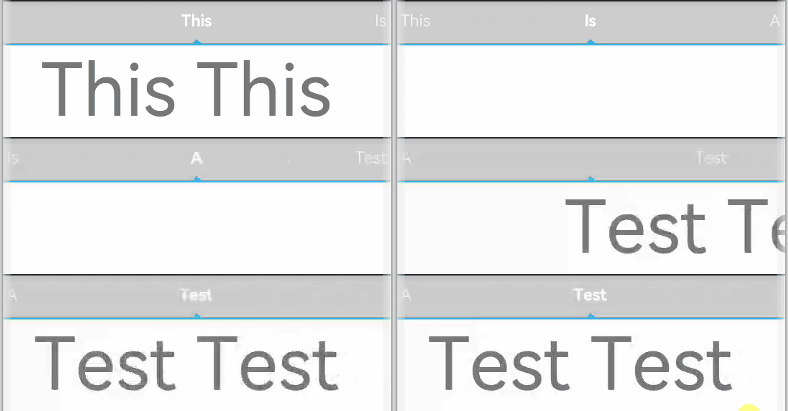
什么是CircleIndicator?
CircleIndicator顾名思义,它指的是圆形指示器。不过在我们OpenHarmony三方组件中的CircleIndicator组件不再是狭义的圆形指示器,而是将多种表现形式的指示器汇集为一体的归一化指示器合集组件。
CircleIndicator的源码实现
这里我们以CircleIndicator组件源码中的TriangularIndicator.ets文件为源码解析样例对象展开分析。首先创建TriangularIndicator.ets文件,使用命名空间建立TriangularIndicator初始化模型:
namespace TriangularIndicator { export class Model {//设置指示器高度 mHeight: number = 18//设置指示器宽度 mWidth: number = lpx2px(720)//设置指示器背景色 mBackgroundColor: string//字段过多,此处进行省略//各字段set与get方法,此处只以height字段为例 public getHeight(): number { return this.mHeight } public setHeight(height: number): Model { this.mHeight = height return this } //触摸事件拦截 onPageTouch: (event: TouchEvent, currentIndicator: number) => void public notifyTouch(event: TouchEvent, currentIndex: number) { this.onPageTouch(event, currentIndex) } //设置构造器 private tabsController: TabsController (tabsController: TabsController) { this.tabsController = tabsController } //页面切换监听 indexChange: (itemIndex: number) => void public setChangeListener(callback: (index: number) => void): Model{ this.indexChange = callback return this }}
将TriangularIndicator应用组件化:
@Componentstruct TriangularIndicator {//获取TriangularIndicator实例 @State model: TriangularIndicator.Model = new TriangularIndicator.Model(null)//初始化指示器当前index @Link @Watch("itemIndexChange") itemIndex: number//设置指示器总条数 @State count: number = 0//再分别实现itemIndexChange、aboutToAppear、onTouch、getOffset方法,此处实现不做展示//再在build方法里面描述UI结构 build() { Column() { Rect({ width: this.model.mWidth, height: this.model.mLineHeight }).fill(this.model.mLineColor) Polygon() .points(this.model.mReverse ? [[px2vp(this.model.mWidth) / (this.count * 2) - this.model.mTriangleWidth / 2, this.model.mLineHeight - this.model.mYOffset], [px2vp(this.model.mWidth) / (this.count * 2), this.model.mLineHeight + this.model.mTriangleHeight - this.model.mYOffset], [px2vp(this.model.mWidth) / (this.count * 2) + this.model.mTriangleWidth / 2, this.model.mLineHeight - this.model.mYOffset]] : [[px2vp(this.model.mWidth) / (this.count * 2) - this.model.mTriangleWidth / 2, -this.model.mYOffset], [px2vp(this.model.mWidth) / (this.count * 2), -this.model.mTriangleHeight - this.model.mYOffset], [px2vp(this.model.mWidth) / (this.count * 2) + this.model.mTriangleWidth / 2, -this.model.mYOffset]]) .offset(this.model.mStartInterpolator ? { x: px2vp(this.model.mWidth) / this.count * (this.itemIndex - this.model.mStartInterpolator.interpolate(Math.abs(this.model.offs et / this.model.mWidth)) * Math.sign(this.model.offset)), y: 0 } : { x: px2vp(this.model.mWidth) / this.count * (this.itemIndex - this.model.offset / this.model.mWidth), y: 0 }) .fill(this.model.mLineColor) .height(this.model.mHeight) .width(this.model.mWidth) }.width('100%').height(this.model.mHeight) .backgroundColor(this.model.mBackgroundColor) }}
最后将TriangularIndicator暴露出来供外部引用:
export default TriangularIndicator
CircleIndicator实战
创建项目
如图所示,在DevEco Studio中新建CircleIndicator_Test项目,项目类型选择Application,语言选择eTS,点击Finish完成创建。

创建工程
添加依赖
成功创建项目后,接下来就是将CircleIndicator组件下载至项目中。请在添加依赖之前参考如何安装OpenHarmony npm包(https://gitee.com/openharmony-tpc/docs/blob/master/OpenHarmony_npm_usage.md)完成OpenHarmony npm环境配置。完成OpenHarmony npm环境配置之后,在DevEco Studio的底部导航栏,点击“Terminal”(快捷键Alt+F12), 键入命令:npm install @ohos/circle-indicator --save并回车,此时CircleIndicator组件会自动下载至项目中。下载完成后工程根目录下会生成node_modules/@ohos/CircleIndicator目录。
编写逻辑代码
提供多种Indicator,使用方法类似,以TriangularIndicator为例
1. 初始化:实例化TabsController和对应的Indicator.Model 对象, 并添加number类型成员以记录当前页下标
private controller: TabsController = new TabsController()@State model: TriangularIndicator.Model = new TriangularIndicator.Model(this.controller)@State itemIndex: number = 0
2. 属性设置:通过Model类对象设置UI属性来自定义所需风格,也可以添加所需的回调
aboutToAppear() { this.model .setReverse(true) .setLineHeight(4) .setTriangleHeight(10) .setLineColor("#e94220") .setBackgroundColor("#eeeeee") .setChangeListener((itemIndex) => { console.info("change page to " + this.data[itemIndex]) })}
3. 界面绘制:在Tabs组件旁放置Indicator组件,注意需要关闭原生的bar。并监听Tabs组件的touch事件,通知给Model类,以统一处理滑动逻辑
build() { Column() { TriangularIndicator({ itemIndex: $itemIndex, count: this.data.length, model: this.model }) Tabs({ index: this.itemIndex, controller: this.controller }) { …… } .barWidth(0) .onTouch((event: TouchEvent) => { this.model.notifyTouch(event, this.itemIndex) }) }.padding({ top: 40 }) .backgroundColor("#eeeeee")}
本期基于OpenHarmony API8的CircleIndicator组件1.0.3(https://gitee.com/openharmony-sig/CircleIndicator/tree/1.0.3)就为大家介绍到这,欢迎大家积极参与贡献。了解更多三方组件动态,请关注三方组件资源汇总(https://gitee.com/openharmony-tpc/tpc_resource),更多优秀的组件等你来发现!

边栏推荐
猜你喜欢
SQL optimizer parsing | youth training camp notes
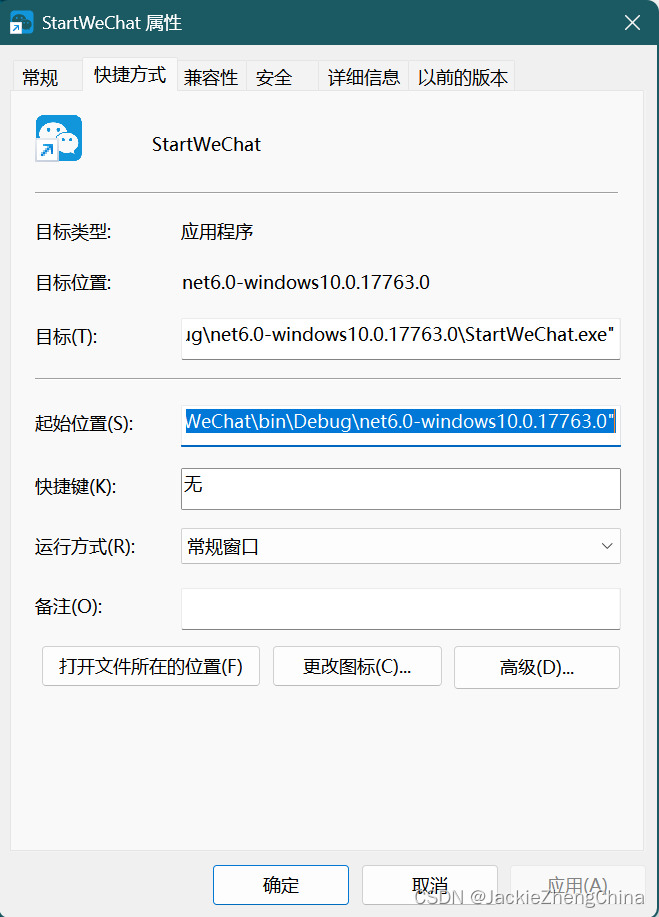
如何将exe文件添加到开机启动
![Why is the index in [mysql] database implemented by b+ tree? Is hash table / red black tree /b tree feasible?](/img/1f/a2d50ec6bc97d52c1e7566a42e564b.png)
Why is the index in [mysql] database implemented by b+ tree? Is hash table / red black tree /b tree feasible?

Cve-2022-33891 Apache spark shell command injection vulnerability recurrence

Could not stop Cortex-M device! Please check the JTAG cable solution

408 Chapter 2 linear table

超全Mavan标签详解
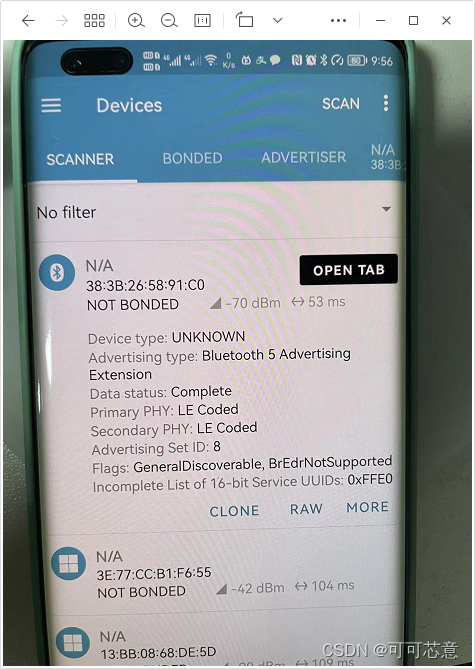
CH582 BLE 5.0 使用 LE Coded 广播和连接

如何判断静态代码质量分析工具的性能?这五大因素必须考虑
泛域名配置方法

随机推荐
BiSeNet v1
tkinter GUI版通信录管理系统
Drawing PDF tables (I) drawing excel table styles in PDF and downloading them through iText (supporting Chinese fonts)
Why is the index in [mysql] database implemented by b+ tree? Is hash table / red black tree /b tree feasible?
专访即构科技李凯:音视频的有趣、行业前沿一直吸引着我
Recommend a qinheng Bluetooth reference blog
Optimistic lock pessimistic lock applicable scenario
这是一张机器&深度学习代码速查表
Auditing相关注解
Three control methods of TestNG execution sequence
Error when starting MySQL on Linux
云流化和云桌面有什么关系
MATLAB中join函数使用
图的相关操作
Cve-2022-33891 Apache spark shell command injection vulnerability recurrence
Related operations of figure
Is there any inconspicuous but profitable sideline?
Itextpdf realizes the merging of multiple PDF files into one PDF document
Drawing PDF form (II) drawing excel form style in PDF through iText, setting Chinese font, watermark, logo, header and page number
Imx6 rtl8189ftv migration