当前位置:网站首页>js轮播图观后重做(较长的完整版,可运行)
js轮播图观后重做(较长的完整版,可运行)
2022-06-29 08:26:00 【swag_特约男演员】
特别鸣谢该UP主,观看后自己重新写了一个
原文链接:https://blog.csdn.net/qq_43126471/article/details/101010356
思路
- 图标、图片、标记点全部先放上去。要播放哪一张就展示那一张图片和标记点样式,然后对应把其它图片、标记点样式清除。
- 特别需要注意边界值问题。第5张的下一张是第1张,第1张的上一张是第5张。做好边界值处理。
效果
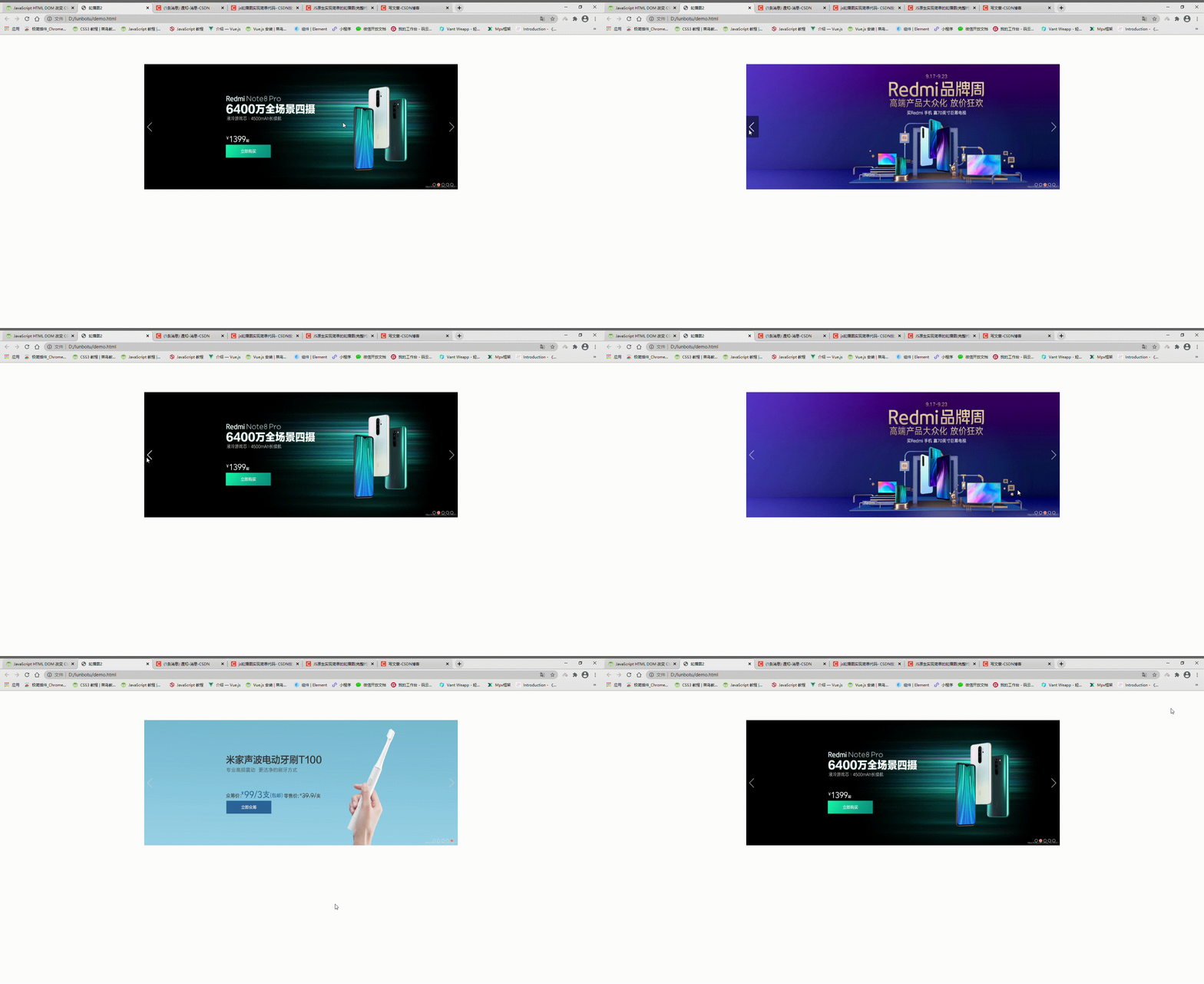
完整代码
<!DOCTYPE html>
<html lang="en">

<head>
    <meta charset="UTF-8">
    <meta name="viewport" content="width=device-width, initial-scale=1.0">
    <meta http-equiv="X-UA-Compatible" content="ie=edge">
    <title>轮播图2</title>
</head>

<body>
    <div>
        <div class="container">
            <!-- 五张轮播图 -->
            <img mode="aspectFill" id="1" src="img/s1.jpg" alt="加载失败" class="img_css">
            <img mode="aspectFill" id="2" src="img/s2.jpg" alt="加载失败" class="img_css">
            <img mode="aspectFill" id="3" src="img/s3.jpg" alt="加载失败" class="img_css">
            <img mode="aspectFill" id="4" src="img/s4.jpg" alt="加载失败" class="img_css">
            <img mode="aspectFill" id="5" src="img/s5.jpg" alt="加载失败" class="img_css">
            <!-- 左箭头 -->
            <div class="left_arrow" onclick="back()"></div>
            <!-- 右箭头 -->
            <div class="right_arrow" onclick="nextOne()"></div>
            <!-- 标记点 -->
            <div class="order">
                <div id="dot1" class="dots active" onclick="select(1)"></div>
                <div id="dot2" class="dots" onclick="select(2)"></div>
                <div id="dot3" class="dots" onclick="select(3)"></div>
                <div id="dot4" class="dots" onclick="select(4)"></div>
                <div id="dot5" class="dots" onclick="select(5)"></div>
            </div>
        </div>
    </div>
</body>
<script> window.addEventListener('load', function () {
      // 鼠标离开左箭头,开始定时任务 var left_arrow = this.document.querySelector('.left_arrow') left_arrow.addEventListener('mouseleave', function () {
      clearInterval(play) play = setInterval(function () {
      loopPlay() }, 2500) }) // 鼠标离开右箭头,开始定时任务 var right_arrow = this.document.querySelector('.right_arrow') right_arrow.addEventListener('mouseleave', function () {
      clearInterval(play) play = setInterval(function () {
      loopPlay() }, 2500) }) // 鼠标离开圆点区域 var order = this.document.querySelector(".order") order.addEventListener('mouseleave', function () {
      clearInterval(play) play = setInterval(function () {
      loopPlay() }, 2500) }) }) // 当前是谁(激活态,默认是第1张) var current = 1 // 上一张是谁 var backFlag = 5 // 轮播图伪数组 var imgList = this.document.getElementsByTagName('img') // 标记点伪数组 var dotsList = this.document.getElementsByClassName('dots') // 全局定时器 var play = setInterval(function () {
      loopPlay() }, 2500) // 点击播放下一张 function nextOne() {
      this.clearLoop() this.loopPlay() } // 点击播放上一张 function back() {
      this.clearLoop() // 全部图片不显示 imgList[0].style.display = 'none' imgList[1].style.display = 'none' imgList[2].style.display = 'none' imgList[3].style.display = 'none' imgList[4].style.display = 'none' // 标记点样式全清空 dotsList[0].classList.remove('active') dotsList[1].classList.remove('active') dotsList[2].classList.remove('active') dotsList[3].classList.remove('active') dotsList[4].classList.remove('active') console.log('当前这张是', this.backFlag) var back_img = this.document.getElementById('' + this.backFlag) back_img.style.display = 'block' var dot = this.document.getElementById('dot' + this.backFlag) dot.classList.add('active') // 给当前赋值 this.current = this.backFlag // 给上一张赋值 if (this.current == 1) {
      this.backFlag = 5 } else {
      this.backFlag = this.current - 1 } // 这里也需要这样,才可以点击下一张 // 一共只有5张图片,当前激活小于5时,即1,2,3,4时进行增加,变为2,3,4,5 if (this.current < 5) {
      this.current++ } else {
      // 当前为第5时,重新置为1,从头开始 this.current = 1 } } // 播放下一张的事件 function loopPlay() {
      // 全部图片不显示 imgList[0].style.display = 'none' imgList[1].style.display = 'none' imgList[2].style.display = 'none' imgList[3].style.display = 'none' imgList[4].style.display = 'none' // 标记点样式全清空 dotsList[0].classList.remove('active') dotsList[1].classList.remove('active') dotsList[2].classList.remove('active') dotsList[3].classList.remove('active') dotsList[4].classList.remove('active') console.log('当前为', this.current) // 拿到当前处于激活态的img对象 var current_img = this.document.getElementById('' + this.current) var dot = this.document.getElementById('dot' + this.current) // 最开始之初也就是激活态为1时,展示当前激活态的图片,清除上一张图片也就是第5张 if (this.current == 1) {
      current_img.style.display = 'block' dot.classList.add('active') this.backFlag = 5 var last_img = this.document.getElementById('' + this.backFlag) last_img.style.display = 'none' } else {
      // 当激活态为2,3,4,5时清除1,2,3,4图片 this.backFlag = this.current - 1 var history_img = this.document.getElementById('' + this.backFlag) history_img.style.display = 'none' current_img.style.display = 'block' dot.classList.add('active') } // 这里开始把下一张的值赋给current // 一共只有5张图片,当前激活小于5时,即1,2,3,4时进行增加,变为2,3,4,5 if (this.current < 5) {
      this.current++ } else {
      // 当前为第5时,重新置为1,从头开始 this.current = 1 } console.log('下一张', this.current) } // 停止循环播放 function clearLoop() {
      clearInterval(play) } // 小圆点点击事件 function select(index) {
      console.log('点击小圆点', index) clearInterval(play) // 全部图片不显示 imgList[0].style.display = 'none' imgList[1].style.display = 'none' imgList[2].style.display = 'none' imgList[3].style.display = 'none' imgList[4].style.display = 'none' // 标记点样式全清空 dotsList[0].classList.remove('active') dotsList[1].classList.remove('active') dotsList[2].classList.remove('active') dotsList[3].classList.remove('active') dotsList[4].classList.remove('active') // 不管index登不等于current都清空,重新赋值 this.current = index var current_img = this.document.getElementById('' + this.current) var dot = this.document.getElementById('dot' + this.current) current_img.style.display = 'block' dot.classList.add('active') // 这里开始把下一张的值赋给current,以便正常使用下一张功能 if (this.current < 5) {
      this.current++ } else {
      // 当前为第5时,重新置为1,从头开始 this.current = 1 } console.log('下一张', this.current) } </script>
<style> * {
      margin: 0; padding: 0; } .container {
      background: pink; position: absolute; top: 10%; left: 50%; transform: translateX(-50%); height: 400px; width: 1000px; } .img_css {
      height: 400px; width: 1000px; } .img_css:nth-child(1) {
      display: block; /*这个就是控制显示与不显示的属性*/ } .img_css:nth-child(2) {
      display: none; /*这个就是控制显示与不显示的属性*/ } .img_css:nth-child(3) {
      display: none; /*这个就是控制显示与不显示的属性*/ } .img_css:nth-child(4) {
      display: none; /*这个就是控制显示与不显示的属性*/ } .img_css:nth-child(5) {
      display: none; /*这个就是控制显示与不显示的属性*/ } .left_arrow {
      position: absolute; top: 50%; left: 0; width: 41px; height: 69px; transform: translateY(-50%); background-image: url('img/arrow.png'); background-position: 81px 0; } .left_arrow:hover {
      background-position: 165px 0; } .right_arrow {
      position: absolute; top: 50%; right: 0; width: 41px; height: 69px; transform: translateY(-50%); background-image: url('img/arrow.png'); background-position: 41px 0; } .right_arrow:hover {
      background-position: 123px 0; } .order {
      display: flex; flex-direction: row; justify-content: flex-start; align-items: center; position: absolute; bottom: 10px; right: 10px; } .dots {
      height: 16px; width: 16px; border-radius: 50%; border: 1px solid #dfdddd; margin-right: 4px; } .active {
      background: coral; } </style>

</html>
图片资源





这个箭头是雪碧图,在页面上也用position进行截取的
边栏推荐
- hostname -f与uname -n的返回值可能不同
- 工厂模式和策略模式的区别
- P6776-[noi2020] surreal tree
- ThinkPHP 6 使用 mongoDB
- Verilog equivalent operator
- 晋升或汇报,你真的把事情讲清楚了吗?
- 闭关修炼(二十四)浅入了解跨域问题
- The sixth season of 2022 perfect children's model Qingyuan competition area audition came to a successful conclusion
- 首次触电,原来你是这样的龙蜥社区 | 龙蜥开发者说第8期
- uniapp引入组件不生效解决方法
猜你喜欢

Uber前安全主管面临欺诈指控 曾隐瞒数据泄露事件

今年的网络安全“体检”你做了吗?

New paid Tarot calculation source code (with building tutorial)

微信小程序最新canvas2d手写签名

Cdga | what is the core of digital transformation in the transportation industry?
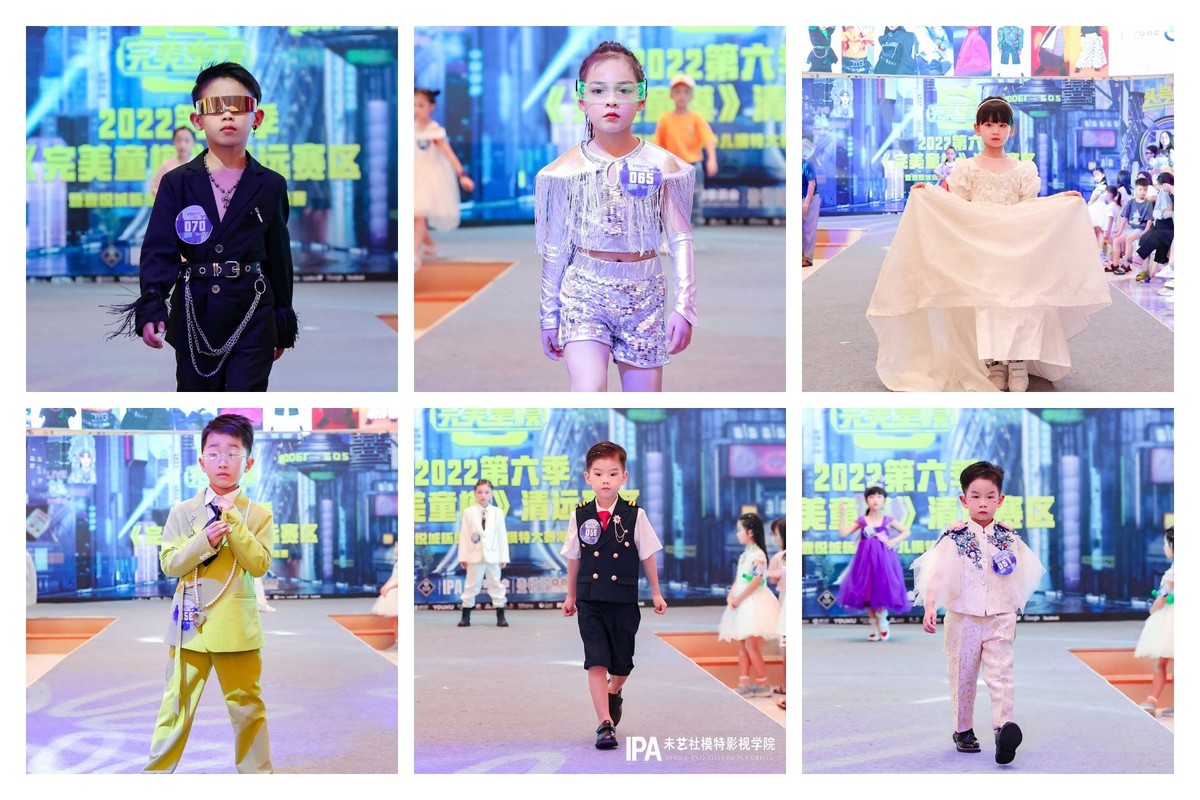
The sixth season of 2022 perfect children's model Qingyuan competition area audition came to a successful conclusion

TypeScript 变量声明 —— 类型断言

Product manager certification enrollment brochure (NPDP) in July 2022

The return values of hostname -f and uname -n may be different
Déclaration de la variable Typescript - - assertion de type
随机推荐
Unity C # e-learning (12) -- protobuf generation protocol
DevOps到底是什么意思?
CDGA|交通行业做好数字化转型的核心是什么?
手写VirtualDOM
今天让你知道PMP考试通过率达97%,可信不可信
十大券商账号开户安全吗?是靠谱的吗?
乘法器设计(流水线)verilog code
New paid Tarot calculation source code (with building tutorial)
随心玩玩(三)Mirai框架QQ机器人
微信小程序用户拒绝授权地理位置信息再次调起授权窗口
PointNet/Pointnet++训练及测试
TypeScript 变量声明 —— 类型断言
io流的总结
ES6数据类型Map&Set
cokkie和session的区别
Typescript variable declaration - type assertion
2022年7月(软考高级)信息系统项目管理师认证招生简章
抽象类、接口
verilog 归约操作符
TypeScript 變量聲明 —— 類型斷言