当前位置:网站首页>微信小程序最新canvas2d手写签名
微信小程序最新canvas2d手写签名
2022-06-29 08:26:00 【swag_特约男演员】
canvas2d
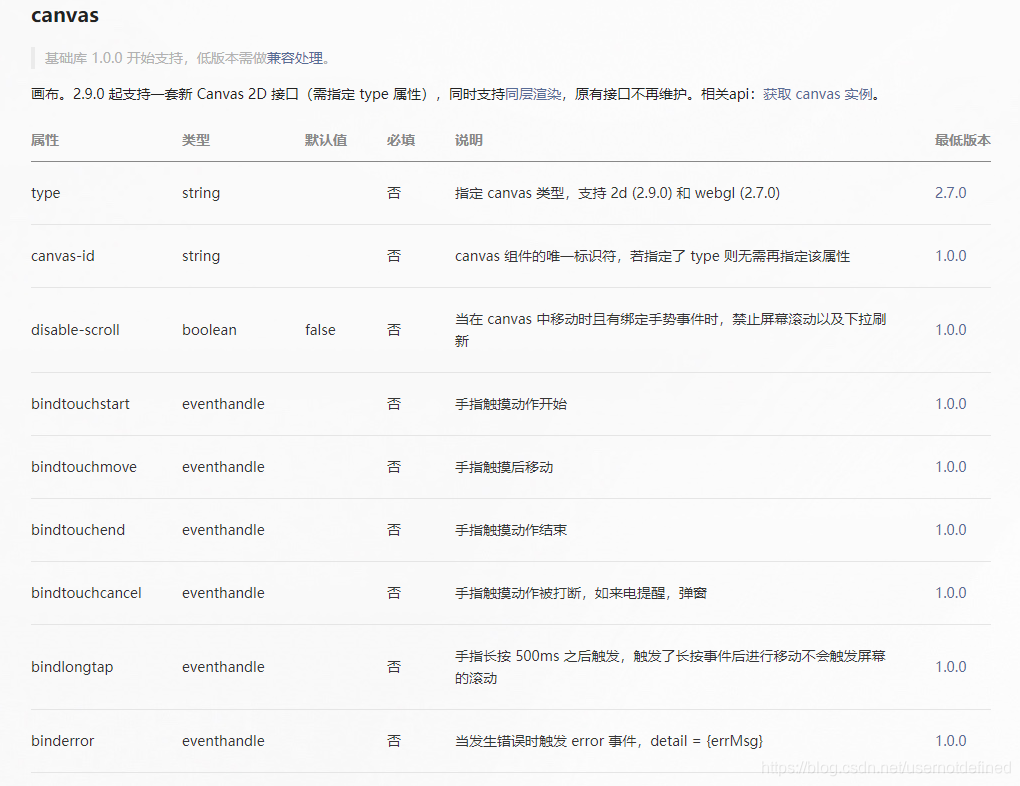
效果


注意
- canvas2d其实和web的canvas一样,可以参考web的canvas的api
- canvas 2d 没有draw() 方法
- 清空笔记可以使用clearRect()方法
- 没有setFillStyle方法,只有fillStyle属性
- 没有setStrokeStyle方法,只有strokeStyle属性
- 没有setGlobalAlpha方法,只要有globalAlpha属性
- canvas初始化建议要设置宽、高,虽然有默认值但是实际需求不一定是这样
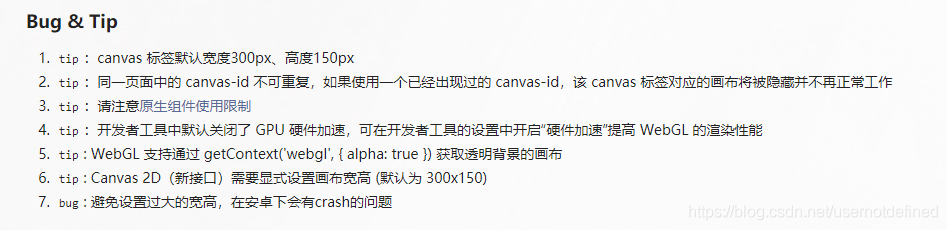
源码(mpx框架)
<template>
  <view class="wrapper">
    <view class="handBtn">
      <!-- 黑笔 -->
      <image
        catchtap="selectColorEvent"
        wx:if="{
    {selectColor === 'black'}}"
        src="../assets/images/color_black_selected.png"
        class="{
    { selectColor === 'black' ? 'color_select' : '' }} black-select"
        data-color="black"
        data-color-value="#1A1A1A"
      />
      <image
        catchtap="selectColorEvent"
        wx:if="{
    {selectColor !== 'black'}}"
        src="../assets/images/color_black.png"
        class="{
    { selectColor === 'black' ? 'color_select' : '' }} black-select"
        data-color="black"
        data-color-value="#1A1A1A"
      />
      <!-- 红笔 -->
      <image
        catchtap="selectColorEvent"
        wx:if="{
    {selectColor === 'red'}}"
        src="../assets/images/color_red_selected.png"
        class="{
    { selectColor === 'red' ? 'color_select' : '' }} red-select"
        data-color="red"
        data-color-value="#ca262a"
      />
      <image
        wx:if="{
    {selectColor !== 'red'}}"
        catchtap="selectColorEvent"
        src="../assets/images/color_red.png"
        class="{
    { selectColor === 'red' ? 'color_select' : '' }} red-select"
        data-color="red"
        data-color-value="#ca262a"
      />
      <button catchtap="retDraw" class="delBtn">重写</button>
      <button catchtap="subCanvas" class="subBtn">完成</button>
    </view>
    <view class="handCenter">
      <canvas
        class="handWriting"
        disable-scroll="true"
        bindtouchstart="uploadScaleStart"
        bindtouchmove="uploadScaleMove"
        bindtouchend="uploadScaleEnd"
        type="2d"
        id="myCanvas"
      ></canvas>
    </view>
    <view class="handRight">
      <view class="handTitle">手写板</view>
    </view>
  </view>
</template>
<script>
import {
     createPage } from '@mpxjs/core'
const app = getApp()
/* * canvas 2d 没有draw() 方法 * 清空笔记可以使用clearRect()方法 * 没有setFillStyle方法,只有fillStyle属性 * 没有setStrokeStyle方法,只有strokeStyle属性 * 没有setGlobalAlpha方法,只要有globalAlpha属性 */
createPage({

  data: {

    canvasName: 'myCanvas',
    ctx: '', // 上下文实例
    canvas: '', // 画布实例
    canvasWidth: 0,
    canvasHeight: 0,
    transparent: 1, // 透明度
    selectColor: 'black',
    lineColor: '#1A1A1A', // 颜色
    lineSize: 1.5, // 笔记倍数
    lineMin: 0.5, // 最小笔画半径
    lineMax: 4, // 最大笔画半径
    pressure: 1, // 默认压力
    smoothness: 60, //顺滑度,用60的距离来计算速度
    currentPoint: {
    },
    currentLine: [], // 当前线条
    firstTouch: true, // 第一次触发
    radius: 1, //画圆的半径
    cutArea: {
     top: 0, right: 0, bottom: 0, left: 0 }, //裁剪区域
    bethelPoint: [], //保存所有线条 生成的贝塞尔点;
    lastPoint: 0,
    chirography: [], //笔迹
    currentChirography: {
    }, //当前笔迹
    linePrack: [] //划线轨迹 , 生成线条的实际点
  },
  onLoad() {

    let canvasName = this.data.canvasName
    // let ctx = wx.createCanvasContext(canvasName)
    const query = wx.createSelectorQuery()
    query
      .select('#myCanvas')
      .fields({
     node: true, size: true })
      .exec(res => {

        const canvas = res[0].node
        const ctx = canvas.getContext('2d')
        this.setData({

          ctx: ctx,
          canvas: canvas
        })
        query
          .select('.handCenter')
          .boundingClientRect(rect => {

            this.setData({

              canvasWidth: rect.width,
              canvasHeight: rect.height
            })
            canvas.width = rect.width
            canvas.height = rect.height
            /* 将canvas背景设置为 白底,不设置 导出的canvas的背景为透明 */
            // console.log(this, 'hahah');
            this.setCanvasBg('#fff')
          })
          .exec()
      })
  },
  methods: {

    // 重写事件(初始化画布)
    retDraw() {

      this.data.ctx.clearRect(0, 0, 700, 730)
      //设置canvas背景
      this.setCanvasBg('#fff')
    },
    // 完成事件
    subCanvas() {

      // 调用预览
      this.previewCanvasImg()
    },
    //画两点之间的线条;参数为:line,会绘制最近的开始的两个点;
    pointToLine(line) {

      this.calcBethelLine(line)
      return
    },
    // 笔迹开始
    uploadScaleStart(e) {

      if (e.type != 'touchstart') return false
      let ctx = this.data.ctx
      ctx.fillStyle = this.data.lineColor // 初始线条设置颜色
      ctx.globalAlpha = this.data.transparent // 设置半透明
      let currentPoint = {

        x: e.touches[0].x,
        y: e.touches[0].y
      }
      let currentLine = this.data.currentLine
      currentLine.unshift({

        time: new Date().getTime(),
        dis: 0,
        x: currentPoint.x,
        y: currentPoint.y
      })
      this.setData({

        currentPoint
        // currentLine
      })
      if (this.data.firstTouch) {

        this.setData({

          cutArea: {

            top: currentPoint.y,
            right: currentPoint.x,
            bottom: currentPoint.y,
            left: currentPoint.x
          },
          firstTouch: false
        })
      }
      this.pointToLine(currentLine)
    },
    // 笔迹移动
    uploadScaleMove(e) {

      if (e.type != 'touchmove') return false
      if (e.cancelable) {

        // 判断默认行为是否已经被禁用
        if (!e.defaultPrevented) {

          e.preventDefault()
        }
      }
      let point = {

        x: e.touches[0].x,
        y: e.touches[0].y
      }

      //测试裁剪
      if (point.y < this.data.cutArea.top) {

        this.data.cutArea.top = point.y
      }
      if (point.y < 0) this.data.cutArea.top = 0

      if (point.x > this.data.cutArea.right) {

        this.data.cutArea.right = point.x
      }
      if (this.data.canvasWidth - point.x <= 0) {

        this.data.cutArea.right = this.data.canvasWidth
      }
      if (point.y > this.data.cutArea.bottom) {

        this.data.cutArea.bottom = point.y
      }
      if (this.data.canvasHeight - point.y <= 0) {

        this.data.cutArea.bottom = this.data.canvasHeight
      }
      if (point.x < this.data.cutArea.left) {

        this.data.cutArea.left = point.x
      }
      if (point.x < 0) this.data.cutArea.left = 0

      this.setData({

        lastPoint: this.data.currentPoint,
        currentPoint: point
      })
      let currentLine = this.data.currentLine
      currentLine.unshift({

        time: new Date().getTime(),
        dis: this.distance(this.data.currentPoint, this.data.lastPoint),
        x: point.x,
        y: point.y
      })
      // this.setData({

      // currentLine
      // })
      this.pointToLine(currentLine)
    },
    // 笔迹结束
    uploadScaleEnd(e) {

      if (e.type != 'touchend') return 0
      let point = {

        x: e.changedTouches[0].x,
        y: e.changedTouches[0].y
      }
      this.setData({

        lastPoint: this.data.currentPoint,
        currentPoint: point
      })
      let currentLine = this.data.currentLine
      currentLine.unshift({

        time: new Date().getTime(),
        dis: this.distance(this.data.currentPoint, this.data.lastPoint),
        x: point.x,
        y: point.y
      })
      // this.setData({

      // currentLine
      // })
      if (currentLine.length > 2) {

        var info =
          (currentLine[0].time - currentLine[currentLine.length - 1].time) / currentLine.length
        //$("#info").text(info.toFixed(2));
      }
      //一笔结束,保存笔迹的坐标点,清空,当前笔迹
      //增加判断是否在手写区域;
      this.pointToLine(currentLine)
      var currentChirography = {

        lineSize: this.data.lineSize,
        lineColor: this.data.lineColor
      }
      var chirography = this.data.chirography
      chirography.unshift(currentChirography)
      this.setData({

        chirography
      })
      var linePrack = this.data.linePrack
      linePrack.unshift(this.data.currentLine)
      this.setData({

        linePrack,
        currentLine: []
      })
    },

    //计算插值的方式;
    calcBethelLine(line) {

      if (line.length <= 1) {

        line[0].r = this.data.radius
        return
      }
      let x0,
        x1,
        x2,
        y0,
        y1,
        y2,
        r0,
        r1,
        r2,
        len,
        lastRadius,
        dis = 0,
        time = 0,
        curveValue = 0.5
      if (line.length <= 2) {

        x0 = line[1].x
        y0 = line[1].y
        x2 = line[1].x + (line[0].x - line[1].x) * curveValue
        y2 = line[1].y + (line[0].y - line[1].y) * curveValue
        //x2 = line[1].x;
        //y2 = line[1].y;
        x1 = x0 + (x2 - x0) * curveValue
        y1 = y0 + (y2 - y0) * curveValue
      } else {

        x0 = line[2].x + (line[1].x - line[2].x) * curveValue
        y0 = line[2].y + (line[1].y - line[2].y) * curveValue
        x1 = line[1].x
        y1 = line[1].y
        x2 = x1 + (line[0].x - x1) * curveValue
        y2 = y1 + (line[0].y - y1) * curveValue
      }
      //从计算公式看,三个点分别是(x0,y0),(x1,y1),(x2,y2) ;(x1,y1)这个是控制点,控制点不会落在曲线上;实际上,这个点还会手写获取的实际点,却落在曲线上
      len = this.distance({
     x: x2, y: y2 }, {
     x: x0, y: y0 })
      lastRadius = this.data.radius
      for (let n = 0; n < line.length - 1; n++) {

        dis += line[n].dis
        time += line[n].time - line[n + 1].time
        if (dis > this.data.smoothness) break
      }
      this.setData({

        radius:
          Math.min((time / len) * this.data.pressure + this.data.lineMin, this.data.lineMax) *
          this.data.lineSize
      })
      line[0].r = this.data.radius
      //计算笔迹半径;
      if (line.length <= 2) {

        r0 = (lastRadius + this.data.radius) / 2
        r1 = r0
        r2 = r1
        //return;
      } else {

        r0 = (line[2].r + line[1].r) / 2
        r1 = line[1].r
        r2 = (line[1].r + line[0].r) / 2
      }
      let n = 5
      let point = []
      for (let i = 0; i < n; i++) {

        let t = i / (n - 1)
        let x = (1 - t) * (1 - t) * x0 + 2 * t * (1 - t) * x1 + t * t * x2
        let y = (1 - t) * (1 - t) * y0 + 2 * t * (1 - t) * y1 + t * t * y2
        let r = lastRadius + ((this.data.radius - lastRadius) / n) * i
        point.push({
     x: x, y: y, r: r })
        if (point.length == 3) {

          let a = this.ctaCalc(
            point[0].x,
            point[0].y,
            point[0].r,
            point[1].x,
            point[1].y,
            point[1].r,
            point[2].x,
            point[2].y,
            point[2].r
          )
          a[0].color = this.data.lineColor
          // let bethelPoint = this.data.bethelPoint;
          // console.log(a)
          // console.log(this.data.bethelPoint)
          // bethelPoint = bethelPoint.push(a);
          this.bethelDraw(a, 1)
          point = [{
     x: x, y: y, r: r }]
        }
      }
      this.setData({

        currentLine: line
      })
    },
    //求两点之间距离
    distance(a, b) {

      let x = b.x - a.x
      let y = b.y - a.y
      return Math.sqrt(x * x + y * y)
    },
    ctaCalc(x0, y0, r0, x1, y1, r1, x2, y2, r2) {

      let a = [],
        vx01,
        vy01,
        norm,
        n_x0,
        n_y0,
        vx21,
        vy21,
        n_x2,
        n_y2
      vx01 = x1 - x0
      vy01 = y1 - y0
      norm = Math.sqrt(vx01 * vx01 + vy01 * vy01 + 0.0001) * 2
      vx01 = (vx01 / norm) * r0
      vy01 = (vy01 / norm) * r0
      n_x0 = vy01
      n_y0 = -vx01
      vx21 = x1 - x2
      vy21 = y1 - y2
      norm = Math.sqrt(vx21 * vx21 + vy21 * vy21 + 0.0001) * 2
      vx21 = (vx21 / norm) * r2
      vy21 = (vy21 / norm) * r2
      n_x2 = -vy21
      n_y2 = vx21
      a.push({
     mx: x0 + n_x0, my: y0 + n_y0, color: '#1A1A1A' })
      a.push({

        c1x: x1 + n_x0,
        c1y: y1 + n_y0,
        c2x: x1 + n_x2,
        c2y: y1 + n_y2,
        ex: x2 + n_x2,
        ey: y2 + n_y2
      })
      a.push({

        c1x: x2 + n_x2 - vx21,
        c1y: y2 + n_y2 - vy21,
        c2x: x2 - n_x2 - vx21,
        c2y: y2 - n_y2 - vy21,
        ex: x2 - n_x2,
        ey: y2 - n_y2
      })
      a.push({

        c1x: x1 - n_x2,
        c1y: y1 - n_y2,
        c2x: x1 - n_x0,
        c2y: y1 - n_y0,
        ex: x0 - n_x0,
        ey: y0 - n_y0
      })
      a.push({

        c1x: x0 - n_x0 - vx01,
        c1y: y0 - n_y0 - vy01,
        c2x: x0 + n_x0 - vx01,
        c2y: y0 + n_y0 - vy01,
        ex: x0 + n_x0,
        ey: y0 + n_y0
      })
      a[0].mx = a[0].mx.toFixed(1)
      a[0].mx = parseFloat(a[0].mx)
      a[0].my = a[0].my.toFixed(1)
      a[0].my = parseFloat(a[0].my)
      for (let i = 1; i < a.length; i++) {

        a[i].c1x = a[i].c1x.toFixed(1)
        a[i].c1x = parseFloat(a[i].c1x)
        a[i].c1y = a[i].c1y.toFixed(1)
        a[i].c1y = parseFloat(a[i].c1y)
        a[i].c2x = a[i].c2x.toFixed(1)
        a[i].c2x = parseFloat(a[i].c2x)
        a[i].c2y = a[i].c2y.toFixed(1)
        a[i].c2y = parseFloat(a[i].c2y)
        a[i].ex = a[i].ex.toFixed(1)
        a[i].ex = parseFloat(a[i].ex)
        a[i].ey = a[i].ey.toFixed(1)
        a[i].ey = parseFloat(a[i].ey)
      }
      return a
    },
    bethelDraw(point, is_fill, color) {

      let ctx = this.data.ctx
      ctx.beginPath()
      ctx.moveTo(point[0].mx, point[0].my)
      if (undefined != color) {

        ctx.fillStyle = color
        ctx.strokeStyle = color
      } else {

        ctx.fillStyle = point[0].color
        ctx.strokeStyle = point[0].color
      }
      for (let i = 1; i < point.length; i++) {

        ctx.bezierCurveTo(
          point[i].c1x,
          point[i].c1y,
          point[i].c2x,
          point[i].c2y,
          point[i].ex,
          point[i].ey
        )
      }
      ctx.stroke()
      if (undefined != is_fill) {

        ctx.fill() //填充图形 ( 后绘制的图形会覆盖前面的图形, 绘制时注意先后顺序 )
      }
    },
    selectColorEvent(event) {

      console.log(event)
      var color = event.currentTarget.dataset.colorValue
      var colorSelected = event.currentTarget.dataset.color
      this.setData({

        selectColor: colorSelected,
        lineColor: color
      })
    },
    //设置canvas背景色 不设置 导出的canvas的背景为透明
    //@params:字符串 color
    setCanvasBg(color) {

      console.log('开始设置背景色')
      /* 将canvas背景设置为 白底,不设置 导出的canvas的背景为透明 */
      //rect() 参数说明 矩形路径左上角的横坐标,左上角的纵坐标, 矩形路径的宽度, 矩形路径的高度
      //这里是 canvasHeight - 4 是因为下边盖住边框了,所以手动减了写
      this.data.ctx.rect(0, 0, this.data.canvasWidth, this.data.canvasHeight - 4)
      this.data.ctx.fillStyle = color
      this.data.ctx.fill() //设置填充
    },
    //保存到相册
    saveCanvasAsImg() {

      wx.canvasToTempFilePath({

        canvas: this.canvas,
        fileType: 'png',
        quality: 1, //图片质量
        success(res) {

          // console.log(res.tempFilePath, 'canvas生成图片地址');
          wx.saveImageToPhotosAlbum({

            filePath: res.tempFilePath,
            success(res) {

              wx.showToast({

                title: '已保存到相册',
                duration: 2000
              })
            }
          })
        }
      })
    },
    //预览
    previewCanvasImg() {

      wx.canvasToTempFilePath({

        canvas: this.canvas,
        fileType: 'jpg',
        quality: 1, //图片质量
        success(res) {

          console.log(res)
          console.log(res.tempFilePath, 'canvas生成图片地址')

          wx.previewImage({

            urls: [res.tempFilePath] //预览图片 数组
          })
        }
      })
    },
    //上传
    uploadCanvasImg() {

      wx.canvasToTempFilePath({

        canvas: this.canvas,
        fileType: 'png', // png默认无背景是透明的,可以改jpg
        quality: 1, //图片质量
        success(res) {

          // console.log(res.tempFilePath, 'canvas生成图片地址');

          //上传
          wx.uploadFile({

            url: 'https://example.weixin.qq.com/upload', // 仅为示例,非真实的接口地址
            filePath: res.tempFilePath,
            name: 'file_signature',
            formData: {

              user: 'test'
            },
            success(res) {

              const data = res.data
              // do something
            }
          })
        }
      })
    }
  }
})
</script>
<script type="application/json">
  {

    "navigationBarTitleText": "手写签名"
  }
</script>
<style lang="stylus" scoped>
page
  background #fbfbfb
  height auto
  overflow hidden
.wrapper
  width 100%
  height 95vh
  margin 30rpx 0
  overflow hidden
  display flex
  align-content center
  flex-direction row
  justify-content center
  font-size 28rpx
.handWriting
  background #fff
  width 100%
  height 95vh
.handRight
  display inline-flex
  align-items center
.handCenter
  border 4rpx dashed #e9e9e9
  flex 5
  overflow hidden
  box-sizing border-box
.handTitle
  transform rotate(90deg)
  flex 1
  color #666
.handBtn button
  font-size 28rpx
.handBtn
  height 95vh
  display inline-flex
  flex-direction column
  justify-content space-between
  align-content space-between
  flex 1
.delBtn
  position absolute
  top 250rpx
  left 0rpx
  transform rotate(90deg)
  color #666
.delBtn image
  position absolute
  top 13rpx
  left 25rpx
.subBtn
  position absolute
  bottom 52rpx
  left -3rpx
  display inline-flex
  transform rotate(90deg)
  background #008ef6
  color #fff
  margin-bottom 30rpx
  text-align center
  justify-content center
.black-select
  width 60rpx
  height 60rpx
  position absolute
  top 30rpx
  left 25rpx
.black-select.color_select
  width 90rpx
  height 90rpx
  top 30rpx
  left 10rpx
.red-select
  width 60rpx
  height 60rpx
  position absolute
  top 140rpx
  left 25rpx
.red-select.color_select
  width 90rpx
  height 90rpx
  top 120rpx
  left 10rpx
</style>
图片资源



边栏推荐
- 观察者模式怎么实现
- 随心玩玩(三)Mirai框架QQ机器人
- Calculus Learning
- Development tips - Image Resource Management
- Activemq消息组件发布订阅ReDelivery消息重新投递
- The sixth season of 2022 perfect children's model Qingyuan competition area audition came to a successful conclusion
- 【最全】PS各个版本下载安装及小试牛刀教程(PhotoShop CS3 ~~ PhotoShop 2022)
- 2022春夏系列 KOREANO ESSENTIAL重塑时装生命力
- Heavyweight released "FISCO bcos application landing guide"
- C# 语音端点检测(VAD)实现过程分析
猜你喜欢

闭关修炼(二十二)session和cookie原理

The @dynamicmemberlookup and callasfunction features in swift implement the object transparent proxy function

闭关修炼(二十五)基础web安全

mysql insert 时出现Deadlock死锁场景分析

机器人代码生成器之Robcogen使用教程
ThinkPHP 6 使用 mongoDB

Leetcode(142)——环形链表 II

2022年7月系统集成项目管理工程师认证招生简章

Huawei equipment is configured with small network WLAN basic services

Open3D 最远点采样(FPS)
随机推荐
【无标题】
Intelligent hardware EVT DVT PVT mp
verilog 移位操作符
The sixth season of 2022 perfect children's model Qingyuan competition area audition came to a successful conclusion
2022年7月系统集成项目管理工程师认证招生简章
单例模式的理解
机器人代码生成器之Robcogen使用教程
工厂模式
递归方法 rbac菜单层级显示 无限极分类
今年的网络安全“体检”你做了吗?
uniapp引入组件不生效解决方法
搭建开源物联网平台教程
编程语言
MQTT第二话 -- emqx高可用集群实现
Batch processing of experimental contact angle data matlab analysis
The @dynamicmemberlookup and callasfunction features in swift implement the object transparent proxy function
Oracle subquery
Product manager certification enrollment brochure (NPDP) in July 2022
观察者模式怎么实现
Heavyweight released "FISCO bcos application landing guide"