当前位置:网站首页>Adobe Premiere foundation - opacity (mixed mode) (XII)
Adobe Premiere foundation - opacity (mixed mode) (XII)
2022-06-10 18:50:00 【Hu Anmin】
What is mixed mode
Simply put, you can combine a special effect into your own video , That is, at least two layers are required ( orbital ) To complete


I want to merge the flying bird into the character material, so we can set the mixing mode of the flying bird material
Mixed mode grouping effect

Go to the bright group , Go to the dark group , The control group used the most must remember
The following are the different special effects produced by setting different effects on the currently selected material :
Coverage group : Normal is transparent and opaque , Dissolution is transparent and opaque and granular
Go to the bright group : Is to remove the bright color ( white ) Often darken and multiply , It's just that the intensity is different ( Darken > Multiply )
Go to the dark group : Is to remove the dark color ( black ) Commonly used to lighten and filter colors , Just different intensity ( Darken > Filter color )
The control group : Commonly used overlay , A strong light , Soft light , superposition ( The lower layer , It's brighter , Dark is darker ) , A strong light ( Current material , It's brighter , Dark is darker , The most commonly used ) , Soft light ( Milder than strong light )
Difference group :
The common one is a difference , The effect is as follows , Two identical videos , take V3 Drag the video track back a bit V2 slower , And then to V3 Setting the difference , The effect of the middle picture will appear ( Tardy shadow ), Usually used for dancing , Outline the dance 
Color group :
Let's first understand some concepts of color
saturation : The higher the saturation, the brighter the color
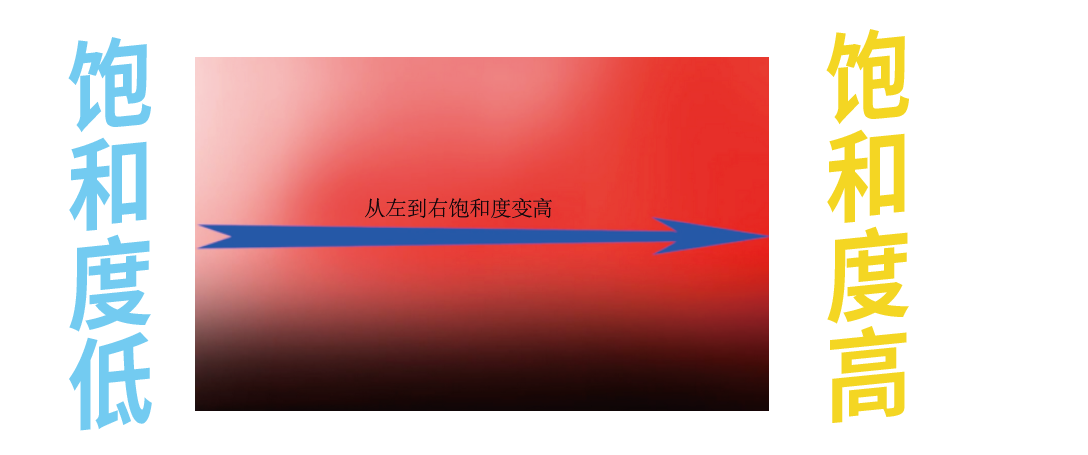
Light and shade : The darker the brightness, the lower , The brighter the light, the higher the brightness

Hue : The color we can see is the hue

After understanding the above concepts, let's understand , stay pr The effect of
Hue : Does not affect saturation and lightness , Only adjust the color of the picture  saturation : It only controls the saturation of the picture ( Brightness )
 Color : Can control hue and saturation , But he won't control Mingdu

To sum up, the difference between these three attributes :
Yellow is supported

Add a color mask 3 General mode
Add a color mask 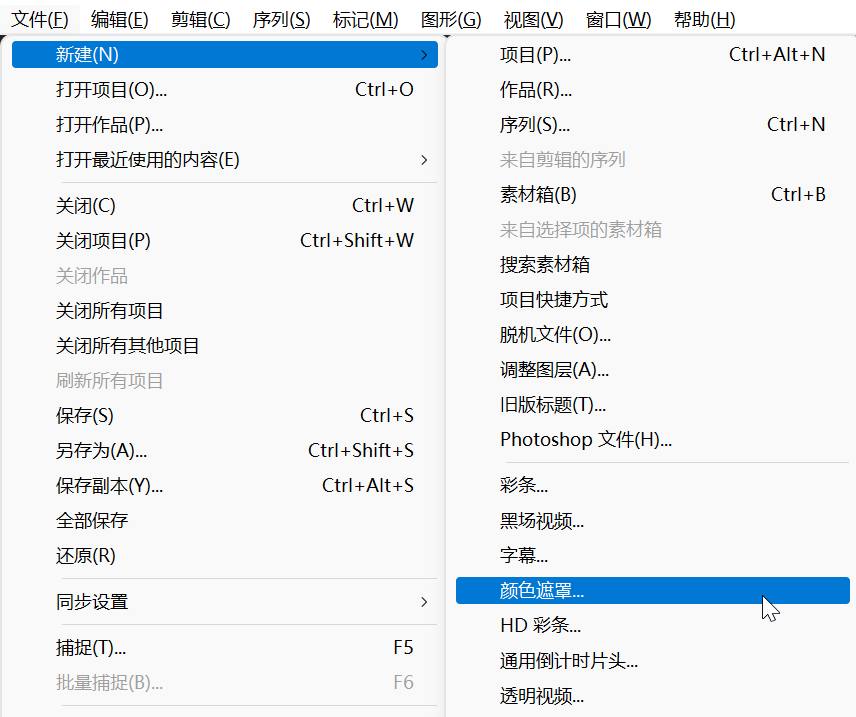
perhaps 
The way to use old titles
In this way, different styles of color masks can be made 

Pen mode add
Just use a pen to draw one or more pictures 
Video Explanation
Premiere Basics - The opacity ( Mixed mode )

边栏推荐
- muduo源码剖析——以三个切片浅析muduo库代码设计的严谨性、高效性与灵活性
- 数据可视化入门学习,要警惕陷阱误区,把握关键节点
- Vcsa7u3c installation tutorial
- 如何设置 SaleSmartly 以进行 Google Analytics(分析)跟踪
- TSMC liudeyin: do not worry about semiconductor inventory correction and cooperation between the United States, Japan and South Korea. This year's performance will increase by 30%!
- AD18器件库导入简介
- “双碳”背景下 数据中心规划设计的新趋势及展望
- Three ways generated by stream lambda
- 半导体硅片持续供不应求,胜高长期合约价上涨30%!
- VMware ESXi 各版本号对照表
猜你喜欢

Adobe Premiere Basic - tool use (select tools, rasoir tools, and other Common Tools) (III)
After the qtmqtt source code compilation is set to keepalive, the Ping package timeout error does not return a problem repair (qmqtt:: mqttnopingresponse, qmqtt:: clientprivate:: onpingtimeo)
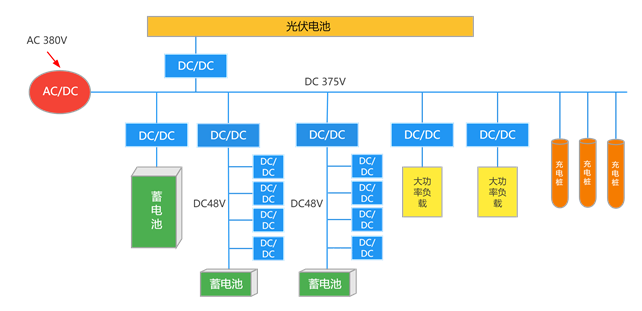
光储直柔配电系统浅析

In the digital age, why should enterprises make digital transformation?

In the era of data processing, data analysis has become the basic construction

两部门发文明确校外培训机构消防安全条件

Enterprise data quality management: how to evaluate data quality?

leecode27,977-双指针法

uniapp uview 框架的form表单,输入校验手机号、校验微信号

5. Golang泛型与反射
随机推荐
【QNX Hypervisor 2.2 用户手册】3.2.3 ACPI表和FDT
Vcsa7u3c installation tutorial
Adobe Premiere基礎-工具使用(選擇工具,剃刀工具,等常用工具)(三)
Error Code: 1175. You are using safe update mode and you tried to update a table without a WHERE tha
How to set up salesmartly for Google Analytics tracking
Db2 SQL PL的动态SQL
[kuangbin] topic 22 interval DP
半导体硅片持续供不应求,胜高长期合约价上涨30%!
Ruijie x32pro brush openwrt enable wireless 160MHz
Introduction to DB2 SQL pl
IBOX系统开发核心功能和部分核心源码
Metadata management, the basic construction of enterprises in the digital era
[kuangbin]专题十二 基础DP1
Common methods of stream flow lambder
VMware ESXi 各版本号对照表
Db2存储过程的屏幕输出,输出参数,返回结果集
"Digital transformation, data first", talk about how important data governance is to enterprises
Cross domain error: when allowcredentials is true, allowedorigins cannot contain the special value "*“
单调栈结构
什么是商业智能BI,谈谈商业智能BI的定义与作用