当前位置:网站首页>今日份20220719折腾deeplabcut
今日份20220719折腾deeplabcut
2022-07-26 22:37:00 【久久鸭要变大鹅子】
前言
误人子弟系列
就是试验记录
各位萌新参考就行!!
可别完全来踩我坑
先激活虚拟环境

activate DLC
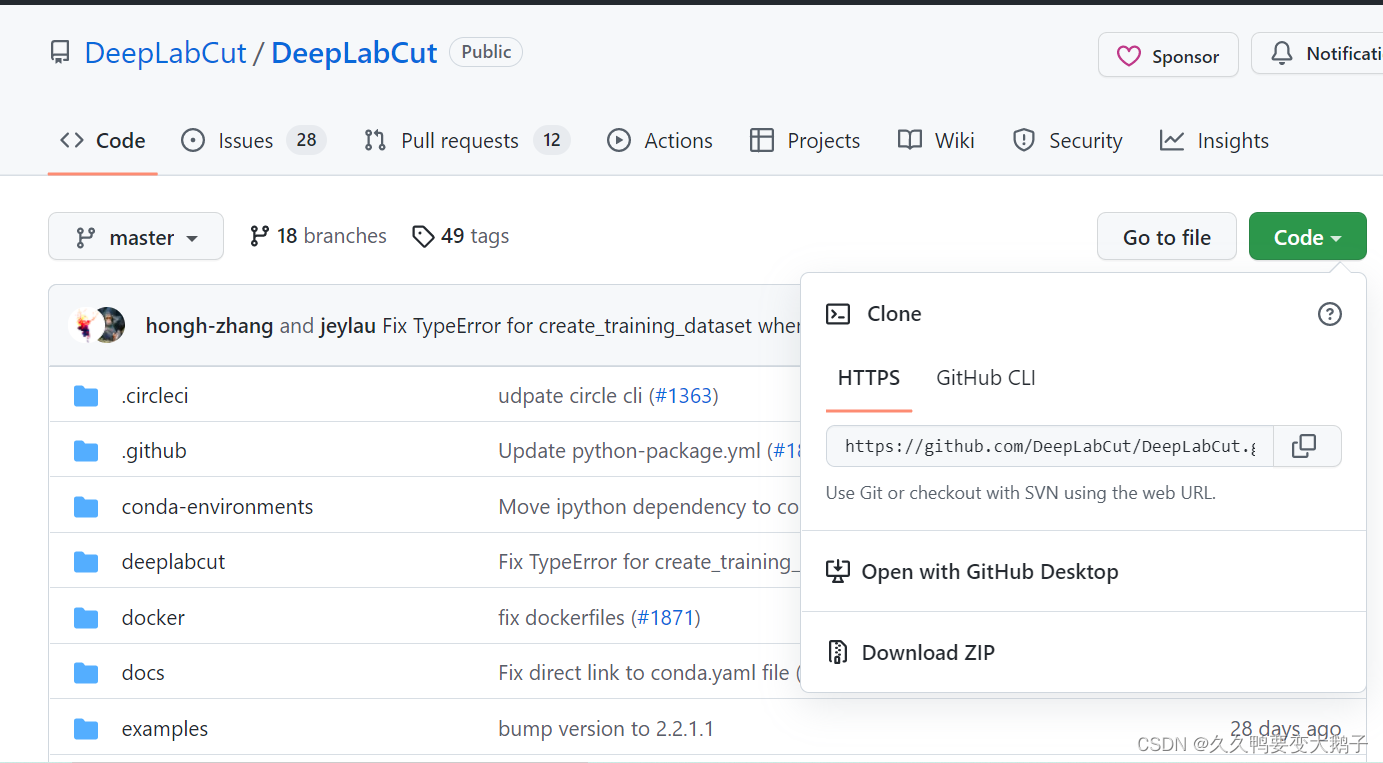
在github官网中下载好
在prompt中正确cd
就是要注意/d 来转义一下
(DLC) C:\Users\OCEANXIN>cd /d D:\DeepLabCut-master\conda-environments

(DLC) D:\DeepLabCut-master\conda-environments>
(现在的正确进入到文件夹路径了)
conda env create -f DEEPLABCUT.yaml
# 这里的DEEPLABCUT.yaml 是从官网上下载后的那个文件

我以为完毕了,打算按照提示走
然后就又往下跳了
啥事都有系列,中间网卡了一下
就卡死在这里了
有新的疑惑,按理说这是本地,应该和网络没关系吧?
我直接重新conda env 了
然后报错
这好像是得删一下了
而且很明确说错在了之前没加载完全的这一项
试了一下这篇文章中的说法链接: link
我还是更倾向于说的是压缩包的问题?链接: link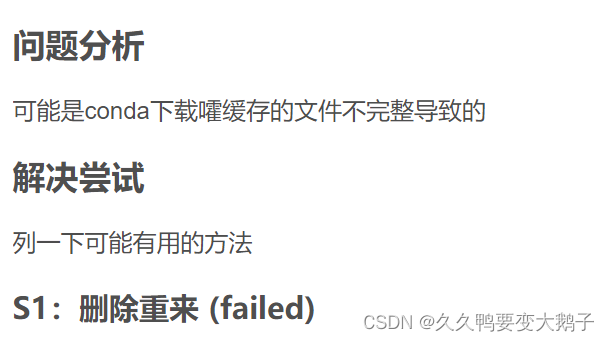
不得不说,妥妥的面向CSDN解决问题,面向CSDN编程
但是不参考前辈的各种解决方法,谁也不知道遇到问题咋办?
要说现在的进步,就是看到各种问题,一点都不慌,之前还挺焦灼or焦虑,现在就妥妥的有问题就查,查完了就试。。。。。。
先给了user的所用控制权
但是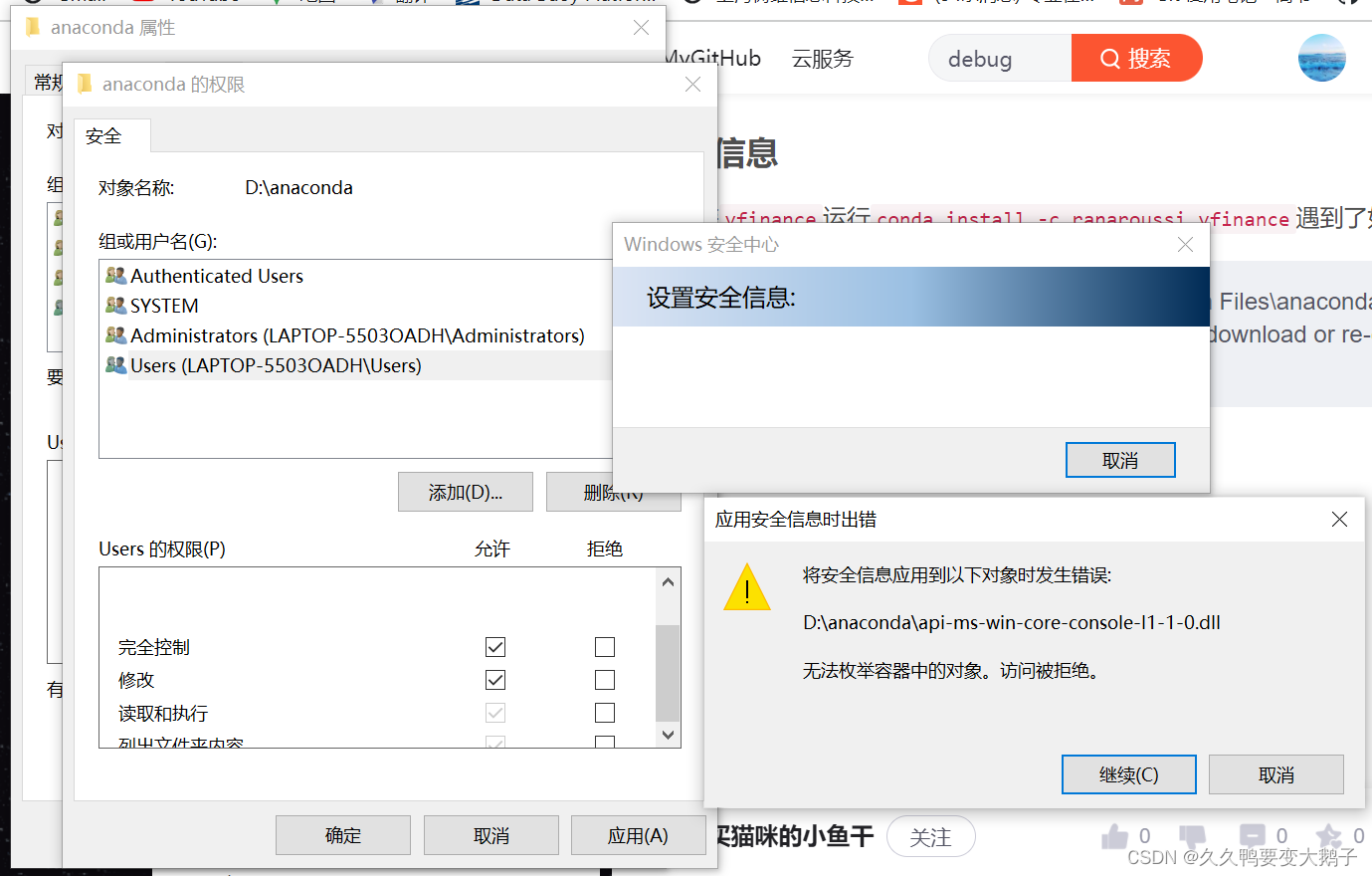
不知道咋回事
先按照prompt的指令看了一下文件夹
那我删了他俩重新来过吧
有可能是不需要删除所用
删了这个就行
重新来过,刚刚是删了libclang这个文件夹
不行了就得删除所有的,把这一步重新试一下了
应该是可以,因为看上边的
错误原因应该就是第一次6%的文件夹没删,应该删了,再重新conda env一次,毕竟看到了完整100%的libclang
不知道发生了什么
emm
而且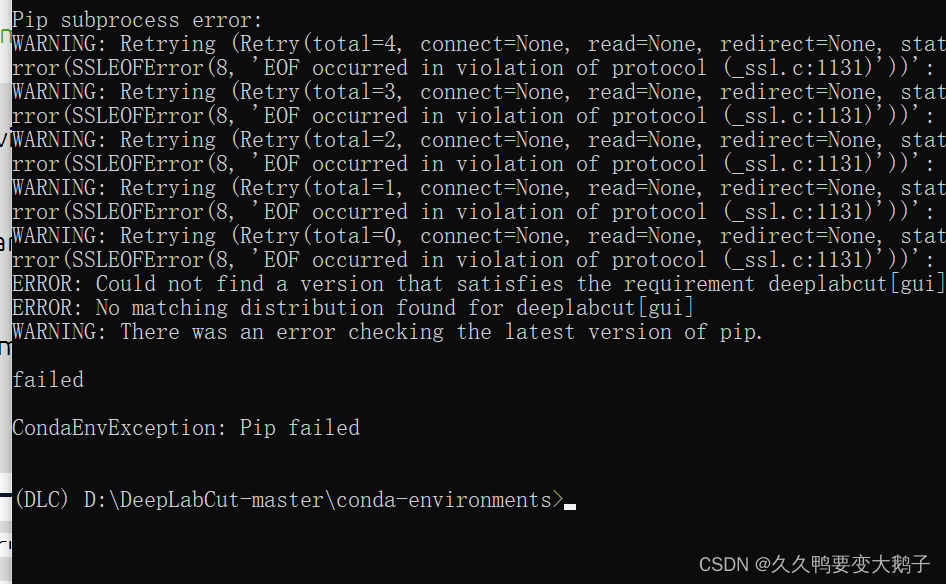
但是,似乎装好了吧?
检验一下得了
这里为什么又多了一个DEEPLABCUT的环境?
好像是因为我跟着up主,又走了一次?
之前的两篇文章其实已经安好了?
人间迷惑
先这样吧
测试一下
测试语句是
python testscript.py

emmmm
人是傻掉的,是因为conda env -f 这里,我写了DEEPLABCUT的原因吗?
应该写成DLC?因为这里138个包
而DLC里边只要36个
感觉很奇怪啊···
我新建了一个环境AAA,然后采用图像化界面的方法导入
但是,这昨天干的,pip 各种python3.6 wxpython deeplabcut 不就白搞了吗
还是说,昨天哪里出现了错误,没有在DLC环境下pip?
pip install deeplabcut -i http://mirrors.aliyun.com/pypi/simple --trusted-host mirrors.aliyun.com
–upgrade --ignore-installed deeplabcut
之前做的wxpython确实是在DLC环境下的
因此,按理说
现在deeplabcut重新搞一次,应该就齐乎了
现在来看
应该是好了
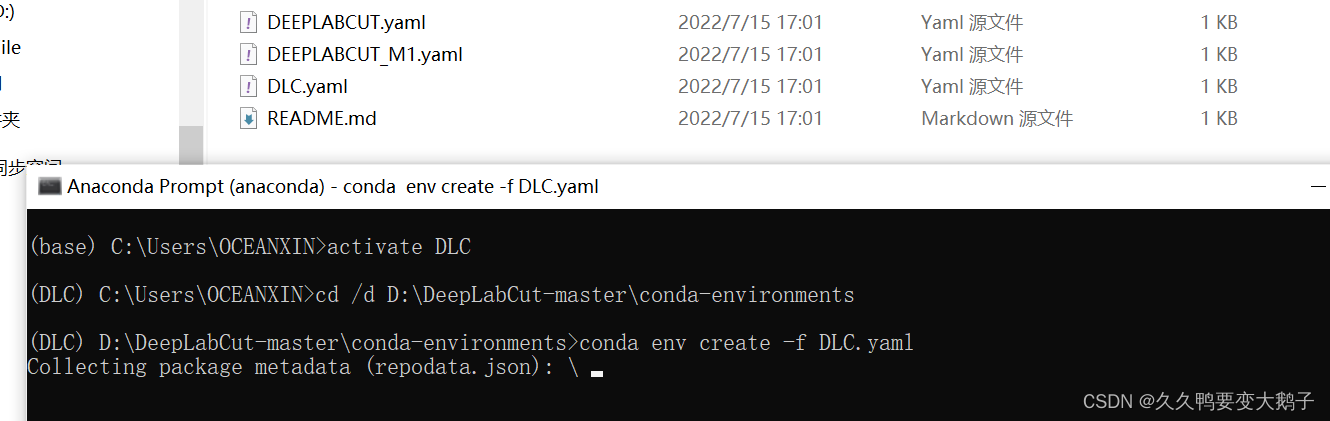
我这里是把从官网上下载的包
ctrl CV
然后把虚拟环境的名字改成了自己现在的DLC这个环境
我觉得应该对了
还是错了
EMMMMMM
还是测试
啥错都有系列
查一下,遇到问题解决问题嘛!
解决方法链接: link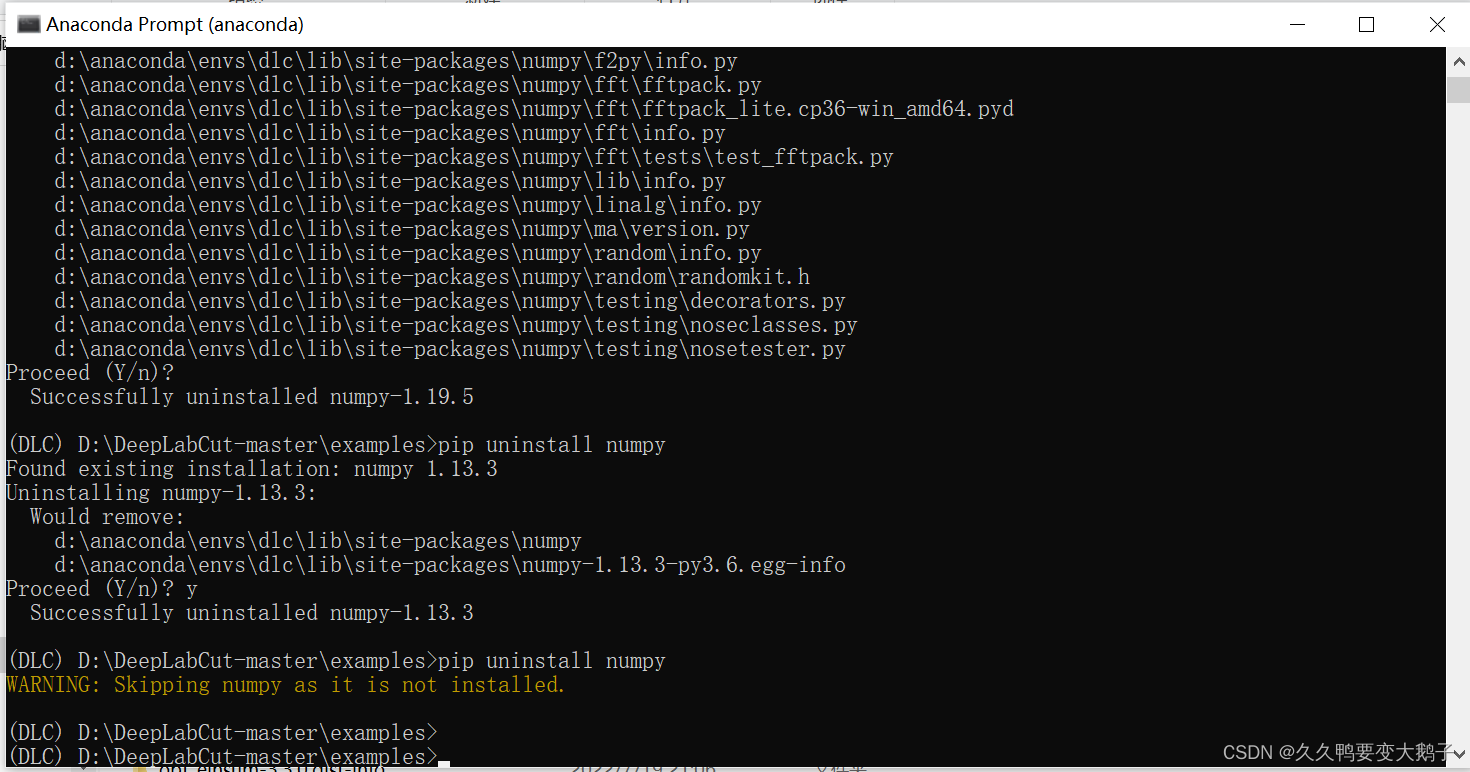
pip install numpy -i http://mirrors.aliyun.com/pypi/simple --trusted-host mirrors.aliyun.com
–upgrade --ignore-installed numpy

就很想骂艹。。。。。。
因为没强制upgrade的时候就是不行
合着我要是不会上边那招
还就死在环境配置上咯?
ps:这简直是通篇流水账时间线记录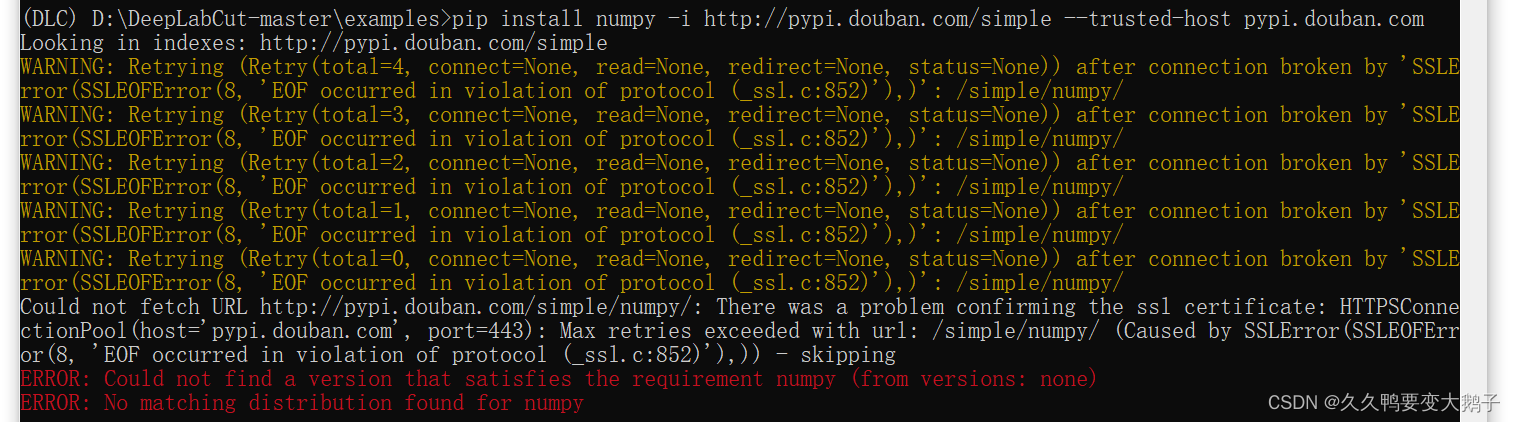
终于走到了测试关
希望是好的
再不好今天就回去睡觉了
和视频里up主展示的不一样
似乎
还是不对
非常的amazing
问题不知道出在了哪里
一个是自己也小白
这个up主在各种方法之间反复横跳
现在缕缕自己思路
应该是anaconda先建立一个新的虚拟环境
下载python3.6 tensorflow1.13.0
然后下载deeplabcut这个包
然后下载deeplabcut的依赖:wxpython
这应该就结束了吧?
后续是从官网下载ZIP的方式?
还有一个是图像化界面导入的方式?
边栏推荐
- [step by step, even thousands of miles] key words in the specified time period of the statistical log
- Identity server4 authorization successful page Jump encountered an error: exception: correlation failed Solution of unknown location
- Azure synapse analytics Performance Optimization Guide (3) -- optimize performance using materialized views (Part 2)
- The basic operation of data tables in MySQL is very difficult. This experiment will take you through it from the beginning
- 知识蒸馏——pytorch实现
- 第2章 开发用户流量拦截器
- 04 traditional synchronized lock
- Geek challenge 2019 (review the loopholes)
- Mysql database complex operations: Database Constraints, query / connect table operations
- 嵌入式系统移植【8】——设备树和根文件系统移植
猜你喜欢

转置卷积相关

The place where the dream begins ---- first knowing C language (2)

文件上传到服务器
Method of realizing program startup and self startup through registry

The NFT market pattern has not changed. Can okaleido set off a new round of waves?

第1章 拦截器入门及使用技巧

第7章 课程总结

04 traditional synchronized lock

Dynamic SQL
![[netding Cup 2018] Fakebook records](/img/9f/b9111da8b2d9f8e79d82847aec906c.png)
[netding Cup 2018] Fakebook records
随机推荐
ResNet论文解读及代码实现(pytorch)
Baidu website Collection
Blue Bridge Cup brush question notes (word analysis)
【C语言】经典的递归问题
查看 Anaconda 创建环境的位置
【面试:并发篇26:多线程:两阶段终止模式】volatile版本
数据库:MySQL基础+CRUD基本操作
Oracle remote connection configuration
ES6新特性
Method of setting QQ to blank ID
Training team lpoj round10 e Jumping Frog
嵌入式系统移植【8】——设备树和根文件系统移植
Codeforces D. two divisors (number theory, linear sieve)
What is Tencent cloud lightweight application server? What are the differences between CVM and ECS?
08 design of intelligent agricultural environmental monitoring system based on ZigBee
The basic operation of data tables in MySQL is very difficult. This experiment will take you through it from the beginning
第1章 需求分析与ssm环境准备
Tensorflow2.0 deep learning simple tutorial of running code
Upload files to OSS file server
Qunar travel massive indicator data collection and storage