当前位置:网站首页>[in depth understanding of tcapulusdb technology] how to realize single machine installation of tmonitor
[in depth understanding of tcapulusdb technology] how to realize single machine installation of tmonitor
2022-06-21 22:20:00 【Database master】
This section introduces Tmonitor web portal And the installation and deployment of background processes ,web portal And background should be installed on different machines . Be careful : All operations are in root Execute under authority .
Installation needs 3 A package ( The latest installation package shall prevail ):
- web_portal_2.2.18_05130ad9.tar.gz Mainly Tmonitor Manage Pages
- tmonitor_install_2.2.18_05130ad9.tar.gz Mainly Tmonitor Background processes
We are going to put Tmonitor And tcaplus center Installed on the same machine , Put the top one first 3 Packages uploaded to /data Catalog , decompression
1. Tmonitor Web Portal install
- cd /data/web_portal/, because tcaplus OMS Occupied 80 port , So modify conf file , Listen 8080 port . modify server.php, set_httpd_port(8080)
- Check the database datadir Whether the disk is enough . If it's not enough, change to /data Under the plate
- root The user login mysql
- mysql> create database tmonitor_center_db; – Particular attention , tmonitor The foreground database and background database are separated , The foreground database uses this name , Backstage with other names
- mysql -uroot -pxxxx -Dtmonitor_center_db < *.sql hold /data/web_portal All under directory sql File import
- mysql> create user tmonitor;
- grant ALL on tmonitor_center_db.* to ‘tmonitor’@‘%’ identified by ‘xxxx’
- grant ALL on tmonitor_center_db.* to ‘tmonitor’@‘localhost’ identified by ‘xxxx’
- grant ALL on tmonitor_center_db.* to ‘tmonitor’@‘127.0.0.1’ identified by ‘xxxx’
- grant ALL on tmonitor_center_db.* to ‘tmonitor’@‘100.78.65.157’ identified by ‘xxxx’
- grant ALL on tmonitor_center_db.* to ‘tmonitor’@‘100_78_65_157’ identified by 'xxxx- echo $HOSTNAME
- flush privileges
- Switch to root user , perform ./install_web_protal.sh 100.78.65.157 3306 tmonitor_center_db tmonitor xxxx PASSWORD 2.2.7 ( The penultimate argument is LoginType, You can fill in OA perhaps PASSWORD), This script will create /data/monitor Catalog , The foreground page will start from this directory
- then netstat –lpn Check 8080 Whether the port is started , without , Try it again , php server.php start -p 8080 start-up , Stop command : php server.php stop
- Log in to the page , Registered users tmonitor, If you can't log in , telnet ip Port look select * from tm_users_permission; See if you have administrator privileges (role=1)

- Click on ” management ” Button , Take what is being deployed tmonitor System added , After the background process gets up, it can provide services

- Here, the front desk installation is completed , Next, install the background process
2. Tmonitor Web Portal add to Tmonitor System
- https://git.code.oa.com/gcloud_storage_group/tmonitor The code and installation package are here , You may need to apply for git jurisdiction
- Upload web_portal_2.2.18_05130ad9.tar.gz Package to /data Under the table of contents , decompression , cd /data/tmonitor_install
- vim tmonitor_conf.xml Modify the following

- The interface used in the following figure is used for alarm sending . If it is IDC machine , Use tof Send SMS and wechat , Use uwork Make a phone call

- If it is IDC machine , Need to be in tof and uwork” service ip” Add... To the list sasvr Of ip, To send the alarm normally (tof apply : http://tof.oa.com/application/views/, Or contact jasonlzhang, uwork Apply to contact yorkershi).
- The machine should be able to connect directly tnm2, Need to install agent Tools , The specific steps are described later in the document .

- Above picture dcsvr Of business_id Default to 1, If there are more than one dcsvr Just increase... In turn . dc_tconnd Port for 7980, Keep the default without changing

- In the figure above, you need to provide mysql Of root password , And build the background database in advance . The steps are the same as the foreground database
- mysql –uroot –pxxxx
- create database db_tmonitor_for_qcloud_singapore_1;
- grant ALL on db_tmonitor_for_qcloud_singapore_1.* to ‘tmonitor’@‘%’ identified by ‘xxxx’ ;
- grant ALL on db_tmonitor_for_qcloud_singapore_1.* to ‘tmonitor’@‘localhost’ identified by ‘xxxx’ ;
- grant ALL on db_tmonitor_for_qcloud_singapore_1.* to ‘tmonitor’@‘127.0.0.1’ identified by ‘xxxx’ ;
- grant ALL on db_tmonitor_for_qcloud_singapore_1.* to ‘tmonitor’@‘100.78.65.157’ identified by ‘xxxx’; – ip
- grant ALL on db_tmonitor_for_qcloud_singapore_1.* to ‘tmonitor’@‘100_78_65_157’ identified by ‘xxxx’; – echo $HOSTNAME
- flush privileges;

- Select the components to be installed as shown in the figure above , tcm and Business_id The default is the same as that filled in before
- Check 22 Whether the port can ssh land , Otherwise modify exp Port is 36000
- Check /etc/ssh/sshd_config and sshd_special_user, Make sure tmonitor Users have ssh Login rights
- ./tmonitor_install.pl install Start installation , Errors may be reported during installation , wait for ”install end”. This script will create tmonitor user , And create /data/tmonitor Catalog , In the future, all background processes will be in this directory
- If the execution script reports an error (Can’t locate Time/HiRes.pm) Need to install :
- yum install -y perl-DBD-MySQL perl-Time-HiRes perl-XML-Simple.noarch
- perl-XML-LibXML.x86_64 perl-libxml-perl.noarch
- mysql -utmonitor -pxxxx -Ddb_tmonitor_for_qcloud_singapore_1 Log in to see if the following table is created successfully
- Because on this machine tcaplus Also installed tcm Components , And tmonitor Of tcm Port conflict , So it needs to be modified /data/tmonitor/tmonitor_install Under the directory xml(tcmcenter.xml tcmconsole.xml tagent.xml tconnd.xml tcenterd.xml) Default port and manually pull up the process , The ports are used as follows

- chmod 777 /tmp/tcmconsole.pid This pid file tcaplus and tmonitor Can use , So you need to modify the permissions
- Then start each process in the direction of the arrow in the figure below , And log in tcmconsole Check whether the process is correct , Then pull up in turn dc_tconnd, dcsvr, sasvr process
- start 1.0.1.1 It can be pulled up directly dc_tconnd
- start 1.0.2.1 Pull up dcsvr An error will be reported during the process , see dcsvr Log , It is found that many connections are required mysql database . This is the old version tmonitor The remaining problems , It needs to be modified manually
- ~/tmonitor_install/dcsvr_1/cfg]$ vim dcsvr.xml Create an empty database according to the database name listed in this file
- First root land mysql, to tomitor User's permission to create database : grant ALL on . to ‘tmonitor’@‘100.78.65.157’ identified by ‘xxxx’; flush privileges
- then tmonitor The user login mysql -utmonitor -pxxxx -h100.78.65.157, Create the following database
- create database tmonitor
- create database db_route
- create database db_273_customscript
- create database db_1_autoupdate
- create database db_2_procstatus_data
- create database 0_tbus_data
- create database 0_thostinfo_data
- create database version
- And then use sed modify xml
- sed -i ‘/DBMSHost/c 100.78.65.157’ dcsvr.xml
- sed -i ‘/DBMSPassword/c xxx’ dcsvr.xml
- sed -i ‘/DBMSUser/c tmonitor’ dcsvr.xml
- After the modification, go to tcmconsole start-up dcsvr and sasvr process
- After all processes start successfully , The second part is done . If you need to uninstall or reinstall , perform /data/tmonitor_install/tmonitor_install.pl uninstall that will do
3. Business configuration
- Get into tmonitor page , Click on ” Access change ”
- Report method selection custom The way , Actively report to the node , tcm The way is sasvr Pull
- Mocha ITOM -> Apply for approval -> Access approval The following approval , cc_id Default fill 1
- Then click ”Monitor V2” Below ” Get into ” Button , Select the business just filled in , When you enter the database for the first time, you will make a mistake and say that the database information is not filled in , Go ahead and complete
- restart sasvr
- Be careful , Above picture Tmonitor The system automatically allocates business ID=1, This is the same as the one we matched before business_id It's the same . If it's not the same , Need modification xml Below BussinessID and TbusConf And restart , Again /tmp/tconnd_1.0.1.$instance_1.pid This _1 It should also be modified accordingly
- modify tcaplus Of xml, Add native ip To the white list , restart tcmcenter, Then go to ” Business configuration ” -> “ Collection policy configuration ”, Directly from IDC Copy from the cluster , Pay attention to revision ip And port , Submit update
- modify tcaplus center About sasvr Related configuration items , restart Then check that the mng_path Is there any data . Check that all processes have indicators reported . ( modify tcapcenter_cfg.xml, Be careful !!! The following figure enable To be converted into true, HttpGetSasvrInfoUrl final 0 To be converted into 1, With the above id bring into correspondence with )
- Business configuration -> Alarm receiver configuration -> Group management -> edit , Fill in the alarm receiver . Because this version has bug, So point editing is useless . Can only be modified from the database , Be careful app_id To include existing app and default
- Configure an alarm strategy , Test whether the alarm can be sent out
- Copy IDC The alarm strategy is applied to the new environment
TcaplusDB It's a distributed product of Tencent NoSQL database , The code for storage and scheduling is completely self-developed . With cache + Landing fusion architecture 、PB Levels of storage 、 Millisecond delay 、 Lossless horizontal expansion and complex data structure . At the same time, it has rich ecological environment 、 Easy migration 、 Extremely low operation and maintenance costs and five nine high availability features . Customer coverage game 、 Internet 、 government affairs 、 Finance 、 Manufacturing and the Internet of things .

边栏推荐
- MitoZ|Multi-Kmer mode
- Anaconda add channels
- [deeply understand tcapulusdb technology] tmonitor background one click installation
- C#的DataGridView中字体大小
- Using bioedit to do multiple sequence consistency alignment
- File i/o
- HIC Pro | HIC data processing tool
- Worthington deoxyribonuclease I solution
- B2B mall website helps enterprises speed up distribution and build an efficient and intelligent B2B online distribution platform
- 迅为iTOP-3568开发板安装 RKNN Toolkit Lite2
猜你喜欢
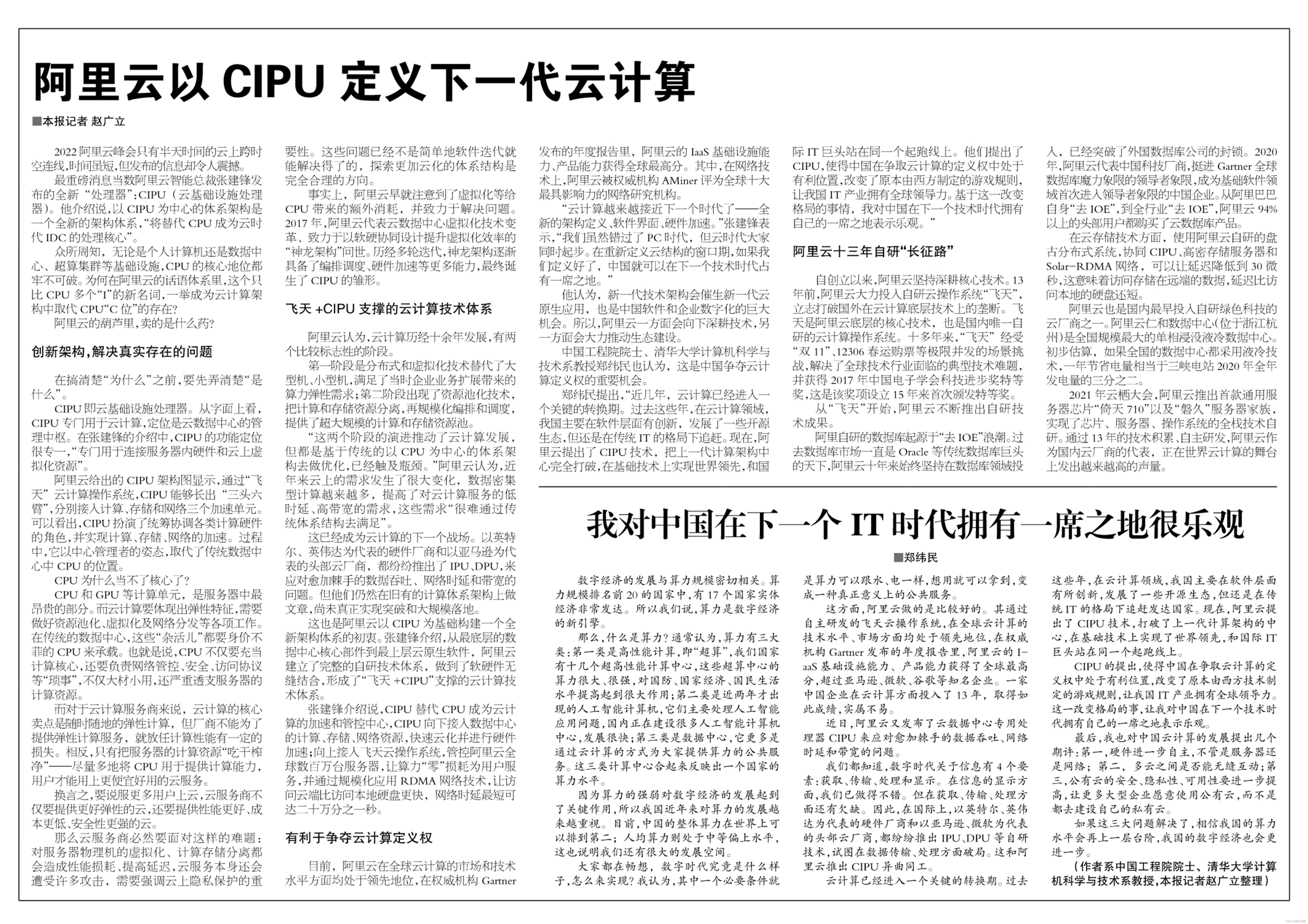
中国工程院院士郑纬民:我对中国在下一个 IT 时代拥有一席之地很乐观

Enterprise data leakage prevention solution sharing

棋牌类游戏

leetcode刷题:顺丰科技智慧物流校园技术挑战赛

Notes on question brushing (17) -- binary search tree: about attribute problems
![[deeply understand tcapulusdb technology] tmonitor background one click installation](/img/f6/d2a287aac4ef3dfa8c75f7130202a4.png)
[deeply understand tcapulusdb technology] tmonitor background one click installation

Dotter| dot method sequence pairwise comparison software

【深入理解TcaplusDB技术】一键安装Tmonitor后台

如何卸载用conda命令安装的包

MitoZ|Multi-Kmer mode
随机推荐
IP-guard打印管控,防止打印渠道信息泄露
【深入理解TcaplusDB技术】TcaplusDB导入数据
Common abbreviations and terms of mitochondrial genome
HIC Pro | HIC data processing tool
分别利用for、while、do while,循环求1-100的和
【深入理解TcaplusDB技术】TcaplusDB业务数据备份
How to uninstall a package installed with the CONDA command
洛谷P1608 路径统计 题解
[in depth understanding of tcapulusdb technology] tcapulusdb construction data
对“XXX::Invoke”类型的已垃圾回收委托进行了回调。这可能会导致应用程序崩溃、损坏和数据丢失。向非托管代码传递委托时,托管应用程序必须让这些委托保持活动状态,直到确信不会再次调用它们
洛谷P5440 【XR-2】奇迹 题解
Shanghai Xiangwei electromechanical Co., Ltd., a state-owned enterprise, has reached strategic cooperation with China and foreign countries and donated 200million yuan
Dotter| dot method sequence pairwise comparison software
2022 Foshan Tanzhou ceramics exhibition held a press conference to launch ten key points of the exhibition
Luogu p5440 [XR-2] miracle solution
精彩回顾丨一图了解华为云专场干货
GDB调试实战(10)多线程调试
技术分享 | kubernetes pod 简介
Using bioedit to do multiple sequence consistency alignment
Hiclotter|hic data visualization tool