当前位置:网站首页>Initial summary of flask framework creation project
Initial summary of flask framework creation project
2022-07-27 08:29:00 【qishaoawei】
Create project virtual environment and install related dependencies
Create a project and open the settings within the project
First step 
The second step 
Open the project terminal to check whether the virtual environment is successful
If it fails, you need to start it manually 
After the virtual environment is configured, install relevant dependencies
Say that there are files with dependent names placed in the project
Then open the project terminal for installation
After installation, you can enter pip list Check whether all are installed 
establish flask structure
Use engineering mode to create app
Created in the root directory create_app.py file
Write in it
from flask import Flask  # Import Flask
from flask_cors import CORS  # Cross domain
def create_app(config):
    flask_app=Flask(__name__)   # Instantiation flask object
    # Load configuration items
	flask_app.config.from_object(config)
    # Registered blueprint

    # binding db

    #  Cross domain
    CORS(flask_app)

    return flask_app
Create in project settings Create in directory config.py file
Write the configuration items required by the sequence pair inside
class DefaultConfig:
    SECRET_KEY='asdasfjsfagfasfa'   #cookie Secret key
    SQLALCHEMY_DATABASE_URI=''   # Database configuration items
    SQLALCHEMY_TRACK_MODIFICATIONS=False #  Tracking data modification signals
    SQLALCHEMY_ECHO=True  #  Whether to print out on the console sql sentence
    JSON_AS_ASCII=False    #json Whether the type is converted

# Inherit from the above class , Avoid future modifications
class DevConfig(DefaultConfig):
    #  Database type + Database operation engine :// user name : password @ Host name : port / Database name
    SQLALCHEMY_DATABASE_URI = 'mysql+pymysql://root:mysql password @127.0.0.1:3306/ Database name '
Project root creation app.py file Import configuration items inside app example create_app
from create_app import create_app  # Import the created create_app
from settings.config import DevConfig  # Import configuration items

app=create_app(DevConfig)

# The object is created by function
You can write main Operational framework
You can also configure the operation in the debug configuration dialog box 


After configuration, you can click start next time to run 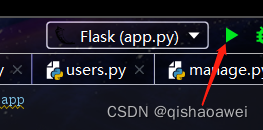
Configure blueprints inside
Create within the project views Create in directory users.py file
Write in it
from flask import Blueprint  # Import blueprint
from flask_restful import Api,Resource
# # url_prefix #  Specify the prefix of all routes under the current blueprint
user_dp=Blueprint('user_dp',__name__,url_prefix='/users') # Instantiate blueprint objects

api=Api(user_dp)  # Instantiate the blueprint collector # Instantiate a Api object  Api Object is used to collect routes

# Define class view   Inherited from Resource class , adopt Api To collect instantiated objects
class UserView(Resource):
    def get(self):       # Test success
        return 'ssss'
# Add route
api.add_resource(UserView,'/user') # The full address is  /users/user
And then in create_app.py Register in the library
from flask import Flask  # Import Flask
from views.users import user_dp  # Import the instantiated blueprint object
from flask_cors import CORS
def create_app(config):
    flask_app=Flask(__name__)   # Instantiation flask object
    # Load configuration items
    flask_app.config.from_object(config)

    # Registered blueprint
    flask_app.register_blueprint(user_dp)

    # binding db

    #  Cross domain
    CORS(flask_app)

    return flask_app
Register database configuration
Create in directory models Create in directory model.py File to write model classes
from flask_sqlalchemy import SQLAlchemy  # Import

db=SQLAlchemy()  # Instantiate database connection object

# Create model classes
class UserModel(db.Model):
    # primary_key Primary key  autoincrement Self increasing  default Default
    id=db.Column(db.Integer,primary_key=True,autoincrement=True,comment='ID')
    name=db.Column(db.String(32),default='',comment=' name ')
And then in create_app.py Register in the library
from flask import Flask  # Import Flask
from views.users import user_dp  # Import the instantiated blueprint object
from models.model import db   # Import the instantiated database connection object
from flask_cors import CORS
def create_app(config):
    flask_app=Flask(__name__)   # Instantiation flask object
    # Load configuration items
    flask_app.config.from_object(config)

    # Registered blueprint
    flask_app.register_blueprint(user_dp)

    # binding db
    db.init_app(flask_app)

    #  Cross domain
    CORS(flask_app)

    return flask_app
Created in the root directory manage.py File configuration migration items
from flask_script import Manager #Manager Class operation is to run the file from the command line , Add some commands
from app import app   # Import app
from flask_migrate import MigrateCommand,Migrate    #  Import migration classes and migration command classes
from models.model import db    # Import the instantiated database object

manage=Manager(app)  # Instantiate the command line management object
migrate=Migrate(app,db)  # Instantiate the migration execution class
manage.add_command('db',MigrateCommand)  # Add a set of commands to the command line management object


#  Pay attention to start it when it is written
if __name__ == '__main__':
    manage.run()
stay python The terminal runs the command to migrate
#   Initialize migration file   #  initialization , It only needs to be initialized once
python manage.py db init

#  Generate migration file
python manage.py db migrate

#  Perform the migration
python manage.py db upgrade

#  Migration completed
边栏推荐
- All in one 1329 cells (breadth first search)
- JS basic knowledge - daily learning summary ①
- Using ecological power, opengauss breaks through the performance bottleneck
- "Intermediate and advanced test questions": what is the implementation principle of mvcc?
- Background coupon management
- 缓存一致性与内存屏障
- One book 1201 Fibonacci sequence
- My senior
- All in one 1319 - queue for water
- Virtual machine cloning
猜你喜欢

After downloading URL loader and specifying the size of the image with limit, the image will not be displayed

Use of string type "PHP Basics"
![[target detection] yolov6 theoretical interpretation + practical test visdrone data set](/img/ad/78835eea4decc15e0981e6561b875f.png)
[target detection] yolov6 theoretical interpretation + practical test visdrone data set

Ubuntu: install PostgreSQL

Leetcode54. Spiral matrix

pytorch_ demo1

Solve the problem of slow batch insertion of MySQL JDBC data

众昂矿业:新能源行业快速发展,氟化工产品势头强劲

It's better to be full than delicious; It's better to be drunk than drunk

Interviewer: what is scaffolding? Why do you need scaffolding? What are the commonly used scaffolds?
随机推荐
redis配置文件下载
QT creator code style plug-in beautifier
idea远程调试
arguments
UVM Introduction Experiment 1
Record a PG master-slave setup and data synchronization performance test process
1024 | in the fourth year officially called Menon, the original intention is still there, and continue to move forward
Background coupon management
IBM3650M4实体机安装VCenter7.0
STM32小bug汇总
Realization of background channel group management function
Stored procedure trial 2 -- establish a test table to test different types of stored procedures
[MRCTF2020]Ezpop 1
[uni app advanced practice] take you hand-in-hand to learn the development of a purely practical complex project 1/100
Massive data Xiao Feng: jointly build and govern opengauss root community and share a thriving new ecosystem
阿里云国际版回执消息简介与配置流程
Software test interview questions (key points)
Process control - Branch
Shenzhi Kalan Temple
Explain cache consistency and memory barrier