当前位置:网站首页>threejs辉光通道01(UnrealBloomPass && layers)
threejs辉光通道01(UnrealBloomPass && layers)
2022-06-24 07:18:00 【hcdu】
前言
踩坑记录:
1、UnrealBloomPass 辉光参照three官网示例
2、分层渲染分为两篇:本篇为最简单的layers分层渲染
一、辉光
1、引入库:
import {
     EffectComposer } from 'three/examples/jsm/postprocessing/EffectComposer'
import {
     UnrealBloomPass } from 'three/examples/jsm/postprocessing/UnrealBloomPass'
import {
     RenderPass } from 'three/examples/jsm/postprocessing/RenderPass'
2、注意事项:
其他three组件都是常规的写法,开启炫光通道的时候如下注意点
主要注意渲染器中添加
renderer.autoClear = false
通道添加
bloomPass.renderToScreen = true
渲染使用合成渲染
composer.render()
部分代码
除去常规写法的【场景、相机、控制器、光源等】
只需要注意上述这部分代码
initrenderer () {

  var width = document.getElementById('threecanvas').offsetWidth
  var height = document.getElementById('threecanvas').offsetHeight
  renderer = new THREE.WebGLRenderer({

    antialias: true,
  })
  renderer.setPixelRatio(window.devicePixelRatio)// 设置分辨率与电脑的分辨率相同
  renderer.setSize(width, height)
  renderer.toneMapping = THREE.ReinhardToneMapping
  renderer.autoClear = false
  document.getElementById('threecanvas').appendChild(renderer.domElement)
}
addBloomPass () {

  var width = document.getElementById('threecanvas').offsetWidth
  var height = document.getElementById('threecanvas').offsetHeight
  const renderScene = new RenderPass(scene, camera)
  const bloomPass = new UnrealBloomPass(new THREE.Vector2(width, height),1.5,0.4,0.85)
  bloomPass.renderToScreen = true
  bloomPass.threshold = params.bloomThreshold
  bloomPass.strength = params.bloomStrength
  bloomPass.radius = params.bloomRadius

  composer = new EffectComposer(renderer)
  composer.setSize( width, height );
  composer.addPass(renderScene)
  composer.addPass(bloomPass)
}
function render () {

  requestAnimationFrame(render)
  update()
  composer.render()
}
二、layers分层渲染
问题: 使用简单的layers分层渲染会出现深度遮挡问题,或者有其他物体在光晕后方,光晕不生效
注意事项和上述相同,然后给物体分层即可
我们只需要在渲染的时候设置好层级
注意合成的渲染通道在上,正常的渲染在下,相当于两个图层,然后把相机分给两个图层
图层0:正常渲染
图层1:使用通道渲染
function render () {

  requestAnimationFrame(render)
  update()

  renderer.clear()
  camera.layers.set(1)
  composer.render()

  renderer.clearDepth()
  camera.layers.set(0)
  renderer.render(scene, camera)
}
然后自己需要哪些物体使用炫光的通道,就把这个物体
object.layers.set(1)
正常渲染的话
object.layers.set(0)
或不设置,正常的图层默认为0
总结
由于这种简单的layers分层会出现不确定性问题
下篇继续
边栏推荐
- The pie chart with dimension lines can set various parameter options
- 520. 检测大写字母
- Liunx Mysql安装
- [quantitative investment] discrete Fourier transform to calculate array period
- 【MySQL从入门到精通】【高级篇】(一)字符集的修改与底层原理
- Jenkins自动化部署,连接不到所依赖的服务【已解决】
- À propos de ETL il suffit de lire cet article, trois minutes pour vous faire comprendre ce qu'est ETL
- 【LeetCode】415. 字符串相加
- Summary of methods in numpy
- 【LeetCode】387. 字符串中的第一个唯一字符
猜你喜欢

MySQL | 视图《康师傅MySQL从入门到高级》笔记

K8s deployment of highly available PostgreSQL Cluster -- the road to building a dream

【NOI模拟赛】寄(树形DP)

【量化投资】离散傅里叶变换求数组周期

Pymysql inserts data into MySQL and reports an error for no reason
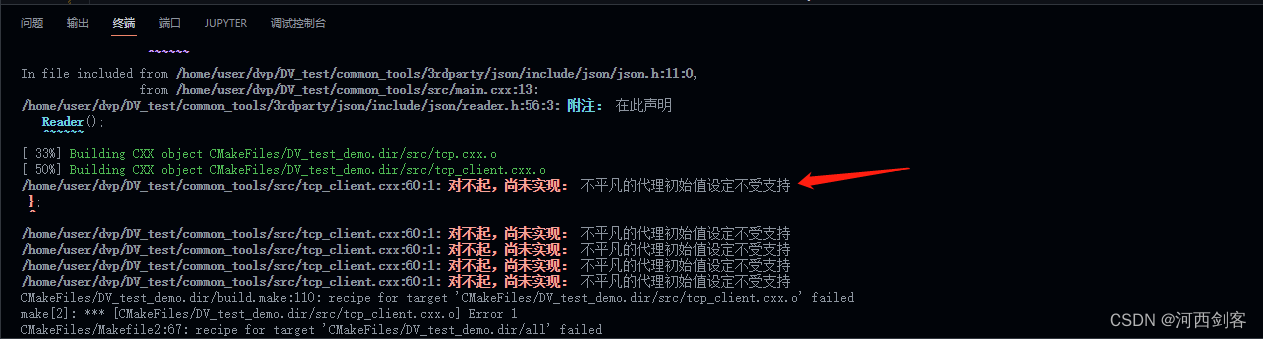
"Unusual proxy initial value setting is not supported", causes and Solutions

The form image uploaded in chorme cannot view the binary image information of the request body

What is graph neural network? Figure what is the use of neural networks?

【LeetCode】541. 反转字符串 II
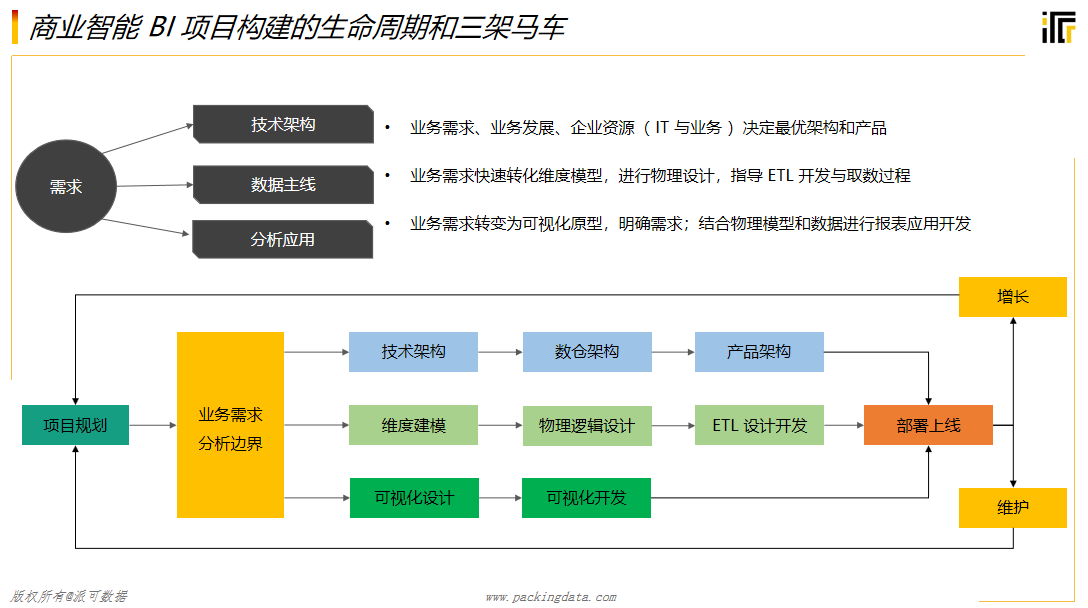
关于ETL看这篇文章就够了,三分钟让你明白什么是ETL
随机推荐
MySQL | store notes of Master Kong MySQL from introduction to advanced
2022春招面试总结
mysql写的代码数据 增删查改等等
Distributed | how to make "secret calls" with dble
[10 day SQL introduction] Day2
疫情、失业,2022,我们高喊着摆烂和躺平!
Telnet port login method with user name for liunx server
Spark - LeftOuterJoin 结果条数与左表条数不一致
【牛客】HJ1 字符串最后一个单词的长度
[team management] 25 tips for testing team performance management
[pytoch basic tutorial 31] youtubednn model analysis
Win11 blank when using VIM to view content in cmder
every()、map()、forEarch()方法。数组里面有对象的情况
数据中台:民生银行的数据中台实践方案
A tip to read on Medium for free
Get screen width and height tool class
4274. 后缀表达式
MySQL | view notes on Master Kong MySQL from introduction to advanced
第七章 操作位和位串(三)
数据中台:中台架构及概述