当前位置:网站首页>Xctf attack and defense world misc wage earner advanced zone
Xctf attack and defense world misc wage earner advanced zone
2022-06-28 01:36:00 【l8947943】
0x01. this_is_flag
Enter the environment to view the content , Pictured :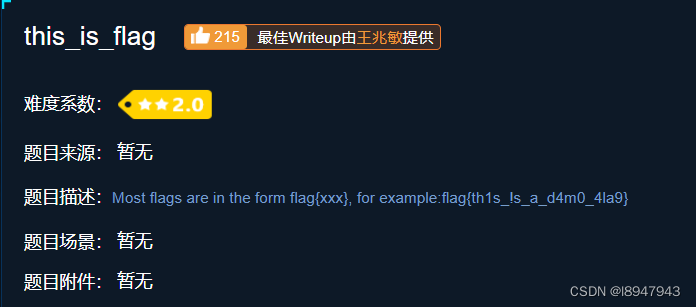
Tips flag In the description , The final answer is :flag{th1s_!s_a_d4m0_4la9}
0x02. pdf
Enter the environment , Download the attachment , It's a pdf file , Let's open it directly, as shown in the figure :
According to experience , The picture either has content , Or the picture covers something , We use Acrobat DC open , edit pdf file , And remove the picture , Pictured :
The final flag by :flag{security_through_obscurity}
0x03. Tathagata thirteen palms
Enter the environment , Download the attachment , After opening it, I found that it was a confused Buddhist language :
It's actually a bunch of encrypted words , Use the online password to encrypt the address :https://www.keyfc.net/bbs/tools/tudoucode.aspx, Pictured :
Got the decryption information , It's still messy , Think of the thirteen palms of the Tathagata , The thought of ROT13, Using online ROT13 Small tools to decrypt :https://www.qqxiuzi.cn/bianma/kaisamima.php, Pictured :
Or chaos , Try base64 decode : Pictured :
The final answer is :flag{bdscjhbkzmnfrdhbvckijndskvbkjdsab}
0x04. give_you_flag
Enter the environment , Download the attachment , Discovery is a gif picture , Guess you need to extract frames , Decisively put the picture in Photoshop, Pictured :
Find the first 50 The frame has a QR code , But the locator is missing :
We put him p Up , Pictured :
After using the mobile phone to scan the QR code , The final result is :flag{e7d478cf6b915f50ab1277f78502a2c5}
0x05. stegano
Enter the environment , Download the attachment , Pictured :
Guess maybe pdf There is something , Use AcrobatDC Editing , Delete the contents of the page , It is found that there is really a string of characters , Pictured :
It is found that all of them are AB Two characters , Guess Morse code , Use . Instead of A, Use - Instead of B, Code up :
s = 'BABA BBB BA BBA ABA AB B AAB ABAA AB B AA BBB BA AAA BBAABB AABA ABAA AB BBA BBBAAA ABBBB BA AAAB ABBBB AAAAA ABBBB BAAA ABAA AAABB BB AAABB AAAAA AAAAA AAAAB BBA AAABB'
res = s.replace('A', '.').replace('B', '-')
print(res)
The moss code is as follows :
-.-. --- -. --. .-. .- - ..- .-.. .- - .. --- -. ... --..-- ..-. .-.. .- --. ---... .---- -. ...- .---- ..... .---- -... .-.. ...-- -- ...-- ..... ..... ....- --. ...--
Use an online moss code translator http://www.all-tool.cn/Tools/morse/?&rand=b6f9a70b7d48e5f823c9b52c7cbb6af5, Pictured :
Decode it , Convert case according to the requirements of the topic , The final flag by :flag{1NV151BL3M3554G3}
0x06. insist 60s
Enter the environment , Download the attachment , Pictured , One for jar file , The computer should be configured in advance java Environmental Science , open jar After the document , Move the icon up, down, left, right :
According to the experience of doing questions , In fact, it is necessary to jar Found in the package flag file , We use vscode, And install java Decompiler software decompiler, Right click... In the project jar, choice decompile, Pictured :
Search for flag, Find the contents as shown in the figure :
There's an equal sign , Estimation is base64 It's encoded , We try to decode , Pictured :
The decoding content is :DajiDali_JinwanChiji
The final answer is :flag{DajiDali_JinwanChiji}
0x07. gif
Enter the environment , Download the attachment , The discovery question gives a zip Compressed package . Open the package and observe , Only black and white squares were found , Guess it could be 01 code , Therefore, the way to solve the problem is to think of the white block as 0, The black block thinks 1, Encoding . Go straight to the code :
import os
import PIL.Image as Image

#  Judge each picture , If it is white, record as 0, If it is black, record as 1
data = ''
filenames = os.listdir(r'C:\Users\Mr.fa\Desktop\gif')
filenames.sort(key=lambda x: int(x.split('.')[0]))  #  Prevent file names from being out of order

for filename in filenames:
    path = os.path.join("C:\\Users\\Mr.fa\\Desktop\\gif\\", filename)
    hands_mask = Image.open(path)
    r, g, b = hands_mask.getextrema()
    #  Judge the color block of the picture
    if r[1] == 255 and g[1] == 255 and b[1] == 255:
        data += '0'
    else:
        data += '1'
print(data)


#  take 0101 The codes are grouped by eight digits , Corresponding ASCII The code table is converted to the corresponding characters
for i in range(0, len(data), 8):
    byte = data[i: i + 8]
    print(chr(int(byte, 2)), end='')
The final answer is :flag{FuN_giF}
0x08. Lift the table
Enter the environment , The title is not attached , Gave a string , There must be a secret in the string . And the information range in the string is 0-F Between , That is to say 16 Information in decimal , Guess the data corresponds to ASCII code , however ASCII Code range in 0-128 Between , So try subtracting 128, And then convert it into characters to get the final result . Go straight to the code :
strings = "c8e9aca0c6f2e5f3e8c4efe7a1a0d4e8e5a0e6ece1e7a0e9f3baa0e8eafae3f9e4eafae2eae4e3eaebfaebe3f5e7e9f3e4e3e8eaf9eaf3e2e4e6f2"
flag = ''
#  Try grouping characters in pairs , Narrow it down
for i in range(0, len(strings), 2):
    hexdata = '0x' + strings[i] + strings[i + 1]
    flag += chr(int(hexdata, 16) - 128)
print(flag)
So the final answer is :hjzcydjzbjdcjkzkcugisdchjyjsbdfr
0x09. ext3
Enter the environment , Download the attachment , The title gives a file without suffix , Topic tips linux My CD-ROM file , We are kali Mount under the system :
mount f1fc23f5c743425d9e0073887c846d23 /mnt/
If the prompt permission is not enough , Please use sudo. Enter into /mnt/ Under the folder , Open the terminal , Find keywords using commands flag:
find | grep 'flag'
If the prompt permission is not enough , Please use sudo. After the command, see the figure :
When you find the file , open flag, Pictured :
On the base64 decode , Pictured :
The final answer is :flag{sajbcibzskjjcnbhsbvcjbjszcszbkzj}
0x10. SimpleRAR
Enter the environment , Download the attachment , I found that only one question was given RAR Compress package file , Open and report an error , And only one txt file , Double click to open and No flag, Pictured :
There is one in the error message png The picture format is corrupt , It is speculated that the problem may be the header verification of the compressed package , Then use it winhex Open file , Pictured :
As shown in the figure A8 3C 7A Change it to A8 3C 74
After modification , Double click compress file , After opening, everything is normal , Pictured :
Attempt to unzip , Use ps Open file , Tips not a png file, I guess the suffix of the file is png, But there is something wrong with the head , Use winhex See the picture :
Found that the head is a GIF file , Change the file suffix to gif, Guess that frame separation is required , Therefore use Photoshop To open , There are two layers :
Extract the two layers respectively , And use stegsolve Analyze , It is found that both layers are half a QR code , Use Photoshop To synthesize , Pictured :
Use your mobile phone to scan , Get the final answer :flag{yanji4n_bu_we1shi}
0x11. base64stego
Enter the environment , Download the attachment , The title gives a compressed package , Decompression found that a password is needed , Pictured :
Guess it may be pseudo encryption , Use winhex Open file , Pictured :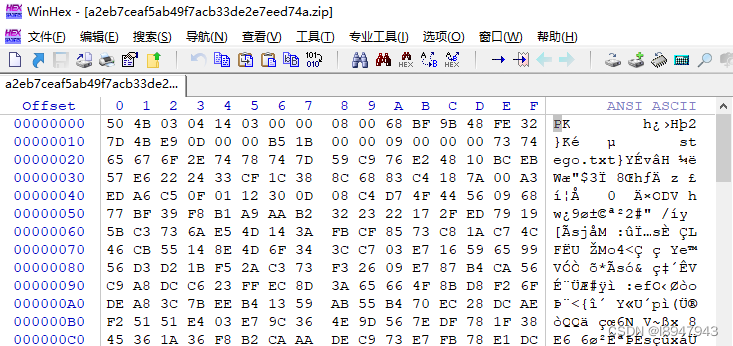
Let's just drag it to the end , Modify the pseudo encryption part , Pictured :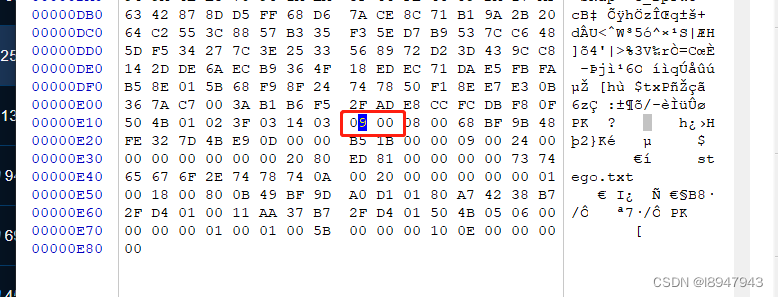
take 09 00 It is amended as follows 00 00, And save the changes , Decompress again , Find everything ok La !!! Or use gadgets ZipCenOp.jar, Use the following command to repair zip file .( Need to install java Environmental Science )
java -jar ZipCenOp.jar r xxx.zip
After repair , Then open txt file , Pictured :
In fact, that is base64 It's just decoding . Then we need to know what is base64 code , With a blog Base64 Encoding and decoding ( Handwriting and switching )
In the know base64 After the principle of , The solution is as follows :
- Read each line in turn , Extract the steganographic bit .
- If not in the end ‘=’, Description no steganography bit , skip .
- If the last one is ‘=’, Indicates that there are two steganographic bits , Convert the penultimate character to the corresponding binary index , Then take the last two .
- If the last two ‘=’, Indicates that there are four steganographic bits , Convert the penultimate character to the corresponding binary index , Then take the last four digits .
- Connect the extracted steganographic bits of each row in turn , Every time 8 A set of bits is converted to ASCII character , In the end 8 Bit discarding .
Go straight to the code :
# base64 Locate its encoding index by characters
def base64decode(s):
    table = 'ABCDEFGHIJKLMNOPQRSTUVWXYZabcdefghijklmnopqrstuvwxyz0123456789+/'
    for i in range(len(table)):
        if table[i] == s:
            return i


with open(r'C:\Users\Mr.fa\Desktop\stego.txt', 'r') as file:
    lines = file.readlines()
    flag_bin = ''
    for line in lines:
        line = line.replace('\n', '')
        if line[-1] == '=':
        	#  If it's two equal signs , Note that the penultimate digit is steganography , Take the penultimate bit and encode the last four bits of the binary
            if line[-2] == '=':
                flag_bin += bin(base64decode(line[-3]))[2:].zfill(4)[-4:]
            #  If it is an equal sign , Note: the penultimate position is steganography , Take the penultimate bit and encode the last two bits of the binary
            else:
                flag_bin += bin(base64decode(line[-2]))[2:].zfill(2)[-2:]

    flag = ''
    #  Transcoding a steganographic code ,8 Bit to bit ASCII character , Get the final answer
    for i in range(0, len(flag_bin), 8):
        flag += chr(int(flag_bin[i: i + 8], 2))
    print(flag)
The final answer is :flag{Base_sixty_four_point_five}
0x12. No matter how high your Kung Fu is, you are afraid of kitchen knives
Enter the environment , Download the attachment , The title gives a pcapng file , Throw it directly into kali Open in , We search for characters flag, Pictured :
1150 The numbered flow package contains txt Document and jpg file , Indicates that there are hidden files , We use binwalk Check it out. , Pictured :
There is one zip Compressed package , contain flag.txt file , We try to use foremost Let's separate , Pictured :
Um. , Sure enough, there is something , however zip Decompress the code , Guess what just happened jpg There are content ... track 1150 Numbered packages , Right click to track the flow ->tcp flow , Pictured :
We need to know one thing ,jpg The format is :FFD8FF start , With FFD9 At the end of the . So copy everything , use winhex Create a new file , Rename suffix jpg You can get the... Of the decompression key jpg chart , Pictured :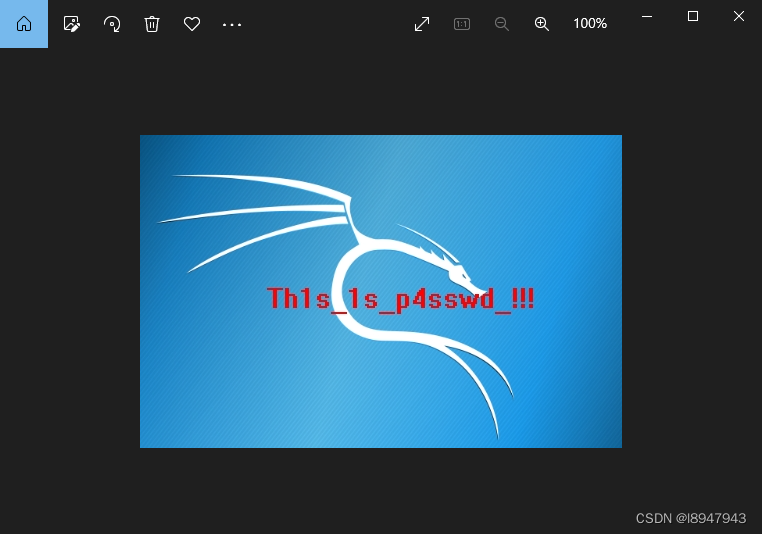
Use this password Th1s_1s_p4sswd_!!! Decompress the package , To get the final flag Pictured :
The final answer is :flag{3OpWdJ-JP6FzK-koCMAK-VkfWBq-75Un2z}
边栏推荐
- AI+临床试验患者招募|Massive Bio完成900万美元A轮融资
- 章凡:飞猪基于因果推断技术的广告投后归因
- Cloud assisted privacy collection intersection (server assisted psi) protocol introduction: Learning
- Modular development
- The research group of Xuyong and duanwenhui of Tsinghua University has developed an efficient and accurate first principles electronic structure deep learning method and program
- Lefse analyzes the local implementation method with all installation files and details to ensure success.
- Official announcement! Apache Doris graduated from the Apache incubator and officially became the top project of Apache!
- golang 猴子吃桃子,求第一天桃子的数量
- Web mouse click special effects case collection (red heart in live broadcast room)
- Solon 1.8.3 发布,云原生微服务开发框架
猜你喜欢

Adobe Premiere基础-编辑素材文件常规操作(脱机文件,替换素材,素材标签和编组,素材启用,便捷调节不透明度,项目打包)(十七)

向excel中导入mysql中的数据表

什麼是數字化?什麼是數字化轉型?為什麼企業選擇數字化轉型?
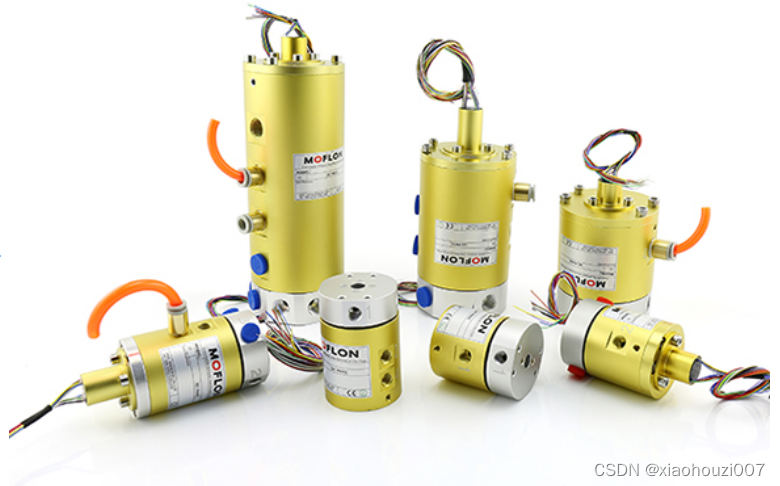
What are the requirements for customizing the slip ring for UAV
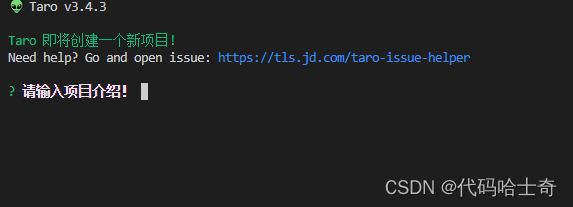
Taro--- day2--- compile and run
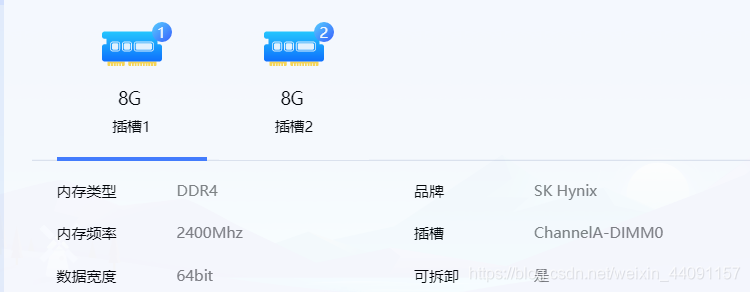
How to build dual channel memory for Lenovo Savior r720
什么是数字化?什么是数字化转型?为什么企业选择数字化转型?

独立站卖家都在用的五大电子邮件营销技巧,你知道吗?
What is a through-hole conductive slip ring?

MapReduce elementary programming practice
随机推荐
基于可学习尺寸自适应分子亚结构的药物相互作用预测
Arrays. Aslist() pit
Réseau neuronal pour la solution détaillée Multi - diagrammes de fondation zéro
面试官问:JS的继承
Some problems in awk
Proe/creo product structure design - continuous research
Leetcode 720. The longest word in the dictionary
網頁鼠標點擊特效案例收集(直播間紅心同理)
Neural network of zero basis multi map detailed map
How to build dual channel memory for Lenovo Savior r720
DeepMind | 通过去噪来进行分子性质预测的预训练
现在网上开股票账户安全吗?选择上市券商,最快8分钟开户成功
如何理解 Transformer 中的 Query、Key 与 Value
[open source] open source system sorting - Examination Questionnaire, etc
Collection de cas d'effets spéciaux en cliquant sur la souris de la page Web
Arrays.asList()坑
From small to large, why do you always frown when talking about learning
自监督学习与药物发现
Is it safe to open an account for mobile stocks? Where can I open an account for buying stocks?
How to read a paper