当前位置:网站首页>PyQt5快速开发与实战 3.1 Qt Designer快速入门
PyQt5快速开发与实战 3.1 Qt Designer快速入门
2022-07-26 10:54:00 【Ding Jiaxiong】
PyQt5快速开发与实战
3. 第3章 Qt Designer的使用
文章目录
3.1 Qt Designer快速入门
Qt Designer,即Qt设计师,是一个强大、灵活的可视化GUI 设计工具,可以帮助我们加快开发PyQt程序的速度。Qt Designer是专门用来制作PyQt程序中UI界面的工具,它生成的UI界面是一个后缀为.ui的文件。该文件使用起来非常简单,可以通过命令将.ui文件转换成.py格式的文件,并被其他Python文件引用。
Qt Designer符合MVC(模型—视图一控制器)设计模式,做到了显示和业务辑的分离。
Qt Designer具有以下优点。
- 使用简单,通过拖曳和点击就可以完成复杂的界面设计,而且还可以随时预览查看效果图。
- 转换Python文件方便。Qt Designer可以将设计好的用户界面保存为.ui文件,
安装pyqt5designer
pip install pyqt5designer -i https://pypi.tuna.tsinghua.edu.cn/simple

配置pycharm
Qtdesigner


PyUIC5
$FileName$ -o $FileNameWithoutExtension$.py

$FileDir$
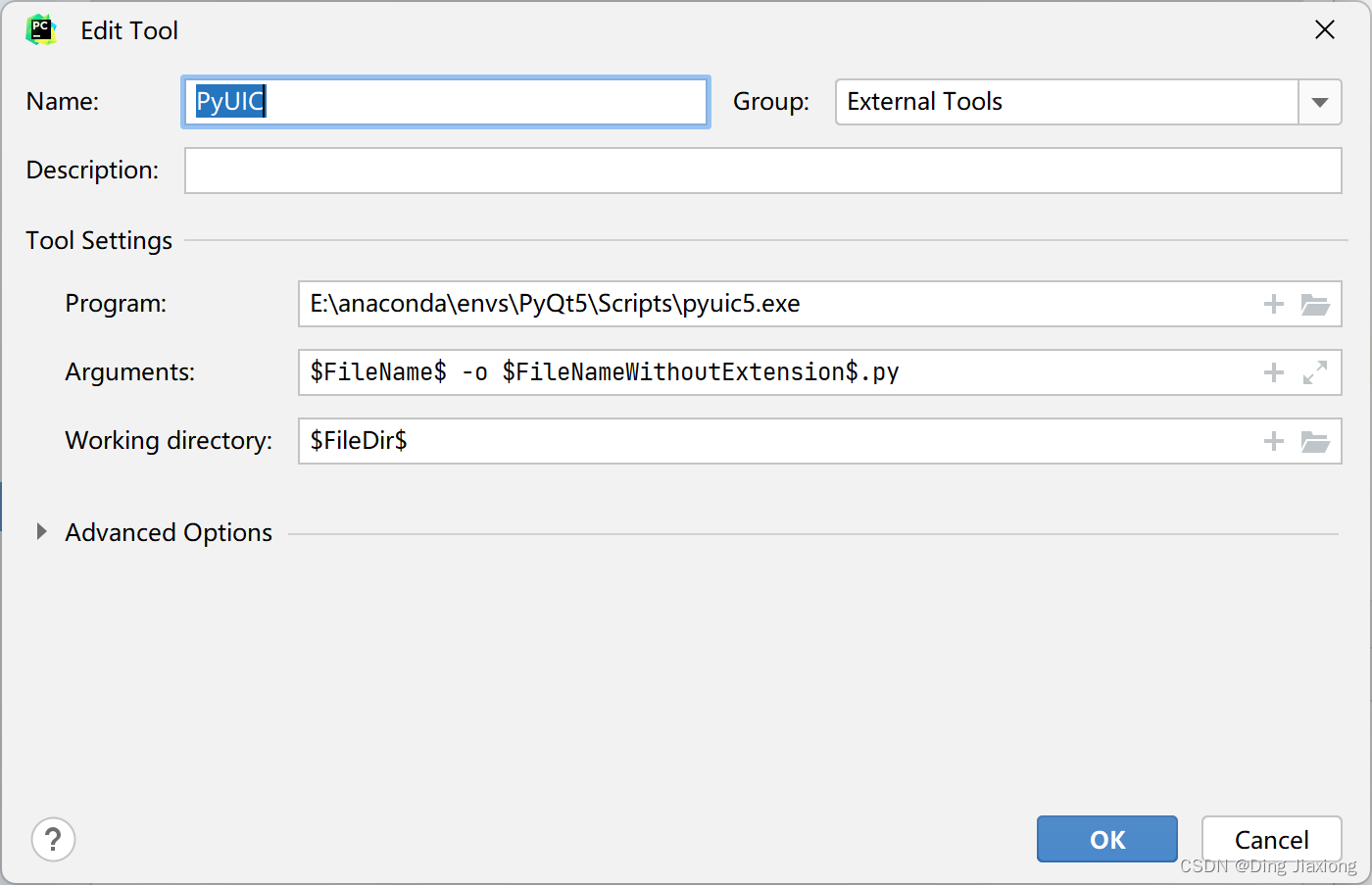
pyrcc5

应用

3.1.1 新建主窗口
点击


选择Main Window模板
3.1.2 窗口主要区域介绍

窗体 → 预览

对象查看器
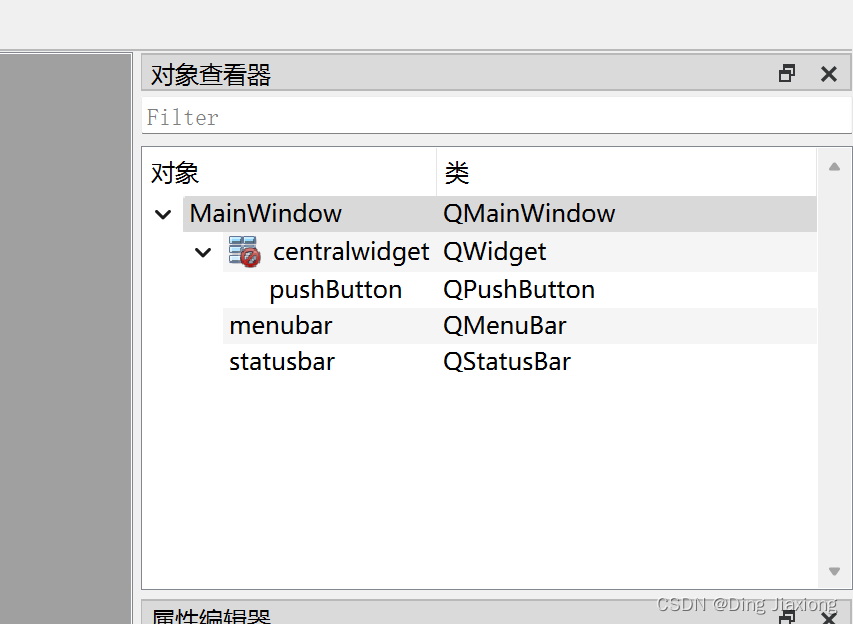
查看主窗口中放置的对象列表
属性编辑器

其中提供了对窗口、控件、布局的属性编辑功能
- objectName:控件对象名称
- geometry:相对坐标系
- minimumSize:最小宽度、高度
- maximumSize:最大宽度、高度。如果想让窗口或控件的大小固定,则可以将min、max两个属性设置成一样的数值。
- font:字体
- cursor:光标
- windowTitle:窗口标题
- windowsIcon/icon:窗口图标/控件图标
- iconSize:图标大小
- toolTip:提示信息
- statusTip:任务栏显示信息
- text:控件文本
- shortcut:快捷键
信号/槽 编辑器、动作编辑器、资源浏览器

其中在信号/槽编辑器中,可以为控件添加自定义的信号和槽函数,编辑控件的信号和槽函数。
在资源浏览器中,可以为控件添加图片
3.1.3 查看UI文件
采用Qt Designer工具设计的界面文件默认为.ui文件,描述了窗口中控件的属性列表和布局显示。ui文件里面包含的内容是按照XML (可扩展标记语言)格式处理的。


信息是一致的。有了Qt Designer,开发者就能够更快地开发设计出程序界面,避免了用纯代码来编写的烦琐,从而不必担心底层的代码实现。
3.1.4 将.ui文件转换为.py文件
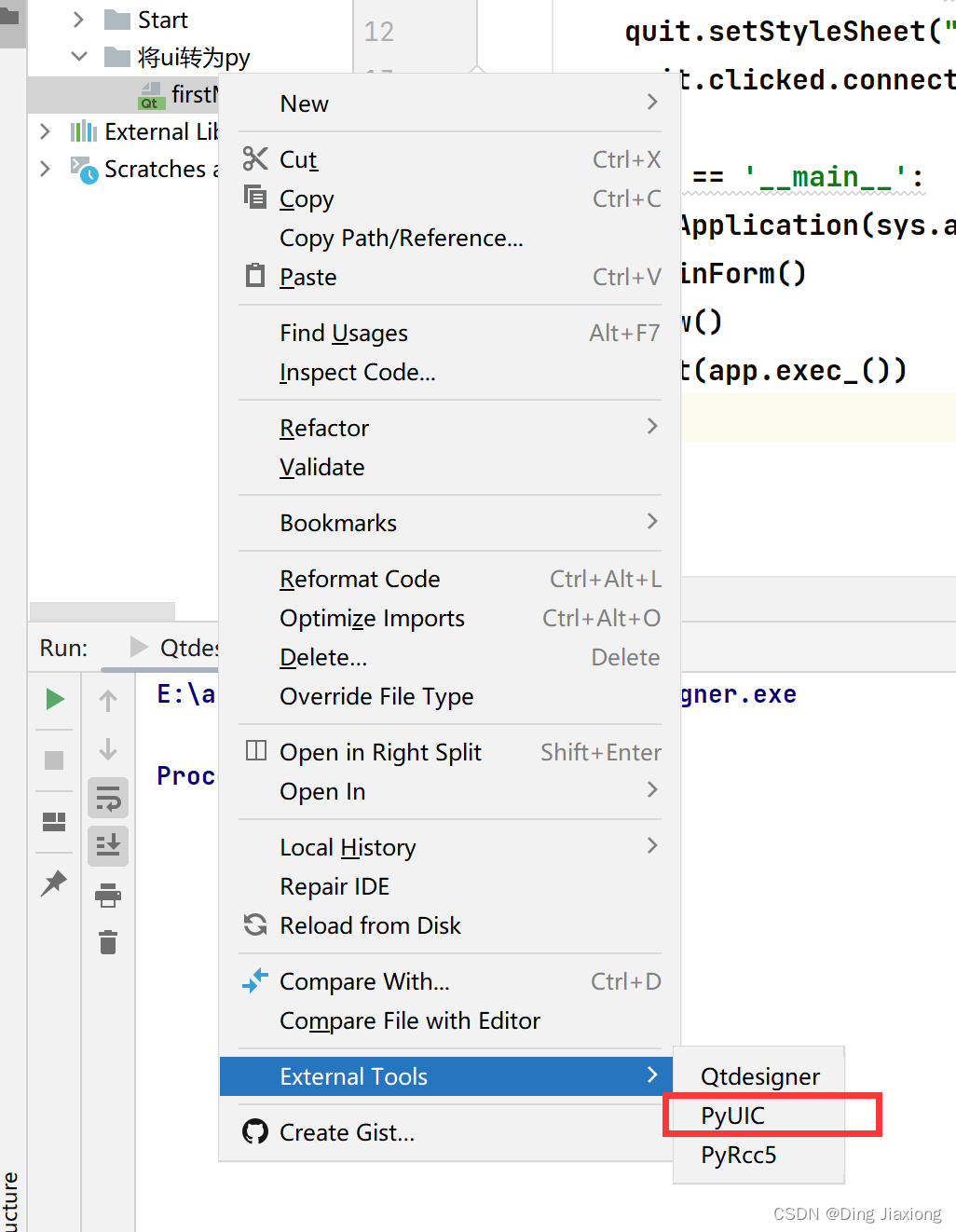

通过命令行把.ui文件转换为.py文件,略
pyuic5 -o firstMainwin.py firstMainwin.ui
3.1.5 界面与逻辑分离
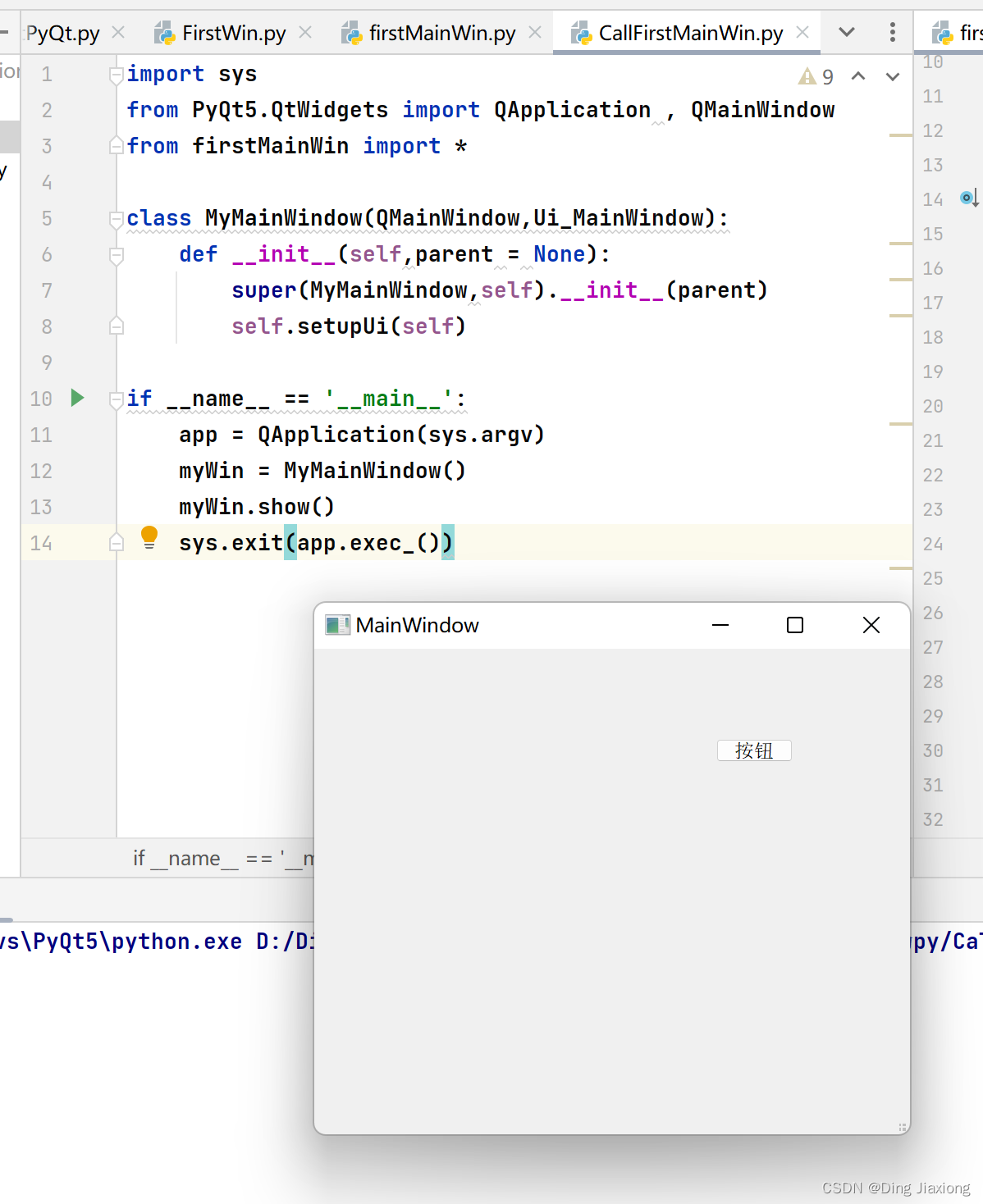
新建一个CallFirstMainWin.py文件,继承界面文件的主窗口即可

import sys
from PyQt5.QtWidgets import QApplication , QMainWindow
from firstMainWin import *

class MyMainWindow(QMainWindow,Ui_MainWindow):
    def __init__(self,parent = None):
        super(MyMainWindow,self).__init__(parent)
        self.setupUi(self)

if __name__ == '__main__':
    app = QApplication(sys.argv)
    myWin = MyMainWindow()
    myWin.show()
    sys.exit(app.exec_())
运行 CallFirstMainWin.py
边栏推荐
- 菜鸟看源码之LinkedBlockingQueue
- Bigdecimal的加减乘除、比较大小、向上向下取整 和 Bigdecimal的集合累加、判断BigDecimal是否有小数
- Scrapy shell出现的一个错误
- Sword finger offer (53): a string representing a numeric value
- @The difference and use of jsonformat and @datetimeformat
- Basic use of logging
- 微信公众号消息通知 “errcode“:40164,“errmsg“:“invalid ip
- Implementing queues with two stacks
- @NotBlank、@NotNull 、@NotEmpty 区别和使用
- pytest fixture装饰器
猜你喜欢
Bash shell学习笔记(六)

Bash shell learning notes (4)

ThreadPoolExecutor是怎样执行任务的

Visual conversion of nmap vulnerability scanning results

349. Intersection of two arrays

LinkedList of source code
Capture ZABBIX performance monitoring chart with selenium

35. Search the insertion position

Pytest execution rules_ Basic usage_ Common plug-ins_ Common assertions_ Common parameters

Drbl diskless startup + Clonezilla network backup and restore system
随机推荐
pytest fixture装饰器
SparkSQL的UDF及分析案例,220725,
软件测试综述之软件测试的背景、实质、软件开发的过程
菜鸟看源码之HashTable
MySQL learning notes
Logging learning final edition - configured different levels of log printing colors
Basic use of logging
pytest pytest. Ini configuration case grouping case skipping
pytest 用例执行顺序
Kali view IP address
Pytest case execution sequence
mother
Sword finger offer (twenty): stack containing min function
Stringing of macro parameters and connection of macro parameters in C language
实时流式协议--RTSP
Postman export import
Pytest fixture decorator
0x00007ffd977c04a8 (qt5sqld.dll) (in a.exe): 0xc0000005: an access violation occurred when reading position 0x0000000000000010
BLE之ATT请求
看源码之LinkedList