当前位置:网站首页>ShardingSphere之垂直分库分表实战(五)
ShardingSphere之垂直分库分表实战(五)
2022-07-31 00:40:00 【融极】
概述
场景

建库、建表
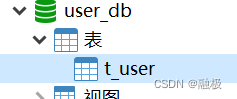
CREATE TABLE `t_user` (
  `user_id` bigint(20) NOT NULL,
  `username` varchar(255) DEFAULT NULL,
  `ustatus` varchar(255) DEFAULT NULL,
  PRIMARY KEY (`user_id`)
) ENGINE=InnoDB DEFAULT CHARSET=utf8mb4;
Springboot环境搭建
编写代码
创建User实体类、mapper
package com.study.shardingjdbcdemo.entity;

import lombok.Data;

import javax.persistence.Id;
import javax.persistence.Table;

@Data
@Table(name = "t_user")
public class User {

    @Id
    private Long userId;
    private String username;
    private String ustatus;
}

package com.study.shardingjdbcdemo.mapper;

import com.study.shardingjdbcdemo.entity.User;
import org.springframework.stereotype.Repository;
import tk.mybatis.mapper.common.Mapper;

@Repository
public interface UserMapper extends Mapper<User> {

}
application.properties配置
# 配置分片策略
# 配置数据源
spring.shardingsphere.datasource.names=m0,m1,m2
spring.shardingsphere.datasource.m1.type=com.alibaba.druid.pool.DruidDataSource
spring.shardingsphere.datasource.m1.driver-class-name=com.mysql.cj.jdbc.Driver
spring.shardingsphere.datasource.m1.url=jdbc:mysql://localhost:3306/edu_db_1?serverTimezone=GMT%2B8
spring.shardingsphere.datasource.m1.username=root
spring.shardingsphere.datasource.m1.password=123456

spring.shardingsphere.datasource.m2.type=com.alibaba.druid.pool.DruidDataSource
spring.shardingsphere.datasource.m2.driver-class-name=com.mysql.cj.jdbc.Driver
spring.shardingsphere.datasource.m2.url=jdbc:mysql://localhost:3306/edu_db_2?serverTimezone=GMT%2B8
spring.shardingsphere.datasource.m2.username=root
spring.shardingsphere.datasource.m2.password=123456

spring.shardingsphere.datasource.m0.type=com.alibaba.druid.pool.DruidDataSource
spring.shardingsphere.datasource.m0.driver-class-name=com.mysql.cj.jdbc.Driver
spring.shardingsphere.datasource.m0.url=jdbc:mysql://localhost:3306/user_db?serverTimezone=GMT%2B8
spring.shardingsphere.datasource.m0.username=root
spring.shardingsphere.datasource.m0.password=123456

# 指定course表分布情况,配置表在哪个数据库中,表名称都是什么
spring.shardingsphere.sharding.tables.course.actual-data-nodes=m$->{
    1..2}.course_$->{
    1..2}
# 指定course主键cid生成策略SNOWFLAKE
spring.shardingsphere.sharding.tables.course.key-generator.column=cid
spring.shardingsphere.sharding.tables.course.key-generator.type=SNOWFLAKE
# 指定表分片策略, cid是偶数添加到course_1表中,cid是奇数添加到course_2
spring.shardingsphere.sharding.tables.course.table-strategy.inline.sharding-column=cid
spring.shardingsphere.sharding.tables.course.table-strategy.inline.algorithm-expression=course_$->{
    cid % 2 + 1}

# 指定库的中course表的分片策略
spring.shardingsphere.sharding.tables.course.database-strategy.inline.sharding-column=user_id
spring.shardingsphere.sharding.tables.course.database-strategy.inline.algorithm-expression=m$->{
    user_id % 2 + 1}


# 指定t_user表分布情况,配置表在哪个数据库中,表名称都是什么
spring.shardingsphere.sharding.tables.t_user.actual-data-nodes=m0.t_user
# 指定t_user主键user_id生成策略SNOWFLAKE
spring.shardingsphere.sharding.tables.t_user.key-generator.column=user_id
spring.shardingsphere.sharding.tables.t_user.key-generator.type=SNOWFLAKE

# 指定表分片策略
spring.shardingsphere.sharding.tables.t_user.table-strategy.inline.sharding-column=user_id
spring.shardingsphere.sharding.tables.t_user.table-strategy.inline.algorithm-expression=t_user


# 打开sql输出日志
spring.shardingsphere.props.sql.show=true
# 解决一个Course实体类不能对应两张表的问题
spring.main.allow-bean-definition-overriding=true
测试
@Test
    void addUser() {

        for (int i = 0; i < 10; i++) {

            User user = new User();
            user.setUsername("lucy");
            user.setUstatus("good");
            userMapper.insertSelective(user);
        }
    }

    @Test
    public void findUser() {

        Example example = new Example(User.class);
        Example.Criteria criteria = example.createCriteria();
        criteria.andEqualTo("userId", 760195997497294849L);
        User user  = userMapper.selectOneByExample(example);
        System.out.println(user);
    }
边栏推荐
- 【愚公系列】2022年07月 Go教学课程 015-运算符之赋值运算符和关系运算符
- 【c语言课程设计】C语言校园卡管理系统
- C语言力扣第48题之旋转图像。辅助数组
- Jetpack Compose学习(8)——State及remeber
- MySQL的grant语句
- DOM系列之 client 系列
- Basic usage of async functions and await expressions in ES6
- encrypted transmission process
- [Yugong Series] July 2022 Go Teaching Course 016-Logical Operators and Other Operators of Operators
- Error occurred while trying to proxy request项目突然起不来了
猜你喜欢
C语言力扣第48题之旋转图像。辅助数组
xss绕过:prompt(1)
从两个易错的笔试题深入理解自增运算符

SWM32 Series Tutorial 6 - Systick and PWM

xss靶机训练【实现弹窗即成功】
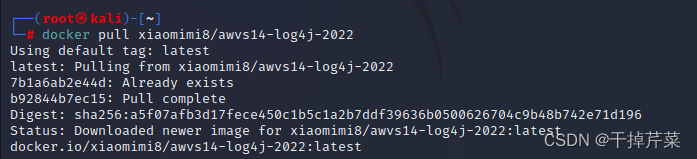
WEB安全基础 - - -漏洞扫描器
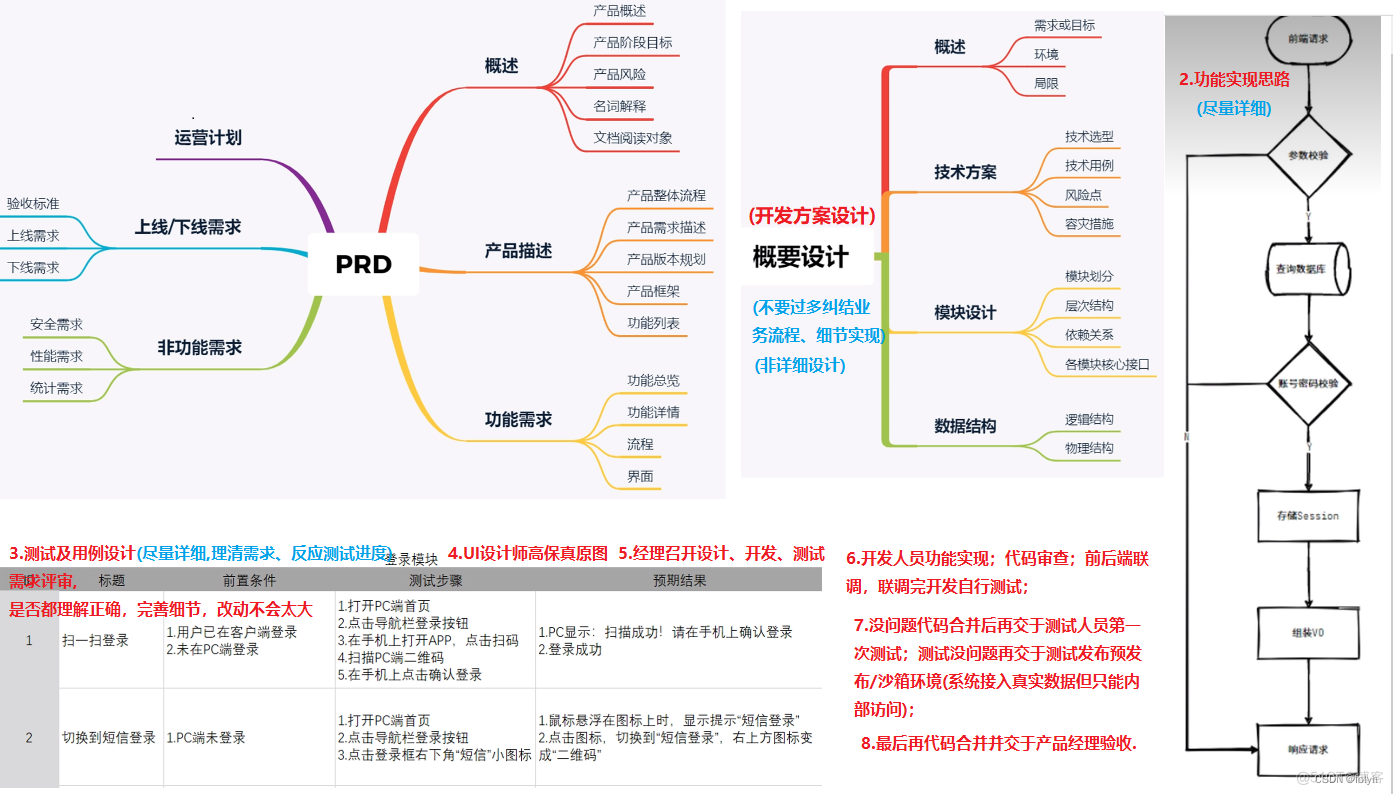
software development design process
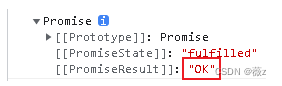
What is Promise?What is the principle of Promise?How to use Promises?

Shell编程之条件语句
In-depth understanding of the auto-increment operator from two error-prone written test questions
随机推荐
Shell编程之条件语句
Strict Mode for Databases
【愚公系列】2022年07月 Go教学课程 013-常量、指针
Restricted character bypass
Gabor滤波器学习笔记
Asser uses ant sword to log in
GO GOPROXY代理设置
DNS resolution process [visit website]
Mini Program - Global Data Sharing
The difference between h264 and h265 decoding
SWM32 Series Tutorial 6 - Systick and PWM
Error ER_NOT_SUPPORTED_AUTH_MODE Client does not support authentication protocol requested by serv
What is Promise?What is the principle of Promise?How to use Promises?
会议OA项目待开会议、所有会议功能
Jetpack Compose learning (8) - State and remeber
IOT跨平台组件设计方案
【深度学习】Transformer模型详解
DOM系列之 offset 系列
Bypass of xss
.NET Cross-Platform Application Development Hands-on Tutorial | Build a Kanban-style Todo App with Uno Platform