当前位置:网站首页>Redis 新手入门
Redis 新手入门
2022-06-26 09:32:00 【郭宝】
什么是Redis ?
Redis是REmote DIctionary Server 的简称,它是一个由 Salvatore Sanfilippo 写的 key-value 存储系统,是跨平台的非关系型数据库。
Redis 是一个开源的使用 ANSI C 语言编写、遵守的BSD协议、支持网络、可基于内存、分布式、可选持久性的键值对(Key-Value)存储数据库,并提供多种语言的API。
Redis 通常被称之为数据结构服务器,因为值(value)可以是字符串(String)、哈希(Hash)、列表(list)、集合(sets)和有序集合(sorted sets)等类型。
为什么要使用Redis ?
因为Redis是开源的,遵守BSD协议,是一个高性能的 kay-value 数据库。Redis 与其它 key-value 缓存产品有以下三个特点:
- Redis 支持数据库的持久化,可以将内存中的数据存储到磁盘中,重启的时候可以再次加载进行使用
- Redis 不仅仅支持简单的 key-value 类型的数据,同时还提供 list 、set、zset、hash等数据结构的存储。
- Redis 支持数据的备份,即master-slave 模式的数据备份
怎么使用Redis ?
Window平台下Redis 的下载和安装
1、Window版下载Redis
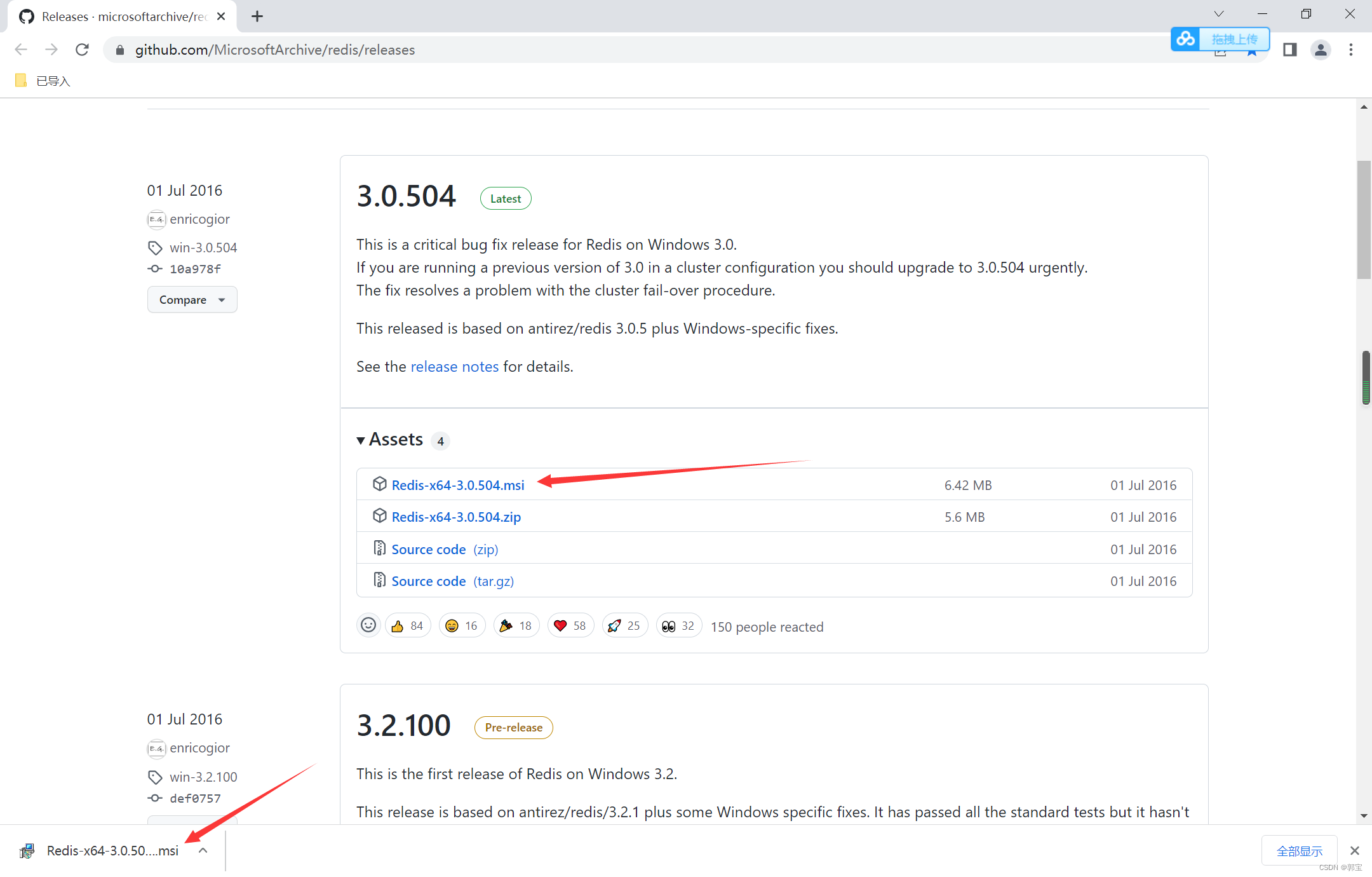
下载地址:Releases · microsoftarchive/redis · GitHub
进入网站后,直接点击 Redis-x64-3.0.504.msi 下载安装版
2、Window版安装Redis
双击 Redis-x64-3.0.504.msi 文件进行安装
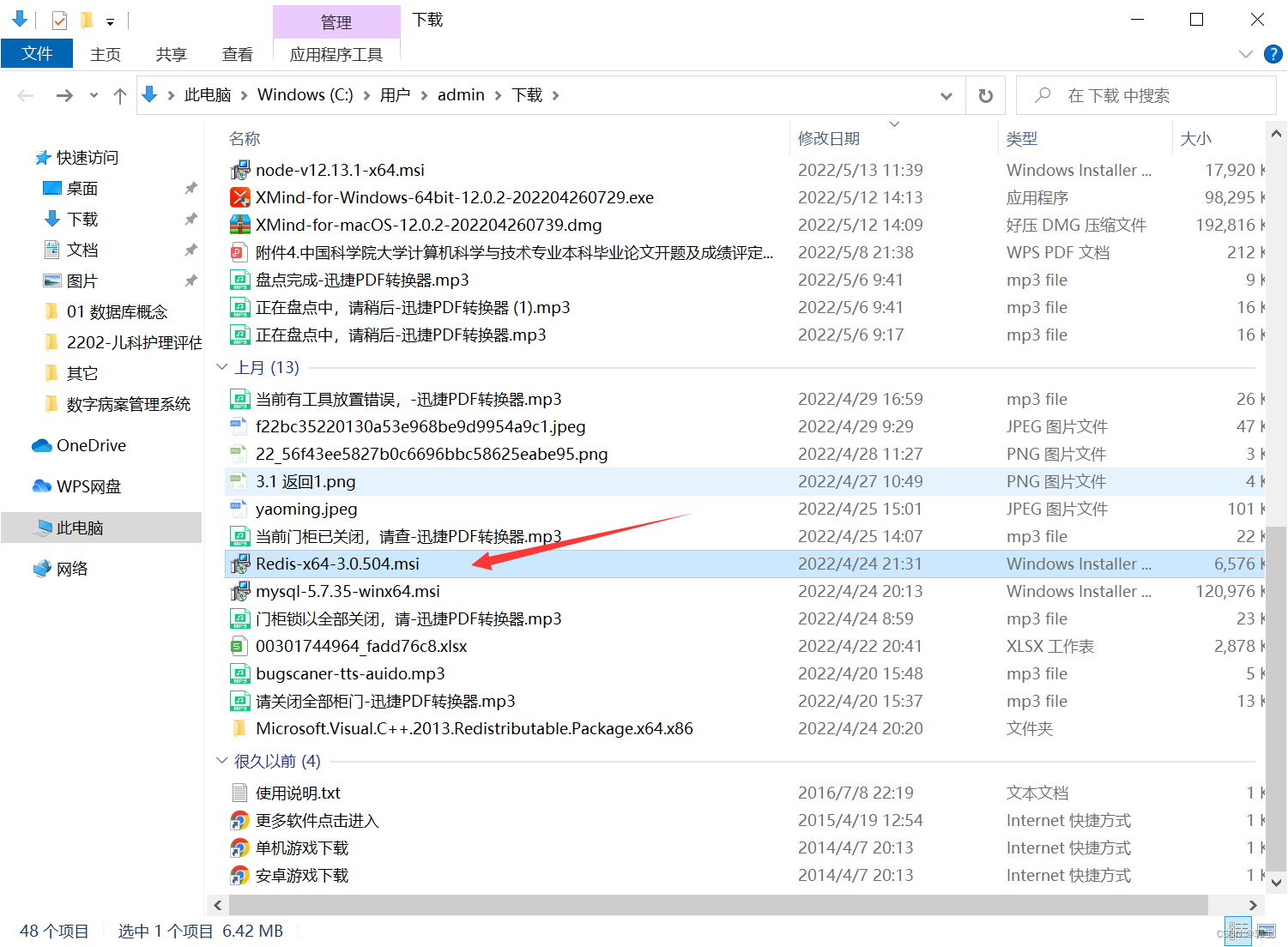
然后一路点击下一步即可安装成功
3、Window版配置Redis
安装完成以后,打开Redis的安装目录,然后再此处右键,打开dos命令行

然后输入以下命令启动Redis服务
redis-server.exe redis.windows.conf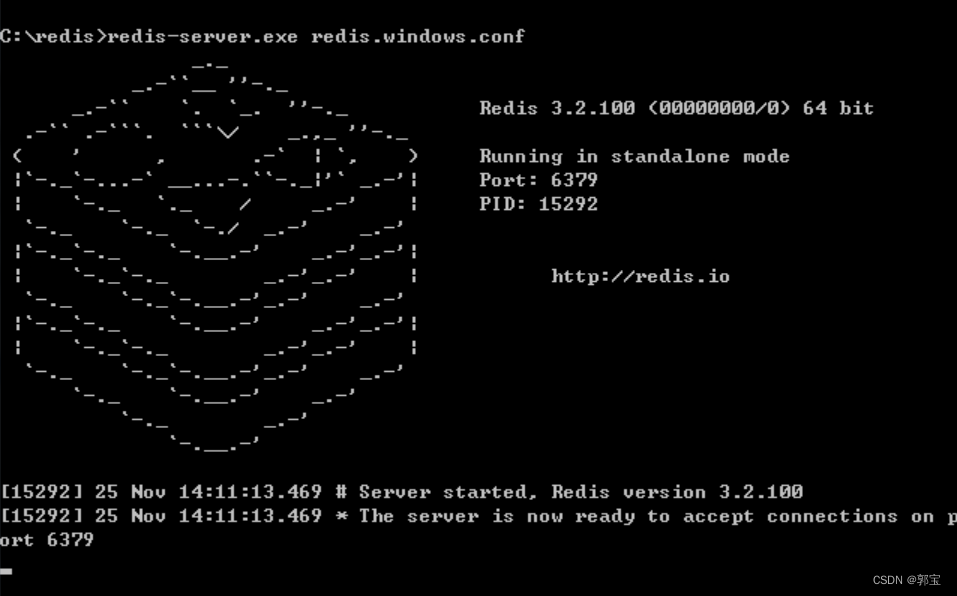
然后可以进入服务界面,查询Redis服务是否已开启

Window平台下Redis 的使用
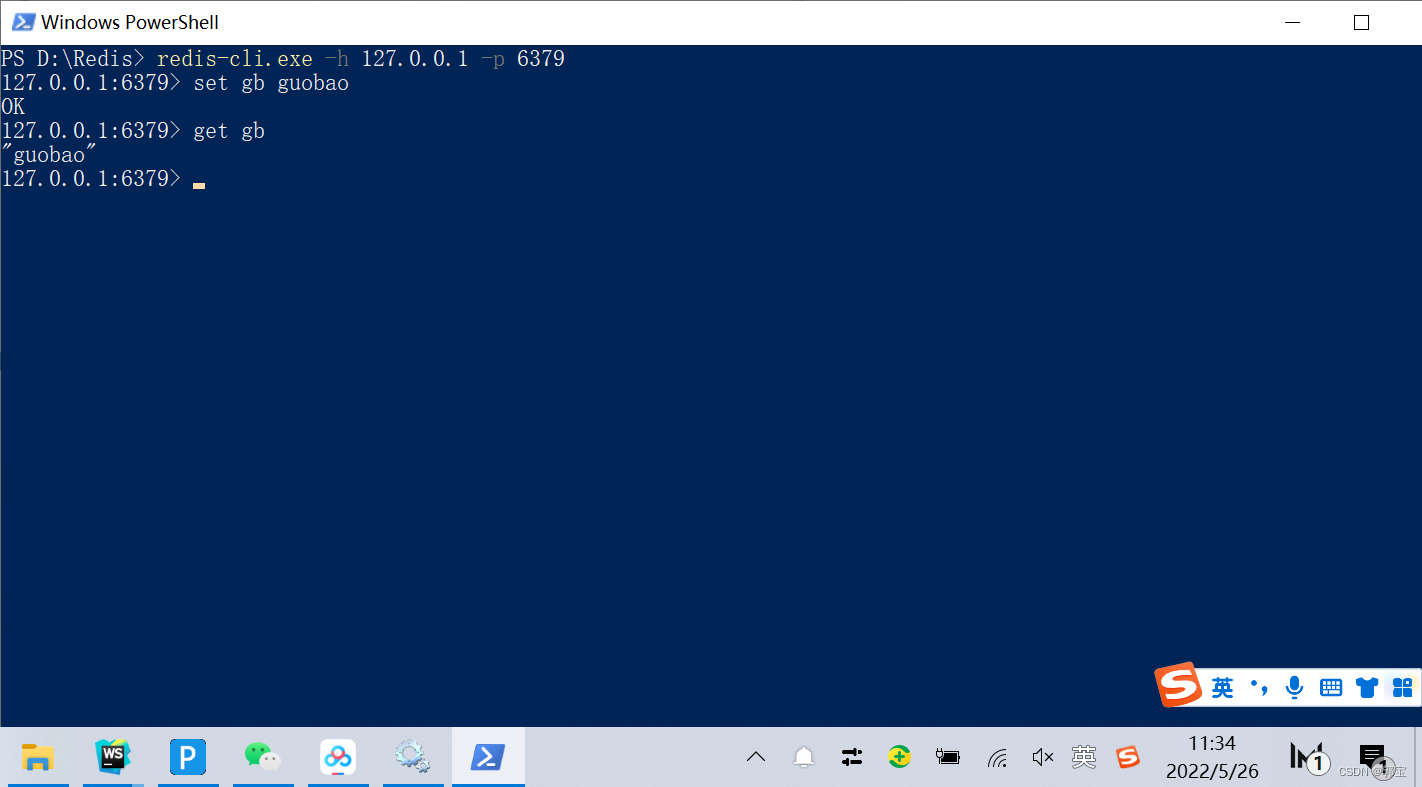
1、首先进入到Redis的安装目录,然后打开命令行,输入如下代码连接Redis数据库
redis-cli.exe -h 127.0.0.1 -p 63792、然后设置键值对
set 表示设值的关键字
其中 gb 表示键(key)
guobao 表示 gb 键对应的值
set gb guobao3、根据键获取值
get 表示获取的关键字
gb 表示键(key)
get gb效果图:
边栏推荐
- There is a strong demand for enterprise level data integration services. How to find a breakthrough for optimization?
- 【CVPR 2021】Intra-Inter Camera Similarity for Unsupervised Person Re-Identification (IICS++)
- Solutions for safety management and control at the operation site
- The first techo day Tencent technology open day, 628
- install opencv-contrib-dev to use aruco code
- Statistics of various target quantities of annotations (XML annotation format)
- 《一周搞定模电》—负反馈
- 【CVPR 2021】 Lifelong Person Re-Identification via Adaptive Knowledge Accumulation
- Catalogue gradué de revues scientifiques et technologiques de haute qualité dans le domaine de l'informatique
- 使用递归或while循环获取父/子层级结构的名称
猜你喜欢

《一周搞定模电》—集成运算放大器
![Pycharm [debug] process stuck](/img/8c/c32cbdfcb106b34fccbbc071a13822.jpg)
Pycharm [debug] process stuck

Shared by Merrill Lynch data technology expert team, smoking detection related practice based on Jetson nano

kubernetes集群部署(v1.23.5)

Badge collection 6:api\_ Use of level
Optimization of power assisted performance of QPM suspended window

"One week to solve the model electricity" - negative feedback
The shutter tabbar listener is called twice

jz2440---使用uboot烧录程序
Jz2440--- using uboot burning program

随机推荐
"One week's solution to analog electricity" - power circuit
"One week's work on Analog Electronics" - diodes
install opencv-contrib-dev to use aruco code
Principle and application of single chip microcomputer -- Overview
【pulsar学习】pulsar架构原理
《單片機原理及應用》——概述
【CVPR 2021】Unsupervised Pre-training for Person Re-identification(UPT)
Badge series 8: generate a personalized Badge
Common SQL add / delete / modify query statements
How to solve the problem that NVIDIA model cannot be viewed by inputting NVIDIA SMI and quickly view NVIDIA model information of computer graphics card
Runtimeerror: object has no attribute NMS error record when using detectron2
Learning to Generalize Unseen Domains via Memory-based Multi-Source Meta-Learning for Person Re-ID
Badge series 4: use of circle Ci
Statistics of various target quantities of annotations (XML annotation format)
Classified catalogue of high quality sci-tech periodicals in the field of computing
The first problem troubleshooting process of re disk
Pycharm occasionally encounters low disk space
【AAAI 2021】Few-Shot One-Class Classification via Meta-Learning 【FSOCC via Meta-learning】
js---获取对象数组中key值相同的数据,得到一个新的数组
Function function of gather()