当前位置:网站首页>服务器创建虚拟环境跑代码
服务器创建虚拟环境跑代码
2022-06-26 13:16:00 【ac不知深】
这里写目录标题
一、前言
最近忙着在服务器上跑代码
学习积累了一些经验技巧
这里用来记录分享给大家
二、创建虚拟环境用来跑代码
下面我会以一个实例为模板,学习完之后,再删掉
不会占用大家的服务器
1、连接上服务器
比如我的连接方式为:ssh -p 你的编号 username-host
2、创建虚拟环境
这里我以一篇代码为例

创建虚拟环境
conda create -n KDDocRE python==3.7.4
3、进入虚拟环境
conda activate KDDocRE

4、安装cuda
conda install cudatoolkit=10.2
如果速度有些慢的话可以考虑更换清华源
conda config --add channels https://mirrors.tuna.tsinghua.edu.cn/anaconda/pkgs/free/
conda config --add channels https://mirrors.tuna.tsinghua.edu.cn/anaconda/cloud/conda-forge
conda config --add channels https://mirrors.tuna.tsinghua.edu.cn/anaconda/cloud/msys2/
conda config --add channels https://mirrors.tuna.tsinghua.edu.cn/anaconda/cloud/pytorch/
conda config --set show_channel_urls yes
5、安装PyTorch
这里给大家提供两种方式安装
pip3 install torch torchvision torchaudio

或者

conda install pytorch torchvision torchaudio cudatoolkit=10.2 -c pytorch
两者都可以,但是一定要确认好你的版本号
官网在这里
6、安装Transformer
pip install transformers==4.8.2
这里读者注意一下,如果三方库后面没有加上版本号
会默认为安装最新版本
如果已经安装过了其他版本
可以考虑再次安装指定版本
之前的版本会自动卸载(下图二)


7、安装numpy
pip install numpy==1.19.4

8、安装apex
这个三方库比较难安装
git clone https://github.com/NVIDIA/apex
cd apex
pip install -v --disable-pip-version-check --no-cache-dir --global-option="--cpp_ext" --global-option="--cuda_ext" ./
如有报错请参考这篇文章

9、安装opt-einusm
pip install opt_einsum==3.3.0

10、安装axial-attention
pip install axial_attention==0.6.1

11、安装ujson
pip install ujson

12、安装tqdm
pip install tqdm
13、跑代码
以上环境都配置完成
接下来可以用pycharm打开整个文件
我依然以上面那个项目为例

打开以后是这个样子
然后使用pycharm远程连接服务器开始愉快的跑代码了
远程连接服务器的文章在这
具体如何把代码跑起来
一般项目中的READ.md都会有介绍
13、退出环境
conda deactivate
14、查看当前虚拟环境列表
conda env list
15、删除环境
conda remove -n KDDocRE
如此以来,我们就完成了环境创建,跑代码,删除环境等操作
可以拿自己的项目练练手啦
边栏推荐
- 虫子 类和对象 中
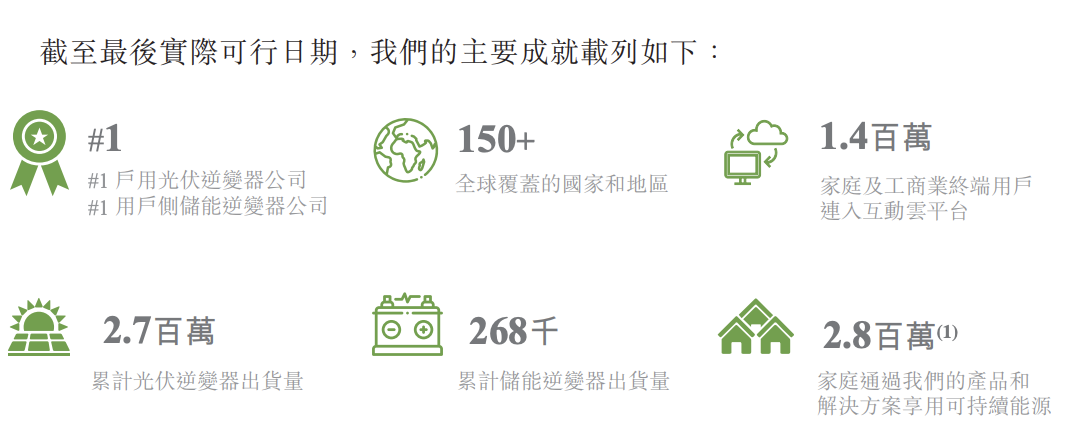
- 古瑞瓦特沖刺港交所上市:創下“多個第一”,獲IDG資本9億元投資
- 使用 Performance 看看浏览器在做什么
- Global variable vs local variable
- Go language - pipeline channel
- windows版MySQL软件的安装与卸载
- [path of system analyst] Chapter 15 double disk database system (database case analysis)
- Wechat applet magic bug - choose to replace the token instead of clearing the token, wx Getstoragesync will take the old token value instead of the new token value
- [sdoi2013] forest
- Wechat applet - bind and prevent event bubble catch
猜你喜欢

【MySQL从入门到精通】【高级篇】(二)MySQL目录结构与表在文件系统中的表示

网络远程访问的方式使用树莓派

Wechat applet -picker component is repackaged and the disabled attribute is added -- below

What is the use of index aliases in ES

Exercise set 1

Input text to automatically generate images. It's fun!
古瑞瓦特冲刺港交所上市:创下“多个第一”,获IDG资本9亿元投资

Embedded virlog code running process

7.consul service registration and discovery

Tips for using nexys A7 development board resources
随机推荐
FreeFileSync 文件夹比较与同步软件
MySQL configuration improves data insertion efficiency
Traverse the specified directory to obtain the file name with the specified suffix (such as txt and INI) under the current directory
Network remote access using raspberry pie
What is the use of index aliases in ES
33、使用RGBD相机进行目标检测和深度信息输出
Use of wangeditor rich text editor
Is it safe to open a securities account? Is there any danger
7-1 range of numbers
Is expression of D
[scoi2016] lucky numbers
虫子 STL string上
How to check if a text field is empty or not in swift
9項規定6個嚴禁!教育部、應急管理部聯合印發《校外培訓機構消防安全管理九項規定》
【MySQL从入门到精通】【高级篇】(二)MySQL目录结构与表在文件系统中的表示
Included angle of 3D vector
Original code, inverse code and complement code
Half search, character array definition, character array uses D11
Free machine learning dataset website (6300+ dataset)
Firewall introduction