当前位置:网站首页>Pyqt5: button control
Pyqt5: button control
2022-06-11 03:04:00 【Solitary rest】
Functions such as generating buttons and positions can be quickly displayed in Qt designer Implemented on
pushbutton
Set button text information :
self.pushButton.setText(' The second button ')Set button image
self.pushButton.setIcon(QIcon(QPixmap('11.jpg')))Set button mode to check
self.pushButton_3.setCheckable(True)
self.pushButton_3.setChecked(False)# The initial status is unselected
self.pushButton_3.toggle()# This can change the initial state
Set multiple buttons bound to a function :
self.pushButton_3.setText(' The first button ')
self.pushButton_3.clicked.connect(lambda: self.pushbutton_click(self.pushButton_3))
self.pushButton_4.setText(' The second button ')
self.pushButton_4.clicked.connect(lambda: self.pushbutton_click(self.pushButton_4))

def pushbutton_click(self, btn):
    print(' The button of the stand-alone is ' + btn.text())
    if btn.text()==" The first button ":
        webbrowser.open('https://blog.csdn.net/qq_54517101?spm=1000.2115.3001.5343')
    if btn.text()==" The second button " and btn.isChecked():
        webbrowser.open('https://blog.csdn.net/qq_54517101/article/details/123188489')
The way button.clicked.connect and button.toggled.connect The difference between , The former is the connection between click event and function , The latter is related to the function when the state of the button changes , Commonly used in commandLinkButton( Radio button )
checkbox
checkbox Button settings can be half selected
self.checkBox_2.setTristate(True)The initial setting is half selected
self.checkBox_2.setCheckState(Qt.PartiallyChecked)If you want to set the initial to fully selected
self.checkBox_2.setChecked(True)
# perhaps
self.checkBox_2.setCheckState(Qt.Checked)
take checkbox The state change and function connection of , Should not be used toggled, It is stateChanged
self.checkBox_2.stateChanged.connect(self.q111)

def q111(self):
    webbrowser.open('https://blog.csdn.net/qq_54517101?spm=1000.2115.3001.5343')
combobox
combobox Add drop-down options
self.comboBox.addItems(['Java', 'python', 'C++'])
self.comboBox.addItem('abc')
The relevant operation
 self.comboBox.currentTextChanged.connect(self.selectchange)# State switch connection

 def selectchange(self):
     self.label.setText(self.comboBox.currentText())# Read current selection
     self.label.adjustSize()
     for num in range(self.comboBox.count()):# Get selection quantity
print('item' + str(num) + '=' + self.comboBox.itemText(num))# Select the... Of the drop-down selection num individual 边栏推荐
- 2022年熔化焊接与热切割操作证考试题库及答案
- Question bank and answers for 2022 melting welding and thermal cutting operation certificate examination
- 新来的同事问我 where 1=1 是什么意思???
- If you understand the logic of mining and carbon neutrality, you will understand the 100 billion market of driverless mining areas
- 20220610 Friday
- How to add two factor authentication for WordPress websites
- What is ttfb
- How to handle error code 30204-44 when installing office 2016 in win10?
- CPT 102_ LEC 16
- 近期学习和更新计划
猜你喜欢
2022年熔化焊接与热切割操作证考试题库及答案

Log4j:error category option "1" not a decimal integer
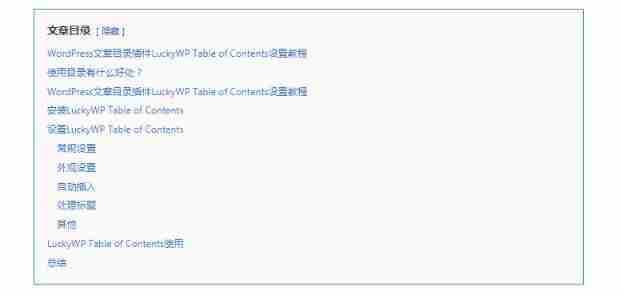
WordPress article directory plug-in luckywp table of contents setup tutorial

Google Gmail mailbox marks all unread messages as read at once

Win10 安装Office 2016出现错误代码30204-44怎么处理?

. Net module and assembly - NET Module vs Assembly

Solr import MySQL database report: Data config problem: invalid byte 2 of 2-byte UTF-8 sequence

HQChart钉钉小程序教程1-创建K线图
GraphAcademy 課程講解:《Neo4j 圖數據科學基礎》

WinDbg-虚拟机-双机调试-驱动文件的调试
随机推荐
2022年熔化焊接与热切割操作证考试题库及答案
Go language advantages and learning Roadmap
Application of the remote acquisition IOT gateway of the Bashir trough flowmeter in open channel flow monitoring
Android WiFi hide SSID configuration method
同一个用户的两次请求SessionId竟然不一致-----记录问题
OpenJudge NOI 1.13 18:Tomorrow never knows?
AOSP ~ modify default volume
org. apache. solr. common. SolrException:Could not load core configuration for core hotel
Solr import MySQL database report: Data config problem: invalid byte 2 of 2-byte UTF-8 sequence
Ora-00392 ora-00312 error handling
List filtering, sorting, verification and other processing methods
Wechat template message errCode ": 40165," errmsg ":" invalid web pagepath
How to handle error code 30204-44 when installing office 2016 in win10?
数组全全排列
OpenJudge NOI 1.13 17:文字排版
[resolved] how to fix another update in progress WordPress upgrade error
Whether the outbound sequence is the inbound sequence
Shell 按行读取文件
The solution of invalid @data annotation in idea2018
Minimum common ancestor of binary tree