当前位置:网站首页>Water drop effect on umbrella
Water drop effect on umbrella
2022-07-28 06:42:00 【Mr.QSheng】
The water drop effect on the umbrella
List of articles
Preface
The water drop effect on an umbrella , That's interesting
One 、 The actual effect
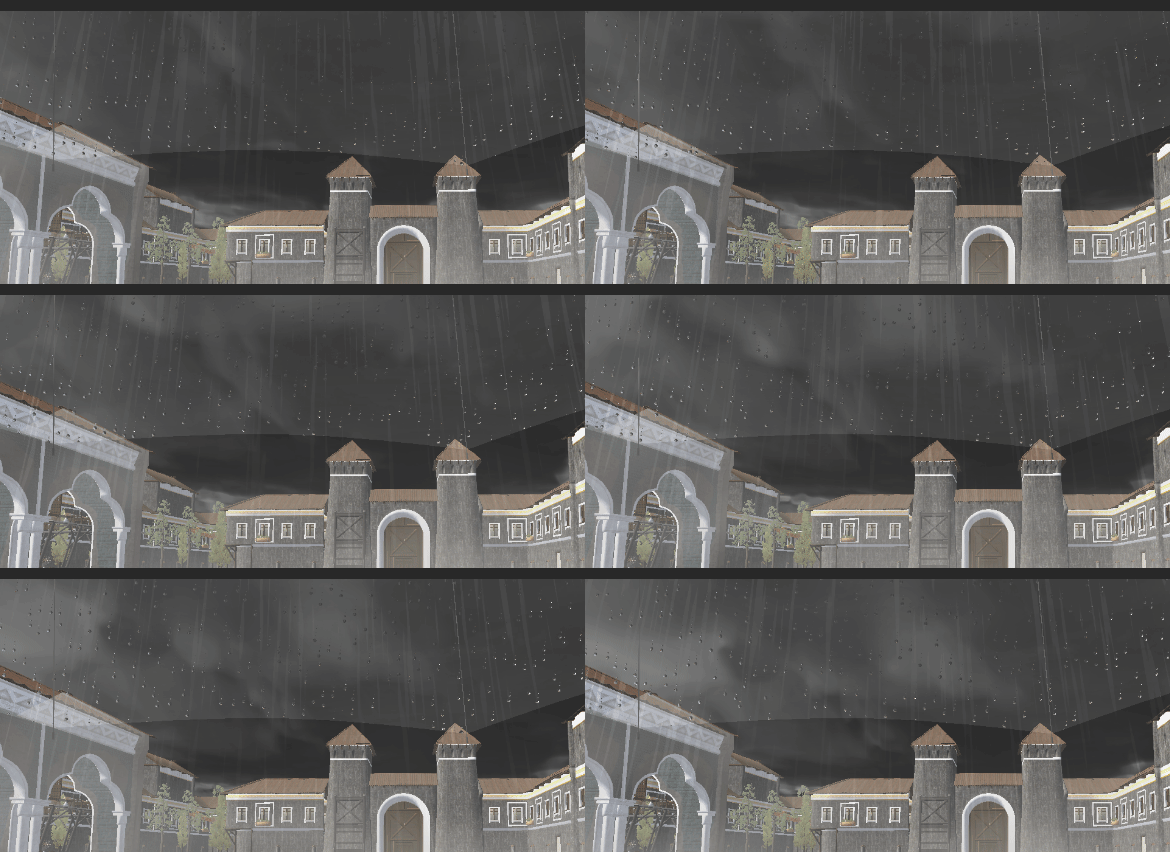
Two 、 The actual principle
1. General principles
Water drop effect , The actual is uv Application of coordinate offset and scaling .
The general principle is Source texture coordinates , Add the water bead texture coordinates to sample the effect of the main map .
We need to calculate the texture coordinates of the droplets . Is our source texture coordinate offset , Scaled results .
2. Actual operation
Let's take the effect after the screen as an example , This is more intuitive .
This is the effect of directly sampling the screen map , It is also our source scene , Just one panel Put it in the middle of the screen .
 fixed4 frag (v2f i) : SV_Target
            {

                float2 _uv = i.uv;
                fixed4 col = tex2D(_MainTex, i.uv );
                return fixed4( col.rgb, 1);
            }
Next we start to generate Watery uv coordinate
We encapsulate functions Rains() To get .
 fixed2 Rains(fixed2 uv) {


                float2 retVal  = float2(0.0,0.0);
                float aspectRatio = 4.0;// The aspect ratio of raindrops
                float tileNum = 5;// Number of tiles
                uv *= fixed2(tileNum * aspectRatio,tileNum);// Gridding uv
                uv = frac(uv);
                retVal = float2(uv);
                return retVal;
            }
             fixed4 frag (v2f i) : SV_Target
            {

                float2 _uv = i.uv;

                float2 rainUV = float2(0.,0.);

                rainUV = Rains(_uv*2.32);

                fixed4 col = tex2D(_MainTex, i.uv + rainUV);
                return fixed4( col.rgb, 1);
                }

We y The axis gets the dynamic effect through the time coefficient
uv.y += _Time.y * 0.0618;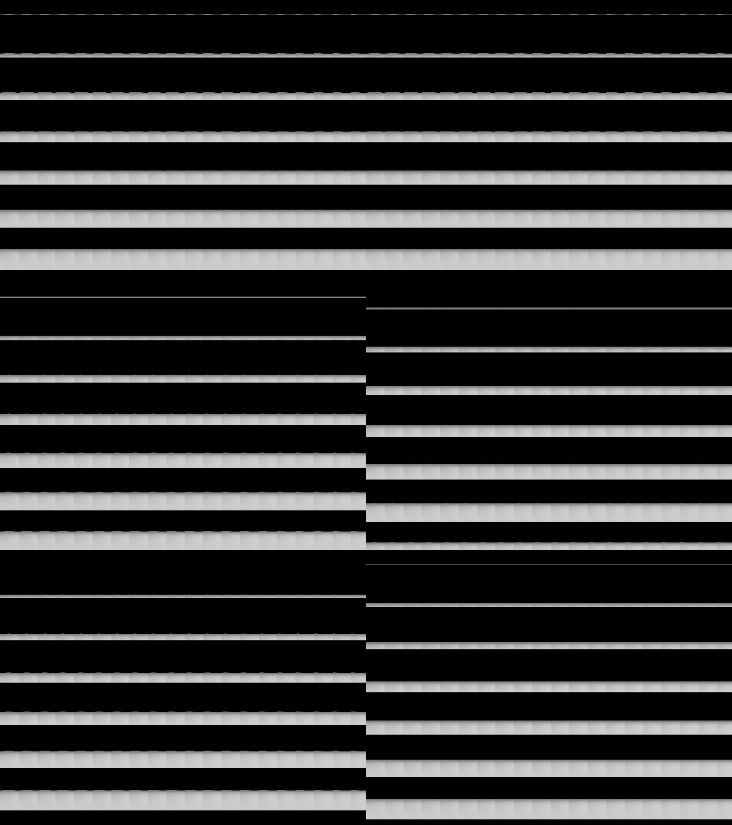
Add the irregular effect of water droplets floating up and down 
 fixed2 Rains(fixed2 uv) {


                 float period = 5;// The cycle of raindrops in the lattice
                float2 retVal  = float2(0.0,0.0);
                float aspectRatio = 4.0;// The aspect ratio of raindrops
                float tileNum = 5;// Number of tiles
                float ySpd = 0.1;
                uv.y += _Time.y * 0.0618;// Add some y Axis movement  =PI2 /period *0.45*0.55 / tileNum
                uv *= fixed2(tileNum * aspectRatio,tileNum);// Gridding uv
                 fixed idRand = Hash12(floor(uv));

                uv = frac(uv);
                float2 gridUV = uv;
                uv -=0.5;//(-0.5,0.5)
                float t = _Time.y * PI2 /period;
                t += idRand * PI2;// add to Y Random value

                uv.y += sin(t+sin(t+sin(t)*0.55))*0.45;
                uv.y *= aspectRatio;
                // add to x Axis random offset
                uv.x += (idRand-.5)*.6;
                retVal = float2(uv);
                return retVal;
            }.
We want him to tilt a little 
 fixed4 frag (v2f i) : SV_Target
            {

                float2 _uv = i.uv;

                float2 rainUV = float2(0.,0.);
                float baseOffset = 0.1;
                _uv *= float2(_ScreenParams.x/_ScreenParams.y,1.0);
                float x = (sin(_Time.y*.1)*.5+.5)*.3;
                x =x*x;
                x+= baseOffset;
                float s = sin(x);
                float c = cos(x);
                float2x2 rot = float2x2(c, -s, s, c);
                _uv = mul(rot,_uv);

                rainUV = Rains(_uv*2.32);

                fixed4 col = tex2D(_MainTex, i.uv + rainUV);
                return fixed4( col.rgb, 1);
            }
Next, I began to draw a circle , This place is very clever
float r = length(uv);
r = smoothstep(0.2,0.1,r);
retVal = float2(r * uv);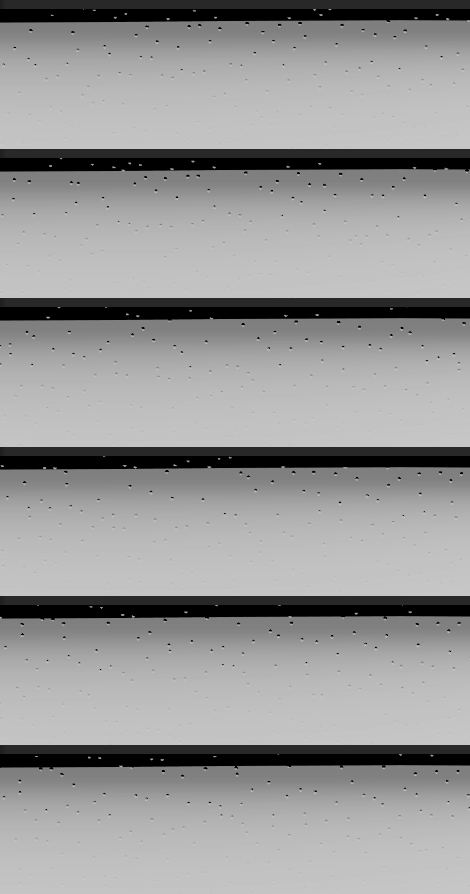
But this one uv The unit has only one water drop , To enhance the effect , We will add a wake . The principle is roughly the same as the previous one ,y Continue to split in the axis direction uv
// Add wake
                float tailTileNum = 3.0;
                float2 tailUV =uv *  float2(1.0,tailTileNum);
                tailUV.y = frac(tailUV.y) - 0.5;
                tailUV.x *= tailTileNum;
                // There are a total of
                float rtail = length(tailUV);
                // Wake shaping
                rtail *= uv.y * 1.5;
                rtail = smoothstep(0.2,0.1,rtail);
                // Cut off the part under the rain drops
                rtail *= smoothstep(0.3,0.5,uv.y);
                retVal = float2(rtail*tailUV+r*uv);
Final effect 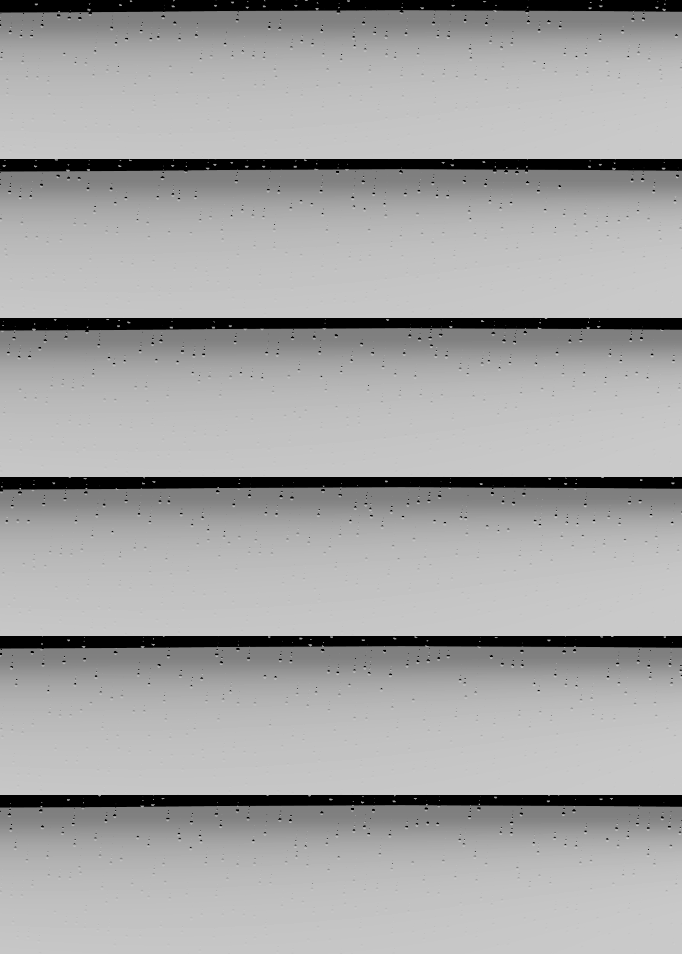
We apply it to umbrellas
The following is the complete code of the umbrella
Shader "Unlit/WaterDrop"
{

    Properties
    {

        _MainTex ("Texture", 2D) = "white" {
    }
        _Color("Color", Color) = (1, 1, 1, 1)
        _OutLineColor("OutLineColor", Color) = (1,1,1,1)
    }
    SubShader
    {

        Tags {
     "RenderType"="Transparent" "Queue"="Transparent" }
        LOD 100
        GrabPass {
     "_RefractionTex" }
        Pass
        {

            Cull Front
            CGPROGRAM
            #define PI2 6.28318530718
            #pragma vertex vert
            #pragma fragment frag

            #include "UnityCG.cginc"
            float4 _Color;
            struct appdata
            {

                float4 vertex : POSITION;
                float2 uv : TEXCOORD0;
                float3 normal :NORMAL;
            };

            struct v2f
            {

                float2 uv : TEXCOORD0;
                float4 vertex : SV_POSITION;
                float4 screenPos  : TEXCOORD1;
            };

            sampler2D _MainTex;
            float4 _MainTex_ST;
            float4 _OutLineColor;
            sampler2D _RefractionTex;
            float4 _RefractionTex_TexelSize;
            v2f vert (appdata v)
            {

                v2f o;
                o.vertex = UnityObjectToClipPos(v.vertex);
                o.uv = TRANSFORM_TEX(v.uv, _MainTex);
                o.screenPos = ComputeGrabScreenPos(o.vertex);
                return o;
            }


            float Hash12(float2 p)
            {

                float3 p3  = frac(float3(p.xyx) * .1031);
                p3 += dot(p3, p3.yzx + 19.19);
                return frac((p3.x + p3.y) * p3.z);
            }
            fixed2 Rains(fixed2 uv) {

                float period = 5;// The cycle of raindrops in the lattice
                float2 retVal  = float2(0.0,0.0);
                float aspectRatio = 4.0;// The aspect ratio of raindrops
                float tileNum = 5;// Number of tiles
                float ySpd = 0.1;
                uv.y += _Time.y * 0.0618;// Add some y Axis movement  =PI2 /period *0.45*0.55 / tileNum
                uv *= fixed2(tileNum * aspectRatio,tileNum);// Gridding uv
                // Add random values based on lattice
                fixed idRand = Hash12(floor(uv));
                uv = frac(uv);
                float2 gridUV = uv;
                uv -=0.5;//(-0.5,0.5)
                // here uv The value range is (-0.5,0.5)
                //*0.45 Why   Let the water drop swim in the lattice, just let the upper and lower lattice swim ,
                // Thus, the water droplets between grids can collide visually , So as to overcome the sense of division of the space of the lattice
                float t = _Time.y * PI2 /period;
                t += idRand * PI2;// add to Y Random value

                uv.y += sin(t+sin(t+sin(t)*0.55))*0.45;
                uv.y *= aspectRatio;
                // add to x Axis random offset
                uv.x += (idRand-.5)*.6;

                float r = length(uv);
                r = smoothstep(0.2,0.1,r);

                // Add wake
                float tailTileNum = 3.0;
                float2 tailUV =uv *  float2(1.0,tailTileNum);
                tailUV.y = frac(tailUV.y) - 0.5;
                tailUV.x *= tailTileNum;
                // There are a total of
                float rtail = length(tailUV);
                // Wake shaping
                rtail *= uv.y * 1.5;
                rtail = smoothstep(0.2,0.1,rtail);
                // Cut off the part under the rain drops
                rtail *= smoothstep(0.3,0.5,uv.y);
                retVal = float2(rtail*tailUV+r*uv);
                return retVal;
            }

            fixed4 frag (v2f i) : SV_Target
            {

                float2 _uv = i.screenPos.xy / i.screenPos.w;
                float baseOffset = 0.1;
                float2 uv = _uv;
                uv *= float2(_ScreenParams.x/_ScreenParams.y,1.0);
                float x = (sin(_Time.y*.1)*.5+.5)*.3;
                x =x*x;
                x+= baseOffset;
                float s = sin(x);
                float c = cos(x);
                float2x2 rot = float2x2(c, -s, s, c);
                uv = mul(rot,uv);
                float moveSpd = 0.1;
                float2 rainUV = float2(0.,0.);

                rainUV = Rains(uv*2.32);

                fixed4 col = tex2D(_RefractionTex, _uv + rainUV*2.);
                float3 fina_col = _OutLineColor  ;
                return fixed4(fina_col + col.rgb, 1);
            }
            ENDCG
        }
    }
}
summary
The above is all the content of this sharing .
边栏推荐
- 气传导蓝牙耳机哪个好、气传导蓝牙耳机排行榜
- Bug experience related to IAP jump of stm32
- 水渲染示例
- 【动态规划--买卖股票的最佳时期系列2】
- Two dimensional array practice: spiral matrix
- 刷题记录----二叉树的层序遍历
- Leetcode skimming diary sword finger offer II 050. sum of downward path nodes
- Dynamic planning -- multi-step stair climbing (advanced version of stair climbing)
- js 变量等于0也等也' '问题
- 2022-07-17 达梦数据库安装
猜你喜欢


随机推荐
[PTA--利用队列解决猴子选大王问题】
ZOJ Problem 1005 jugs
2022-05-15 based on JWT token
2022-05-24 use of spiel
What are the open earphones? Four types of air conduction earphones with excellent sound quality are recommended
OJ 1451 digital games
OJ 1507 删数问题
代码整洁之道(二)
Leetcode 刷题日记 剑指 Offer II 047. 二叉树剪枝
NIO示例
Leetcode brush question diary sword finger offer II 055. binary search tree iterator
OJ 1284 counting problem
2022-06-07 VI. log implementation
C语言的文件操作
Leetcode 刷题日记 剑指 Offer II 055. 二叉搜索树迭代器
NFT data storage blind box + mode system development
【动态规划--买卖股票的最佳时期系列3】
RayMarching实现体积光渲染
Battle plague Cup -- my account book
【详解如何一步步实现三子棋】