当前位置:网站首页>1. Foundation of MySQL database (1- installation and basic operation)
1. Foundation of MySQL database (1- installation and basic operation)
2022-06-12 06:49:00 【A building climbing pig】
1 database MySQL Basic operation
1 MySQL Database and workbench Installation of
1.1 MySQL Basic installation methods
1、 Download and installation are divided into zip Version and installation package msi
2、 In this column, select zip install , Official website connection :MySQL Community Downloads
3、 Installation tutorial reference connection : Portal
1.2 MySQL The basic steps of installation
Step 1. Unzip it in the folder , New folder date and database
Step 2. Below the environment variable path add to bin Catalog
Step 3. New in folder ini The content of the document is :
[mysqld]
#  Set up 3306 port
port=3306
#  Set up mysql Installation directory
basedir= The installation directory
#  Set up mysql Database data storage directory
datadir= The installation directory \Data
#  Maximum connections allowed
max_connections=200
#  Number of connection failures allowed .
max_connect_errors=10
#  The character set used by the server defaults to utf8mb4
character-set-server=utf8mb4
#  The default storage engine that will be used when creating a new table
default-storage-engine=INNODB
#  By default “mysql_native_password” Plug in authentication
#mysql_native_password
default_authentication_plugin=mysql_native_password
[mysql]
#  Set up mysql Client default character set
default-character-set=utf8mb4
[client]
#  Set up mysql The default port when the client connects to the server
port=3306
default-character-set=utf8mb4
Step 4. Operation administrator cmd
Step 5. cmd Enter into MySQL Of bin Catalog
Step 6. mysqld --initialize --console, remember [email protected] The code behind
Step 7. mysqld --install
Step 8. net start mysql
Step 9. mysql -u root -p Then enter the password
Step 10. alter user 'root'@'localhost' identified by ' New password ';
Step 11. exit sign out
1.3 MySQL workbench install
1、 Open installation package .msi file , Double-click on the run , Specify the installation directory

2、 choice complete install , Ensure that no redundant content is configured in the future

3、 installation is complete
2 Using terminals and MySQL workbench Conduct MySQL Basic operation
2.1 Log in and create databases and data tables at the terminal
window window , Using shortcut keys win+r Input cmd Enter the terminal window , Enter the following command to operate mysql database .
 Log in to the database , Then enter the password :mysql -u root -p

 Create database mysql_demo01:create database mysql_demo01;

 Display all databases :show databases;

 Use a database , for example mysql_demo01:use mysql_demo01;

 Look at all the data sheets :show tables;

 New database :create table demo01 (name varchar(20),sex varchar(10));

 Look at the data table structure :desc demo01;

 insert data :insert into demo01 values (' Zhang San ', ' male ');

 Query table content :select * from demo01;

 Modifying data :update demo01 set sex = ' Woman ' where name = ' Zhang San ';

 Delete a data item :delete from demo01 where name = ' Li Si ';

 Delete table :demo01:drop table demo01;

 Exit database :exit

2.2 Use workbench Create database and basic operations
1、 Access to database : open workbench, choice MySQL connections, You can choose local instance MySQL Enter the password to enter

2、 Familiar with the layout , Create data : stay navigator Under item column , choice schemas, Easy to view the database , Select the create database flag , Create database database_demo02; Then click... By default apply、apply、finish that will do .

3、 Create data table : an database_demo02 database , stay tables Right click create table, Then name the data table demo01, At this point, it is best to expand the window , stay column name The requirements of the following input columns , For example, there are names here name And gender sex


4、 Add data , And implement sql sentence : Expand databases and data tables , stay demo01 The list icon behind the database mouse movement opens , Jump to the view interface . To write sql The sentence changes Zhang San's gender , stay Query Options bar , choice execute current statement Execute the current sql sentence .


边栏推荐
- The second day of June training - string
- Use ms17-010 Eternal Blue vulnerability to infiltrate win7 and establish a permanent back door
- 8. form label
- Android studio uses database to realize login and registration interface function
- 【数据聚类】本专栏中涉及数据集、可视化及注意事项
- CL210OpenStack操作的故障排除--章節實驗
- CL210OpenStack操作的故障排除--章节实验
- leetcode:剑指 Offer 66. 构建乘积数组【前后缀积的应用】
- LeetCode-1350. Invalid students
- 【图像检测】基于深度差分和PCANet实现SAR图像变化检测附matlab代码
猜你喜欢

SQL injection - blind injection

【图像检测】基于深度差分和PCANet实现SAR图像变化检测附matlab代码
(14)Blender源码分析之闪屏窗口显示软件版本号

leetcode:剑指 Offer 67. 把字符串转换成整数【模拟 + 分割 +讨论】
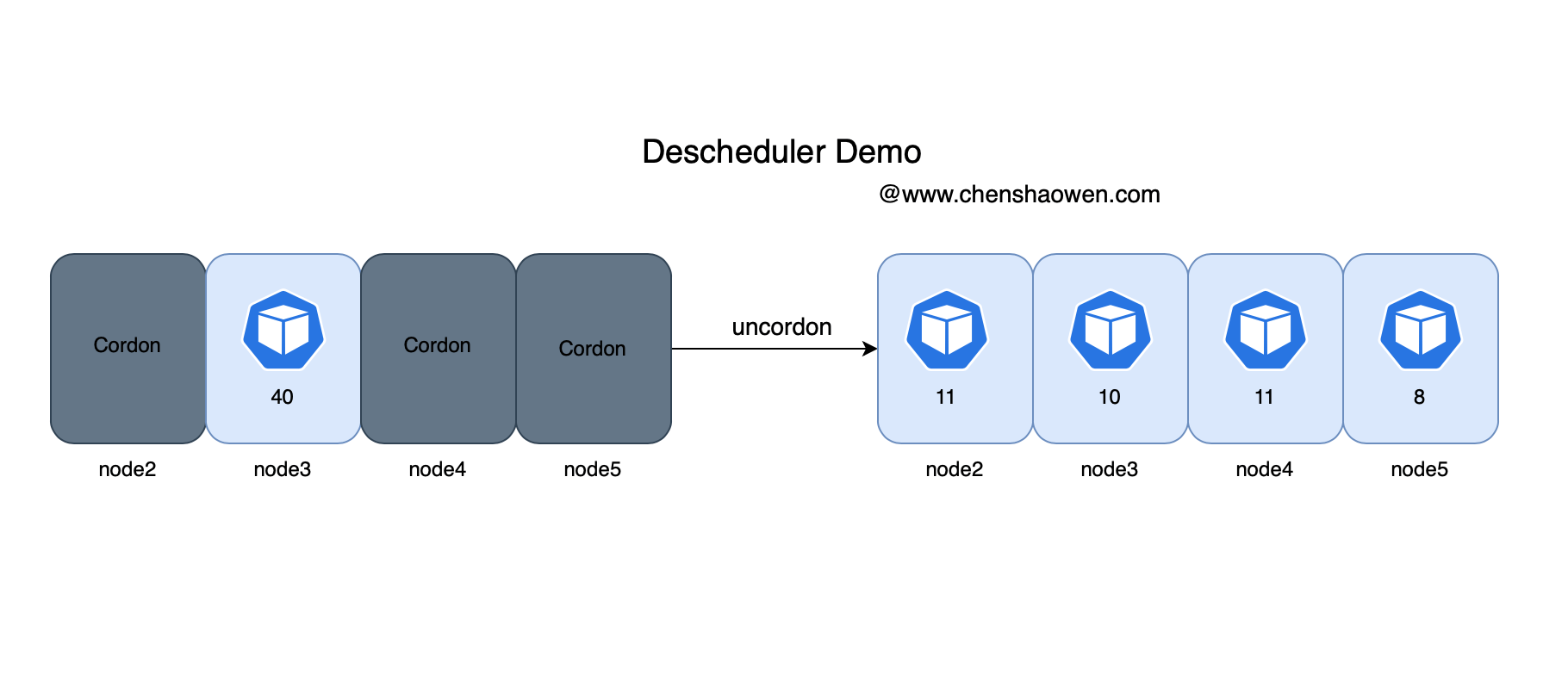
Descscheduler secondary scheduling makes kubernetes load more balanced

Zhang Chi's class: Notice on the time of CAQ Six Sigma test in 2022
![Leetcode: Sword finger offer 63 Maximum profit of stock [record prefix minimum and or no brain segment tree]](/img/3a/3bba4fc11469b4cf31c38e35a81ac1.png)
Leetcode: Sword finger offer 63 Maximum profit of stock [record prefix minimum and or no brain segment tree]
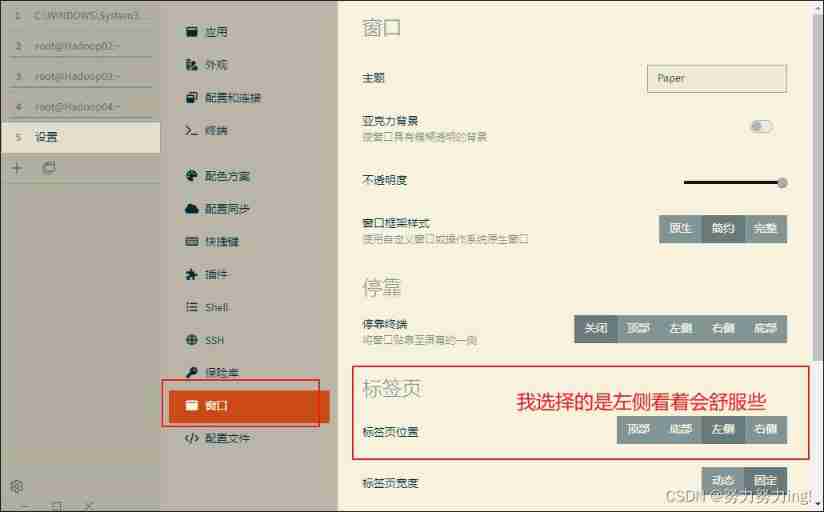
Bid farewell to the charged xshell, and the free function of tabby is more powerful

最近面了15个人,发现这个测试基础题都答不上来...

Throw away the ugly toast. The movable toast is more interesting
随机推荐
I met 15 people recently and found that I couldn't answer the basic question of this test
5 statement
LeetCode-1490. Clone n-ary tree
Delete the duplicate items in the ordered array -- force deduction question 26 (simple)
leetcode:890. 查找和替换模式【两个dict记录双射(set)】
PHP read / write cookie
leetcode:剑指 Offer 66. 构建乘积数组【前后缀积的应用】
丢掉丑陋的 toast,会动的 toast 更有趣
上位机开发(固件下载软件之需求分析)
leetcode:剑指 Offer 63. 股票的最大利润【记录前缀最小和 or 无脑线段树】
leetcode:剑指 Offer 67. 把字符串转换成整数【模拟 + 分割 +讨论】
NOI openjudge 计算2的N次方
SQL Server 2019 installation error. How to solve it
Detailed explanation of convirt paper (medical pictures)
Are you still using like+% for MySQL fuzzy query?
集合判断存在交集
LeetCode-1154. Day of the year
Descscheduler secondary scheduling makes kubernetes load more balanced
esp32 hosted
Apache poi 导入导出Excel文件