当前位置:网站首页>Installation, start and stop of redis7 under Linux
Installation, start and stop of redis7 under Linux
2022-07-31 02:11:00 【Small dust be confident】
Redis是一个开源的key-value存储系统.它支持存储的value类型相对更多,包括string(字符串)、list(链表)、set(集合)、zset(sorted set --有序集合)和hash(哈希类型).Install before learningredis就显得非常重要了.This article will be installed with redis7为例.
redis7
1.redis下载
官网地址:https://redis.io/download/
如果觉得下载麻烦,我已经提供了Redis安装包下载:
版本:redis-7.0.4.tar
下载地址:
链接:https://pan.baidu.com/s/1DCIxRXokzsTfGrdQ-Eh3eA
提取码:ajpl
1.官网点击下载:
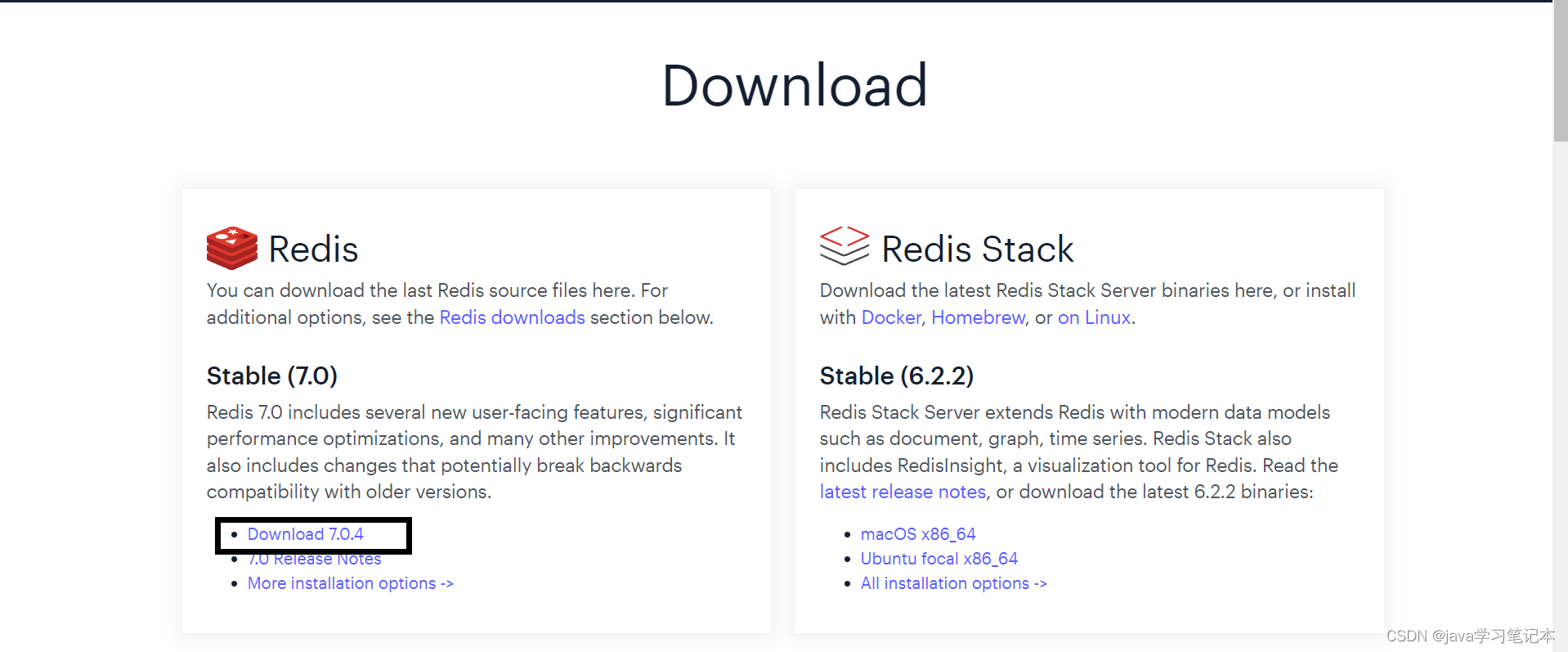
2.下载完成之后,打开xhell连接Linux,通过xftp把我们下载好的Redis压缩包,上传到Linux的 /opt/ 文件目录下(文件路径不固定)
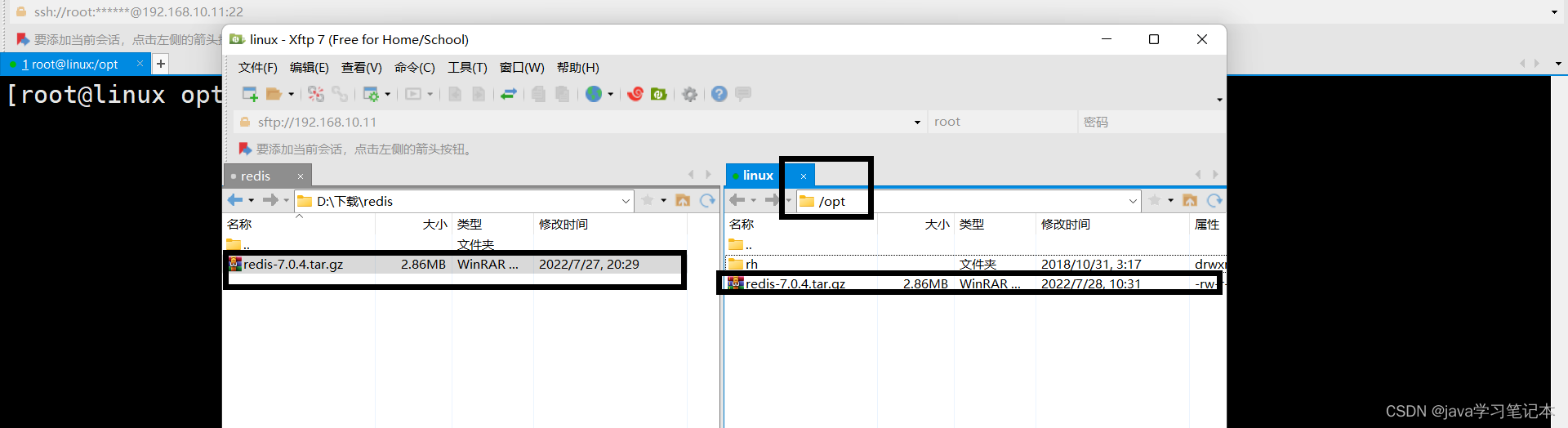
关于xhell与xfptDownload see:
3.进入到/mnt/ 文件目录中,解压 redis-5.0.0.tar.gz,并把redis-5.0.0移动到/usr/local/ 目录下
2.安装gcc环境
由于redis是由C语言编写的,它的运行需要C环境,因此我们需要先安装gcc.安装命令如下:
1.检查是否有gcc环境:gcc --version
The following appears to indicate yes.则无需安装

2.如果提示gcc不是内部命令,则需要安装,命令:yum install gcc
3.安装redis
1.First we get into oursredis压缩包存放位置(之前上传的)

2.执行解压缩,命令:tar -zxvf redis-7.0.4.tar.gz
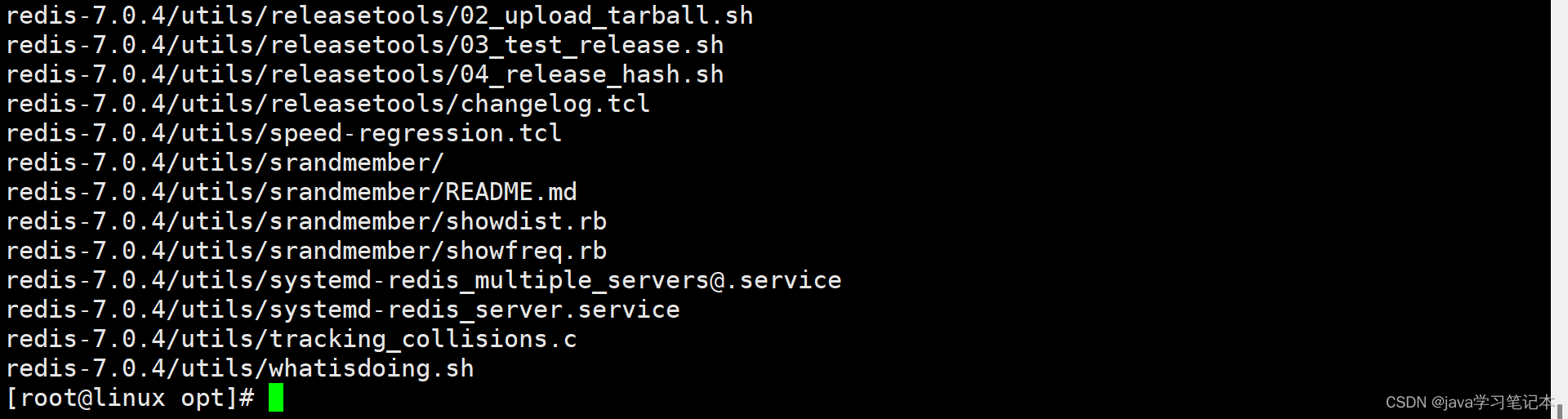
3.进入到解压后的目录,执行make命令进行编译

如果没有准备好C语言编译环境,make 会报错—Jemalloc/jemalloc.h:没有那个文件
解决办法:
首先看:gcc是否安装成功,成功后
运行make distclean, Clear the compiled files,然后再在redis-7.0.4目录下再次执行make命令(只是编译好)
4.跳过make test 继续执行: make install

以下表示安装成功:默认安装目录:/usr/local/bin

进入目录查看:
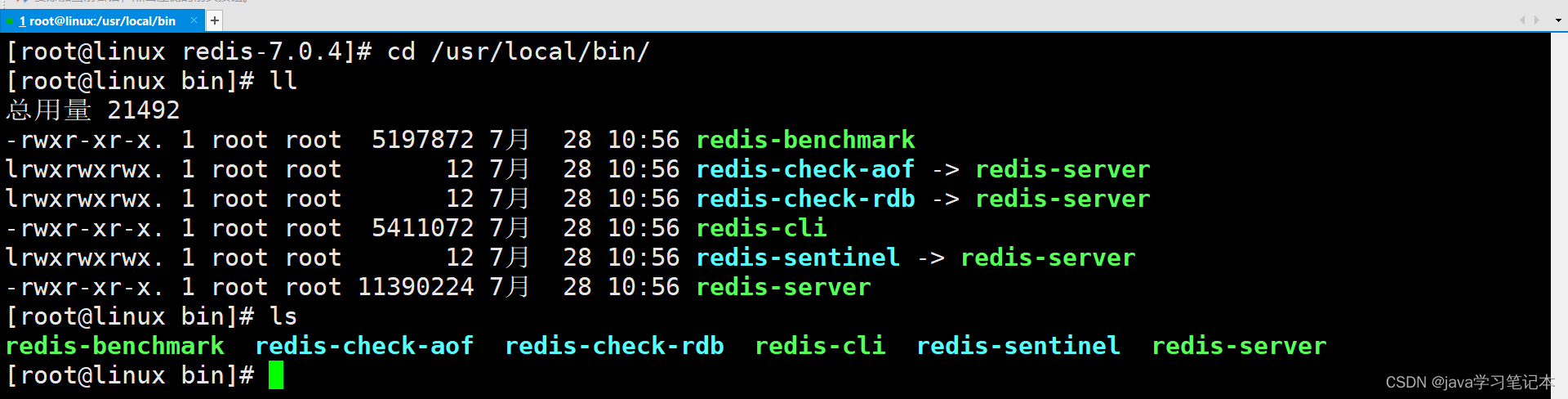
文件介绍:
redis-benchmark:性能测试工具,可以在自己本子运行,看看自己本子性能如何
redis-check-aof:修复有问题的AOF文件
redis-check-dump:修复有问题的dump.rdb文件
redis-sentinel:Redis集群使用
redis-server:Redis服务器启动命令
redis-cli:客户端,操作入口
The installation is now complete!
3.启动redis(Foreground startup and background startup)
前台启动(不推荐)
Use this startup method:命令行窗口不能关闭,否则服务器停止.And this window can not do other operations
在bin目录下执行 redis-server

启动成功:
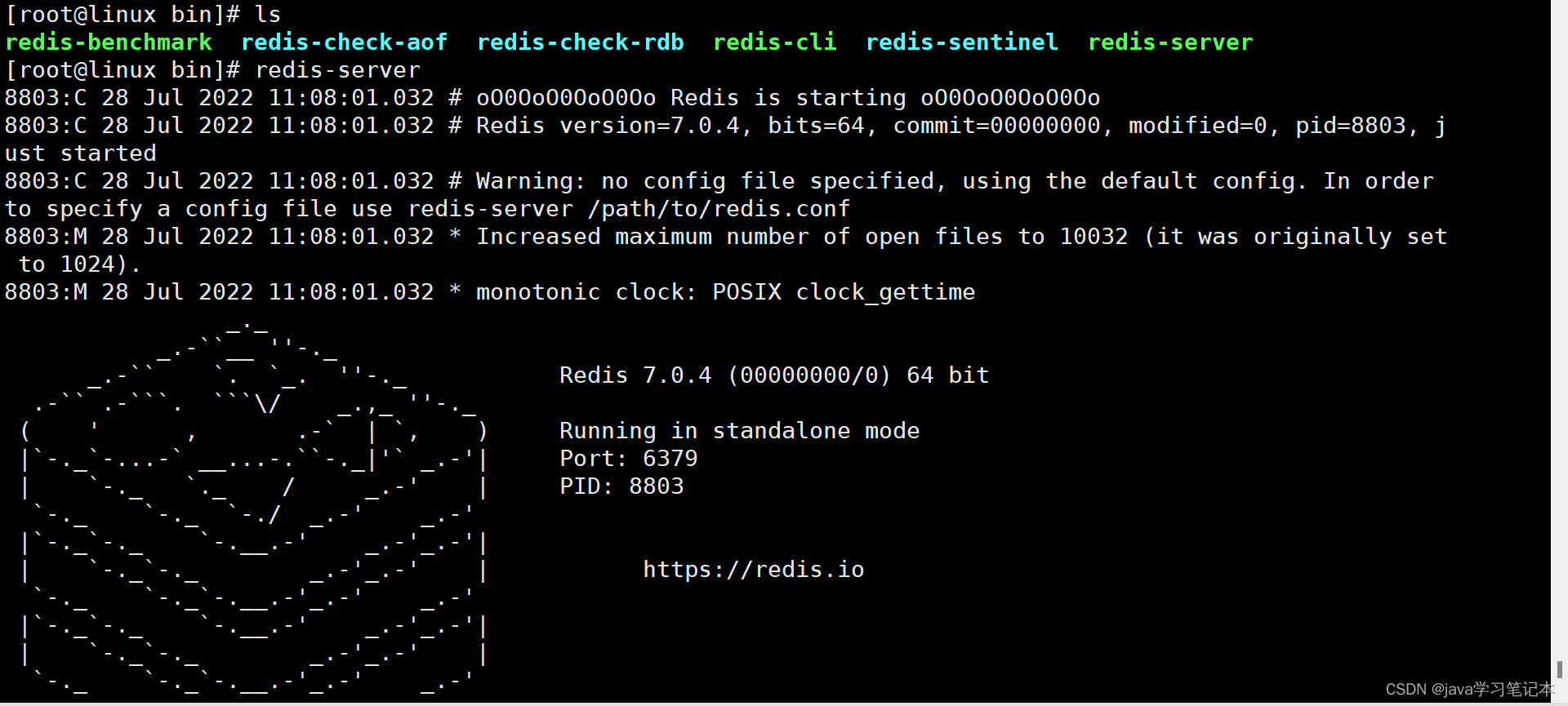
默认端口号:6379
后台启动(推荐)
1.进入到redis的安装目录下,cd /opt/redis-7.0.4/

找到文件redis.conf,It is important to modify this file,For convenience, we can copy the file to a directory for operation.I choose to copy to hereetc下

2.进入到etc目录下,修改文件redis.conf,设置daemonize no改成yes
执行:vim redis.conf 命令,Due to the large file content,It can be entered via quick search:/daemAdd a carriage return to quickly locate the content that needs to be modified.

3.Save and exit after completing the modification and start through the configuration fileredis
进入到:cd /usr/local/bin目录下,执行redis-server /etc/redis.conf

这样就完成了redis的启动,通过ps -ef | grep redis查看是否启动

通过redis-cli连接redis

4.关闭redis(两种方式)
第一种.执行shutdown

第二种.先找到进程号:ps -ef | grep redis
kill -9 9468

以上就是Linux下安装Redis的全过程,Hope to install it for everyoneRedis有所帮助.欢迎评论留言.
边栏推荐
- STM32CUBEMX develops GD32F303 (11) ---- ADC scans multiple channels in DMA mode
- coldfusion文件读取漏洞(CVE-2010-2861)
- Manchester City confuses fans with smart scarf that detects emotions
- Face detection based on opencv
- 1. Non-type template parameters 2. Specialization of templates 3. Explanation of inheritance
- multiplayer-hlap 包有问题,无法升级的解决方案
- 曼城推出可检测情绪的智能围巾,把球迷给整迷惑了
- leetcode-1161: Maximum in-layer element sum
- leetcode-1161:最大层内元素和
- leetcode-952: Calculate max component size by common factor
猜你喜欢

STM32CUBEMX开发GD32F303(11)----ADC在DMA模式下扫描多个通道

12 pictures take you to fully understand service current limit, circuit breaker, downgrade, and avalanche

GCC Rust is approved to be included in the mainline code base, or will meet you in GCC 13

221. Largest Square

加密生活,Web3 项目合伙人的一天

Tower of Hanoi problem
图像处理技术的心酸史
MySql installation and configuration super detailed tutorial and simple method of building database and table
英特尔软硬优化,赋能东软加速智慧医疗时代到来

Drools规则属性,高级语法
随机推荐
[1154] How to convert string to datetime
静态路由+PAT+静态NAT(讲解+实验)
Problems that need to be solved by the tcp framework
leetcode-399: division evaluation
Tower of Hanoi problem
英特尔软硬优化,赋能东软加速智慧医疗时代到来
Layer 2 broadcast storm (cause + judgment + solution)
Introduction to flask series 】 【 flask - using SQLAlchemy
图像处理技术的心酸史
充电效果模拟
Fiddler captures packets to simulate weak network environment testing
leetcode-952: Calculate max component size by common factor
二层广播风暴(产生原因+判断+解决)
Project development software directory structure specification
Fiddler抓包模拟弱网络环境测试
如何在 go 程序中暴露 Prometheus 指标
软件测试报告有哪些内容?
tcp框架需要解决的问题
Arbitrum 专访 | L2 Summer, 脱颖而出的 Arbitrum 为开发者带来了什么?
软件测试基础接口测试-入门Jmeter,你要注意这些事