当前位置:网站首页>VIM from dislike to dependence (20) -- global command
VIM from dislike to dependence (20) -- global command
2022-06-27 08:24:00 【aluluka】
In the previous article , We introduced how to find and replace , Substitution is a simple application based on search , It just changes the matching text to another . that vim What else can you do with the text on the match in ? In this article, we will discuss this problem .
First time to know global command
The key to our ability to perform other operations on rows with matches is global command .global The function of the command is to execute the specified... On the line where there is a match ex command . The format of the command is as follows :
:[range] g[lobal][!]/{pattern}/[cmd]
- With most ex command , It receives a scope . If no scope is given , By default, it will be applied to the entire file , That is, its default range is %
- ! Represents reverse , Is executed on a line where no match exists ex command
- pattern Represents a match pattern
- cmd Indicates which... Will be executed on the corresponding text ex command . If it is not specified, it will execute by default print command
What needs to be emphasized here is , perform ex The command operates on a line with a match . The operation is not highlighted text , It's a line with highlighted text .
Let's use a simple example to demonstrate how to use
#define VERSION "v1.0.1"
char pszVersion[] = VERSION;
#define TITLE "vim"
char* pszTitle = TITLE;
#define AUTHOR "Bram Moolenaar"
char* pszAuthor = AUTHOR;
Suppose there's a piece of code , We use first ".*" To match a string , And then execute :g//d To perform the delete operation .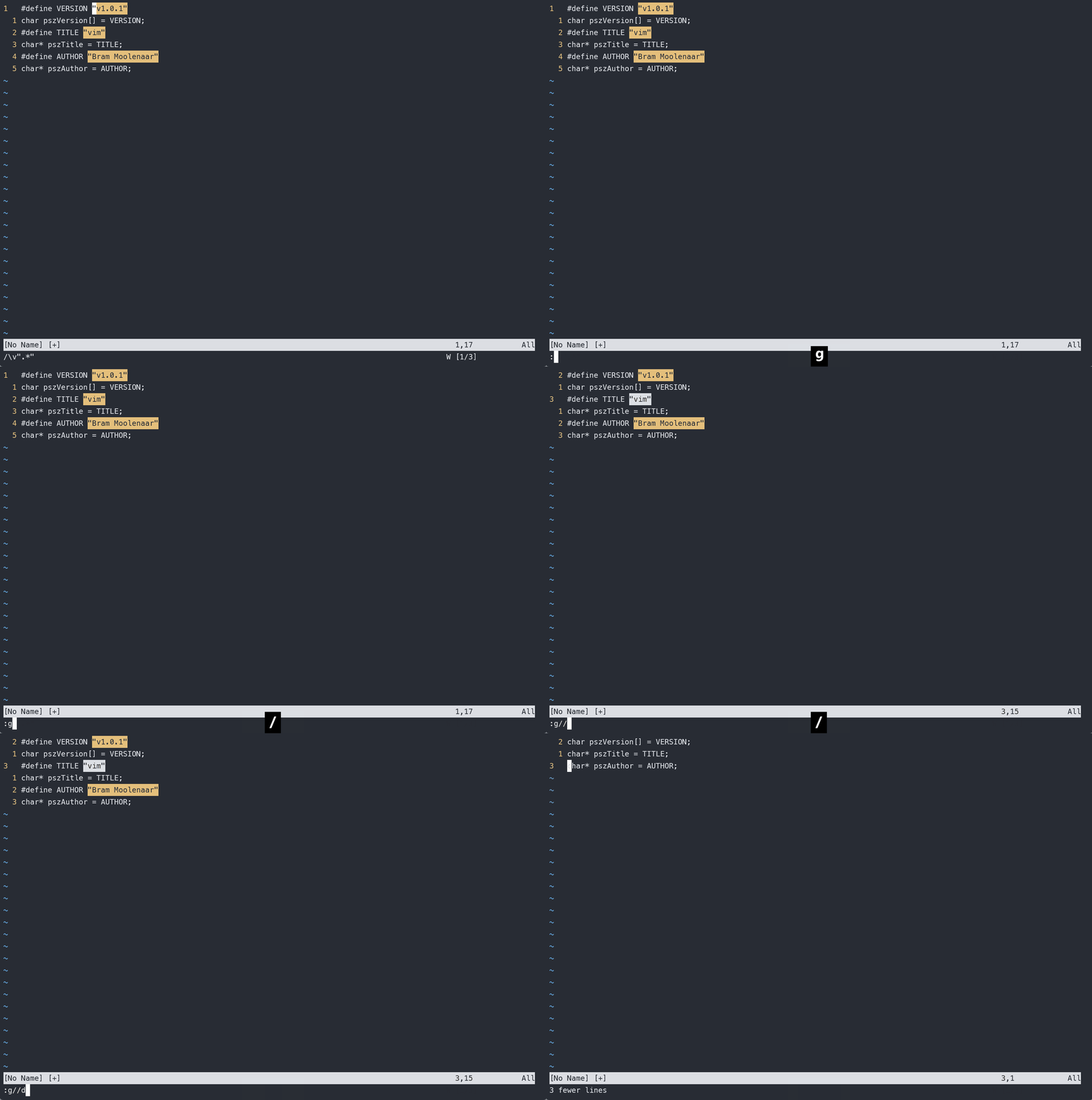
We found that instead of deleting the following strings, it deleted all lines with strings , Only assignment statements are preserved . I believe that through this example, you should have understood global How commands work .
If we want to delete all assignment statements in the above code , You can use ! To reverse ,:g!//d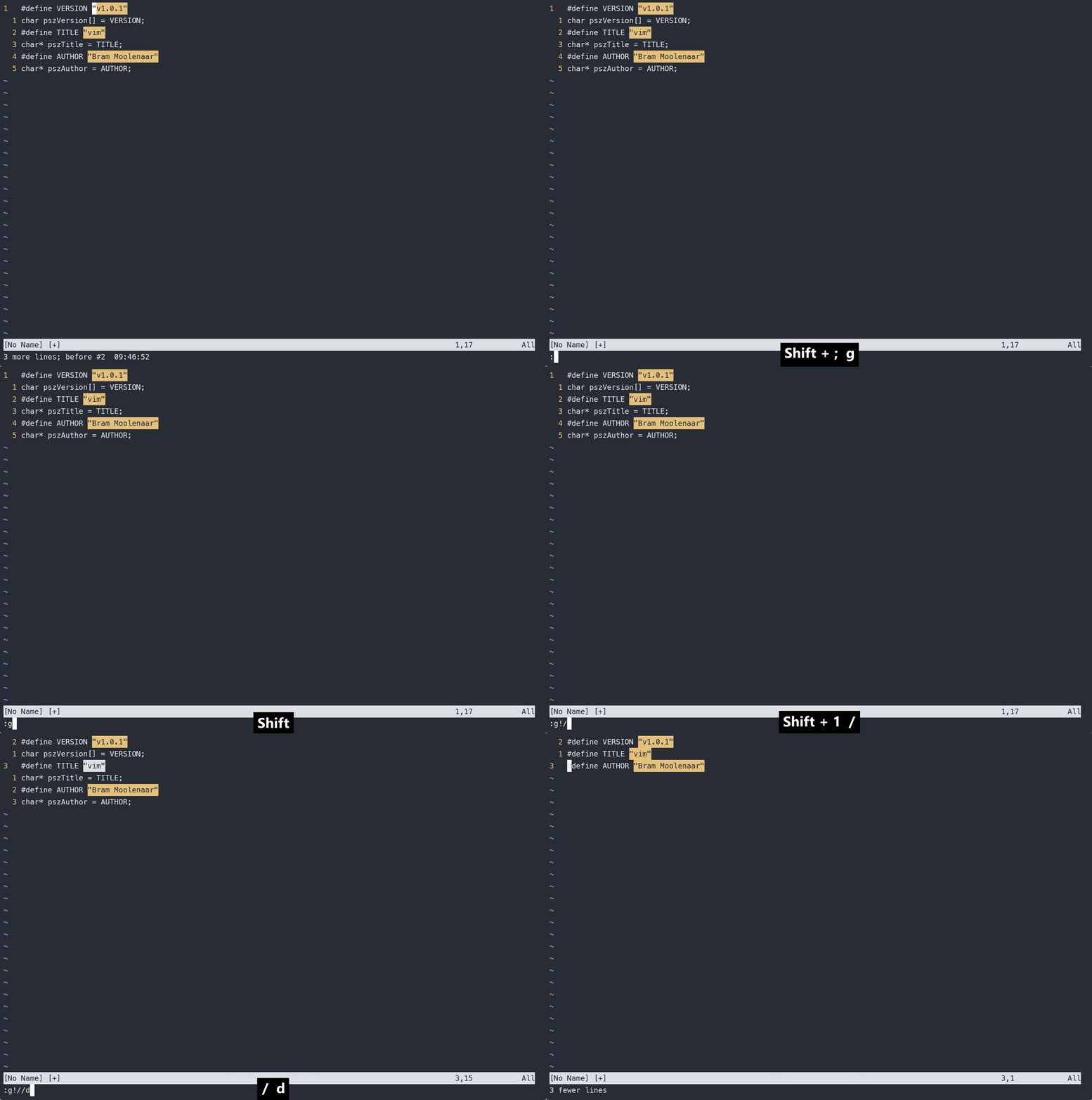
stay 《vim Practical skills 》 This book mentions a very interesting thing . Through the above description , It can be concluded that global A short form of a command :g/re/p among g yes global An abbreviation for a command ,re For regular expressions regular expression, and p It is print Abbreviation . We will / If you remove it, you will find that the abbreviation becomes grep The word . This is the same. grep The origin of this order .
The above contents have been preliminarily introduced global Use of commands , Let's look at other usage scenarios
Used in conjunction with the buffer parameter list
We still use neovim Configuration file for . We randomly in part lua Add some to the file TODO Notes . It means that the function that will be realized in the future has not been done for the time being .
Let's look in a file first TODO word , It doesn't matter that some documents show that they are not found , Just to save the schema
And then put all the lua File is added to the parameter list ,:args **/.*lua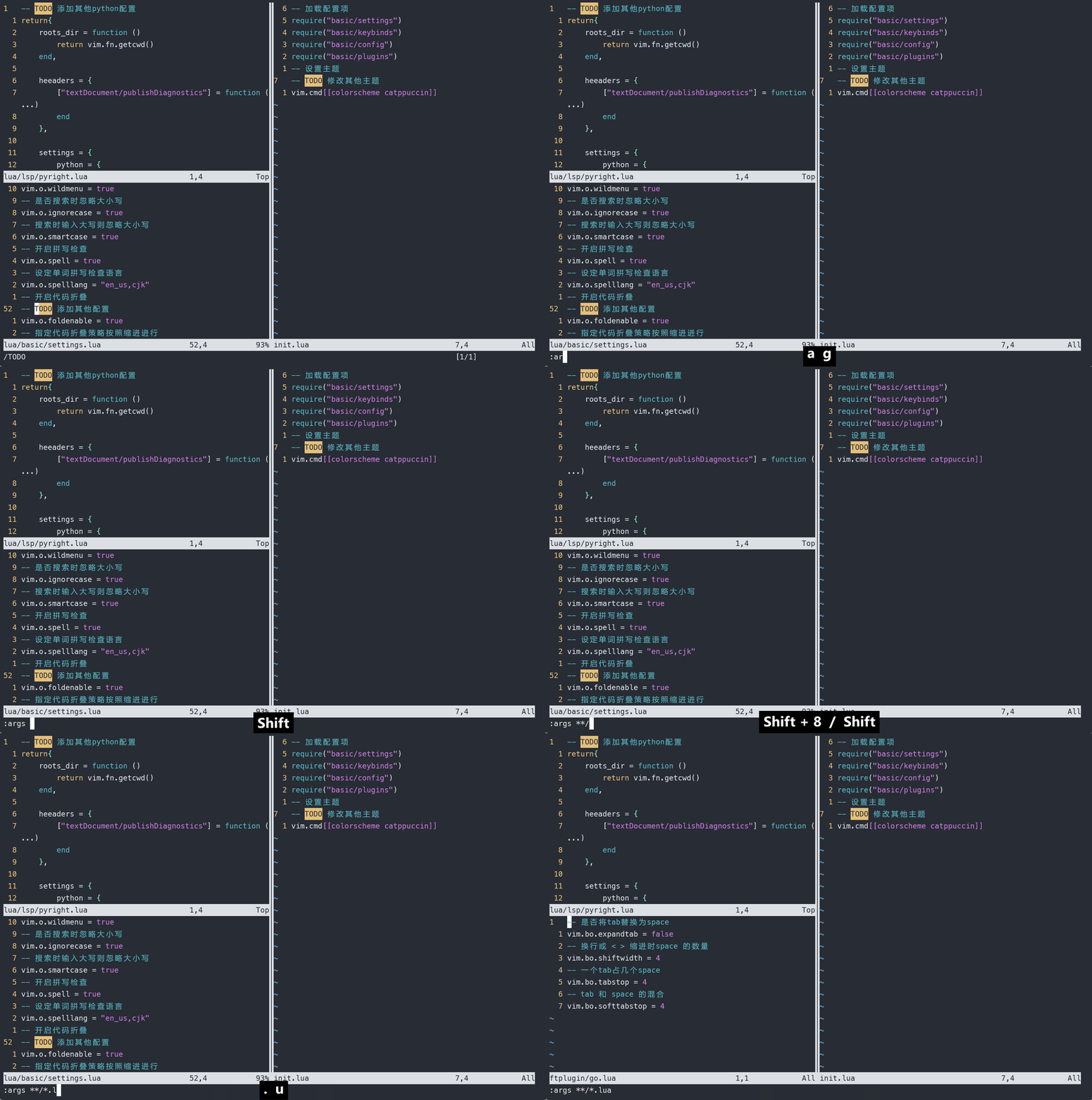
Then select clear a register qaq , among qa Means we are going to use a Register to record a macro , Use directly without entering anything q The end of the recording . Because a macro writes the contents of an operation into a register , So a macro that does nothing can clear the contents of a register .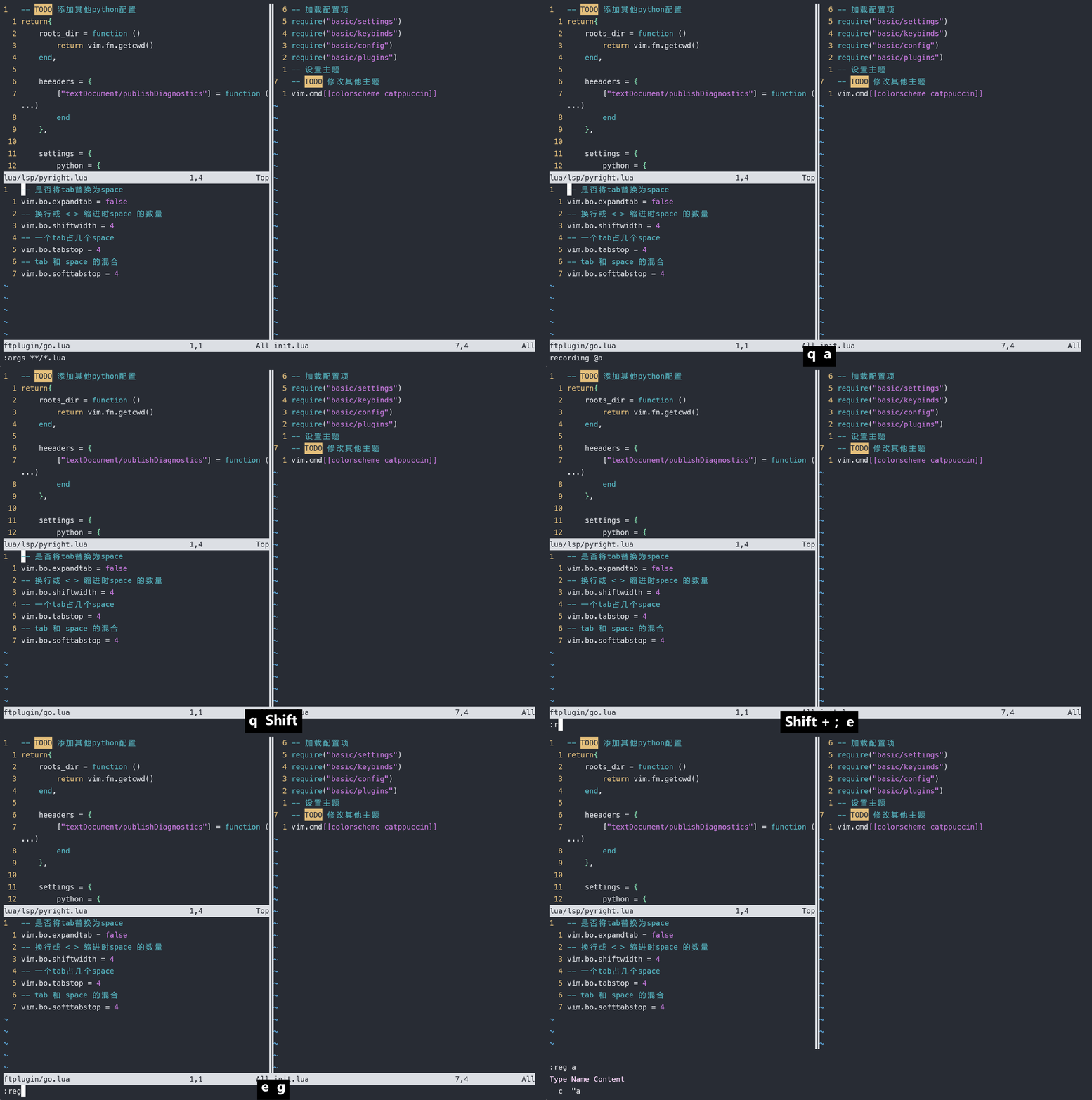
And then execute :argdo g//yank A Use here yank This command copies the contents to the register . In addition, I used A instead of a Because the command is executed for each file in turn , It needs to be added to the register one by one . So we use capital letters here .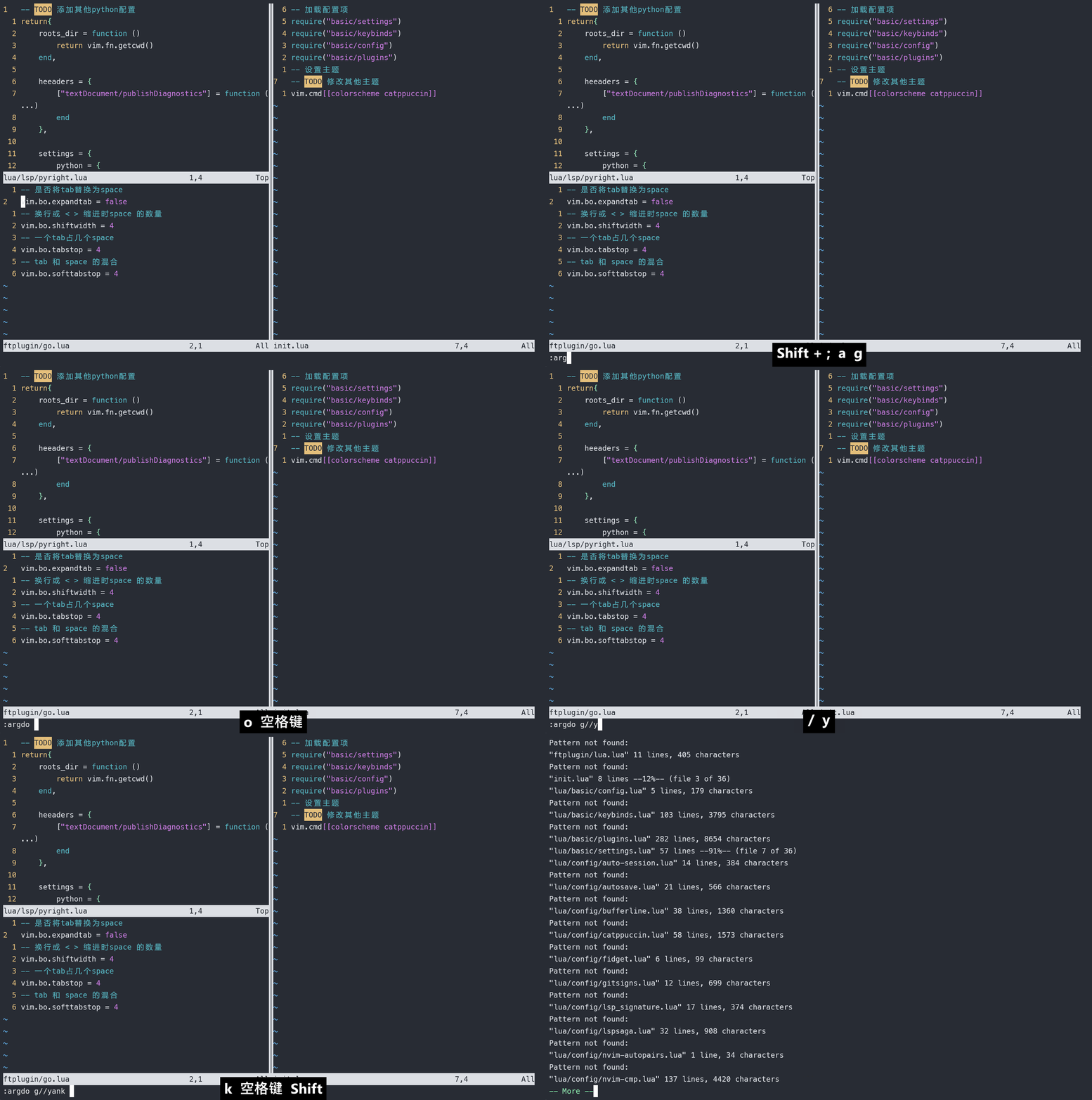
Now you can view a The contents of the register , It is found that there is already corresponding content .
One disadvantage of the extracted content is that it cannot display the specific file todo term . Functions that will be implemented in the future but are not implemented now are used TODO Describing it is a common habit in programming , There are many good plug-ins for this function , Related plug-ins will be introduced later .
Appoint ex The scope of execution of the order
Not only global You can specify the range , It's followed by cmd You can also specify a range , The following will demonstrate how to use
Suppose there is a paragraph css Code
html{

  margin: 0;
  padding: 0;
  border: 0;
  font-size: 100%;
  font: inherit;
  vertical-align: baseline;
}

body{

  line-high: 1.5;
  color: black;
  background: white;
}
We'd like to give each group css The internal attributes are sorted alphabetically .
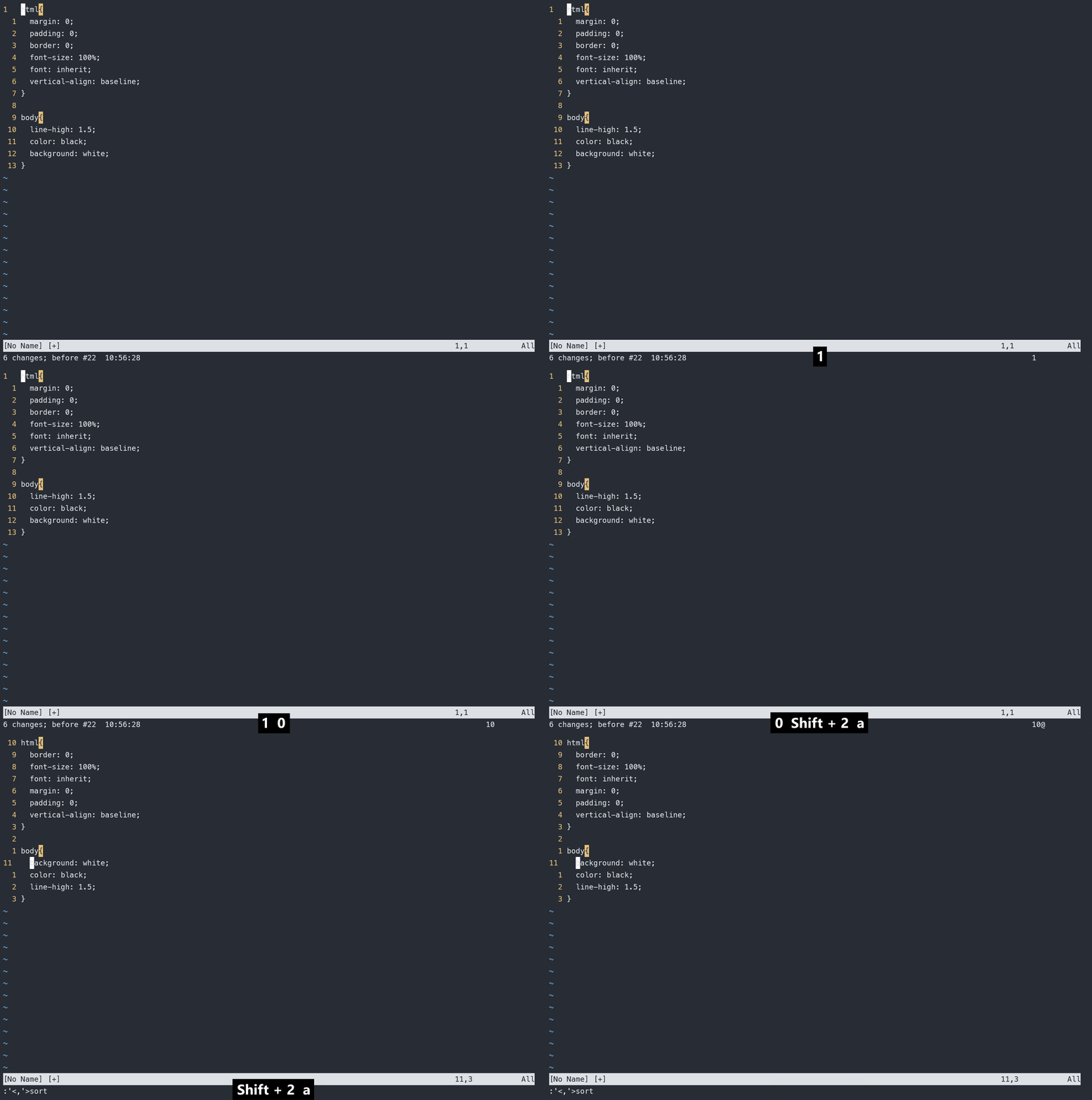
The first way : You can record macros to automate . First, match by pattern { That is to use /{ Then start recording macros : nvi{:sort , First, through n To jump to the next match , And then use vi{ Select by text object {} The content in , Finally, execute for the selected sort command 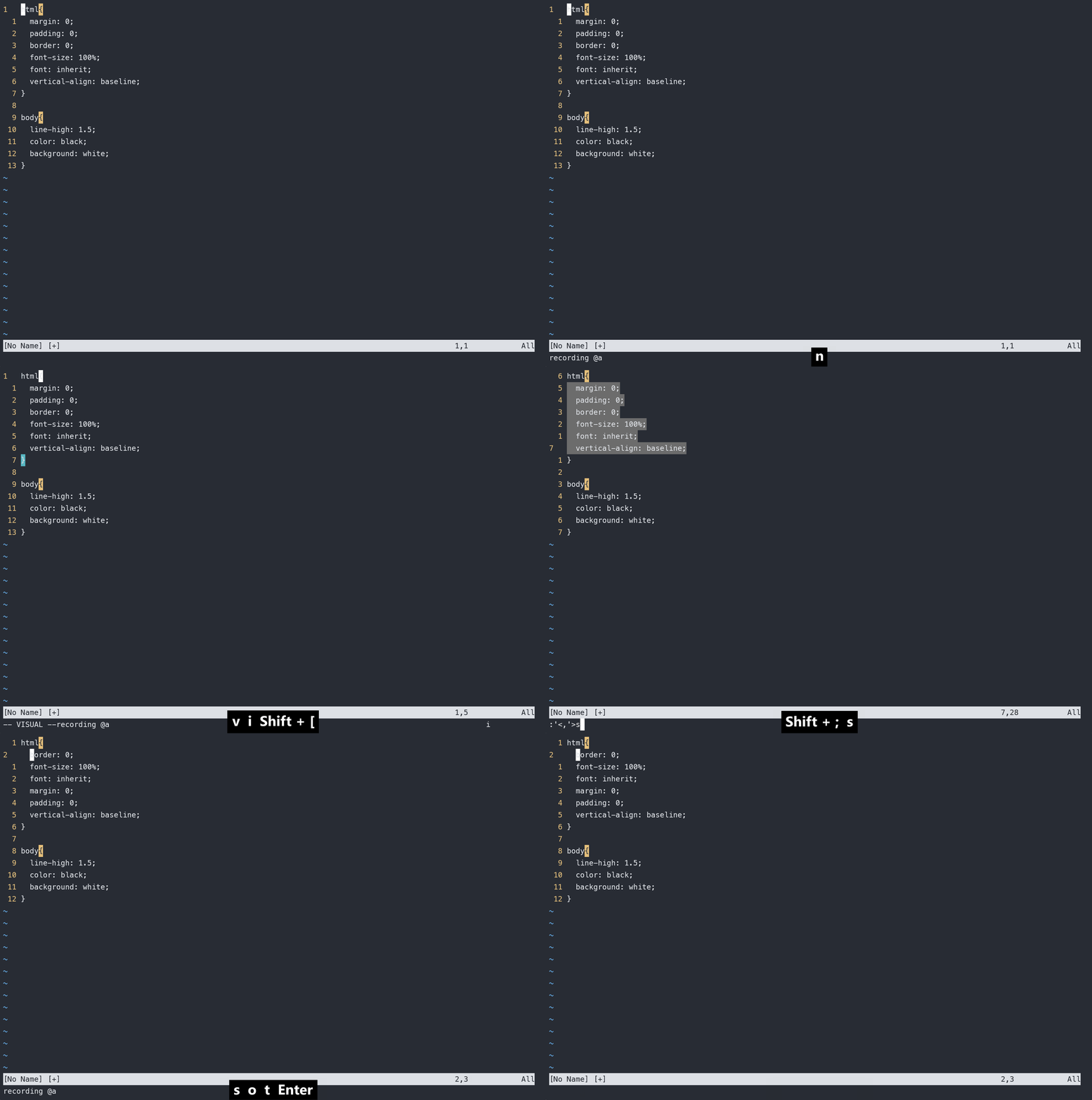
But we can use global The command does the same . First, construct the corresponding schema . We can go through :g/{/ .+1,/}/-1 sort Such a command to complete this operation . Let's analyze the meaning of this command .
- First, follow this command
/It is divided into 3 Parts of , The first part is{Means to match all{What follows . - The second part is
.+1,/}/-1. It represents a range , The scope is divided into two parts , With,Division , The previous section represents the next line of the current line , That is to say{The next line of the line ,/}Indicates the end of the match}Symbol , Followed by a-1Express}On the previous line , This range represents{}All the lines between . - The last part is the command
sort, Execute in the corresponding scopesortcommand .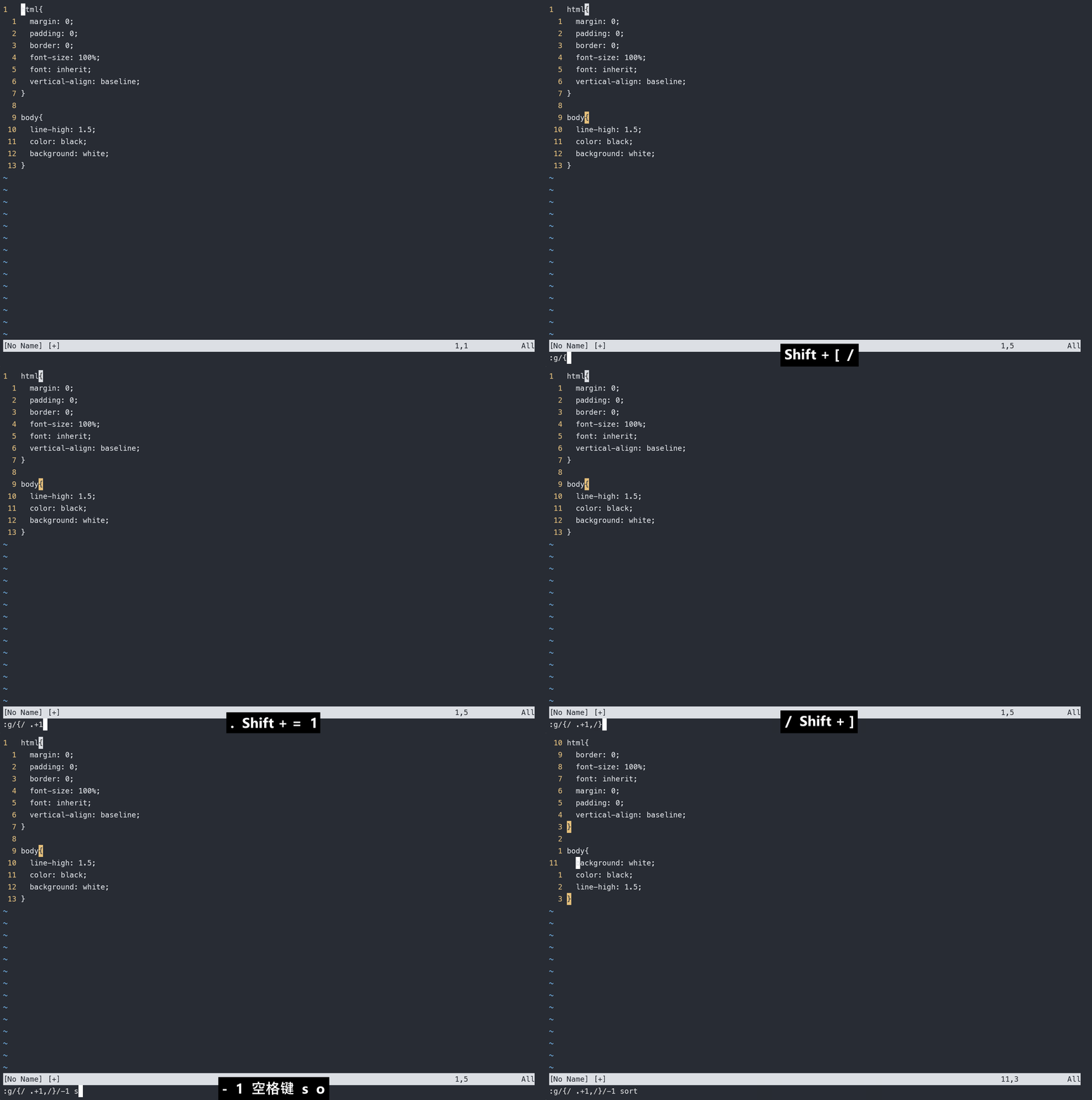
For the above explanation , We can global Command to make a detailed use of the format :
:[range]/g[lobal][!]/{start pattern}/ .{offsize},/{end pattern}/{offsize} [cmd]
Here we can also follow other orders , For example C Indent the code in the function , Then you can use it :g/{/ .+1,/}/-1 > .
边栏推荐
- 期货反向跟单—交易员的培训问题
- 准备好迁移上云了?请收下这份迁移步骤清单
- 爬一个网页的所有导师信息
- Futures reverse Documentary - training for traders
- 2022.06.26(LC_6100_统计放置房子的方式数)
- [12. maximum continuous non repeating subsequence]
- [13. number and bit operation of 1 in binary]
- Publications under nature, science and cell
- Mysql事务中MVCC理解超简单
- MySQL environment variable configuration tutorial
猜你喜欢

c#的初步认识

Read datasets iteratively with xgboost
![[batch dos-cmd command - summary and summary] - map folder to virtual disk - subst](/img/09/cd12c276392d3465dce1909d0f86a6.png)
[batch dos-cmd command - summary and summary] - map folder to virtual disk - subst

Programming life - what do you think of the 35 year old bottleneck of programmers?

ServletConfig与ServletContext

粗读DS-TransUNet: Dual Swin Transformer U-Net for Medical Image Segmentation

【10. 差分】

100% understanding of 5 IO models

2022.06.26(LC_6100_统计放置房子的方式数)

Lvgl description 3 about the use of lvgl Guide
随机推荐
准备好迁移上云了?请收下这份迁移步骤清单
L'enquête en aveugle a montré que les femmes étaient meilleures que les hommes.
Five basic types of redis
The difference between ArrayList and LinkedList
Experience record of Luogu's topic brushing
【12. 最大连续不重复子序列】
Mysql事务中MVCC理解超简单
[paper reading] internally semi supervised methods
March into machine learning -- Preface
Redis configuration file details
No matter how good LCD and OLED display technologies are, they cannot replace this ancient display nixie tube
【批处理DOS-CMD命令-汇总和小结】-批处理命令中的参数%0、%1、%2、%[0-9]、%0-9和批处理命令参数位置切换命令shift,dos命令中操作符%用法
[batch dos-cmd command - summary and summary] - output / display command - echo
05 观察者(Observer)模式
2022.06.26(LC_6101_判断矩阵是否是一个 X 矩阵)
【c ++ primer 笔记】第3章 字符串、向量和数组
關聯GIS:條條道路通UE5城
MATLAB小技巧(19)矩阵分析--主成分分析
MATLAB小技巧(18)矩阵分析--熵权法
Code source AQS sous - jacent pour la programmation simultanée juc