当前位置:网站首页>NUC 11构建 ESXi 7.0.3f安装网卡驱动-V2(2022年7月升级版)
NUC 11构建 ESXi 7.0.3f安装网卡驱动-V2(2022年7月升级版)
2022-07-26 16:11:00 【teamlet】
NUC 11构建 ESXi 7.0.3f安装网卡驱动
一、进入powershell 环境
windows 10 操作系统,以管理员的身份打开cmd终端,执行
c:> powershell
二、查看powershell的模型路径,执行
$env:PSModulePath

三、下载 VMware 工具 (需要注册账号)
1、下载 ESXi 7.0.3(第一种方法)
- 1)进入网址: https://www.vmware.com/cn/try-vmware.html
- 2)点击免费下载试用版

3)选择Offline Bundle,点击手动下载
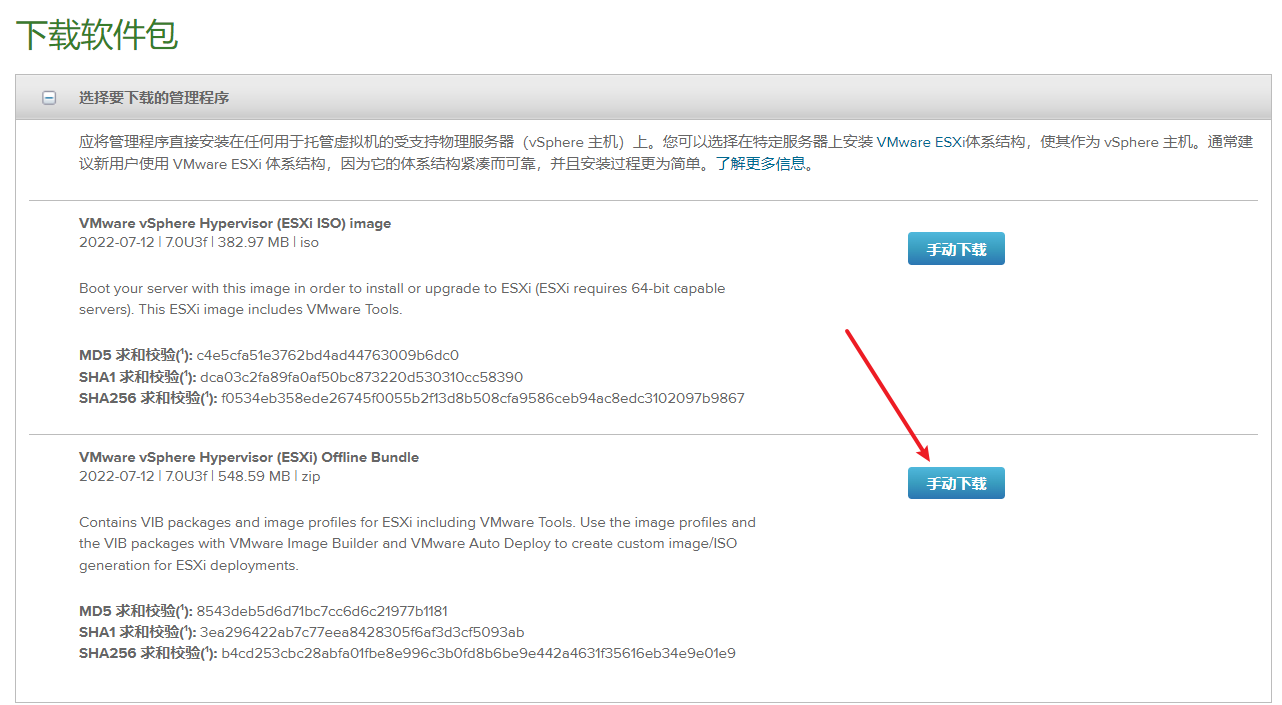
4)下载的文件名

2、下载 ESXi 7.0.3(第二种方法)
1)进入网址:https://docs.vmware.com/en/VMware-vSphere/7.0/rn/vsphere-esxi-70u3f-release-notes.html
2)选择左侧 Update Release Notes的相应版本,新安装的选最高版本

3)右下角点击【产品下载】
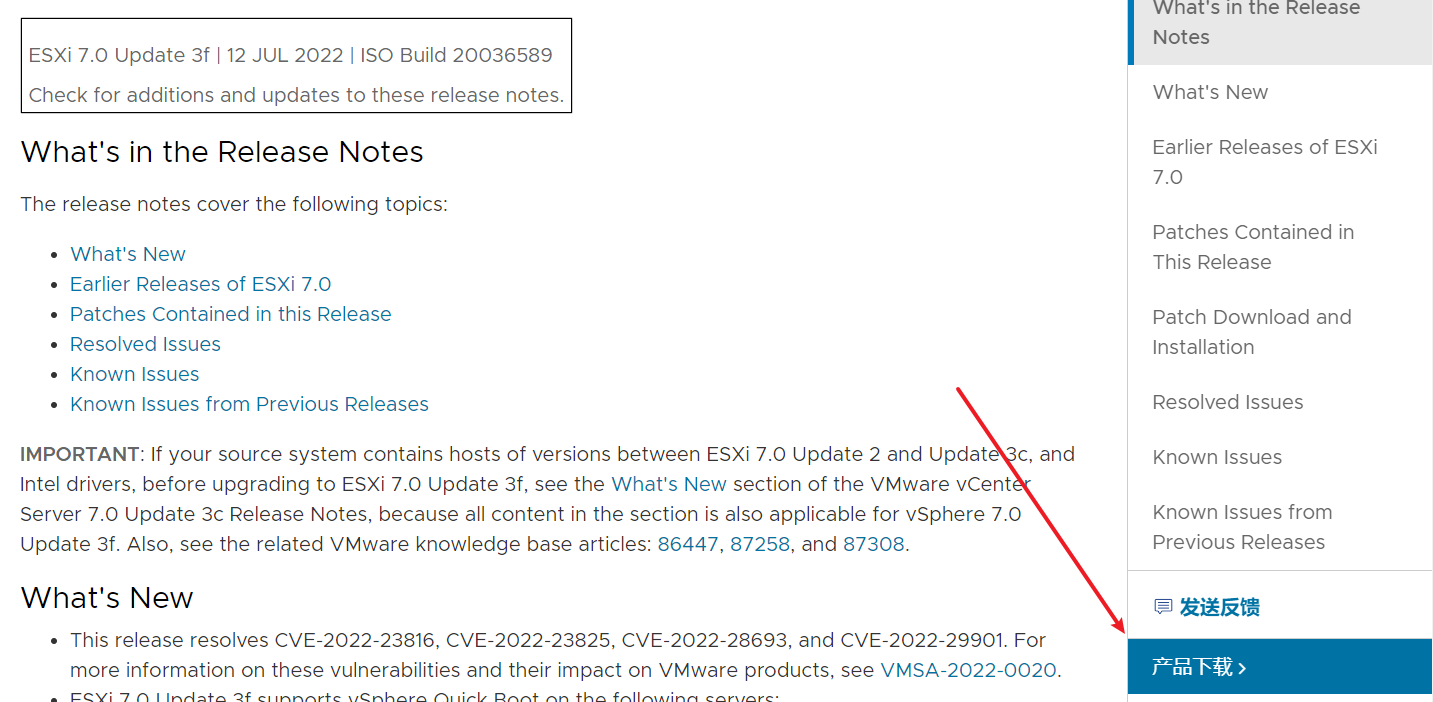
4)点击转至下载

5)立即下载

3、下载网卡驱动:
- 1)进入网址 https://flings.vmware.com/community-networking-driver-for-esxi
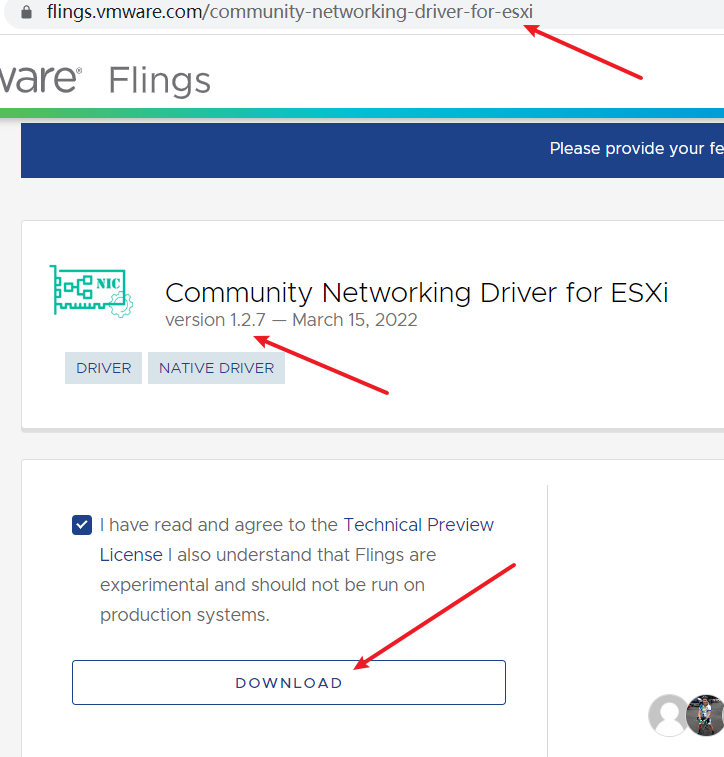
- 2)下载后的文件

4、下载PowerShell
- 1)进入下载网址: https://developer.vmware.com/web/tool/12.6.0/vmware-powercli

- 2)下载后的文件

四、环境准备
1、复制文件
- 将下载的 VMware-PowerCLI-12.6.0-19610541.zip 、VMware-ESXi-7.0U3f-20036589-depot.zip和Net-Community-Driver_1.2.7.0-1vmw.700.1.0.15843807_19480755.zip放到Modules路径下

2、进入Modules目录
- 以下操作全都在 Modules路径下。
cd 'D:\Users\xxxx\Documents\WindowsPowerShell\Scripts\Modules'
五、开始制作
1、解压 PowerCLI 到Modules
Expand-Archive .\VMware-PowerCLI-12.6.0-19610541.zip -DestinationPath ./

2、继续执行
Get-ChildItem * -Recurse | Unblock-File
3、 查看可用的 PowerCLI
Get-Module -Name VMware.PowerCLI -ListAvailable

4、继续执行
set-ExecutionPolicy RemoteSigned
Set-PowerCLIConfiguration -Scope User -ParticipateInCEIP $false
默认选择Y,回车继续
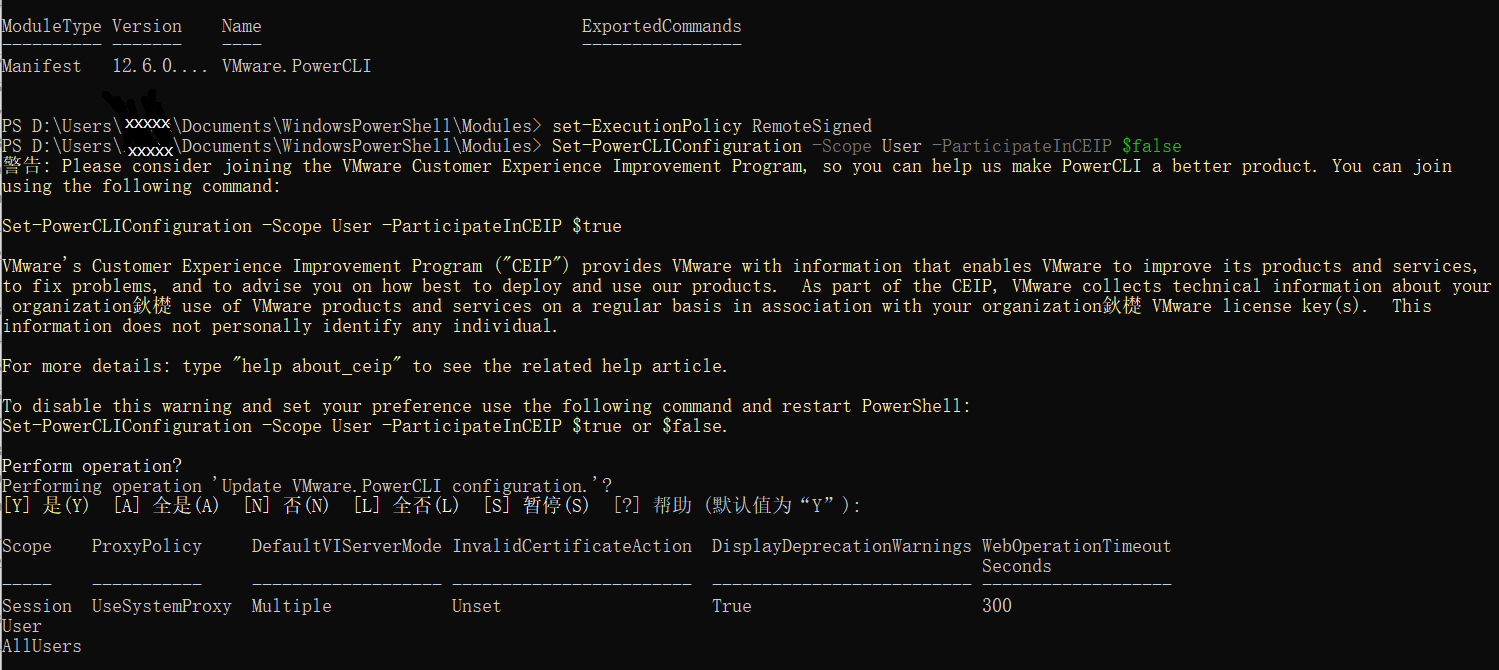
5、导入 ImageBuilder
Import-Module VMware.ImageBuilder
6、导入ESXi 包
Add-EsxSoftwareDepot .\VMware-ESXi-7.0U3f-20036589-depot.zip

7、导入网卡驱动包
Add-EsxSoftwareDepot .\Net-Community-Driver_1.2.7.0-1vmw.700.1.0.15843807_19480755.zip

8、查看可用的配置
Get-EsxImageProfile

9、克隆生成自己的配置
New-EsxImageProfile -CloneProfile "ESXi-7.0U3f-20036589-standard" -name "ESXi-7.0U3f-20036589-nuc11" -vendor "teamlet"

10、执行结果,出现自己定制的可用配置

11、加入网卡
Add-EsxSoftwarePackage -ImageProfile "ESXi-7.0U3f-20036589-nuc11" -SoftwarePackage "net-community"

12、打包生成 iso 镜像
Export-EsxImageProfile -ImageProfile "ESXi-7.0U3f-20036589-nuc11" -ExportToIso -FilePath ESXi7.0.3f-nuc11.iso

六、写入U盘
- 插入空白的16G U盘,使用rufus 将 ESXi7.0.3f-nuc11.iso 写入 U盘。
- rufus官网 - https://rufus.en.softonic.com/
七、启动机器
- 使用此U盘启动 NUC 11,记得按F2进入 BOIS ,在BOOT里面设置启动顺序。
边栏推荐
- 最终一致性性分布式事务 TCC
- 量化交易之数字货币篇 - 通过时间戳与方向来合并逐笔成交数据(大单合并)
- Specific practice cases of "card note taking method" in Siyuan
- Test cases should never be used casually, recording the thinking caused by the exception of a test case
- 初识OpenGL (4)链接着色器
- 测试用例千万不能随便,记录由一个测试用例异常引起的思考
- Re7: reading papers fla/mlac learning to predict charges for critical cases with legal basis
- Jmeter快速上手之接口测试
- 2021年软件测试工具趋势
- How to configure tke cluster node Max pod
猜你喜欢
DTS搭载全新自研内核,突破两地三中心架构的关键技术|腾讯云数据库

Pat grade a 1049 counting ones

Application of workflow engine in vivo marketing automation
该怎么写单元测试呢

Re7:读论文 FLA/MLAC Learning to Predict Charges for Criminal Cases with Legal Basis

综合设计一个OPPE主页--顶部,头部的设计

Question collection come and ask nllb authors! (Zhiyuan live issue 24)

Google Earth engine - merra-2 m2t1nxaer: aerosol daily data set from 1980 to 2022
DTS is equipped with a new self-developed kernel, which breaks through the key technology of the three center architecture of the two places Tencent cloud database
Re8:读论文 Hier-SPCNet: A Legal Statute Hierarchy-based Heterogeneous Network for Computing Legal Case
随机推荐
想让照片中的云飘起来?视频编辑服务一键动效3步就能实现
[RCTF2015]EasySQL
RE9: read the paper deal inductive link prediction for nodes having only attribute information
最终一致性性分布式事务 TCC
guetzli简单使用
工作流引擎在vivo营销自动化中的应用实践
[ten thousand words long text] Based on LSM tree thought Net 6.0 C # realize kV database (case version)
The solution to the display disorder of several events files in the tensorboard
2022 test questions and answers for the latest national fire facility operator (senior fire facility operator)
量化交易之数字货币篇 - 通过时间戳与方向来合并逐笔成交数据(大单合并)
Pat grade a 1050 string subtraction
Clojure operation principle bytecode generation
数字化转型怎么就那么的难?!
国元期货网上开户安全吗?开户办理流程是怎样的?
How to test the circle of friends (mind map)
Clojure Web 开发-- Ring 使用指南
Finally, someone explained the red blue confrontation clearly
Re9:读论文 DEAL Inductive Link Prediction for Nodes Having Only Attribute Information
互联网协议
操作系统迁移实战之在openEuler上部署MySQL数据库