当前位置:网站首页>实战:typora里面如何快捷改变字体颜色(博客分享-完美)-2022.6.25(已解决)
实战:typora里面如何快捷改变字体颜色(博客分享-完美)-2022.6.25(已解决)
2022-06-25 21:50:00 【一念一生~one】

实验环境
win10
typora 1.3.7
MyTyporaHotkeyScript.exe 64位系统
实验软件
链接:https://pan.baidu.com/s/12ChdWgyL6EPUnz4h2S1QbQ?pwd=18h5
提取码:18h52022.6.25-typora自定义颜色快捷键-实验软件
写在前面
如何获取个人目前正在使用的美丽的typora主题,请看如下链接:
https://www.yuque.com/books/share/34a34d43-b80d-47f7-972e-24a888a8fc5e?# 《不服来怼:宇宙中最好用的云笔记!》

1、问题需求
当前主题的设置为:使用ctrl b使字体变粗后,颜色默认就是红色了。
个人感觉,这种方式不是很好,最好可以加粗和颜色区分开来;

网上问题需求:

2、解决过程

零、常规文字变色方法
更改字体、大小、颜色、背景色
(1)更改字体、大小、颜色(font 标签)
我是黑体字我是微软雅黑我是华文彩云我是红色我是绿色我是蓝色我是尺寸我是黑体,绿色,尺寸为5
<font face="黑体">我是黑体字</font>
<font face="微软雅黑">我是微软雅黑</font>
<font face="STCAIYUN">我是华文彩云</font>

<font color=red>我是红色</font>
<font color=#008000>我是绿色</font>
<font color=Blue>我是蓝色</font>

<font size=5>我是尺寸</font>

<font face="黑体" color=green size=5>我是黑体,绿色,尺寸为5</font>
(2)更改背景色
01、
| 背景色red |
<table><tr><td bgcolor=red>背景色red</td></tr></table>
02、span 标签
文字
<span style='color:yellow;background:red;font-size:文字大小;font-family:字体;'>文字</span>
1、AutoHotKey(.ahk)快捷键变法 (Windows)
楼上已经提到了。
但问题是要变的颜色是代码块中已经写好的。虽然快捷但是颜色少。
我把流程简化规整一下:
1.下载软件
- 访问 AutoHotkey 主页: https://autohotkey.com/
- 点击下载: https://autohotkey.com/download/ahk-install.exe
https://link.zhihu.com/?target=https%3A//autohotkey.com/download/ahk-install.exe

2.创建脚本
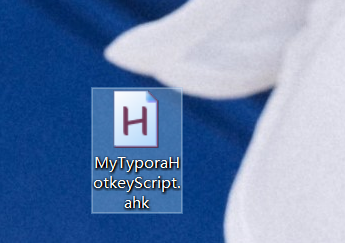
1.桌面新建txt文件
2.将后缀改为.ahk
3.重命名为MyTyporaHotkeyScript.ahk
3.编辑脚本
; Typora
; 快捷增加字体颜色
; SendInput {
    Text} 解决中文输入法问题 #IfWinActive ahk_exe Typora.exe
{

    ; Ctrl+Alt+o 橙色
    ^!o::addFontColor("orange")

    ; Ctrl+Alt+r 红色
    ^!r::addFontColor("red")

    ; Ctrl+Alt+b 浅蓝色
    ^!b::addFontColor("cornflowerblue")
}

; 快捷增加字体颜色 addFontColor(color){

    clipboard := "" ; 清空剪切板 Send {
    ctrl down}c{
    ctrl up} ; 复制 SendInput {
    TEXT}<font color='%color%'> SendInput {
    ctrl down}v{
    ctrl up} ; 粘贴 If(clipboard = ""){

        SendInput {
    TEXT}</font> ; Typora 在这不会自动补充
    }else{

        SendInput {
    TEXT}</ ; Typora中自动补全标签
    }
}

4.运行脚本
1.双击ahk脚本运行
2.Typora检测
Ctrl+Alt+O——橙色Orange
Ctrl+Alt+R——红色Red
Ctrl+Alt+B——蓝色Blue
按Ctrl+\取消样式!

具体测试效果如下:
我是橙色Orange
我是红色Red
我是蓝色Blue
是可以正常出现效果的;
5.自定义快捷键
Ctrl+Alt可能不太方便。其他的话,跟以下可能冲突
- Shift管大写
- Ctrl 数字字母管文字样式等(级别标题)
- Alt字母管功能,可以改为Alt+数字啊。
Alt+1234567=红橙黄绿蓝靛紫。这样也很方便。
- red
- orange
- yellow
- green
- blue 蓝色太深,可以如上 cornflowerblue)
- cyan
- purple
- ……
- ……
️ 注意事项

你可以直接复制现成的。
	; alt+0 红色
    !0::addFontColor("black")

    ; alt+1 红色
    !1::addFontColor("red")

    ; alt+1 橙色
    !2::addFontColor("orange")

     ; alt+3 黄色
    !3::addFontColor("yellow")

     ; alt+4 绿色
    !4::addFontColor("green")

    ; alt+5 浅蓝色
    !5::addFontColor("blue")

     ; alt+6 青色
    !6::addFontColor("cyan")

   ; alt+7 紫色
    !7::addFontColor("purple")

展示效果:

️ 注意:
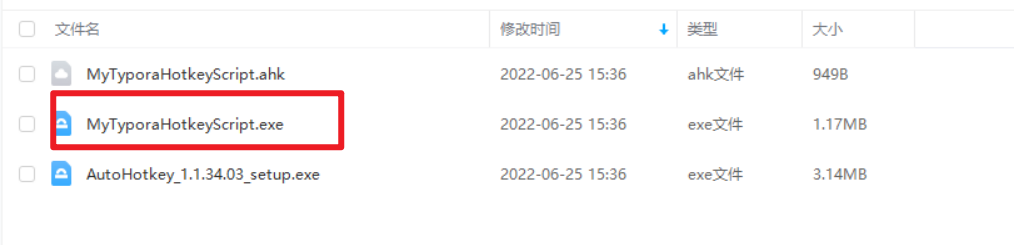
可以右键 MyHotkeyScript.ahk 脚本文件,点击Compile Script编译脚本成exe程序,就可以不用下载Autohotkey在其他电脑上运行了;

设置winodws开机启动:


经测试,是可以开机生效的。
6.框选快捷键
光标移动
- Tab——快速缩进
- Home/End——切换到当前行的行首或行尾
- Ctrl+Home/End——切换到当前文档的开头或结尾
光标框选
- Shift+上下左右方向键——可像鼠标一样来自定义选择文字以进行复制粘贴。
- Shift+Home(光标在本行末尾处的时候)——选中此行,跟有些Ctrl+L差不多。
- Shift+End(光标在本行开头的时候)——选中此行,跟上面一样。
内容操作
- Ctrl+Insert——复制
- Shift+Insert——粘贴
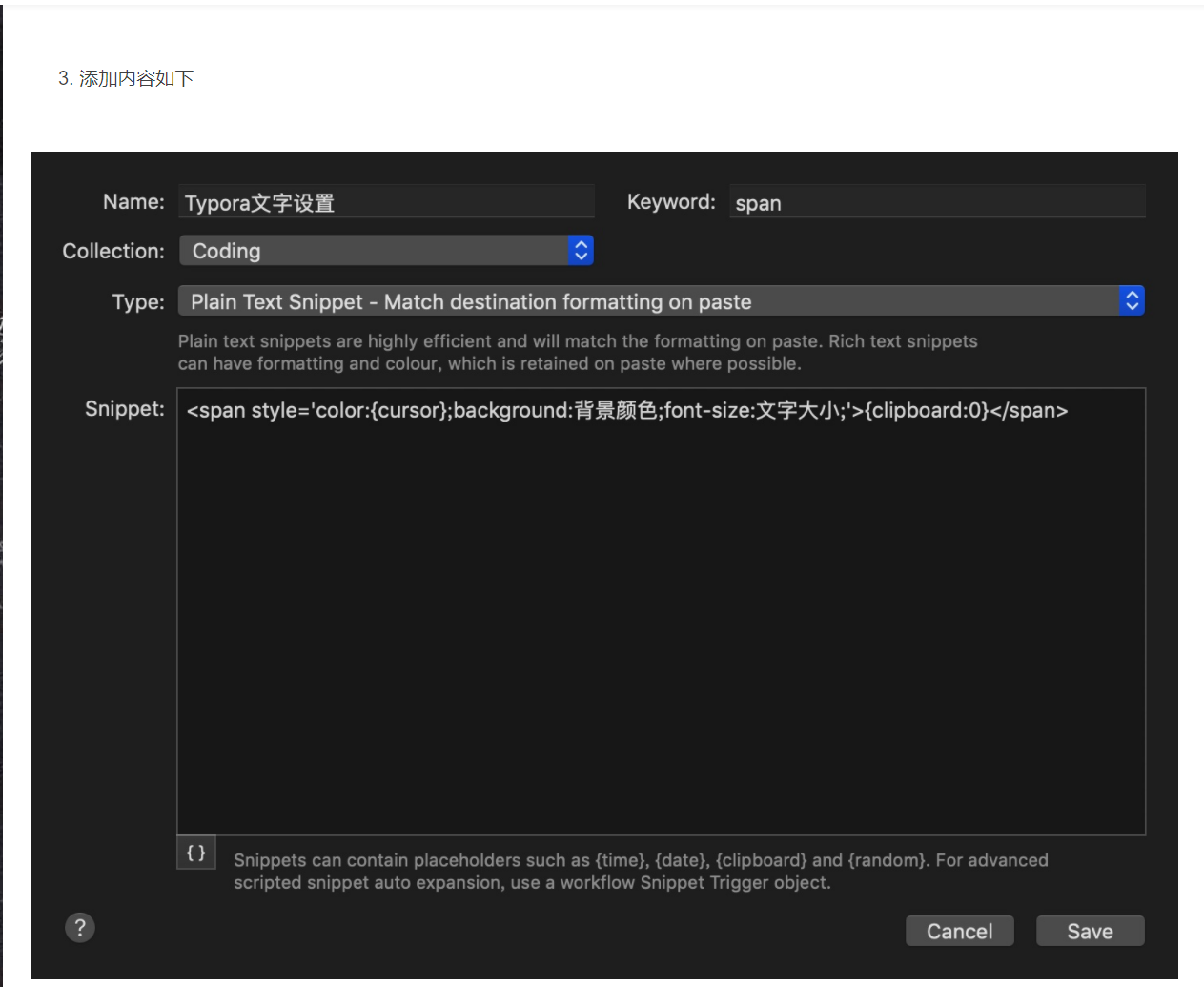
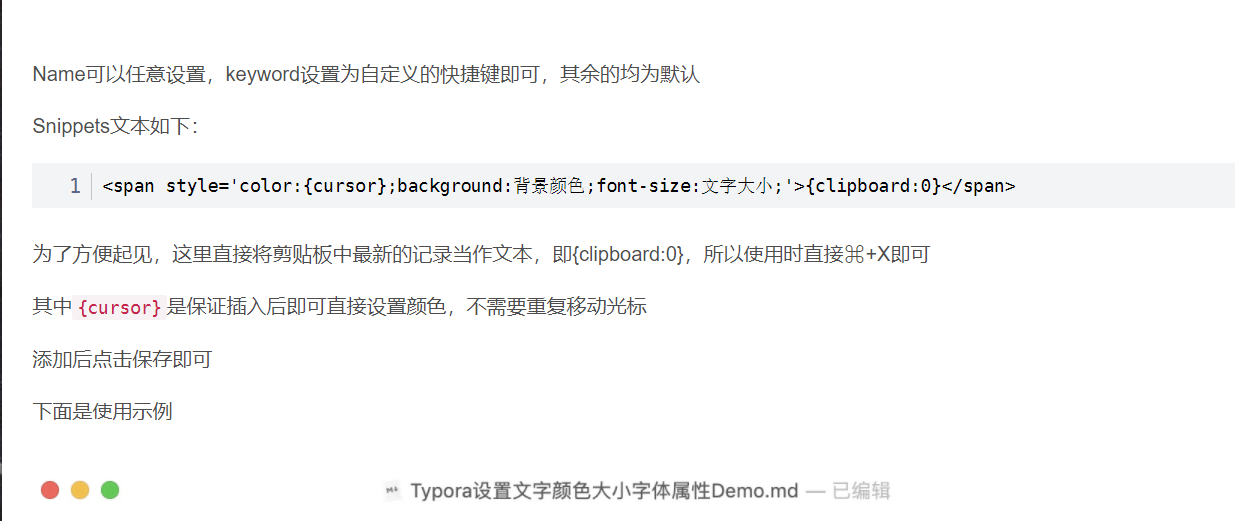
2、Alfred 代码块变法(Mac OS)(本次仅为收藏)

参考来源:
https://blog.csdn.net/qq_43444349/article/details/105716470


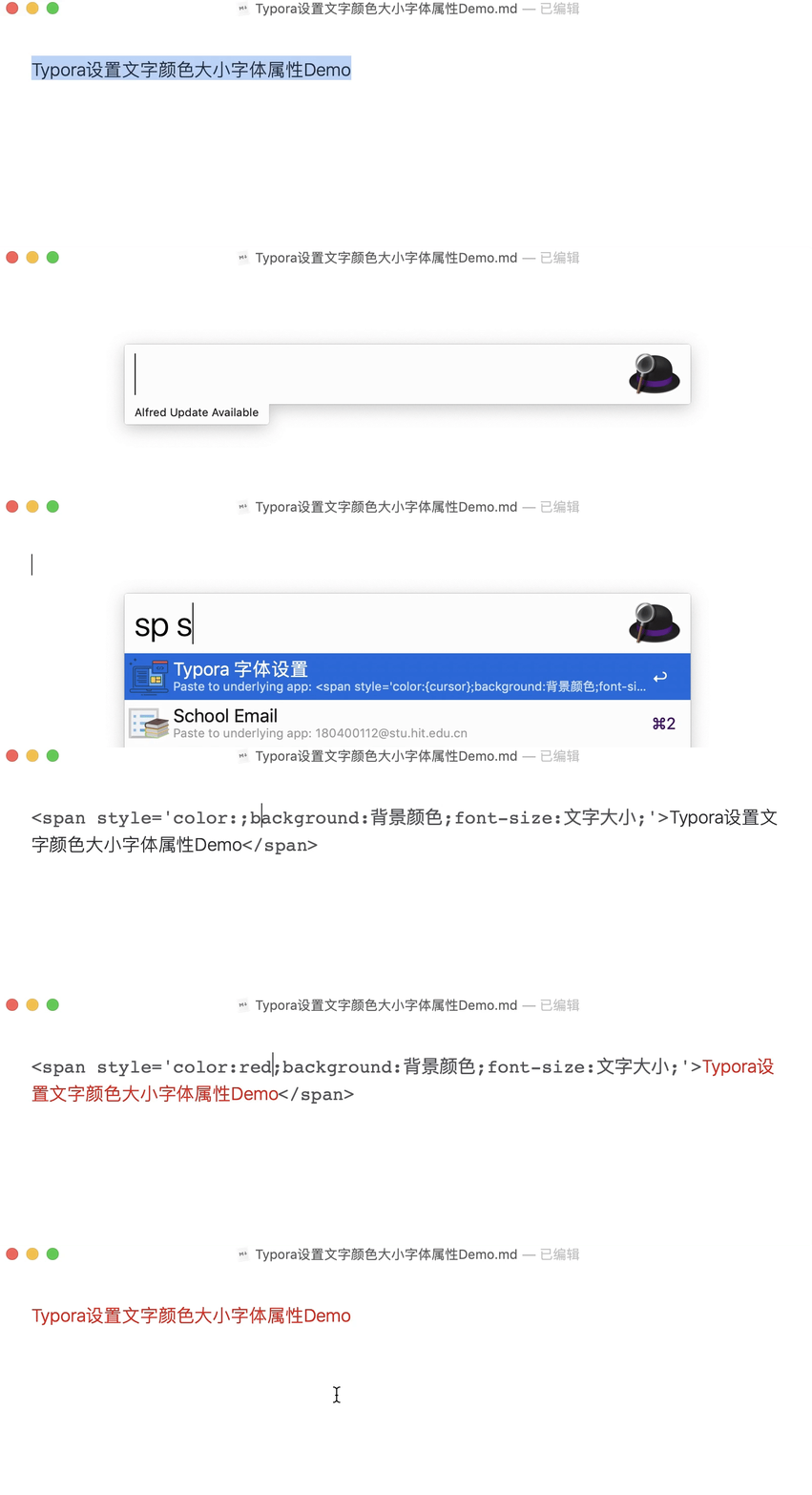


引用
https://www.zhihu.com/question/385854845/answer/1554700610?ivk_sa=1024320u
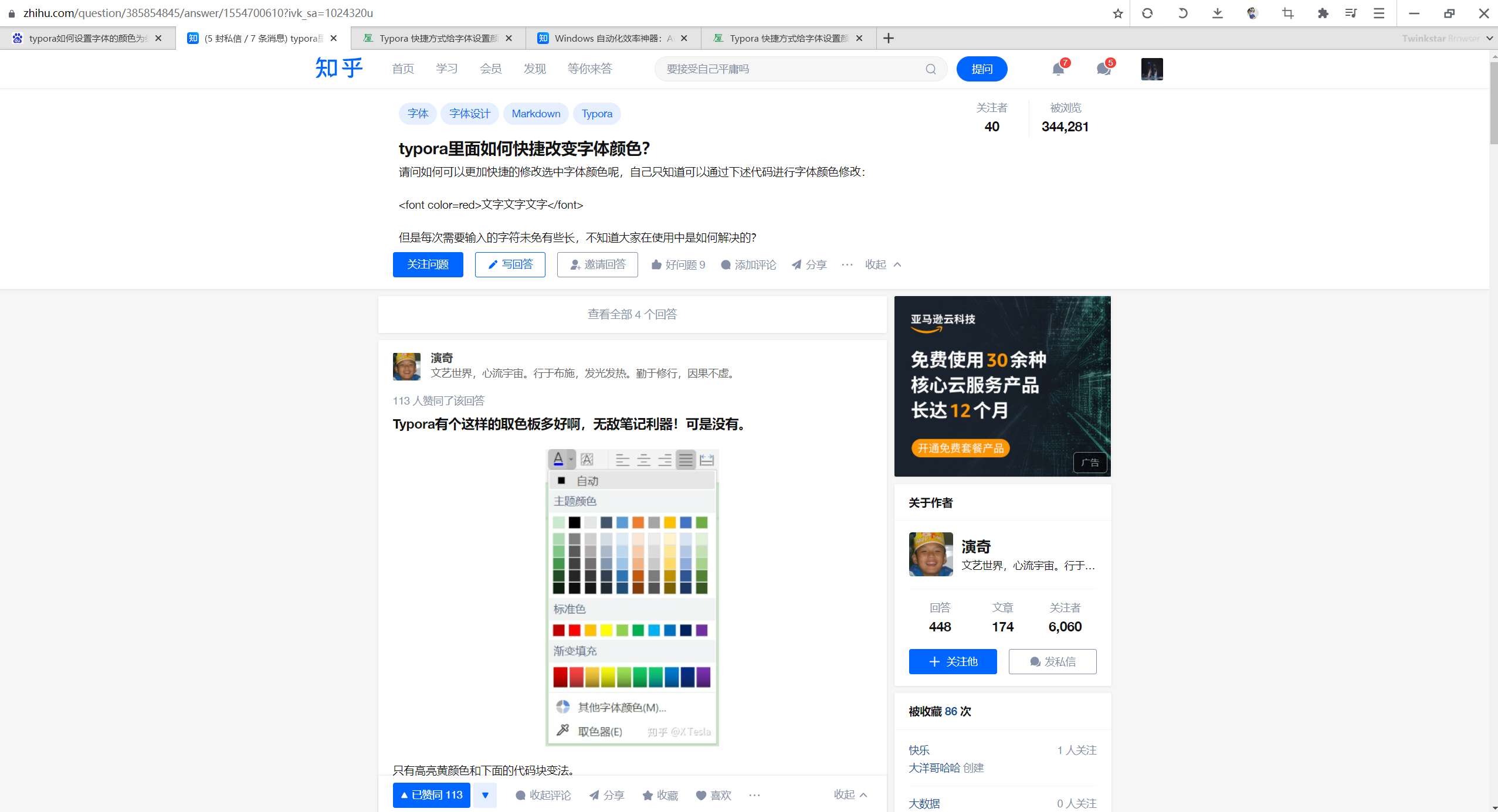
关于我
我的博客主旨:
- 排版美观,语言精炼;
- 文档即手册,步骤明细,拒绝埋坑,提供源码;
- 本人实战文档都是亲测成功的,各位小伙伴在实际操作过程中如有什么疑问,可随时联系本人帮您解决问题,让我们一起进步!
微信二维码
x2675263825 (舍得), qq:2675263825。

微信公众号
《云原生架构师实战》
csdn
https://blog.csdn.net/weixin_39246554?spm=1010.2135.3001.5421
博客
www.onlyyou520.com
知乎
https://www.zhihu.com/people/foryouone
语雀
https://www.yuque.com/books/share/34a34d43-b80d-47f7-972e-24a888a8fc5e?# 《不服来怼:宇宙中最好用的云笔记!》

最后
好了,关于本次就到这里了,感谢大家阅读,最后祝大家生活快乐,每天都过的有意义哦,我们下期见!
边栏推荐
- 2022-2028 global extrusion coating and lamination production line industry research and trend analysis report
- Analysis report on market demand situation and investment direction of China's optical transmission equipment industry from 2022 to 2028
- HLS. JS: past, present and future
- Leetcode topic [array] -18- sum of four numbers
- Conglin environmental protection IPO meeting: annual profit of more than 200million to raise 2.03 billion
- Créer le premier site Web avec idea
- 华为云短信测了很多手机都提示发送频繁
- Global and Chinese flame retardant ABS industry development trend and market demand analysis report 2022 ~ 2028
- Data annotation in the second half: growth flywheel under PLG mode Manfu Technology
- Canoe: the fifth simulation project: simulation + test
猜你喜欢

Facing the "industry, University and research" gap in AI talent training, how can shengteng AI enrich the black land of industrial talents?

Why absolute positioning overlaps
数据治理,说起来容易,做起来难

Talk about adapter mode

Why is BeanUtils not recommended?

Obsidian基础教程

Cvpr2022 tutorial | machine learning remote sensing processing: agriculture and food security, University of Maryland
In depth analysis of Flink fine-grained resource management

Huasheng lithium battery IPO meeting: 9-month revenue of 690million; shenjinliang's family relationship is complex

2022-2028 global transmission type photoelectric circuit breaker industry research and trend analysis report

随机推荐
Open source optimized VVC encoder in general scenarios
[WPF] XAML code skills that can be directly used for converting CAD engineering drawings to WPF
China bed and mattress market status research analysis and development prospect forecast report (2022)
Online crudhasone Association query reports an error unabletouseinternalvariable:list
[dynamic programming] longest palindrome substring thinking about dynamic transfer cycle sequence
数据治理,说起来容易,做起来难
[动态规划]最长回文子串-对于动态转移循环顺序的思考
Research Report on China's new energy technology and equipment market competition analysis and marketing strategy suggestions 2022-2028
Openwrt (VIII) application layer development
How to open a futures account safely at present? Which futures companies are more reliable?
2022爱分析· IT运维厂商全景报告
QT learning setting executable exe attribute (solving the problem of Chinese attribute garbled)
[WPF] XAML code skills that can be directly used for converting CAD engineering drawings to WPF
Cvpr2022 tutorial | machine learning remote sensing processing: agriculture and food security, University of Maryland
再突破!阿里云进入Gartner云AI开发者服务挑战者象限
Hotspot JVM "01" class loading, linking and initialization
Research on depth image compression in YUV420 color space
2022-2028 global variable frequency compressor technology industry research and trend analysis report
Why absolute positioning overlaps
Does jQuery cache any selectors- Does jQuery do any kind of caching of “selectors”?