当前位置:网站首页>如何读取 resources 目录下的文件路径?
如何读取 resources 目录下的文件路径?
2022-08-04 02:28:00 【chenzixia】
前情提要
本文中提供了九种方式获取resources目录下文件的方式。其中打印文件的方法如下:
/*** 根据文件路径读取文件内容
*
* @param fileInPath
* @throws IOException
*/
public static void getFileContent(Object fileInPath) throws IOException {
BufferedReader br = null;
if (fileInPath == null) {
return;
}
if (fileInPath instanceof String) {
br = new BufferedReader( new FileReader( new File((String) fileInPath)));
} else if (fileInPath instanceof InputStream) {
br = new BufferedReader( new InputStreamReader((InputStream) fileInPath));
}
String line;
while ((line = br.readLine()) != null) {
System.out.println(line);
}
br.close();
}
方式一
主要核心方法是使用getResource和getPath方法,这里的getResource("")里面是空字符串
public void function1(String fileName) throws IOException {String path = this.getClass().getClassLoader().getResource( "").getPath(); //注意getResource("")里面是空字符串
System.out.println(path);
String filePath = path + fileName;
System.out.println(filePath);
getFileContent(filePath);
}
方式二
主要核心方法是使用getResource和getPath方法,直接通过getResource(fileName)方法获取文件路径,注意如果是路径中带有中文一定要使用URLDecoder.decode解码。
/*** 直接通过文件名getPath来获取路径
*
* @param fileName
* @throws IOException
*/
public void function2(String fileName) throws IOException {
String path = this.getClass().getClassLoader().getResource(fileName).getPath(); //注意getResource("")里面是空字符串
System.out.println(path);
String filePath = URLDecoder.decode(path, "UTF-8"); //如果路径中带有中文会被URLEncoder,因此这里需要解码
System.out.println(filePath);
getFileContent(filePath);
}
方式三
直接通过文件名+getFile()来获取文件。如果是文件路径的话getFile和getPath效果是一样的,如果是URL路径的话getPath是带有参数的路径。
如下所示:
url.getFile()=/pub/files/foobar.txt?id=123456url.getPath()=/pub/files/foobar.txt
使用getFile()方式获取文件的代码如下:
/*** 直接通过文件名+getFile()来获取
*
* @param fileName
* @throws IOException
*/
public void function3(String fileName) throws IOException {
String path = this.getClass().getClassLoader().getResource(fileName).getFile(); //注意getResource("")里面是空字符串
System.out.println(path);
String filePath = URLDecoder.decode(path, "UTF-8"); //如果路径中带有中文会被URLEncoder,因此这里需要解码
System.out.println(filePath);
getFileContent(filePath);
}
方式四(重要)
直接使用getResourceAsStream方法获取流,上面的几种方式都需要获取文件路径,但是在SpringBoot中所有文件都在jar包中,没有一个实际的路径,因此可以使用以下方式。
/*** 直接使用getResourceAsStream方法获取流
* springboot项目中需要使用此种方法,因为jar包中没有一个实际的路径存放文件
*
* @param fileName
* @throws IOException
*/
public void function4(String fileName) throws IOException {
InputStream in = this.getClass().getClassLoader().getResourceAsStream(fileName);
getFileContent(in);
}
方式五(重要)
主要也是使用getResourceAsStream方法获取流,不使用getClassLoader可以使用getResourceAsStream("/配置测试.txt")直接从resources根路径下获取,SpringBoot中所有文件都在jar包中,没有一个实际的路径,因此可以使用以下方式。
/*** 直接使用getResourceAsStream方法获取流
* 如果不使用getClassLoader,可以使用getResourceAsStream("/配置测试.txt")直接从resources根路径下获取
*
* @param fileName
* @throws IOException
*/
public void function5(String fileName) throws IOException {
InputStream in = this.getClass().getResourceAsStream( "/" + fileName);
getFileContent(in);
}
方式六(重要)
通过ClassPathResource类获取文件流,SpringBoot中所有文件都在jar包中,没有一个实际的路径,因此可以使用以下方式。
/*** 通过ClassPathResource类获取,建议SpringBoot中使用
* springboot项目中需要使用此种方法,因为jar包中没有一个实际的路径存放文件
*
* @param fileName
* @throws IOException
*/
public void function6(String fileName) throws IOException {
ClassPathResource classPathResource = new ClassPathResource(fileName);
InputStream inputStream = classPathResource.getInputStream();
getFileContent(inputStream);
}
方式七
通过绝对路径获取项目中文件的位置,只是本地绝对路径,不能用于服务器获取。
/*** 通过绝对路径获取项目中文件的位置(不能用于服务器)
* @param fileName
* @throws IOException
*/
public void function7(String fileName) throws IOException {
String rootPath = System.getProperty( "user.dir"); //E:\WorkSpace\Git\spring-framework-learning-example
String filePath = rootPath + "\\chapter-2-springmvc-quickstart\\src\\main\\resources\\"+fileName;
getFileContent(filePath);
}
方式八
通过new File("")获取当前的绝对路径,只是本地绝对路径,不能用于服务器获取。
/*** 通过绝对路径获取项目中文件的位置(不能用于服务器)
* @param fileName
* @throws IOException
*/
public void function8(String fileName) throws IOException {
//参数为空
File directory = new File( "");
//规范路径:getCanonicalPath() 方法返回绝对路径,会把 ..\ 、.\ 这样的符号解析掉
String rootCanonicalPath = directory.getCanonicalPath();
//绝对路径:getAbsolutePath() 方法返回文件的绝对路径,如果构造的时候是全路径就直接返回全路径,如果构造时是相对路径,就返回当前目录的路径 + 构造 File 对象时的路径
String rootAbsolutePath =directory.getAbsolutePath();
System.out.println(rootCanonicalPath);
System.out.println(rootAbsolutePath);
String filePath = rootCanonicalPath + "\\chapter-2-springmvc-quickstart\\src\\main\\resources\\"+fileName;
getFileContent(filePath);
}
方式九
主要是通过设置环境变量,将文件放在环境变量中,原理也是通过绝对路径获取。
示例中我设置了一个环境变量:TEST_ROOT=E:\\WorkSpace\\Git\\spring-framework-learning-example
System.getenv( "TEST_ROOT");System.getProperty( "TEST_ROOT")
通过设置环境变量的方式,然后通过绝对路径获取文件
/*** 通过绝对路径获取项目中文件的位置
*
* @param fileName
* @throws IOException
*/
public void function9(String fileName) throws IOException {
System.setProperty( "TEST_ROOT", "E:\\WorkSpace\\Git\\spring-framework-learning-example");
//参数为空
String rootPath = System.getProperty( "TEST_ROOT");
System.out.println(rootPath);
String filePath = rootPath + "\\chapter-2-springmvc-quickstart\\src\\main\\resources\\"+fileName;
getFileContent(filePath);
}
边栏推荐
- C语言力扣第54题之螺旋矩阵。模拟旋转
- Development of Taurus. MVC WebAPI introductory tutorial 1: download environment configuration and operation framework (including series directory).
- Flutter3.0线程——四步教你如何全方位了解(事件队列)
- QNX Hypervisor 2.2 user manual] 10.1 gm vdev options
- What is the source of flinkcdc consuming mysql binlog data without sqltype=delete
- MallBook联合人民交通出版社,推动驾培领域新发展,开启驾培智慧交易新生态
- 单片机C语言->的用法,和意思
- C# 构造函数业务场景测试项目
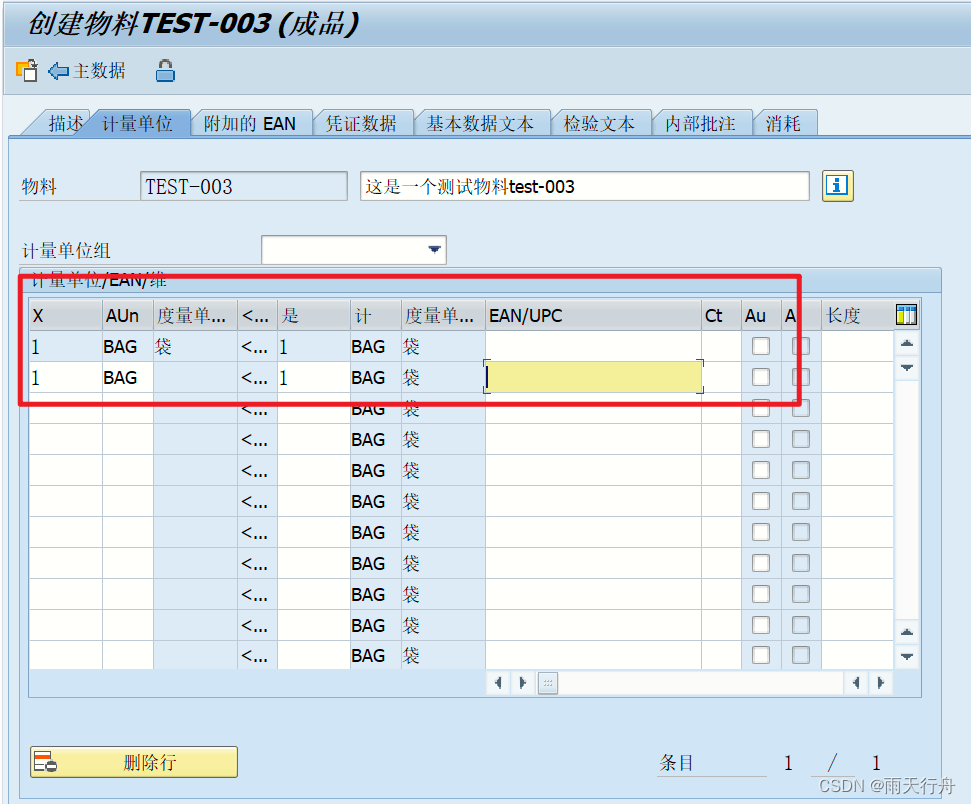
- SAP SD模块前台操作
- Flask框架初学-05-命令管理Manager及数据库的使用
猜你喜欢

Rongyun "Audio and Video Architecture Practice" technical session [complete PPT included]
SAP SD module foreground operation
【Playwright测试教程】5分钟上手

MallBook联合人民交通出版社,推动驾培领域新发展,开启驾培智慧交易新生态

Qt中对象树的机制介绍以及底层实现,各种结果分析:(以及自己写容易犯错的点)
什么是SVN(Subversion)?
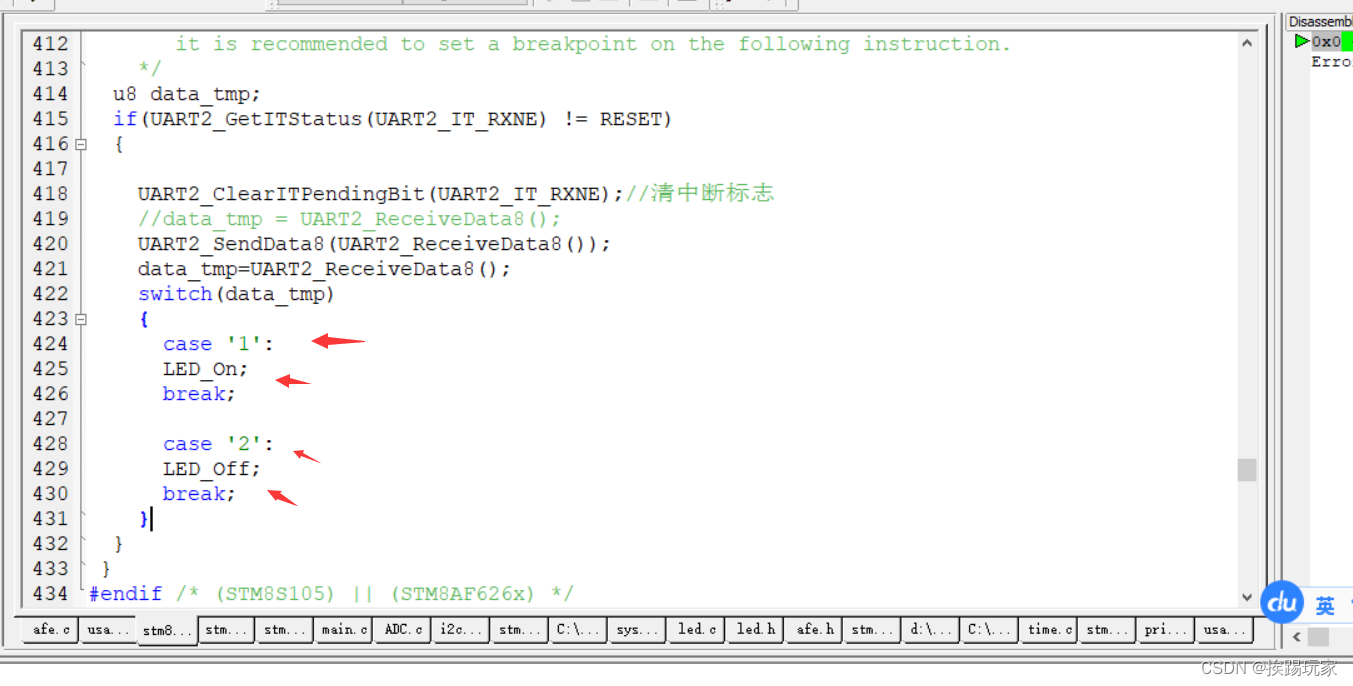
自制蓝牙手机app控制stm8/stm32/C51板载LED
MySQL高级-读写分离-分库分表

Continuing to invest in product research and development, Dingdong Maicai wins in supply chain investment
持续投入商品研发,叮咚买菜赢在了供应链投入上
随机推荐
SAP SD module foreground operation
2022.8.3-----leetcode.899
QNX Hypervisor] 10.2 vdev 8259 2.2 user manual
Flask Framework Beginner-05-Command Management Manager and Database Use
C program compilation and predefined detailed explanation
香港服务器有哪些常用的型号
QNX Hypervisor 2.2用户手册]10.1 通用vdev选项
FileNotFoundException: This file can not be opened as a file descriptor; it is probably compressed
Web APIs BOM - operating browser: swiper plug-in
工程制图名词解释-重点知识
esp32发布机器人电池电压到ros2(micro-ros+CoCube)
HBuilderX的下载安装和创建/运行项目
自制蓝牙手机app控制stm8/stm32/C51板载LED
Dong mingzhu live cold face away, when employees frequency low-level mistakes, no one can understand their products
织梦响应式酒店民宿住宿类网站织梦模板(自适应手机端)
Parquet encoding
云开发校园微社区微信小程序源码/二手交易/兼职交友微信小程序开源源码
In the season of going overseas, the localization of Internet tips for going overseas
浏览器存储
第08章 索引的创建与设计原则【2.索引及调优篇】【MySQL高级】