当前位置:网站首页>Why can't the form be closed? The magic of revealing VFP object references
Why can't the form be closed? The magic of revealing VFP object references
2022-06-25 11:44:00 【VFP of Garfield】
Yesterday was 2022 The first live broadcast class ,XINJIE The teacher gave the lecture , Cats and cats have training classes outside , Just show your face for two minutes , I couldn't watch the whole journey , I can only watch the playback .
This is our harvest , So that everyone's software can be packaged , More classy , Of course, we also need to get more premium .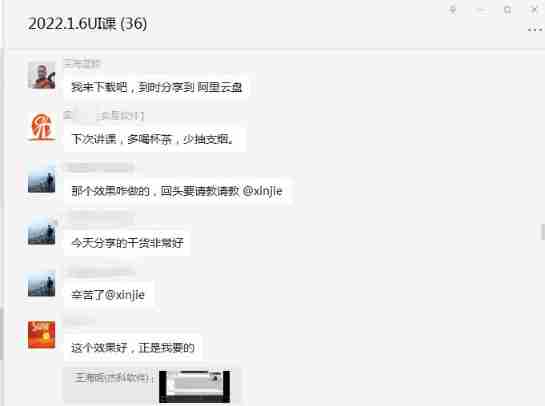
Come to Garfield's community , There have been too many fox friends surpassing me , So the next will invite you to share , Listen to their knowledge sharing , Your apple + My apple , In exchange , Or an apple , But knowledge , Your knowledge + My knowledge = Double knowledge .
Many fox friends can't write classes yet , Can't use objects , Let's talk about the basics today . The following example is from the network .
“ Object reference ” The concept of
What is? “ Object reference ” Well ? such as , Now we have a form form1, There is a page box on the form pageframe1, There is a table on the first page of the page box grid1, Now? , I want to set the title of the first column to “ First column ”, Set the background color to gray , Under normal circumstances , We have to enter long object hierarchies such as :
thisform.pageframe1.page1.grid1.column1.header1.caption = ” First column “
thisform.pageframe1.page1.grid1.column1.BackColor = RGB(192,192,192)
Use With……EndWith Structure can make the above troublesome input a little easier :
WITH thisform.pageframe1.page1.grid1.column1
		.header1.caption = " First column "
		.BackColor = RGB(192,192,192)
ENDWITH
Here is the requirement that the code must be continuous , What to do if it is not continuous ?
Put this object into a variable , The variable becomes a part of the object .
LOCAL oColumn ’ Create a pair of tables Column1 References to objects
oColumn = thisform.pageframe1.page1.grid1.column1
oColumn.header1.caption = ” First column “
oColumn.BackColor = RGB(192,192,192)
Here to create oColumn Variable , Then assign it a value Column1 object , In fact, it is not really assigned , In fact, it's just a point , This object is still in its original position , This object references , such , We can operate directly Column1 Object oColumn The variable .
Yes oColumn Any operation of will be reflected in Column1 On the object .
Object references are not equal to ordinary variables
it seems , This so-called “ Object reference ” Variables are no different from ordinary variables . Let's prove it .
Continue with the previous example , However, it is necessary to put the Local Change it to Public, Then put this code into the form's Init Method to go , Run this form and close it , See what happened .
“ The form cannot be closed ! Is it a crash ? Let me press Ctrl+Alt+Del try ……”
“NO! Don't do that !”, No crash , It's just that the reference of the object is making trouble . You can open the debugger to see what happened : stay Local In the window , The variable name of the form is still , Its type is “O”, But its value is already “.NULL.”, in other words : The form has actually been released . And below oColumn Variables are different , Its type is “O”, Value is “ object ”!
reason : Anything created in the form Public Variables are not automatically released when the form is released .
Because we will oColumn Object declared as Public 了 , therefore oColumn Object was not released after closing the form .
We can see it from here : Using the technology of object reference , You can access any object on the form , This is beyond the reach of ordinary variables .
Pass object reference
Let's consider the advantages of object references : An object reference is a variable , So you can pass it like a normal variable , Including passing it to another form ; meanwhile , Object reference is more than just a variable , It can have its own properties 、 event 、 Method —— This means that you are even free to add as many custom attributes to it as you like !
Now let's do a wonderful experiment :
1、 Create a form Form1, Put... On the form 3 Textboxes Text1, Text2, Text3、 One Custom object Custom1、 A command button cmdTransObj, In the command button Click Put the following code into the event :
Do form form2 with this.Custom1
Thisform.Refresh()
2、 Create a schema form Form2( Put the... Of the form WindowType Property is set to “1— Pattern ”), Like form 1 Put it that way 3 Textboxes , Create a custom attribute for the form oFrm1Cust, In the form of
Init Enter the following code in the event :
PARAMETER oCustom
This.oFrm1Cust = oCustom
WITH this
		.Text1.Value = . oFrm1Cust.parent.Text1.Value
		.Text2.Value = . oFrm1Cust.parent.Text2.Value
		.Text3.Value = . oFrm1Cust.parent.Text3.Value
ENDWITH
3、 stay Form2 Add a command button to the cmdReturn, Put the following code :
WITH THISFORM
		. oFrm1Cust.parent.Text1.Value = .Text1.Value
		. oFrm1Cust.parent.Text2.Value = .Text2.Value
		. oFrm1Cust.parent.Text3.Value = .Text3.Value
ENDWITH
THISFORM.Release
OK, Now run Form1, Enter some data in each of the three text boxes , Then press the command button . Forms 1 The data on is now transferred to the form 2 In the three text boxes of , Now put the form 2 Change the data inside , Then press the command button CmdReturn, Forms 2 The changes made in are reflected in the form 1 In the !
You can use this method to easily pass multiple data between forms , And because the data referenced by the object can be modified directly in the called form , You don't even need to return any parameters —— Consider the difficulty of returning an array from a form 、 From one to the other CreateObject( Form class ) Cannot return parameters in the form created by the method of —— You can totally believe : This is the best magic !
More information http://www.sn58.cn
边栏推荐
- Sentinel integrated Nacos data source
- Application of analytic hierarchy process in college teaching evaluation system (principle + example + tool)
- Detailed explanation of Flink checkpoint specific operation process and summary of error reporting and debugging methods
- Share 7 immortal wallpaper websites, let the new wallpaper give you a little joy, and don't fall into the repetition year after year.
- Big Endian 和 Little Endian
- 按钮多次点击造成结果
- Countdownlatch source code analysis
- Source code analysis of AQS & reentrantlock
- Caused by: org. xml. sax. SAXParseException; lineNumber: 1; columnNumber: 10; Processing matching '[xx][mm][ll]' is not allowed
- Eureka accesses the console and reports an error: whitelabel error page
猜你喜欢

Translation of meisai C topic in 2022 + sharing of ideas

Evaluating the overall situation of each class in a university based on entropy weight method (formula explanation + simple tool introduction)
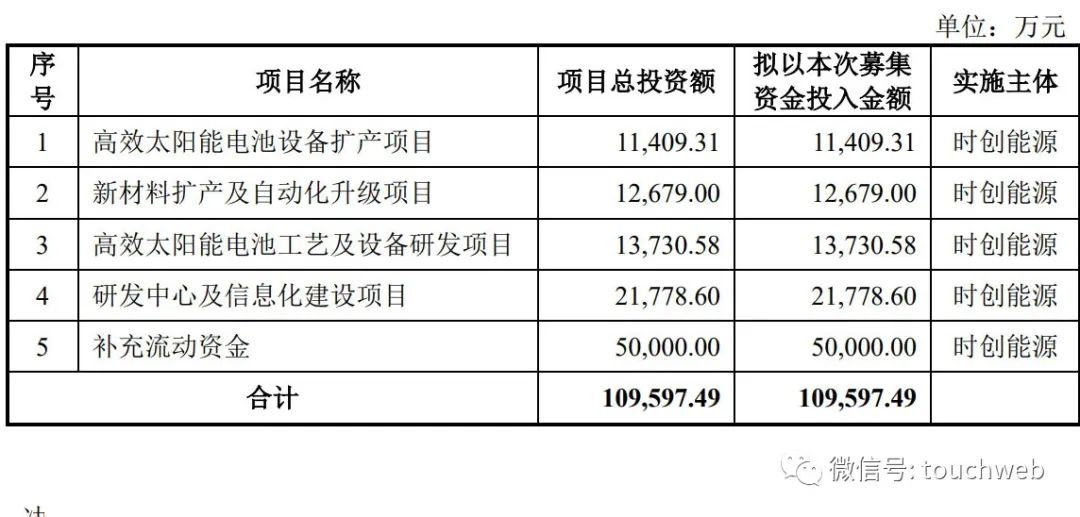
時創能源沖刺科創板:擬募資11億 年營收7億淨利反降36%

Detailed explanation of spark specification

Niuke.com: Candy distribution

云原生数据湖以存储、计算、数据管理等能力通过信通院评测认证

Countdownlatch source code analysis

记一次有趣的逻辑SRC挖掘

Eureka accesses the console and reports an error: whitelabel error page

Leetcode 1249. Remove invalid brackets (awesome, finally made)
随机推荐
Use of comparable (for arrays.sort)
如何实现移动端富文本编辑器功能
Golden sun education listed in the U.S.: a small cap medium cap stock with a market value of USD 360million
GC
手机上股票开户安全吗?找谁可以开户啊?
Two ways of redis persistence -- detailed explanation of RDB and AOF
客从何处来
Whole process of web page request
Redis6笔记02 配置文件,发布和订阅,新数据类型,Jedis操作
What is the development history, specific uses and structure of the chip
try-catch-finally
为什么要分布式 id ?分布式 id 生成方案有哪些?
Causes and solutions of over fitting
Spark Tuning common configuration parameters
开哪家证券公司的账户是比较好,比较安全的
云原生数据湖以存储、计算、数据管理等能力通过信通院评测认证
Where do the guests come from
RPC typical framework
Double tampon transparent cryptage et décryptage basé sur le cadre minifilter
Convergence by probability