当前位置:网站首页>TIPC Getting Started6
TIPC Getting Started6
2022-07-02 07:33:00 【云端漫步的程狗子】
Installation and Configuration
The TIPC kernel module is available by default in the major Linux distros. Just do ‘modprobe tipc’
and you are ready to run in single node mode.If you want to run in cluster mode you must also give each node a unique identity and
attach the interface you want to use:$ tipc node set addr 1.1.2 (e.g.) (This step can be omitted from Linux 4.17)$ tipc bearer enable media eth dev eth0If you want better redundancy and performance you can attach a second interface:
	$ tipc bearer enable media eth dev eth1
	If you want to run on UDP instead of directly on Ethernet use the following commands:$ tipc link list
	$ tipc bearer enable media udp name UDP1 localip 192.168.123.102 (e.g.)
	$ tipc bearer enable media udp name UDP2 localip 192.168.124.102 (e.g.)
Provided you have set up another node the same way you can now list the links to it:
$ tipc link list
	broadcast-link: up
	1001002:eth0-1001001:eth0: up
	1001002:eth1-1001001:eth1: up
At this stage you can also have a look at the service binding table:
	$ tipc nametable show
	Type     Lower       Upper     Scope    Port       Node
	0        16781313    16781313  cluster  0          1001001
	0        16781314    16781314  cluster  0          1001002
	1        1           1         node     2535696389 1001002
	2        16781313    16781313  node     0          1001002
	2        16781313    16781313  node     65537      1001002
The two entries with service type 0 show that we have two nodes in the cluster, 1001001 and
1001002 (i.e., the own node).
The entry with service type 1 represents the built-in topology (service tracking) service.
The two entries with service type 2 show the two links, as seen from the issuing (own) node 1001002.
The range limits 16781313 represent the the peer endpoint’s address (1001001) in decimal format.Running a Program
Download and unpack the tipcutils package from the project page. The package comes ready with binaries,
but is easy to rebuild if needed.In one shell, do:
	$ ./tipcutils/demos/hello_world/hello_server
	****** TIPC hello world server started *****
You can now take another look at the address binding table:
	$ tipc nametable show
	Type     Lower       Upper     Scope    Port       Node
	0        16781313    16781313  cluster  0          1001001
	0        16781314    16781314  cluster  0          1001002
	1        1           1         node     2535696389 1001002
	2        16781313    16781313  node     0          1001002
	2        16781313    16781313  node     65537      1001002
	18888    17          17        cluster  1697554572 1001002
The server has bound itself to the service type 18888 and instance 17, and made itself visible
in the whole cluster.In another shell, on the same node or on the peer node, you can now do:
	$ ./tipcutils/demos/hello_world/hello_client
	****** TIPC hello world client started ******
	Client: sent message: Hello World!!
	Client: received response: Uh ?
	****** TIPC hello client finished ******
If you now redo this exercise, but start the client before the server, you will see a simple
example of start synchronization by leveraging the service tracking feature.Downloading the Code
The kernel source code can be checked out from:
$ git clone git://git.kernel.org/pub/scm/linux/kernel/git/stable/linux-stable.gitThe ‘tipc’ tool for configuring and managing TIPC is available as a standard part of the iproute2 package,
which is also available in all distros. The source code can be checked out from:$ git clone git://git.kernel.org/pub/scm/linux/kernel/git/stable/linux-stable.gitThe ‘tipcutils’ package contains a set of demos and test programs. The downloadable .zip file comes complete
with binaries, but is only a snapshot, so it may not always be up to date with the latest version in the git repository.
This can can be checked out from:$ git clone git://git.kernel.org/pub/scm/linux/kernel/git/stable/linux-stable.git
边栏推荐
- QT学习日记8——资源文件添加
- 从.bag文件中读取并保存.jpg图片和.pcd点云
- [ark UI] implementation of the startup page of harmonios ETS
- Matlab processing of distance measurement of experimental electron microscope
- Kustomize user manual
- 二叉树专题--AcWing 1589. 构建二叉搜索树
- MySQL environment configuration
- In the face of uncertainty, the role of supply chain
- MySQL数据库远程访问权限设置
- PCL point cloud to depth image
猜你喜欢
Hdu1236 ranking (structure Sorting)
![二叉树专题--洛谷 P3884 [JLOI2009]二叉树问题(dfs求二叉树深度 bfs求二叉树宽度 dijkstra求最短路)](/img/c2/bb85b681af0f78b380b1d179c7ea49.png)
二叉树专题--洛谷 P3884 [JLOI2009]二叉树问题(dfs求二叉树深度 bfs求二叉树宽度 dijkstra求最短路)
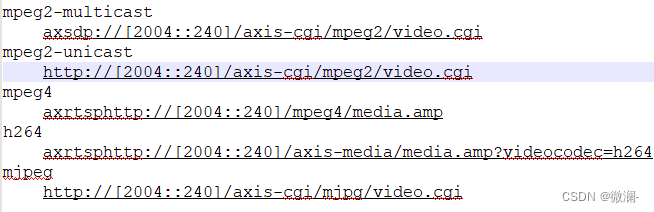
The URL in the RTSP setup header of the axis device cannot take a parameter
【AppLinking实战案例】通过AppLinking分享应用内图片

JVM garbage collector

如何用list组件实现tabbar标题栏
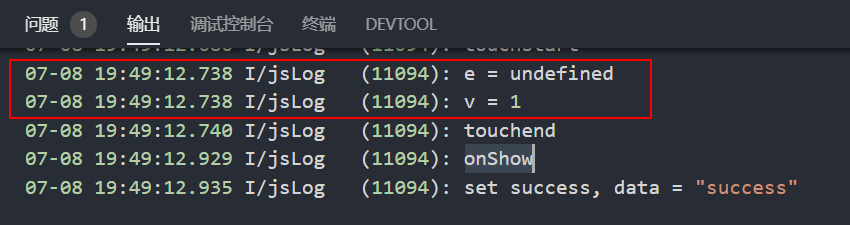
华为快应用中如何实现同时传递事件对象和自定义参数
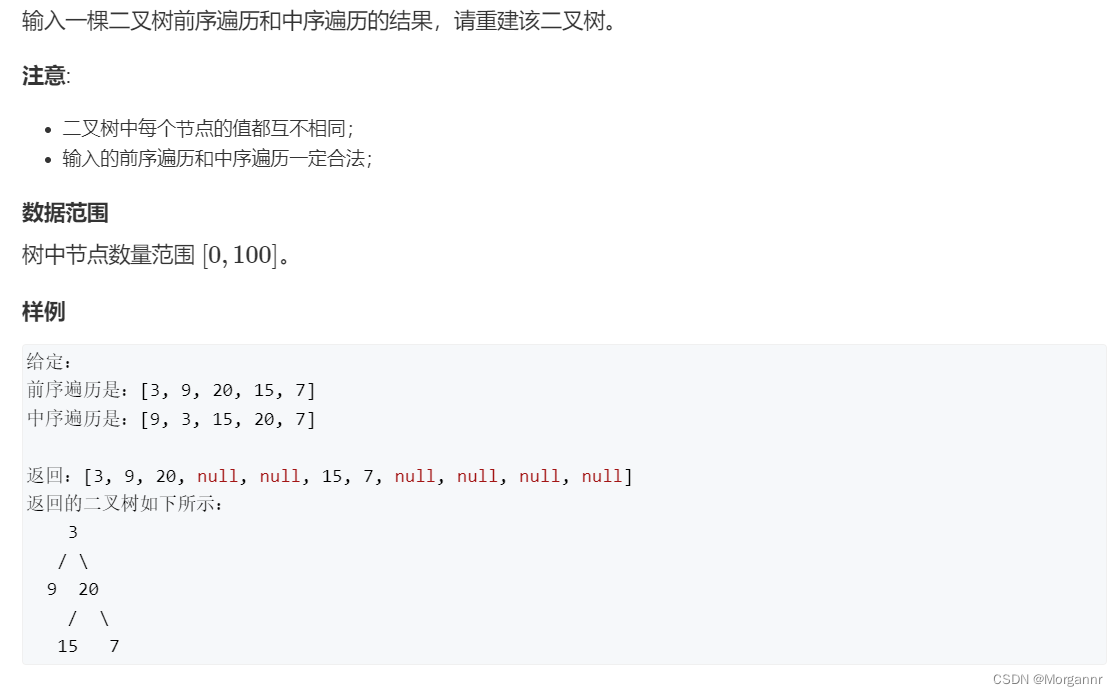
二叉树专题--AcWing 18. 重建二叉树(利用前、中序遍历,构建二叉树)

Huawei game failed to initialize init with error code 907135000
[applinking practical case] share in app pictures through applinking
随机推荐
Special topic of binary tree -- acwing 1589 Building binary search tree
The URL in the RTSP setup header of the axis device cannot take a parameter
static 函数中的静态变量
【快应用】text组件里的文字很多,旁边的div样式会被拉伸如何解决
Hdu1234 door opener and door closer (water question)
全网显示 IP 归属地,是怎么实现的?
Special topic of binary tree -- acwing 3384 Binary tree traversal (known preorder traversal, while building a tree, while outputting middle order traversal)
flink二开,实现了个 batch lookup join(附源码)
Overview of integrated learning
从.bag文件中读取并保存.jpg图片和.pcd点云
JSP webshell free -- webshell free
JSP webshell免殺——JSP的基礎
最详细MySql安装教程
2022-06-17
Special topic of binary tree -- acwing 18 Rebuild the binary tree (construct the binary tree by traversing the front and middle order)
计算序列之和
One trick to quickly realize custom application titlebar
PCL projection point cloud
面对不确定性,供应链的作用
华为快应用中如何实现同时传递事件对象和自定义参数