当前位置:网站首页>Detailed process of generating URDF file from SW model
Detailed process of generating URDF file from SW model
2022-06-26 08:33:00 【Yu Getou】
- explain : As an electronic control player , I thought I wouldn't touch it solidworks, Especially from sw Model to urdf This extremely tedious process . But when I found that the salted fish needed a conversion 50-70 block , I decided to do the work myself .
- I met a lot bug, I hope it will be helpful for those who need to do this work . Players with relevant questions are welcome to contact me :[email protected]
1. Common shortcut keys
- Hold down the middle mouse button —— Rotating model
- Tab(Shift+Tab)—— hide ( Show ) The part where the mouse is located
- Space —— Select View
- Right click the engineering head on the right , choice Display with dependencies , All parts can be displayed , Include hidden parts
2. Operation process
(1) Determine the reference axis , Coordinate system

i. First select the datum axis , And select a corresponding point ( Used to generate the coordinate system ), The reference axis is the rotation of each joint / Moving axis
ii. Choose a coordinate system , Generally, it only needs Determine the origin and z Axis direction that will do , Be careful z Positive and negative of the axis direction , In some cases, this will affect the display of the model .( such as base_link Of z If the shaft is reversed , The whole model is rviz Will be realized as inversion )
Be careful !!
1. When selecting the datum axis, it is necessary to flexibly use part concealment , To find the most appropriate position for the rotation axis , When selecting, you can locate the axis as long as you select the face centered on the axis .
2. When generating the coordinate system , Make sure that the coordinate system is successfully generated , Because sometimes the point and axis may not be set correctly , Generating the coordinate system will fail , This will affect the files generated later .

(2) Generate joint and link
i. Tools --> File --> Export as URDF, Enter plug-in
ii. from base_link To end_link, Select each in turn link Corresponding joint, Model and reference coordinate system .
Be careful : When selecting a model, you must first determine when an axis rotates or moves , Which parts correspond to link Solidly connected .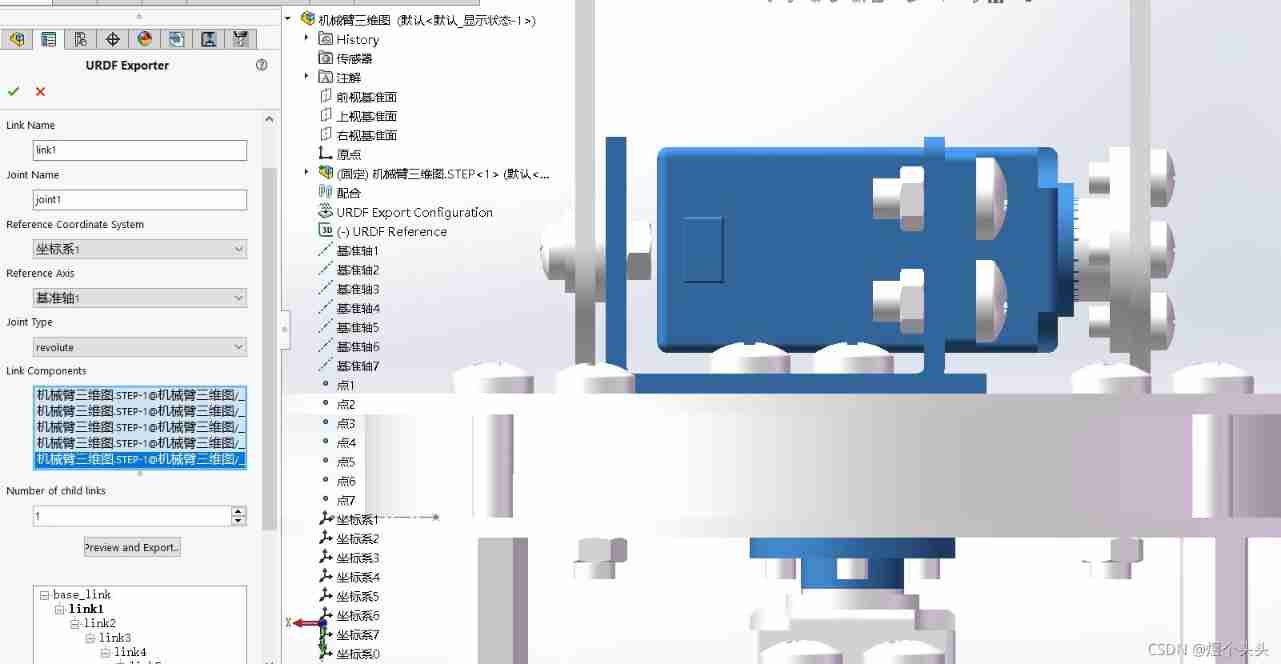
(3) Select configuration parameters
When the second step is finished , Press down Preview and Export, Enter the parameter configuration interface . Simply enter the following parameters into each joint The configuration of ,link There is no need to change the parameters of .
(4) Generate the file
Press down Finish, Input file name , It can generate urdf Package , It also contains routines .
Be careful ! The file name is recommended as the robot name , Because this will affect the name of relevant parameters in the generated file .
3. summary
In fact, as long as we carefully analyze each link The relationship between , And follow the steps step by step , For less complex models ,20 The whole operation can be completed in about minutes . I hope everyone can sw The model was successfully converted to urdf Model , Then play happily in the simulation environment !!
边栏推荐
- GHUnit: Unit Testing Objective-C for the iPhone
- 三菱PLC若想实现以太网无线通讯,需要具备哪些条件?
- [postgraduate entrance examination planning group] conversion between signed and unsigned numbers
- 73b2d wireless charging and receiving chip scheme
- Idea automatically sets author information and date
- Relationship extraction --tplinker
- RF filter
- Deploy wiki system Wiki in kubesphere JS and enable Chinese full-text retrieval
- Remote centralized control of distributed sensor signals using wireless technology
- SOC wireless charging scheme
猜你喜欢

SOC wireless charging scheme

OpenCV Learning notes iii

Relationship extraction --r-bert
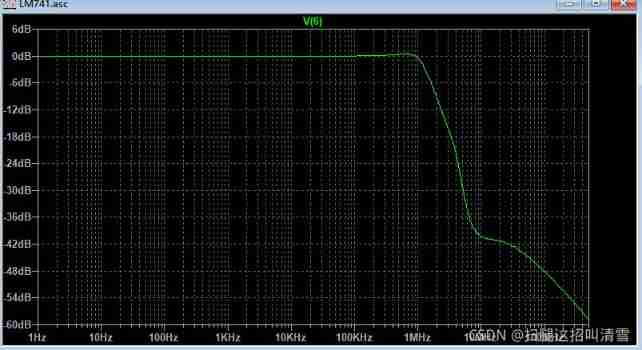
Analysis of internal circuit of operational amplifier

加密的JS代码,变量名能破解还原吗?

STM32 project design: smart home system design based on stm32
![[postgraduate entrance examination] group planning: interrupted](/img/ec/1f3dc0ac22e3a80d721303864d2337.jpg)
[postgraduate entrance examination] group planning: interrupted

鲸会务一站式智能会议系统帮助主办方实现数字化会议管理

RF filter

MySQL query time period
随机推荐
(3) Dynamic digital tube
Jupyter的安装
Leetcode22 summary of types of questions brushing in 2002 (XII) and collection search
Analysis of internal circuit of operational amplifier
Performance comparison of unaryexpr's function on matrix elements in eigen Library
(4) Independent key
Batch execute SQL file
RF filter
Teach you a few tricks: 30 "overbearing" warm words to coax girls, don't look regret!
leetcode2022年度刷题分类型总结(十二)并查集
Time functions supported in optee
Microcontroller from entry to advanced
Realizing sequence annotation with transformers
Koa_mySQL_Ts 的整合
Zlmediakit push pull flow test
xxl-job配置告警邮件通知
Fabrication of modulation and demodulation circuit
51 single chip microcomputer project design: schematic diagram of timed pet feeding system (LCD 1602, timed alarm clock, key timing) Protues, KEIL, DXP
Analysis of Yolo series principle
Necessary protection ring for weak current detection