当前位置:网站首页>Use three JS make a simple 3D scene
Use three JS make a simple 3D scene
2022-07-03 03:20:00 【Hold the North】
Three.js What is it?
Three.js Is a Running in the browser 3D engine , We can use it to create a series of things we need 3D Animated scene , In short, it is built on the web 3D Model . utilize Three.js You can make a lot of cool 3D Animation , also Three.js You can also use the mouse 、 keyboard 、 Drag and drop events to interact , Add some... To the page 3D Animation and 3D Interaction can produce a better user experience .
Three.js Program structure
It is mainly divided into three structures : scene Scene The camera Camera Renderers Renderer
The whole process of the program is : Load the scene first —— Then the camera —— Last renderer

Understand from the perspective of taking pictures in real life , The cube mesh model and illumination form a virtual three-dimensional scene similar to the object you want to shoot , Camera objects can take pictures just like the cameras you use in your life , Only one is to shoot the real scenery , One is to shoot virtual scenery , When shooting an object, the position and angle of the camera need to be adjusted , The virtual camera also needs to set the projection mode , When you create a 3D scene , The camera is also set up , Just one move away “ Kaka ”, You can take photos through the renderer 
Simply understand the use Three.js do 3D How the engine works , Let's make a simple one today 3D Cube
Cube
First of all, we need to html Introduce in the file three.js, Like introducing others .js File directly , It needs to be downloaded from the official website
here , I use the relative path

Or reference relative path
<!-- Absolute path remote load -->
<script src="http://www.yanhuangxueyuan.com/3D/example/three.js"></script>
<!--  Compressed version  -->
<script src="http://www.yanhuangxueyuan.com/3D/example/three.min.js"></script>
then , stay body Just insert a code snippet into , The specific code is explained as follows :
<body>
  <script>

    //   Create scene objects Scene

    var scene = new THREE.Scene();

    // Create a grid model
    // var geometry = new THREE.SphereGeometry(60, 40, 40); // Create a sphere geometry object
    var geometry = new THREE.BoxGeometry(100, 100, 100); // Create a cube geometry object
    var material = new THREE.MeshLambertMaterial({       // Create material objects Material
      color: 0x008080   // The color of the cube
    });
    var mesh = new THREE.Mesh(geometry, material); // Create mesh model objects Mesh
    scene.add(mesh);   // Put the grid mesh Add the model to the scene

    //  Lighting settings

    // Point source
    var point = new THREE.PointLight(0xffffff);
    point.position.set(400, 200, 300); // The position of the point light source
    scene.add(point); // Add point lights to the scene
    // The ambient light
    var ambient = new THREE.AmbientLight(0x444444);
    scene.add(ambient);
    // console.log(scene)
    // console.log(scene.children)

     //  Camera settings

    var width = window.innerWidth; // Window width
    var height = window.innerHeight; // Window height
    var k = width / height; // Window aspect ratio
    var s = 200; // Three dimensional scene display range control coefficient , The larger the coefficient , The larger the scope of the display
    // Create camera objects
    var camera = new THREE.OrthographicCamera(-s * k, s * k, s, -s, 1, 1000);
    camera.position.set(200, 300, 200); // Set camera position
    camera.lookAt(scene.position); // Set camera orientation ( Point to the scene object )

      //  Create a render object

    var renderer = new THREE.WebGLRenderer();
    renderer.setSize(width, height);// Set the render area size
    renderer.setClearColor(0xb9d3ff, 1); // Set the background color
    document.body.appendChild(renderer.domElement); //body Insert... Into the element canvas object
    // Perform the render operation     Specify the scene 、 Camera as a parameter
    renderer.render(scene, camera);
  </script>

</body>
Show the effect :

Rotate animation
Do it here , Just present a static... On the web page 3D Cube , In order to increase interest and operability , We can encapsulate the rendering operation into a function , use setInterval Let it interval 20ms Periodically call render() Rendering function 、 Constantly refresh
    //  Rendering function
    function render() {
        renderer.render(scene,camera);// Perform the render operation
        mesh.rotateY(0.01);// Every time around y Shaft rotation 0.01 radian
    }
    // interval 20ms Call the rendering function periodically render()
    setInterval("render()",20);
The time unit here is ms,20ms That is, the refresh rate is 50FPS(1s/20ms), namely 1s Internal screen refresh 50 Time ( I believe that little friends who play games are not unfamiliar )
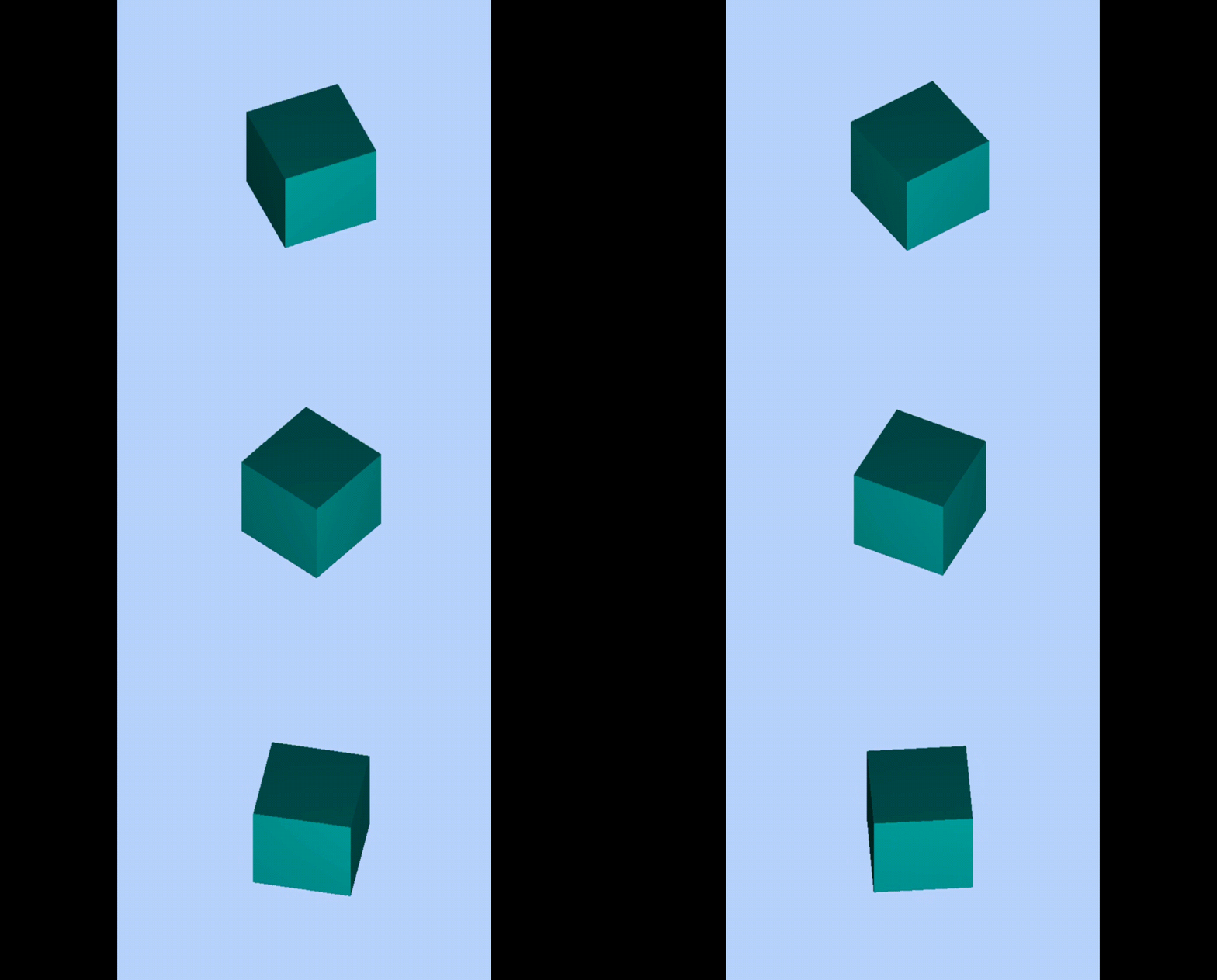
The effect is as follows :
Or through requestAnimationFrame Request to execute render function again render, Render the next frame , This can also achieve constant refresh , The effect of rotation
    //  Rendering function
    let T0 = new Date();// Last time
    function render() {
        let T1 = new Date();// Current time
        let t = T1-T0;// Time difference
        console.log(t);// Time interval between two frames    Company :ms
        T0 = T1;// Assign this time to the last time
        renderer.render(scene,camera);// Perform the render operation
        mesh.rotateY(0.01);// Every time around y Shaft rotation 0.01 radian
        requestAnimationFrame(render);// Request to execute render function again render, Render the next frame
    }
    render();
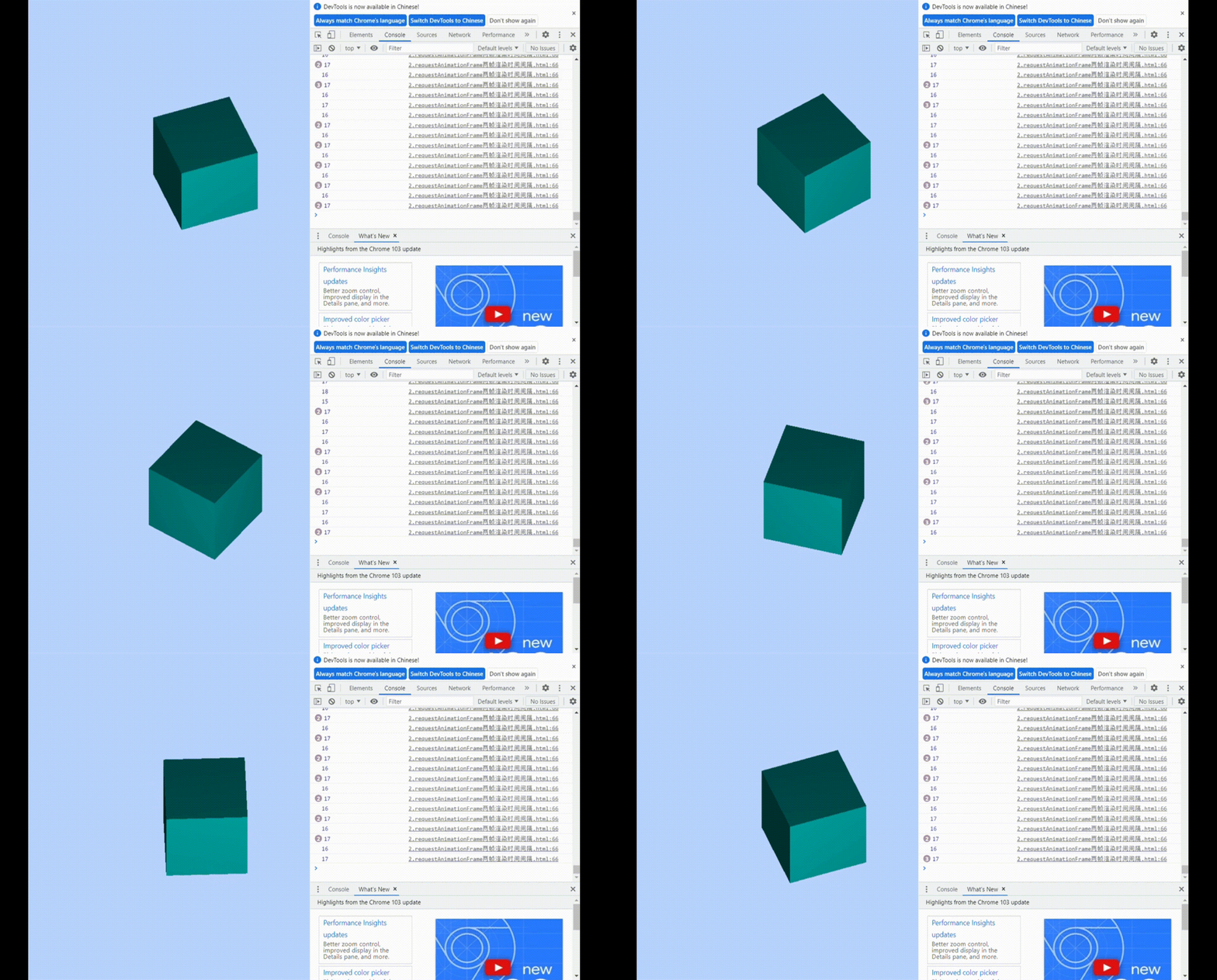
We can create two temporary variables T1 and T0 Record the time required for this rendering and the last rendering , Then subtract them , You get the time interval between two frames , Found stable in 17ms about ,58 Of fps, Compared with the time period we set ourselves , its fps Higher , There are no limitations
The effect is as follows :
Operate the mouse to rotate and zoom the 3D scene
We have achieved to make the cube move mechanically , Can you control it with a mouse , Let it go to any angle and position we want
First , We also need to introduce a new Threejs Extended controls ——OrbitControls.js, It is called track control , It can be used to realize scene interaction with the mouse , Let the scene move , Controls the rotation of the scene 、 Pan and zoom
  <!--  Introduce track control OrbitControls.js -->
  <!--  Relative paths  -->
  <script src="./OrbitControls.js"></script>
  <!--  Absolute path  -->
  <script src="http://www.yanhuangxueyuan.com/versions/threejsR92/examples/js/controls/OrbitControls.js"></script>
here , The track control provides a constructor , We create a new constructor , Add another mouse monitoring event , The mouse moves , Trigger rendering function , Cube experience the corresponding effect
    //  Rendering function
    function render() {
      renderer.render(scene, camera); // Perform the render operation
    }
    render();
    // Create a control object    Camera object camera As a parameter     Control can monitor changes in the mouse , Change the properties of the camera object
    var controls = new THREE.OrbitControls(camera,renderer.domElement);
    // Listening to mouse events , Trigger rendering function , to update canvas Canvas rendering effect
    controls.addEventListener('change', render);
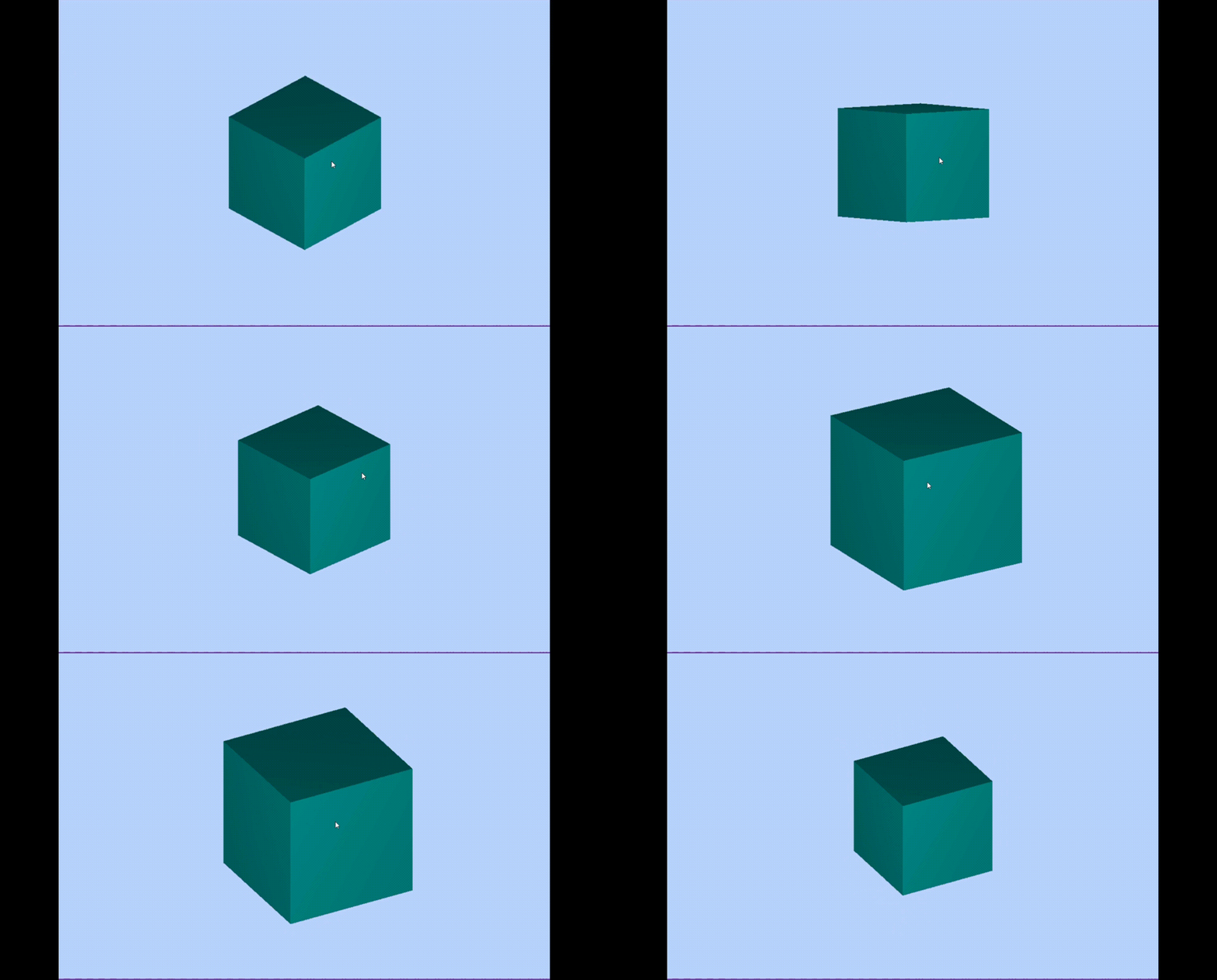
Show the effect :
In fact, the track control has many properties that can be set , But it is not applied to , For detailed usage, please refer to the official documents : Click to open the link
边栏推荐
- Why does thread crash not cause JVM crash
- Vs 2019 configuration du moteur de génération de tensorrt
- redis高级应用【密码防护、数据持久化、主从同步、哨兵模式、事务】【暂未完成(半成品)】
- [mathematical logic] normal form (conjunctive normal form | disjunctive normal form | major item | minor item | maximal item | minor item | principal conjunctive normal form | principal disjunctive no
- el-tree搜索方法使用
- MySql实战45讲【SQL查询和更新执行流程】
- 二维数组中的元素求其存储地址
- Summary of matrix knowledge points in Chapter 2 of Linear Algebra (Jeff's self perception)
- Limit of one question per day
- Parameter index out of range (1 > number of parameters, which is 0)
猜你喜欢

MySql實戰45講【SQL查詢和更新執行流程】
![[Chongqing Guangdong education] cultural and natural heritage reference materials of China University of Geosciences (Wuhan)](/img/19/815e7cba81f6eb52db5ef0db556dfd.jpg)
[Chongqing Guangdong education] cultural and natural heritage reference materials of China University of Geosciences (Wuhan)

TCP handshake three times and wave four times. Why does TCP need handshake three times and wave four times? TCP connection establishes a failure processing mechanism

Docker install redis
Application of derivative in daily question
MySql实战45讲【全局锁和表锁】

Summary of matrix knowledge points in Chapter 2 of Linear Algebra (Jeff's self perception)

Pytorch配置
![C programming learning notes [edited by Mr. Tan Haoqiang] (Chapter III sequence programming) 03 operators and expressions](/img/4a/1df03d9f3315debb4c335260ed39f2.jpg)
C programming learning notes [edited by Mr. Tan Haoqiang] (Chapter III sequence programming) 03 operators and expressions

The idea setting code is in UTF-8 idea Properties configuration file Chinese garbled
随机推荐
Don't use the new Dede collection without the updated Dede plug-in
Spark on yarn resource optimization ideas notes
File rename
Vs 2019 configuration du moteur de génération de tensorrt
On the adjacency matrix and adjacency table of graph storage
Elsevier latex 提交文章 pdftex.def Error: File `thumbnails/cas-email.jpeg‘ not found: using draf
Compare float with 0
Force freeing memory in PHP
The calculation of stripe, kernel and padding in CNN
VS 2019安装及配置opencv
About HTTP cache control
3D drawing example
Notifydatasetchanged not applicable to recyclerview - notifydatasetchanged not working on recyclerview
MySQL Real combat 45 [SQL query and Update Execution Process]
Pat class B common function Usage Summary
Basic information of Promethus (I)
VS 2019 配置tensorRT生成engine
文件重命名
Reset or clear NET MemoryStream - Reset or Clear . NET MemoryStream
Node start server