当前位置:网站首页>Configuring the command line compiled environment -msvc
Configuring the command line compiled environment -msvc
2022-06-11 03:07:00 【shlyyy】
Configure the environment compiled with the command line --MSVC
although vs2019 It's very easy to use IDE, But sometimes command-line compilation is easier to use , The following is how to use the configuration MSVC Compiler environment .
One 、 install vs2019
vs There are a lot of them on the Internet , If not, Baidu will do it
Two 、 Configure environment variables
installed vs2019 You'll find out later vs2019 There will be one under the same drive letter of Windows Kit Folder .
Open the environment :
Click on the first system 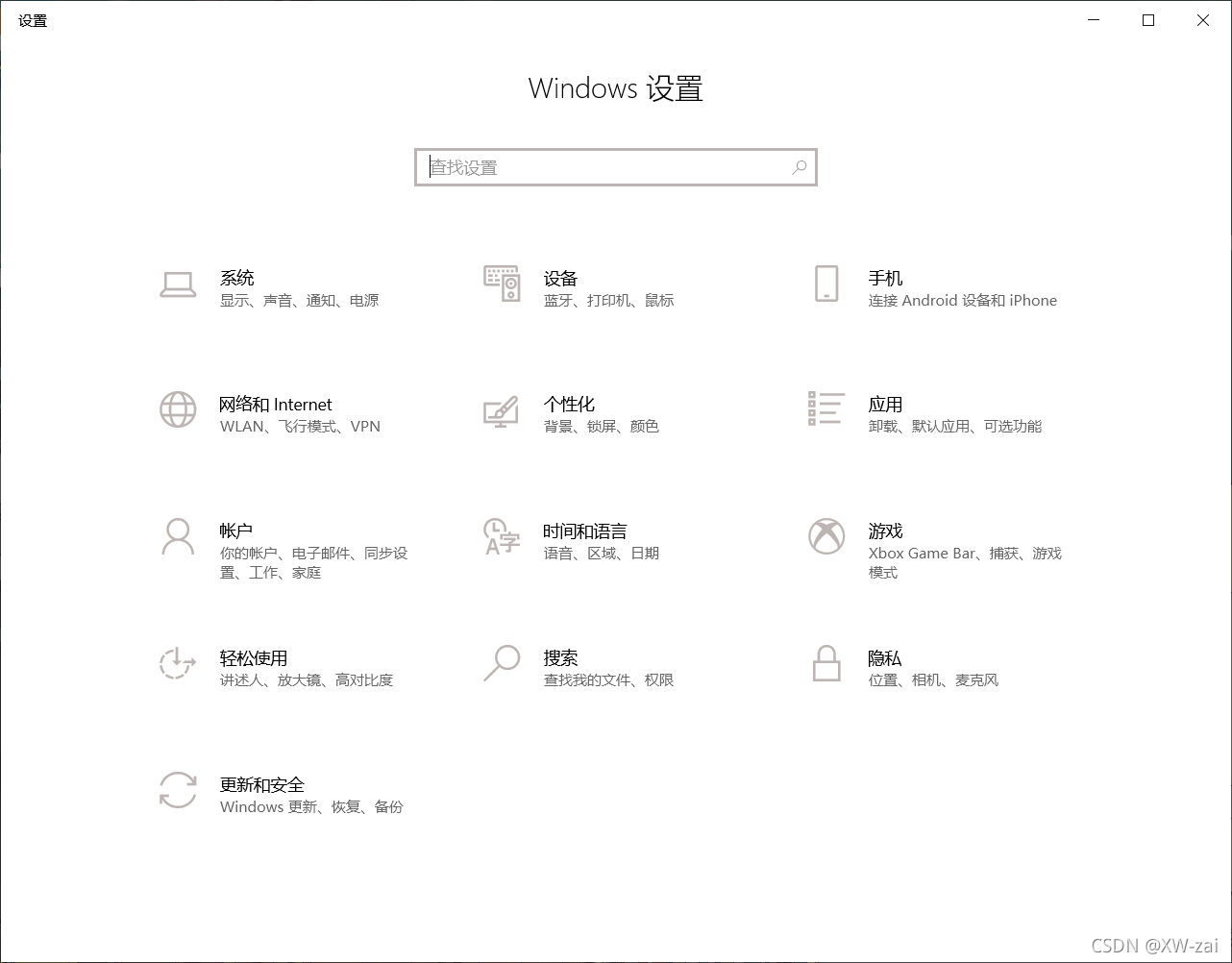
Find the bottom one about , There is an advanced system setting under the relevant setting column 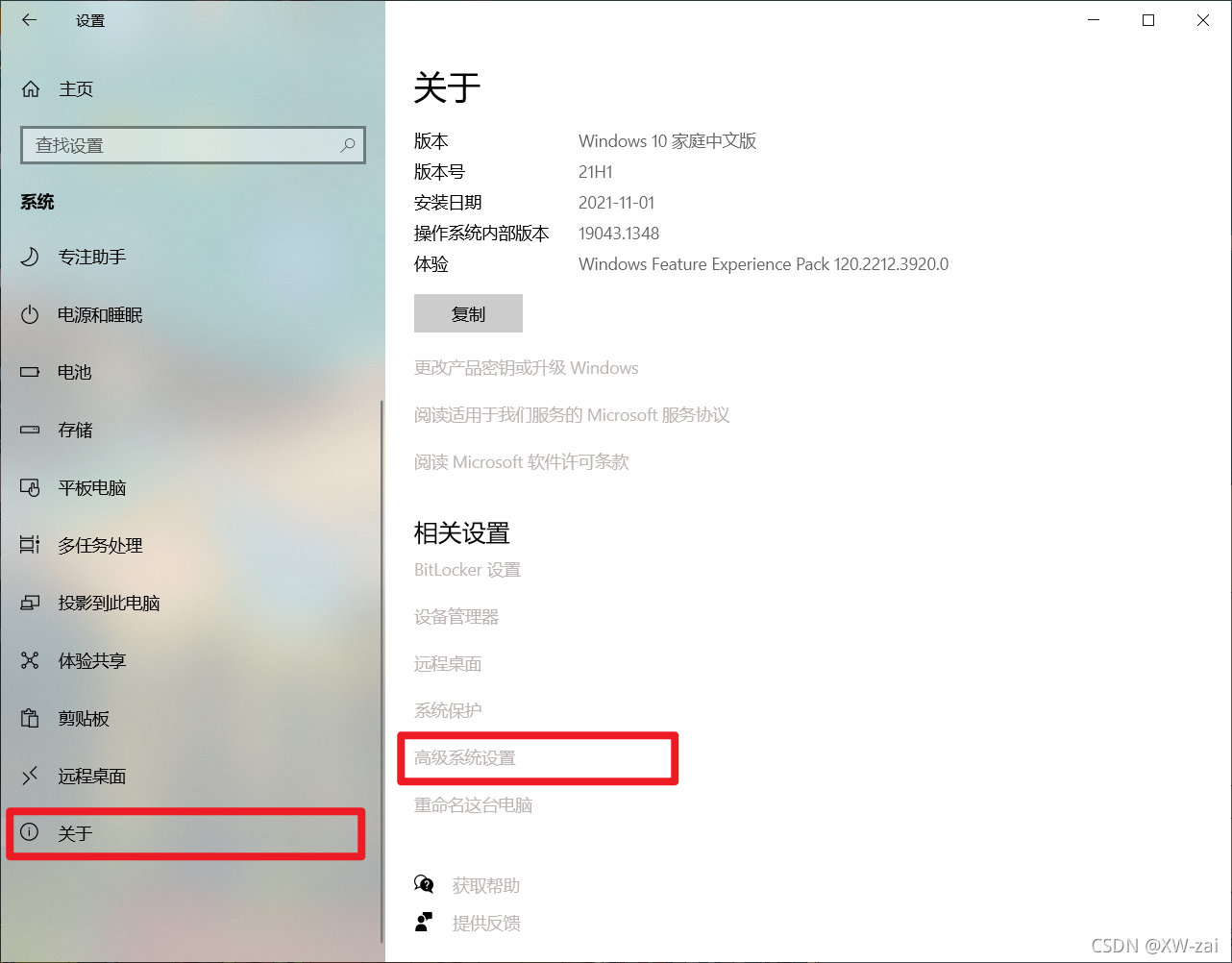
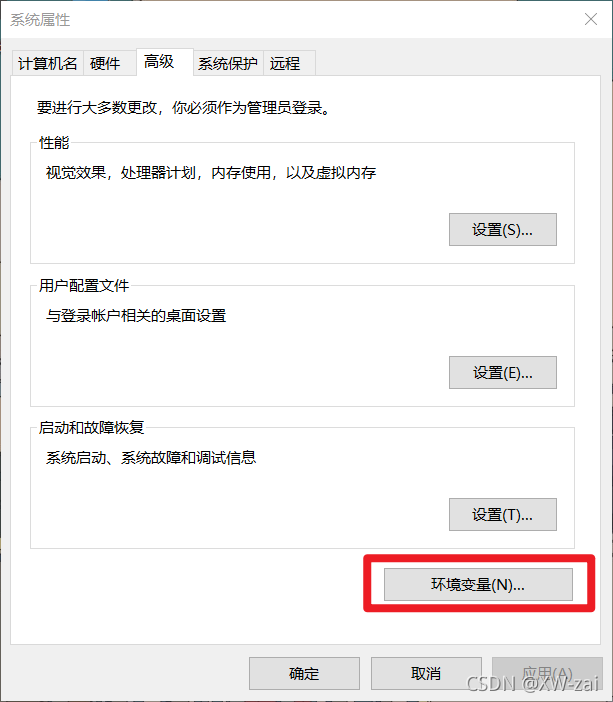
newly build WIN10_INCLUDE environment variable
E:\Windows Kits\10\Include\10.0.19041.0
newly build WIN10_LIB environment variable
E:\Windows Kits\10\Lib\10.0.19041.0
newly build MSVC environment variable :
E:\Program Files (x86)\Microsoft Visual Studio\2019\Professional\VC\Tools\MSVC\14.29.30133
newly build INCLUDE environment variable , Add the following 4 item :
%WIN10_INCLUDE%\ucrt
%WIN10_INCLUDE%\shared
%WIN10_INCLUDE%\um
%MSVC%\include
newly build LIB environment variable , Add the following two items :
%MSVC%\lib\x86
%WIN10_LIB%\ucrt\x86;%WIN10_LIB%\um\x86
What I choose here is to compile 32 Bit program , So it is x86 Folder , If it is 64 Bit program can be changed to x64, The same goes for the following .
stay Path Add the following path to the environment variable
%MSVC%\bin\Hostx86\x86
3、 ... and 、 Test environment
newly build test.c file
#include <stdio.h>

int main()
{
	printf("Hello world!\r\n");
	return 0;
}
Open the command line , Switch path to test.c Under the folder :
After executing the following compilation instructions, a test.obj file
cl /c /W3 test.c
Executing the following link instruction will generate a test.exe Executable file
link test.obj
Finally, enter directly test Can execute test.exe
For convenience, direct , Perform the following run.bat Script , Ready to compile , link , perform :
del *.obj
del *.exe
cl /c test.c /W3
link test.obj
test.exe
pause
Four 、 Reference resources
Visual Studio 2019 To configure MSVC environment variable , Compile using the command line
stay VS code Use in MSVC+ Command line compilation generates C++ Program
边栏推荐
- 近期学习和更新计划
- Wechat applet
- cv. Houghcircles: Circular Hough transform opencv
- 出栈序列是否是入栈序列
- Longest increasing subsequence
- HUST软件工程(实验2)--TDD测试驱动开发实验。
- Construction of Flink development environment and wordcount
- OpenJudge NOI 1.13 18:Tomorrow never knows?
- org. apache. solr. common. SolrException:Could not load core configuration for core hotel
- com. mchange. v2.c3p0. Combopooleddatasource red
猜你喜欢

postgresql源码学习(二十)—— 故障恢复①-事务日志格式

2022年熔化焊接与热切割操作证考试题库及答案

Necessity for banks to choose electronic bidding procurement

Live broadcast! Feature matching of orb-slam3 series (mlpnp, word bag model, etc.).

Arduino uses nRF24L01 module for wireless communication

Win10 安装Office 2016出现错误代码30204-44怎么处理?

com. mchange. v2.c3p0. Combopooleddatasource red

Niuke: two numbers that only appear once in the array

cv. Houghcircles: Circular Hough transform opencv

org. apache. solr. common. SolrException:Could not load core configuration for core hotel
随机推荐
Graphacademy course explanation: Fundamentals of neo4j graph data science
怎样确保消息的可靠性投递?
Android WiFi hide SSID
postgresql源码学习(22)—— 故障恢复③-事务日志的注册
Wechat applet
Go语言之Go 快速入门篇(一):第一个 Go 程序
Question bank and answers for 2022 melting welding and thermal cutting operation certificate examination
Help you distinguish GNU, GCC, GCC and G++
Pyqt5: button control
The solution of invalid @data annotation in idea2018
B_ QuRT_ User_ Guide(20)
CocosCreator原生二次开发的正确姿势
通过程序启动QQ,实现自动登录.
Helm deploy traifik ingress
Win10 安装Office 2016出现错误代码30204-44怎么处理?
ROS基础 - 使用 launch 文件(一) - 批量启动多个ROS节点
CPT 102_ LEC 18
【大咖秀】博睿数据眼中的AIOps,选择正确的赛道正确的人
数组全全排列
反射三种方式