当前位置:网站首页>Doris学习笔记之监控
Doris学习笔记之监控
2022-07-31 04:44:00 【coder_szc】
背景
Doris可以使用Prometheus和Grafana进行监控和采集,官网下载最新版即可。
- Prometheus官网下载:https://prometheus.io/download/;
- Grafana官网下载:https://grafana.com/grafana/download。
Doris的监控数据通过FE和BE的http接口向外暴露。监控数据以key-value的文本形式对外展现。每个key还可能有不同的Label加以区分。当用户搭建好Doris 后,可以在浏览器,通过以下接口访问监控数据:
- Frontend: fe_host:fe_http_port/metrics,如http://scentos:8030/metrics;
- Backend: be_host:be_web_server_port/metrics,如 http://scentos:8040/metrics
整个监控架构如下图:
Prometheus
首先下载压缩包(https://github.com/prometheus/prometheus/releases/download/v2.26.0/prometheus-2.26.0.linux-amd64.tar.gz),上传,解压,重命名:
[[email protected] szc]# tar -zxvf prometheus-2.26.0.linux-amd64.tar.gz
[[email protected] szc]# mv prometheus-2.26.0.linux-amd64/ prometheus-2.26.0/
[[email protected] szc]# cd prometheus-2.26.0/
修改prometheus.yml,配置两个targets,分别表示FE和BE,并定义labels和groups:
[[email protected] prometheus-2.26.0]# vim prometheus.yml
...............
scrape_configs:
  # The job name is added as a label `job=<job_name>` to any timeseries scraped from this config.
  - job_name: 'prometheus-doris'


    # metrics_path defaults to '/metrics'
    # scheme defaults to 'http'.


    static_configs:
    - targets: ['scentos:8030']
      labels:
          group: fe
    - targets: ['scentos:8040']
      labels:
          group: be
启动Prometheus:
[[email protected] prometheus-2.26.0]# nohup ./prometheus --config.file=./prometheus.yml
在浏览器访问ip:9090,并查看Status->Targets:
便可以看到FE和BE已经上线:
点击一个,结果如下:
Grafana
下载安装和启动:
[[email protected] szc]# wget https://dl.grafana.com/enterprise/release/grafana-enterprise-7.5.2-1.x86_64.rpm
[[email protected] szc]# yum install grafana-enterprise-7.5.2-1.x86_64.rpm
[[email protected] szc]# service grafana-server start
访问ip:3000,用户名密码都是admin: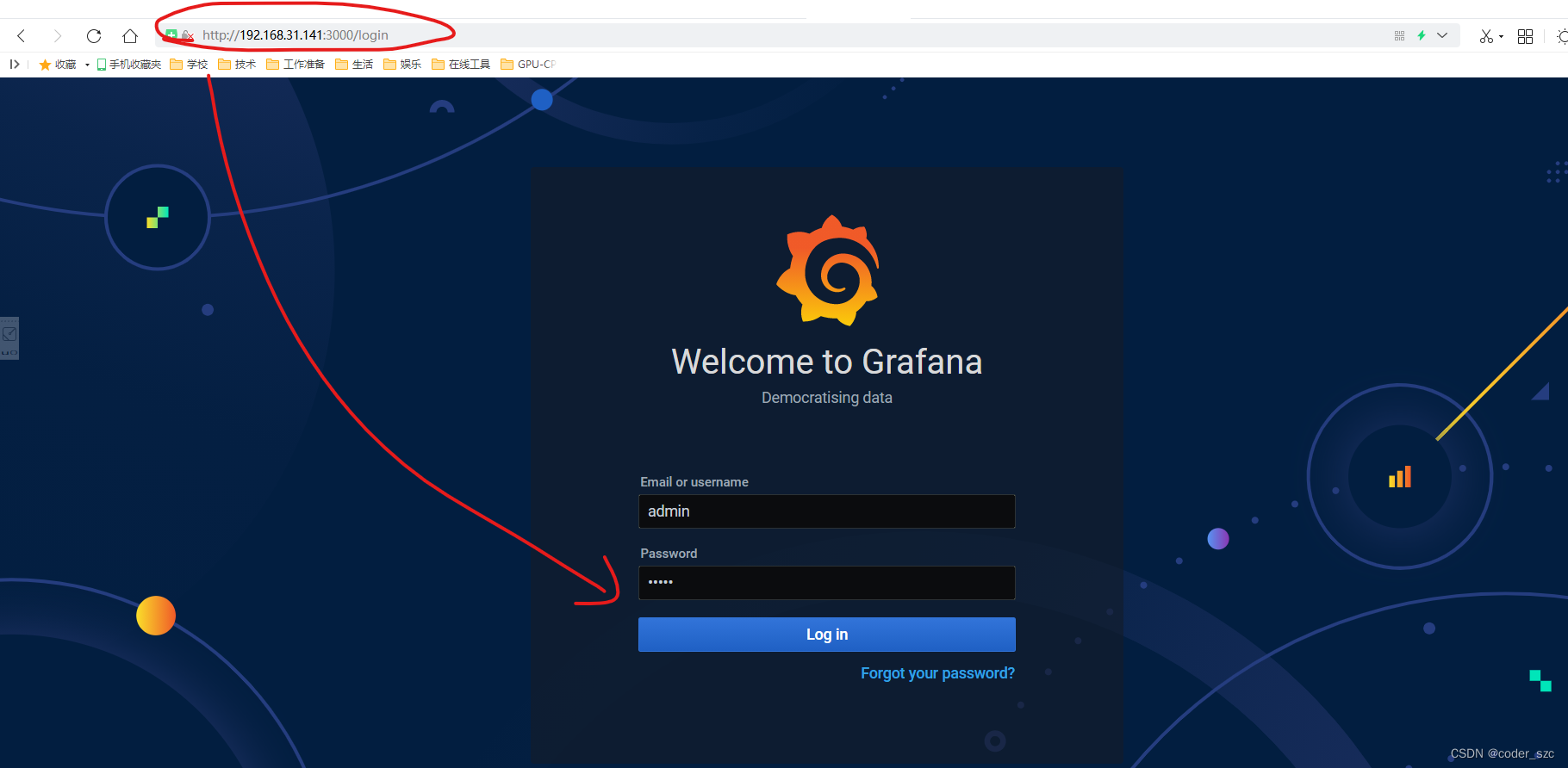
第一次访问要修改密码,不过可以点击下面的skip跳过这一步,就进入grafana的主界面: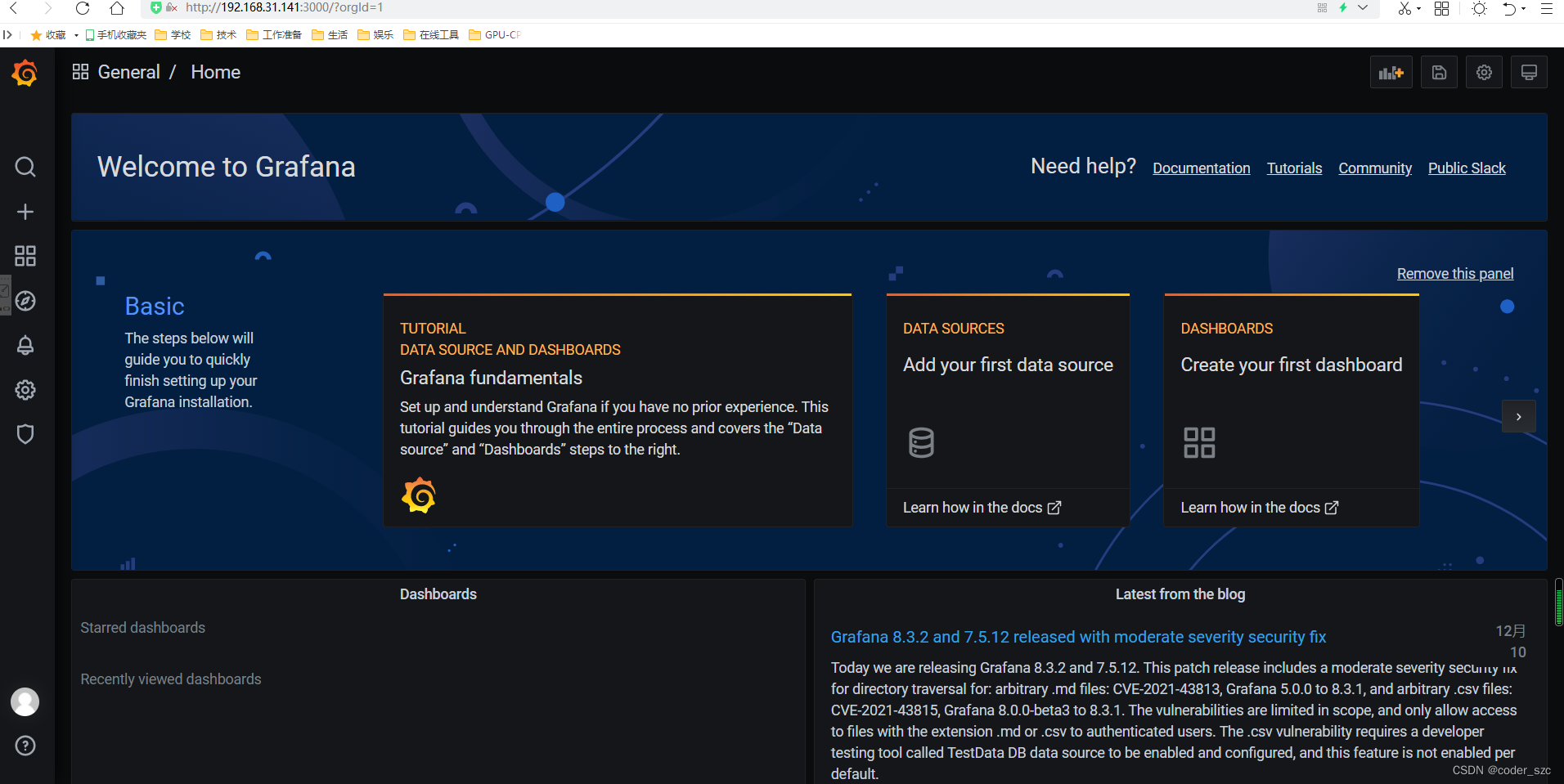
然后,添加数据源: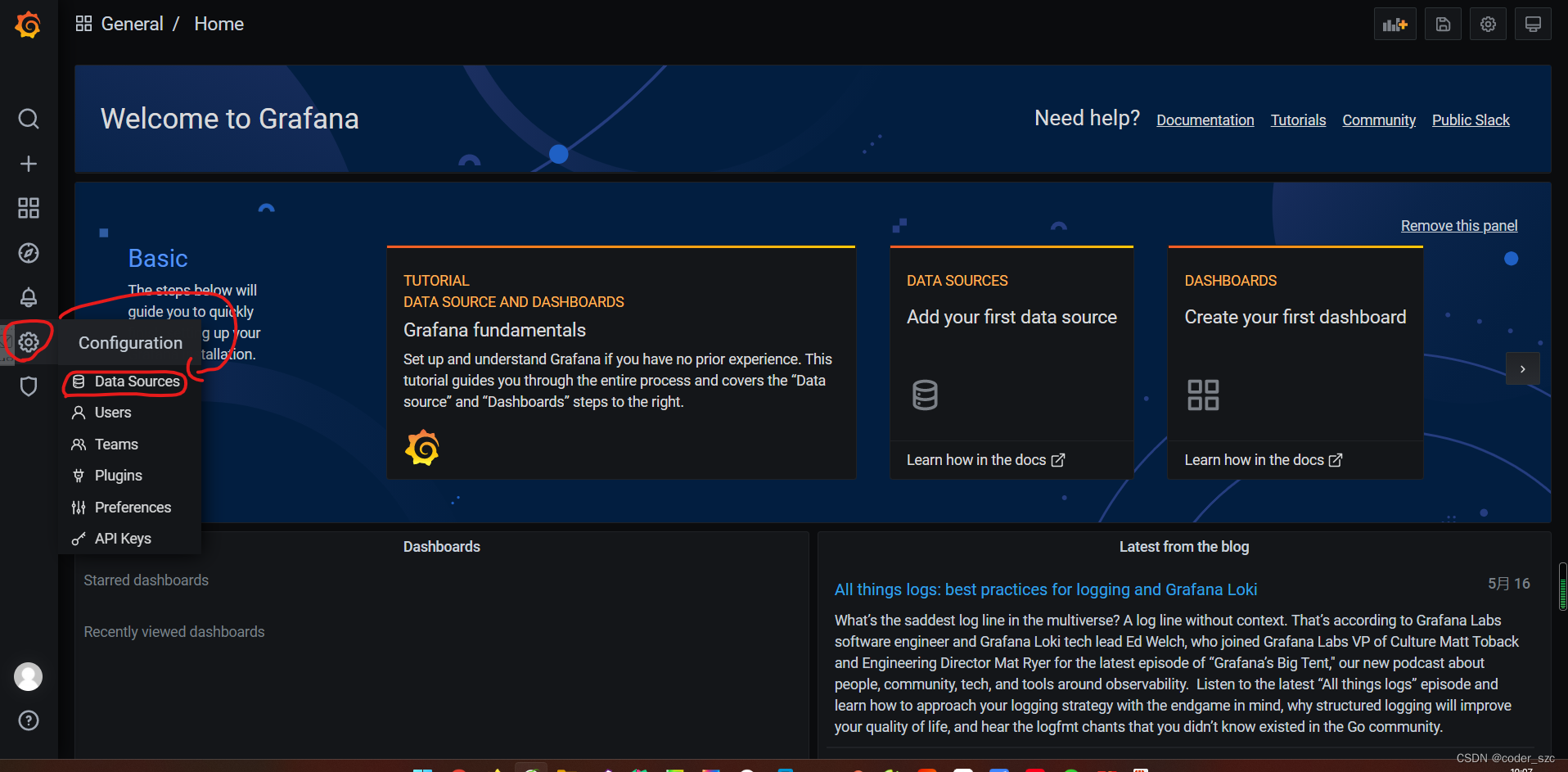

选中Prometheus,点击Select,然后配置URL即可:
点击下面的保存并测试,出现数据源正常就行: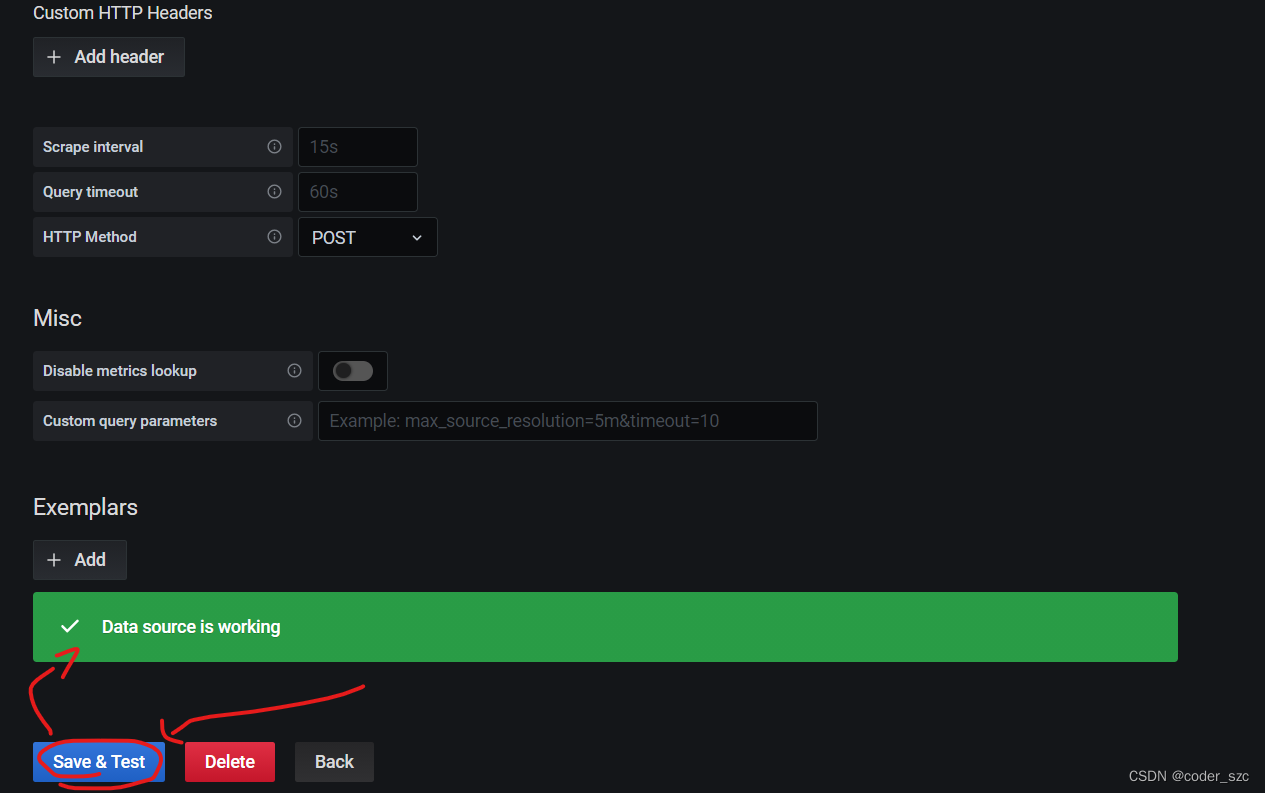
然后添加Dashboard,点击导入: 通过面板json导入中需要输入的内容参见百度网盘:链接:https://pan.baidu.com/s/1OTaQd3CZSSKmsJFwhn6HrQ ,提取码:y4p1
再点击加载: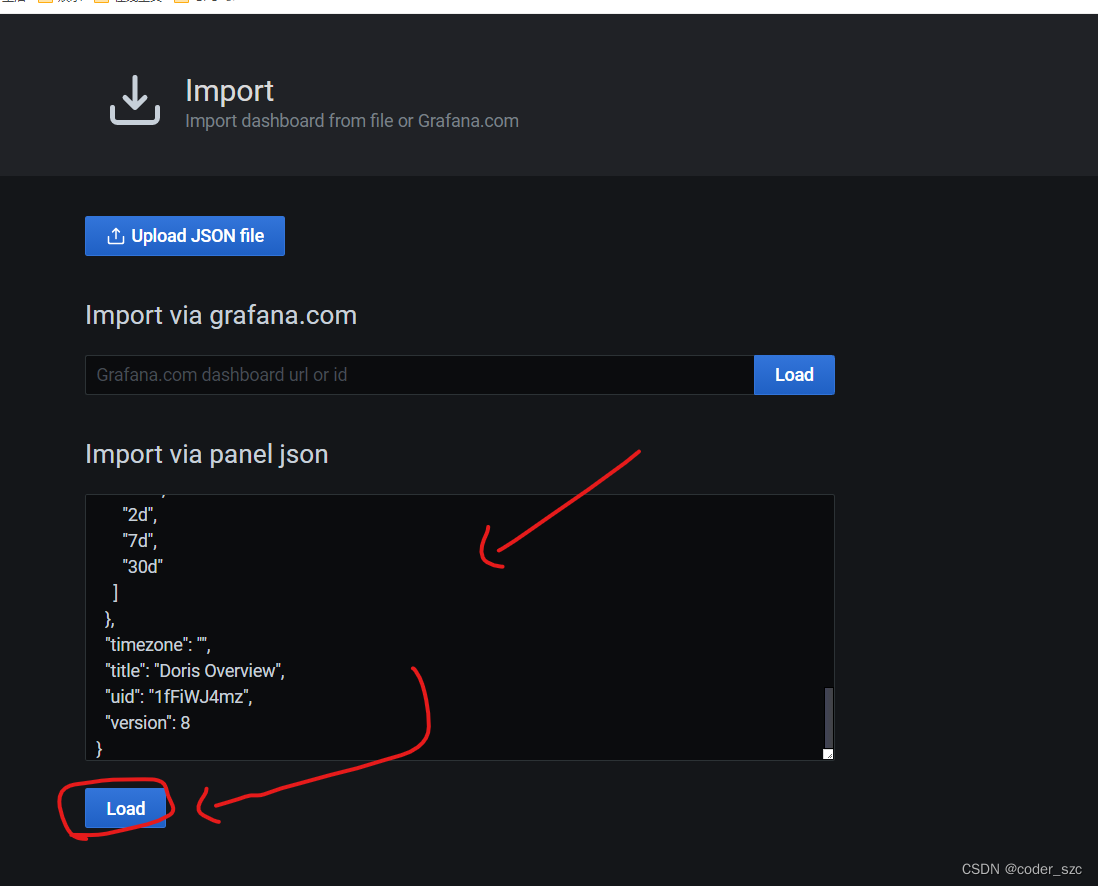
在下一步里,palo选择上一步创建的Prometheus数据源,点击导入:
在下一步里,palo选择上一步创建的Prometheus数据源,点击导入:
边栏推荐
- Unity shader forge和自带的shader graph,有哪些优缺点?
- prompt.ml/15中<svg>标签使用解释
- ENSP, VLAN division, static routing, comprehensive configuration of Layer 3 switches
- 【C语言】操作符详解
- 参考代码系列_1.各种语言的Hello World
- Recursive implementation of the Tower of Hanoi problem
- Bubble sort, selection sort, insertion sort, binary search directly
- ERROR 2003 (HY000) Can't connect to MySQL server on 'localhost3306' (10061)Solution
- MATLAB/Simulink & & STM32CubeMX tool chain completes model-based design development (MBD) (three)
- 关于出现大量close_wait状态的理解
猜你喜欢

【R语言】【3】apply,tapply,lapply,sapply,mapply与par函数相关参数
![[C language] General method of base conversion](/img/28/954af5f47a79ff02d3cc0792ac8586.jpg)
[C language] General method of base conversion
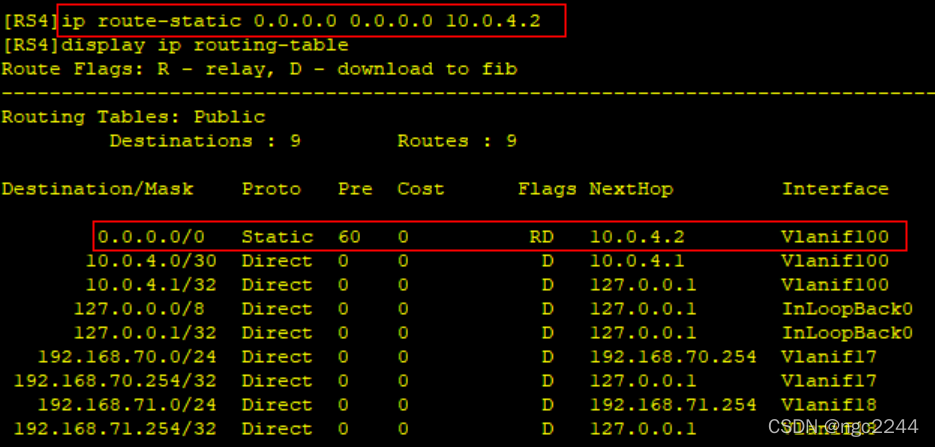
ENSP, VLAN division, static routing, comprehensive configuration of Layer 3 switches

扫雷小游戏——C语言

【云原生】DevOps(五):集成Harbor
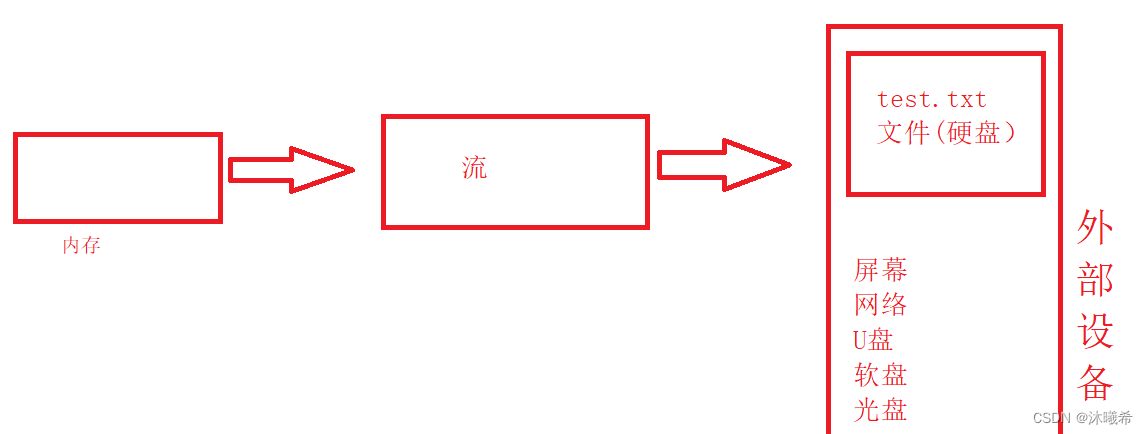
【C语言进阶】文件操作(一)
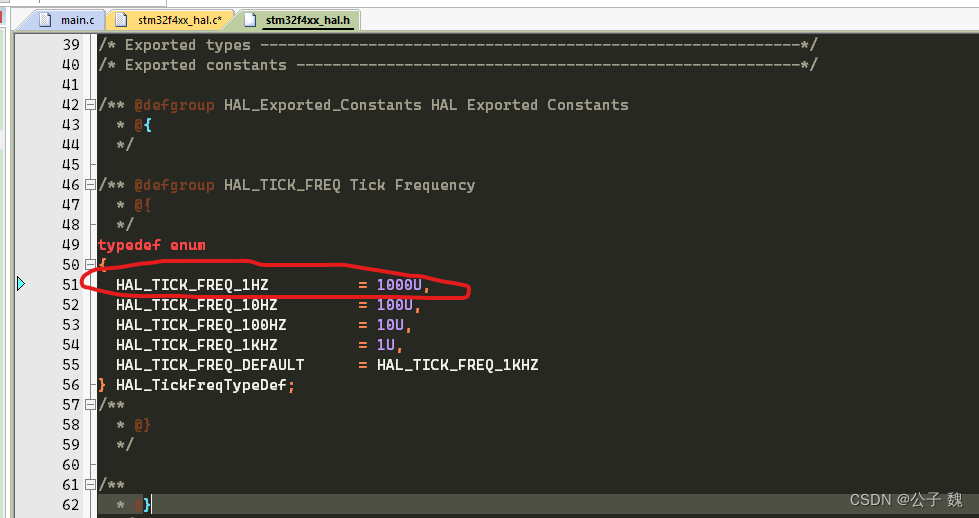
STM32HAL library modifies Hal_Delay to us-level delay
The third is the code to achieve

C language confession code?

npm、nrm两种方式查看源和切换镜像
随机推荐
IDEA common shortcut keys and plug-ins
Postgresql 15 source code analysis (5) - pg_control
C language from entry to such as soil, the data store
从零开始,一镜到底,纯净系统搭建除草机(Grasscutter)
关于出现大量close_wait状态的理解
【SemiDrive源码分析】【MailBox核间通信】44 - 基于Mailbox IPCC RPC 实现核间通信(RTOS侧 IPCC_RPC Server 消息接收及回复 原理分析篇)
Regarding the primary key id in the mysql8.0 database, when the id is inserted using replace to be 0, the actual id is automatically incremented after insertion, resulting in the solution to the repea
XSS shooting range (3) prompt to win
(五)final、抽象类、接口、内部类
npm、nrm两种方式查看源和切换镜像
Open Source Database Innovation in the Digital Economy Era | 2022 Open Atom Global Open Source Summit Database Sub-Forum Successfully Held
Visual studio shortcuts that improve efficiency, summary (updated from time to time)
input输入框展示两位小数之precision
Basic knowledge of mysql (2)
BUG消灭者!!实用调试技巧超全整理
PWN ROP
Unity URP渲染管线摄像机核心机制剖析
MySQL数据库安装配置保姆级教程(以8.0.29为例)有手就行
VScode+ESP32 quickly install ESP-IDF plugin
qlib自动化quant