当前位置:网站首页>Cool visualization tool: first introduction to processing
Cool visualization tool: first introduction to processing
2022-06-11 18:34:00 【Code handling】
In order to let you understand how cool this tool is , Let's start with some pictures to shock you :


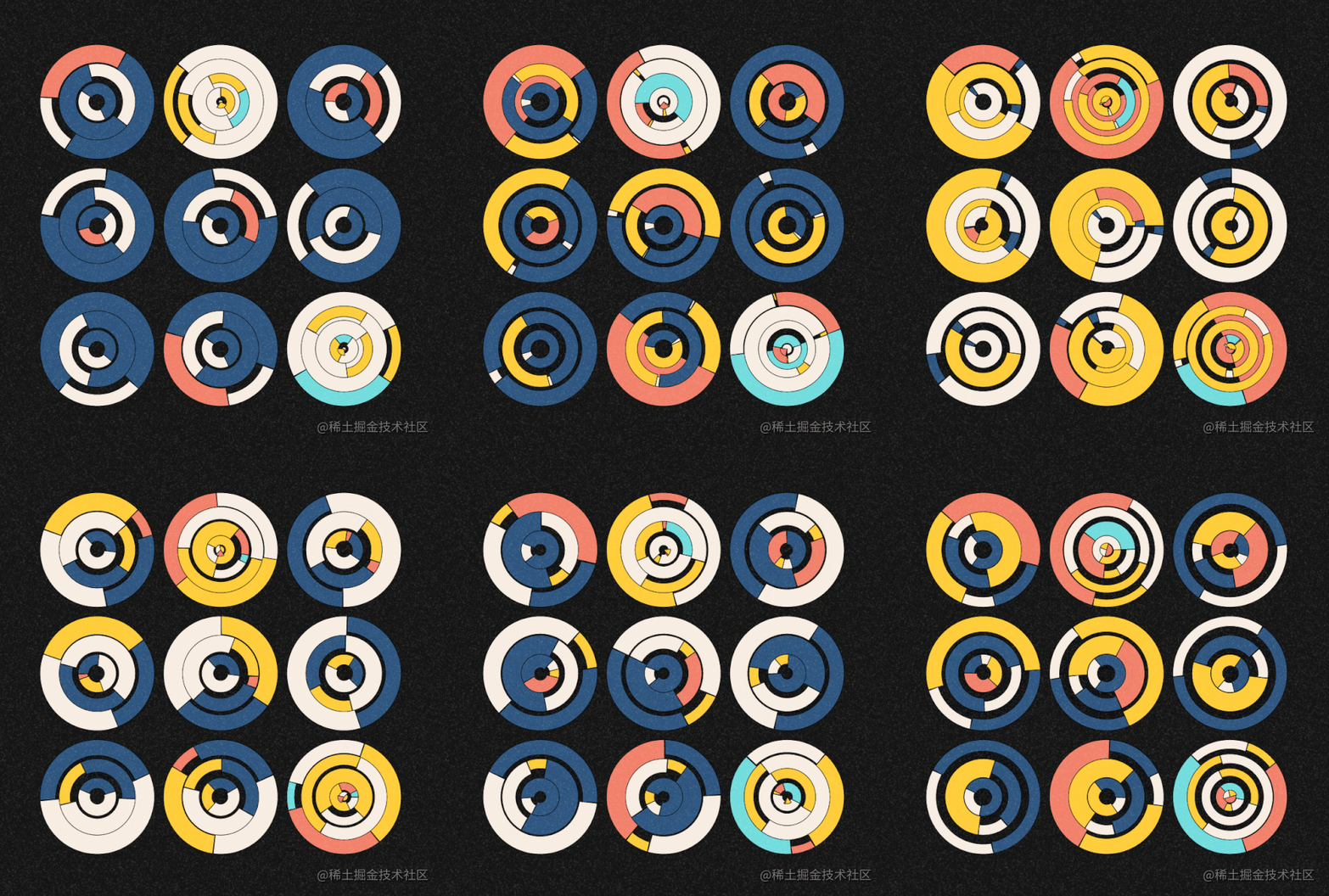
Do you believe that? , The pictures above are js Achieved Oh , Really not ps The results of , Is it powerful .
Next , Let's learn some of this together processing How to achieve these cool effects .
brief introduction
It is said that this processing Tools are a course in the Department of effective arts , It is mainly used to make digital art works 、 Data visualization works and interactive multimedia art works , You can implement dynamic forms 、 Handle gestures 、 Define behavior , It can also simulate natural systems and integrate other media , The most important thing is that it is a development language , Is a very, very simple development language .
processing Mainly with JAVA Mainly , Cross platform , At present, mainstream browsers support . The government has provided a large number of libraries , For example, serial port 、 The Internet 、 video 、 visualization 、 voice 、GUI、3D Animation, etc. , Can break through PS, AI And other design tools , Create more creative works of art .
Official website address Click here
characteristic
- The unity of randomness and planning
- The combination of nature and man
- Mass personalized production
- Planned random operation
- Unspecified simulation process
Use
(1) install
Go directly to Download from the official website , After decompression, click Processing.exe Can run Processing Development environment of (IDE).
You can also choose the Chinese version , Sure Click on File→Preferences→Language Select Chinese and click “ok” Restart again IDE that will do .)
The official website is in English , Students with poor English can download directly from my resources . My resources download link
(2) Follow along
A brief introduction to this tool :
menu bar
Contains basic functions , Like opening 、 preservation 、 export 、 Set up 、 help .
The toolbar
Triangle icon : Compile code , Open the display window , Run the program
Square icon : Terminate a running program
Far right Java The drop-down : You can choose different development languages
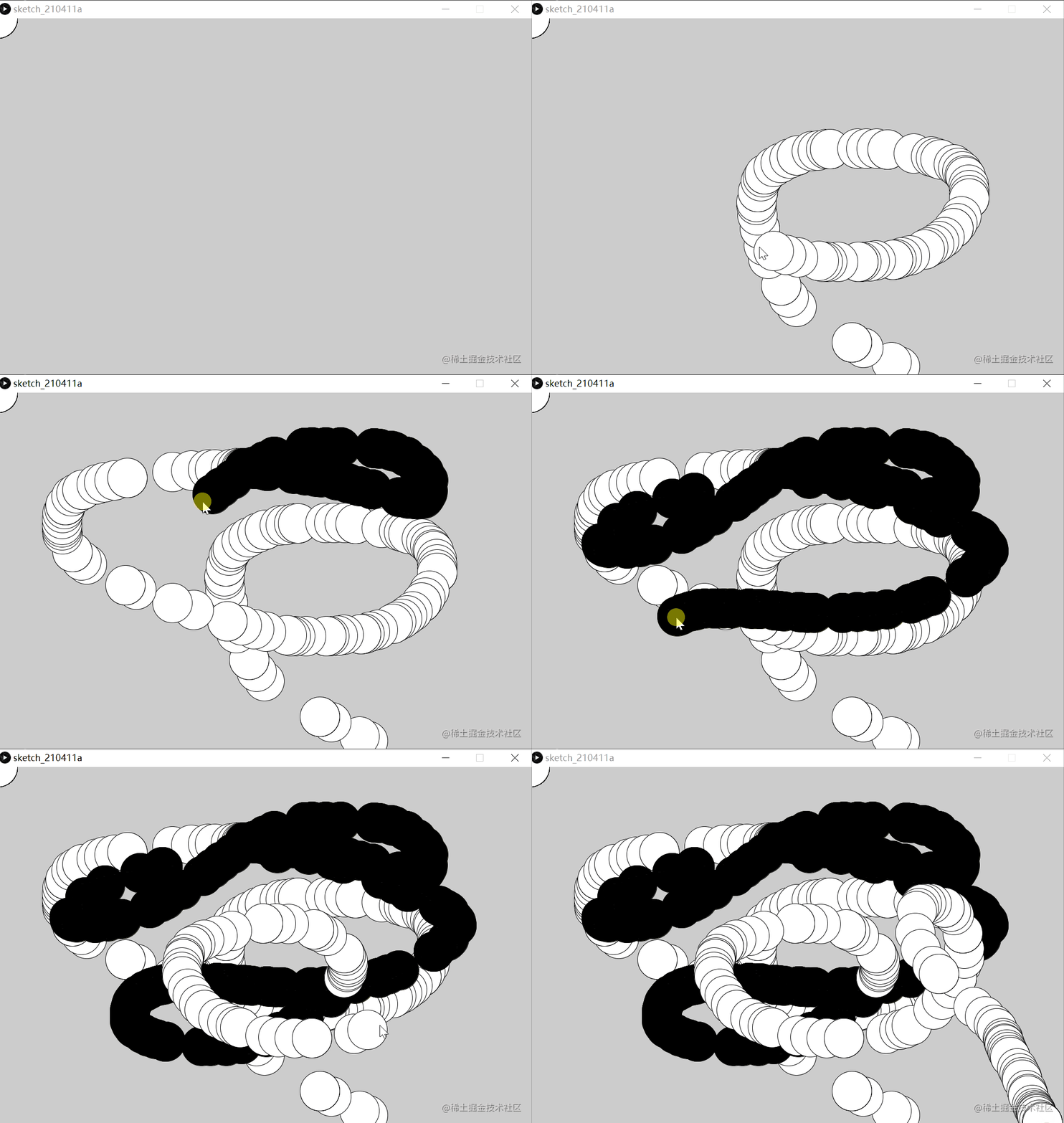
Write the following code in the coding area to try :
void setup() {size(1080, 720);}void draw() { if (mousePressed) { fill(0); } else { fill(255); } ellipse(mouseX, mouseY, 80, 80);}
Click to run as follows :
For more specific usage, please refer to Official documents .
边栏推荐
- 全志科技T3开发板(4核ARM Cortex-A7)——MQTT通信协议案例
- DC-DC自举电容(BOOT)几个问题
- 全志T3开发板(4核ARM Cortex-A7)——系统启动阶段LOGO显示详解
- 2022成年礼,致每一位高考学子
- New work of "the father of LSTM": a new method towards self correcting neural network
- 使用Visdom對損失函數進行監控
- 学习使用LSTM和IMDB评论数据进行情感分析训练
- On the sequence traversal of binary tree Ⅱ
- [C语言]用结构体把平均分和低于等于平均分的学生数据输出
- H. 264 concept
猜你喜欢
Summary of common mysql/redis interview questions

Map and set
![[c language] limit the number of searches and output the maximum value found in the number of internal searches](/img/e6/cbb8dd54b49ade453251a70c8455e8.png)
[c language] limit the number of searches and output the maximum value found in the number of internal searches

全志科技T3开发板(4核ARM Cortex-A7)——视频开发案例
![[C语言]用结构体把平均分和低于等于平均分的学生数据输出](/img/c4/263301a22b61c86a3e0df6ad2596f1.png)
[C语言]用结构体把平均分和低于等于平均分的学生数据输出

力扣刷题——二叉树的层序遍历
[c language] output the average score and the student data below or equal to the average score with the structure

Easycwmp source code analysis
![[untitled]](/img/ab/04beacfc7975cc3c54399447aa5027.png)
[untitled]
labelme进行图片数据标注

随机推荐
[c language] compress strings and add markup characters
基于TI AM5728 + Artix-7 FPGA开发板(DSP+ARM) 5G通信测试手册
Ti am64x - the latest 16nm processing platform, designed for industrial gateways and industrial robots
系统的可扩展型
Why is ti's GPMC parallel port more often used to connect FPGA and ADC? I give three reasons
使用mysql判断日期是星期几
[untitled]
全志科技T3开发板(4核ARM Cortex-A7)——视频开发案例
[C语言]对一个数组的元素排序后平移元素
Combination sum of 39 questions
Apipost精妙使用技巧
IEDA 底层菜单菜单简介
非递归实现二叉树的前、中、后序遍历
力扣刷题——二叉树的层序遍历
牛客刷题——求最小公倍数
信号的处理与捕捉
Niuke brush questions part7
[c language] output the average score and the student data below or equal to the average score with the structure
[golang] leetcode - 349 Intersection of two arrays (hash table)
Sorted circular linked list