当前位置:网站首页>Win10 system uses pip to install juypter notebook process record (installed on a disk other than the system disk)
Win10 system uses pip to install juypter notebook process record (installed on a disk other than the system disk)
2022-07-02 17:21:00 【--Jize--】
Environment configuration
windows10
python 3.9
Installation steps
install python( If it is already installed, you can skip to the next step by yourself )
(python Installation tutorial )
Enter cmd, Run as administrator Command prompt 
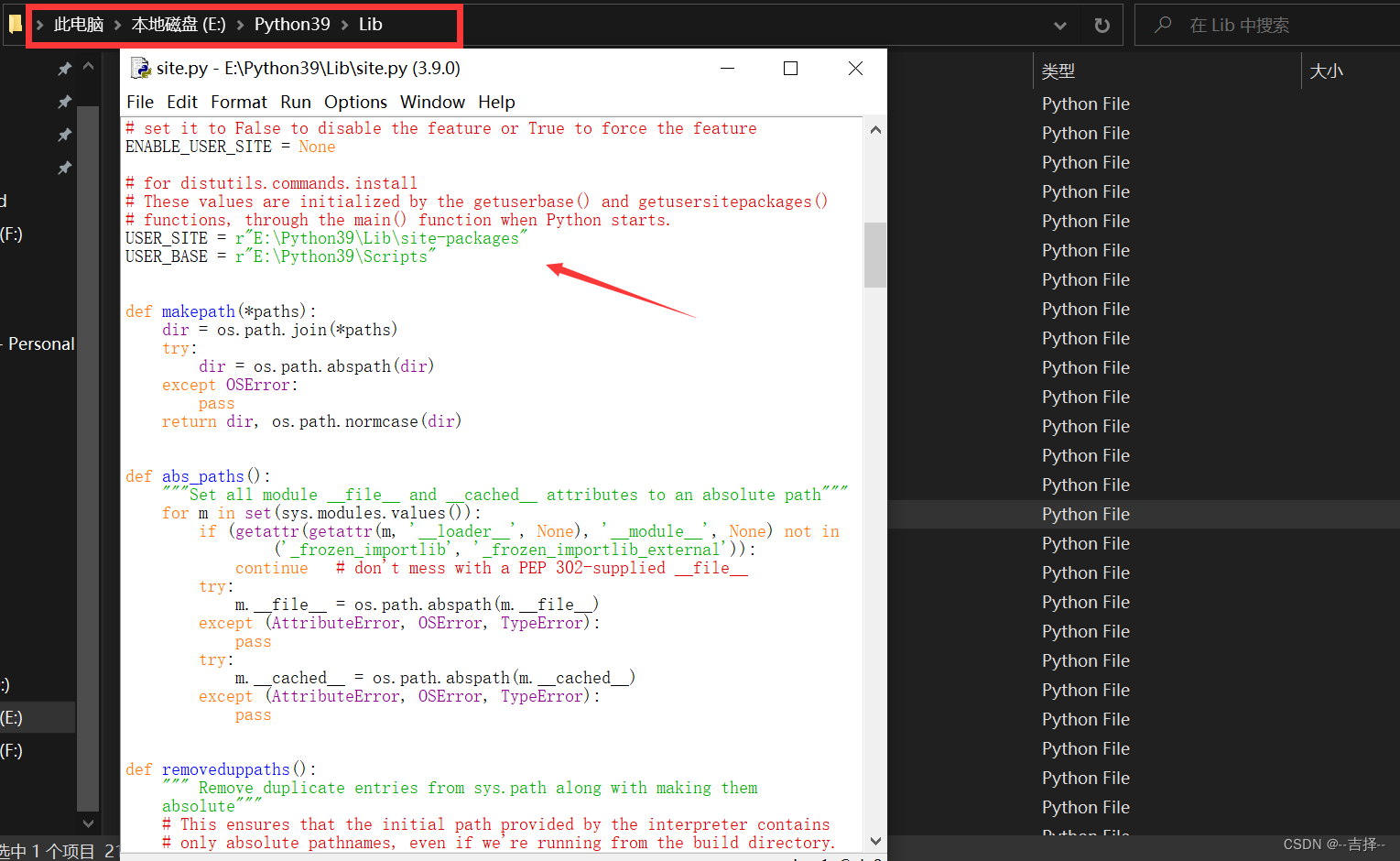
Use python -m site Command view user_base and user_site, If it is doesn’t exist Need to E:\Python39\Lib The next path site.py Make changes .
Please refer to pip install ** Always go C Under the plate ? How to change ? Want to learn , I'll teach you 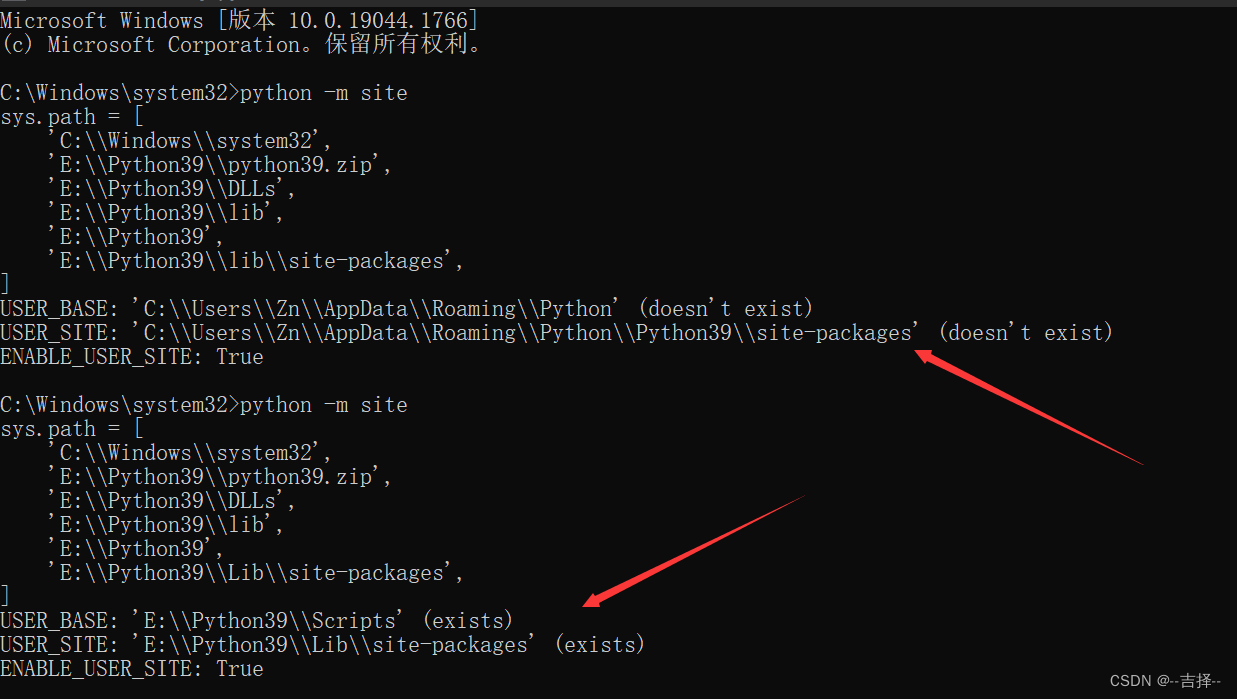
to update pip
python -m pip install --upgrade pip -i https://pypi.douban.com/simple

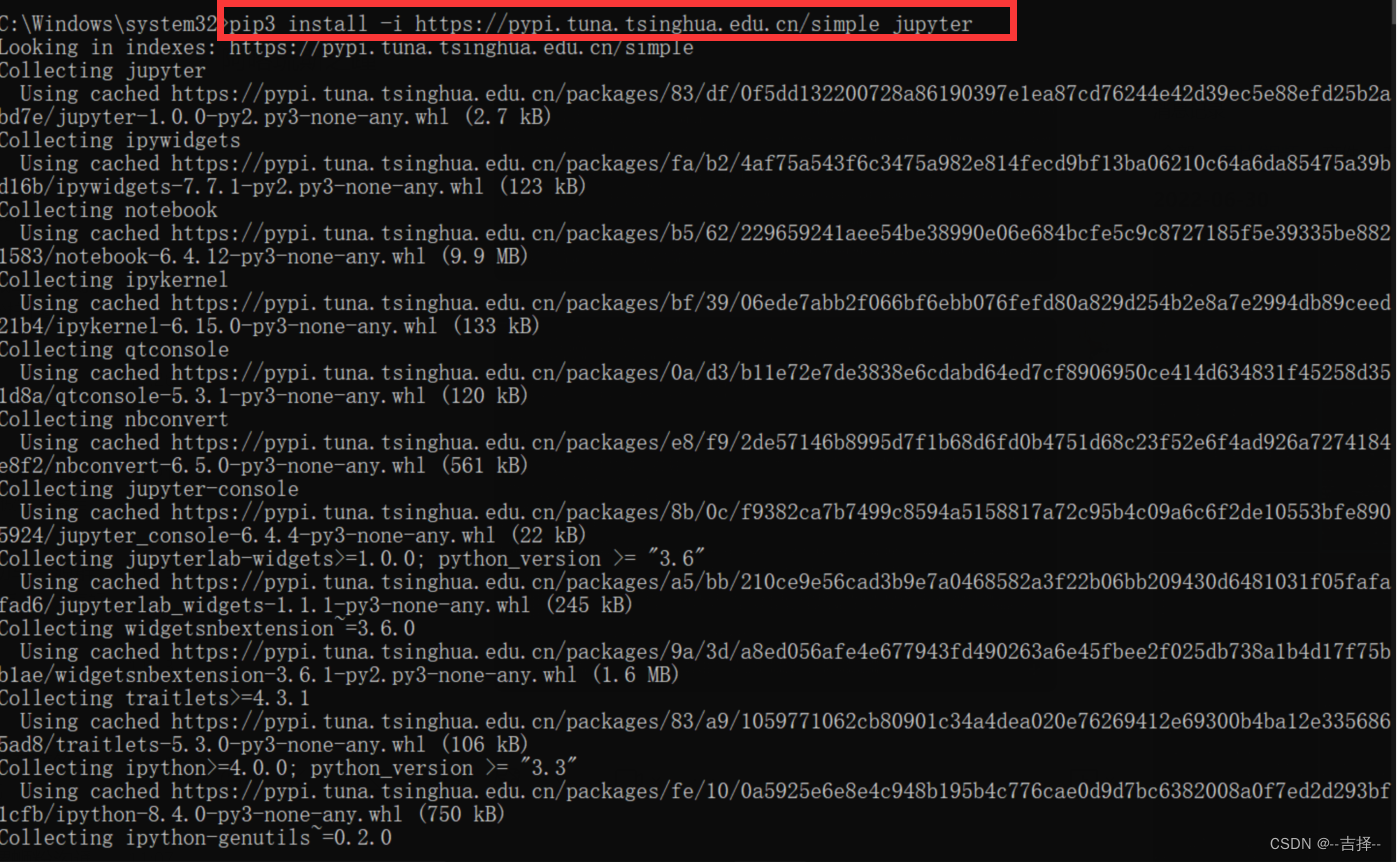
install
pip3 install -i https://pypi.tuna.tsinghua.edu.cn/simple jupyter
function juypter
Directly input the following command at the terminal
jupyter notebook

The following interface pops up in the browser, indicating that the installation is successful 
Be careful : Use Jupyter Notebook when , Keep the terminal on , Because once the terminal is turned off , It will disconnect the link with the local server , Will not be able to be in Jupyter Notebook Other operations in .
Use juypter notebook
Click on the new, newly build 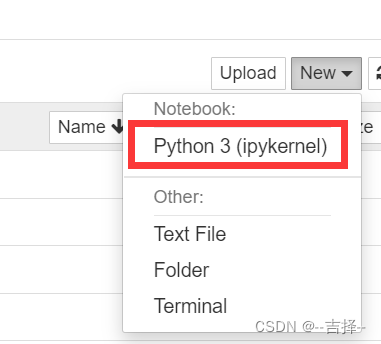
Some problems encountered during installation
A wrong : to update pip Report errors

resolvent
python In the update pip When PermissionError: [WinError 5] Access denied .
Error 2 : Network problems caused installation errors
Use command
pip3 install jupyter

Use this command to install because the network is too slow , Cause download timeout error , therefore
resolvent : Replace the domestic image source installation
pip3 install -i https://pypi.tuna.tsinghua.edu.cn/simple jupyter
The following figure shows the successful installation 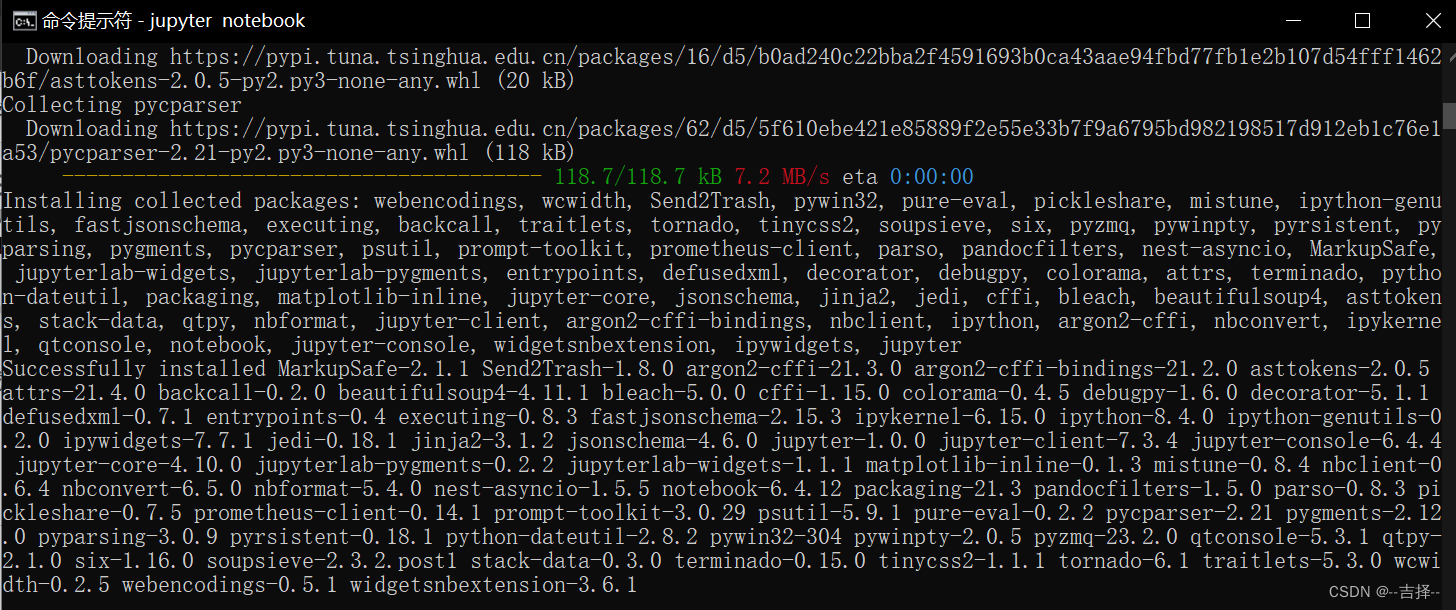
Error of three :

Error four :

Error five :
Use pip list Command view shows that it is installed jupyter, But it cannot be called 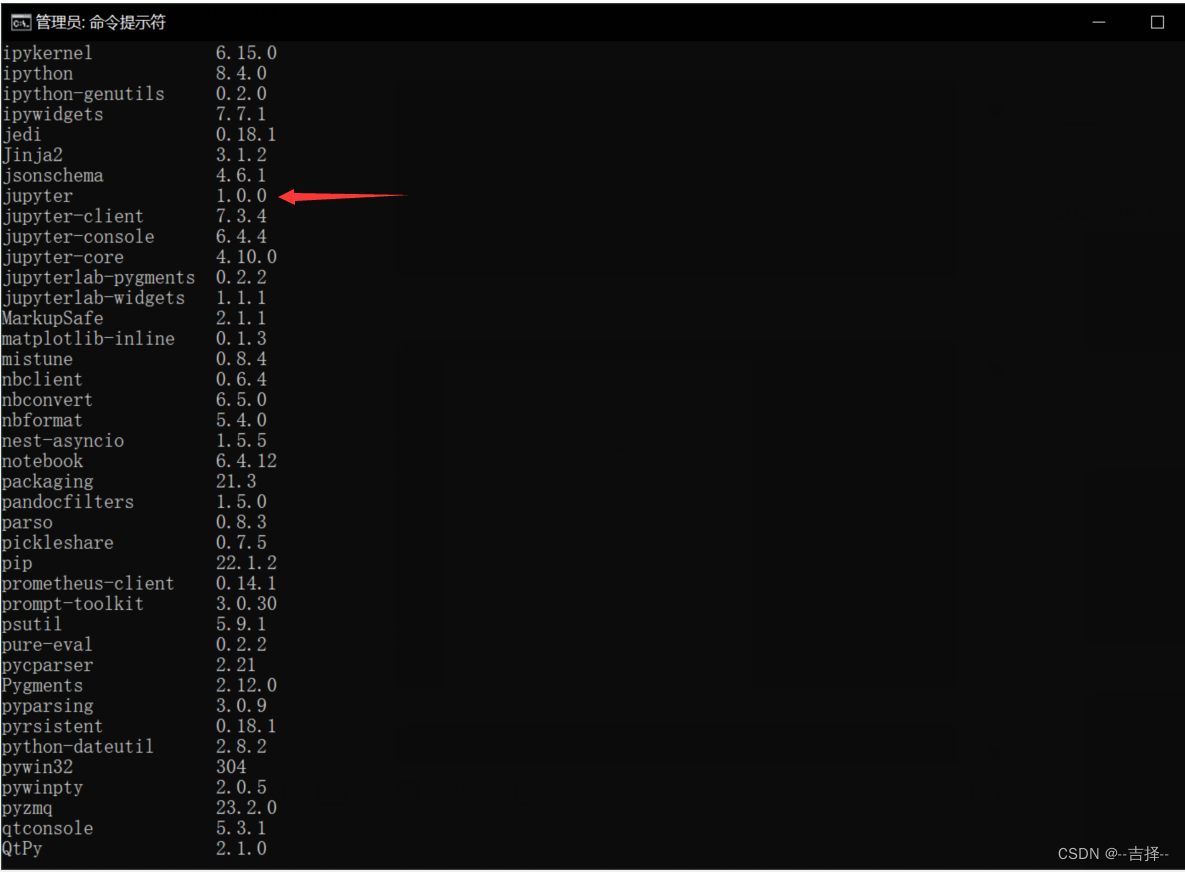

resolvent : Direct operation exe
To python Under the installation path Lib\site-packages\bin Direct operation jupyter notebook.exe
summary
There are many problems in the process of installation , Some problems are not clear how to solve , Many times .
Software can be reinstalled , But if you encounter a problem that you don't know the answer, can you start over ? Do you want to start the journey without knowing the result ? It's already on the road. Do you want to continue ?
If there is any error in the description in the article, please correct .
边栏推荐
- 电脑自带软件使图片底色变为透明(抠图白底)
- Visibilitychange – refresh the page data when the specified tab is visible
- 线性规划例题 投资的收益与风险
- The poor family once again gave birth to a noble son: Jiangxi poor county got the provincial number one, what did you do right?
- 酒仙网IPO被终止:曾拟募资10亿 红杉与东方富海是股东
- What is agile development process
- Timing / counter of 32 and 51 single chip microcomputer
- Nexus Introduction and Xiaobai use idea Packaging and Upload to Nexus 3 private service detailed tutoriel
- Schoolbag novel multithreaded crawler [easy to understand]
- Usage of sprintf() function in C language
猜你喜欢

The poor family once again gave birth to a noble son: Jiangxi poor county got the provincial number one, what did you do right?

默认浏览器设置不了怎么办?

QStyle实现自绘界面项目实战(二)
【Leetcode】14. 最長公共前綴
What if the default browser cannot be set?

使用知行之桥的API端口,提供资源供合作伙伴访问

Jiuxian's IPO was terminated: Sequoia and Dongfang Fuhai were shareholders who had planned to raise 1billion yuan
Easy language ABCD sort

Blog theme "text" summer fresh Special Edition

Goodbye, shucang. Alibaba's data Lake construction strategy is really awesome!
随机推荐
剑指 Offer 24. 反转链表
Chapter 3 of hands on deep learning - (1) linear regression is realized from scratch_ Learning thinking and exercise answers
【Leetcode】14. 最长公共前缀
dstat使用[通俗易懂]
Dgraph: large scale dynamic graph dataset
Experience home office, feel the completion of the project | community essay solicitation
一文看懂:数据指标体系的4大类型
Leetcode question brushing record | 933_ Recent requests
剑指 Offer 26. 树的子结构
Sword finger offer 26 Substructure of tree
人生的开始
VScode知识点——常见报错
深度之眼(二)——矩阵及其基本运算
13、Darknet YOLO3
简单介绍BASE64Encoder的使用
智能垃圾桶(五)——点亮OLED
Amazon cloud technology community builder application window opens
Sword finger offer 25 Merge two sorted linked lists
MOSFET器件手册关键参数解读
871. Minimum refueling times