当前位置:网站首页>Excel cell
Excel cell
2022-06-11 00:12:00 【Mr. No】
package com.kuangcp.mythpoi.excel;

import com.kuangcp.mythpoi.excel.base.ExcelTransform;
import com.kuangcp.mythpoi.excel.base.MainConfig;
import com.kuangcp.mythpoi.excel.type.BooleanHandler;
import com.kuangcp.mythpoi.excel.type.DateHandler;
import com.kuangcp.mythpoi.excel.type.DoubleHandler;
import com.kuangcp.mythpoi.excel.type.FloatHandler;
import com.kuangcp.mythpoi.excel.type.IntegerHandler;
import com.kuangcp.mythpoi.excel.type.LoadCellValue;
import com.kuangcp.mythpoi.excel.type.LongHandler;
import com.kuangcp.mythpoi.excel.type.StringHandler;
import com.kuangcp.mythpoi.utils.base.ReadAnnotationUtil;
import java.io.File;
import java.io.FileNotFoundException;
import java.io.FileOutputStream;
import java.io.OutputStream;
import java.util.HashMap;
import java.util.List;
import java.util.Map;
import java.util.Objects;
import lombok.extern.slf4j.Slf4j;
import org.apache.poi.hssf.usermodel.HSSFCell;
import org.apache.poi.hssf.usermodel.HSSFCellStyle;
import org.apache.poi.hssf.usermodel.HSSFFont;
import org.apache.poi.hssf.usermodel.HSSFRichTextString;
import org.apache.poi.hssf.usermodel.HSSFRow;
import org.apache.poi.hssf.usermodel.HSSFSheet;
import org.apache.poi.hssf.usermodel.HSSFWorkbook;
import org.apache.poi.ss.usermodel.BorderStyle;
import org.apache.poi.ss.usermodel.CellType;
import org.apache.poi.ss.usermodel.HorizontalAlignment;
import org.apache.poi.ss.usermodel.VerticalAlignment;
import org.apache.poi.ss.util.CellRangeAddress;

/**
 * Created by https://github.com/kuangcp on 18-2-21   Afternoon 12:47
 * Excel Export tool class
 * TODO  Reasonable handling of exceptions
 *  The current cell type does not support formulas and errors
 * Boolean  Default is false,
 *  The string defaults to an empty string ,  If the value type is empty, it is 0
 *
 * @author kuangcp
 */
@Slf4j
public class ExcelExport {

  private static MainConfig mainConfig = MainConfig.getInstance();
  private static HSSFWorkbook workbook = new HSSFWorkbook();
  private static Map<String, LoadCellValue> handlerMap = new HashMap<>(7);

  //  Dictionary combined with policy pattern to simplify code
  static {
    handlerMap.put("String", new StringHandler());
    handlerMap.put("Date", new DateHandler());
    handlerMap.put("Boolean", new BooleanHandler());
    handlerMap.put("Long", new LongHandler());
    handlerMap.put("Integer", new IntegerHandler());
    handlerMap.put("Double", new DoubleHandler());
    handlerMap.put("Float", new FloatHandler());
  }

  /**
   * @param filePath  The absolute path to the file
   * @param originData  The main data
   */
  public static boolean exportExcel(String filePath, List<? extends ExcelTransform> originData) {
    if (Objects.isNull(originData) || originData.isEmpty()) {
      log.warn("export data is empty");
      return false;
    }
    try {
      File file = new File(filePath);
      OutputStream out = new FileOutputStream(file);
      return exportExcel(out, originData);
    } catch (FileNotFoundException e) {
      log.error("file not found", e);
      return false;
    }
  }

  /**
   * @param outputStream  Output stream
   * @param originData  Original object collection   Not empty
   */
  public static boolean exportExcel(OutputStream outputStream,
      List<? extends ExcelTransform> originData) {

    try {
      Class<? extends ExcelTransform> target = originData.get(0).getClass();
      String sheetTitle = ReadAnnotationUtil.getSheetExportTitle(target);
      List<Object[]> dataList = ReadAnnotationUtil.getContentByList(target, originData);

      if (Objects.isNull(dataList)) {
        log.error("{}  There are no annotated fields in ,  Export failed ", target.getSimpleName());
        return false;
      }

      HSSFSheet sheet = workbook.createSheet(sheetTitle);
      HSSFCellStyle columnTitleStyle = getColumnTitleCellStyle(workbook);

      setSheetTitle(sheet, dataList, sheetTitle, columnTitleStyle);
      setColumnTitle(dataList, sheet, target, columnTitleStyle);
      setContent(dataList, sheet);
      workbook.write(outputStream);
    } catch (Exception e) {
      log.error("export error ", e);
      return false;
    }
    return true;
  }

  /**
   *  Set up sheet Column header of
   */
  private static void setColumnTitle(List<Object[]> dataList, HSSFSheet sheet, Class target,
      HSSFCellStyle columnTopStyle) {
    List<ExcelCellMeta> metaList = ReadAnnotationUtil.getCellMetaData(target);
    HSSFRow row = sheet.createRow(mainConfig.getTitleLastRowNum());
    int columnNum = dataList.get(0).length;
    for (int n = 0; n < columnNum; n++) {
      // Create the number of cells corresponding to the column header
      HSSFCell cellRowName = row.createCell(n);
      // Set the data type of the column header cell

      cellRowName.setCellType(CellType.STRING);
      HSSFRichTextString text = new HSSFRichTextString(metaList.get(n).getTitle());
      cellRowName.setCellValue(text);
      cellRowName.setCellStyle(columnTopStyle);
    }
  }

  /**
   *  according to List To create a line of cell,  The reason for using the policy pattern is to convert from multiple object types to Excel Specific types of
   */
  private static void createRowCell(Object[] obj, int index, HSSFRow row) {
    HSSFCellStyle style = getContentCellStyle(workbook);
    Object temp = obj[index];
    HSSFCell cell = handlerMap.get(temp.getClass().getSimpleName()).loadValue(row, index, temp);

    if (!Objects.isNull(cell)) {
      cell.setCellStyle(style);
    }
  }

  /**
   * cell It is divided into :  Space   Boolean type (TRUE FALSE)  character string   The number  |  error   The formula
   *  fill sheet Content
   */
  private static void setContent(List<Object[]> dataList, HSSFSheet sheet) {
    for (int m = 0; m < dataList.size(); m++) {
      Object[] obj = dataList.get(m);
      HSSFRow row = sheet.createRow(m + mainConfig.getContentStartNum());
      for (int j = 0; j < obj.length; j++) {
        createRowCell(obj, j, row);
      }
    }
  }

  /**
   *  Set the table title row   merge cell   and   In the middle
   */
  private static void setSheetTitle(HSSFSheet sheet, List<Object[]> dataList, String sheetTitle,
      HSSFCellStyle columnTitleStyle) {

    HSSFRow row = sheet.createRow(mainConfig.getStartRowNum());
    HSSFCell cellTitle = row.createCell(mainConfig.getStartColNum());

    int lastColNum = dataList.get(0).length - 1;
    log.debug("title cell range : firstRow={} lastRow={} firstCol={} lastCol={}",
        mainConfig.getStartRowNum(),
        mainConfig.getTitleLastRowNum() - 1,
        mainConfig.getStartColNum(),
        lastColNum);

    sheet.addMergedRegion(new CellRangeAddress(
        mainConfig.getStartRowNum(),
        mainConfig.getTitleLastRowNum() - 1,
        mainConfig.getStartColNum(),
        lastColNum));

    log.debug("title value position: cell ={}", cellTitle.getAddress().toString());
    cellTitle.setCellStyle(columnTitleStyle);
    cellTitle.setCellValue(sheetTitle);
  }

  /**
   *  Column header cell style
   */
  private static HSSFCellStyle getColumnTitleCellStyle(HSSFWorkbook workbook) {
    HSSFFont font = workbook.createFont();
    font.setFontHeightInPoints(mainConfig.getTitleFontSize());
    font.setBold(mainConfig.isTitleFontBold());
    font.setFontName(mainConfig.getTitleFontName());

    HSSFCellStyle style = workbook.createCellStyle();
    style.setBorderBottom(BorderStyle.MEDIUM);
    style.setBorderRight(BorderStyle.MEDIUM);
    style.setBorderTop(BorderStyle.MEDIUM);

    style.setFont(font);
    // Set auto wrap ;
    style.setWrapText(false);
    // Set the horizontal alignment style to center ;
    style.setAlignment(HorizontalAlignment.CENTER);
    // Set the vertical alignment style to center ;
    style.setVerticalAlignment(VerticalAlignment.CENTER);
    return style;
  }

  /**
   *  Column data information cell style
   */
  private static HSSFCellStyle getContentCellStyle(HSSFWorkbook workbook) {
    //  Set the font
    HSSFFont font = workbook.createFont();
    font.setFontHeightInPoints(mainConfig.getContentFontSize());
    font.setFontName(mainConfig.getContentFontName());
    font.setBold(mainConfig.isContentFontBold());

    HSSFCellStyle style = workbook.createCellStyle();
    //  Set border style and color
    style.setBorderBottom(BorderStyle.THIN);
    style.setBorderRight(BorderStyle.THIN);
    style.setBorderTop(BorderStyle.THIN);

    style.setFont(font);
    // Set auto wrap ;
    style.setWrapText(false);
    // Set the horizontal alignment style to center ;
    style.setAlignment(HorizontalAlignment.CENTER);
    // Set the vertical alignment style to center ;
    style.setVerticalAlignment(VerticalAlignment.CENTER);
    return style;
  }
}
Reprint https://blog.csdn.net/kcp606/article/details/79435757
边栏推荐
- csdn每日一练——找出最接近元素并输出下标
- From the perspective of Confucius Temple IP crossover, we can see how the six walnuts become "butterflies" for the second time
- 【Pygame小游戏】“史上最炫酷贪吃蛇”驾到,FUN开玩(不好玩不要钱)
- 【Pygame小遊戲】別找了,休閑遊戲專題來了丨泡泡龍小程序——休閑遊戲研發推薦
- [pyGame] this "groundhog" game is going to be popular (come on, come on)
- Leetcode-713 subarray with product less than k
- 静态方法static学习
- 希尔排序
- Redis installation and common problem solving based on centeros7 (explanation with pictures)
- [opencv practice] in cold winter, there will be a rainbow. Do you love this special effect?
猜你喜欢

【Opencv实战】寒冷的冬季,也会迎来漫天彩虹,这特效你爱了嘛?

From the perspective of Confucius Temple IP crossover, we can see how the six walnuts become "butterflies" for the second time
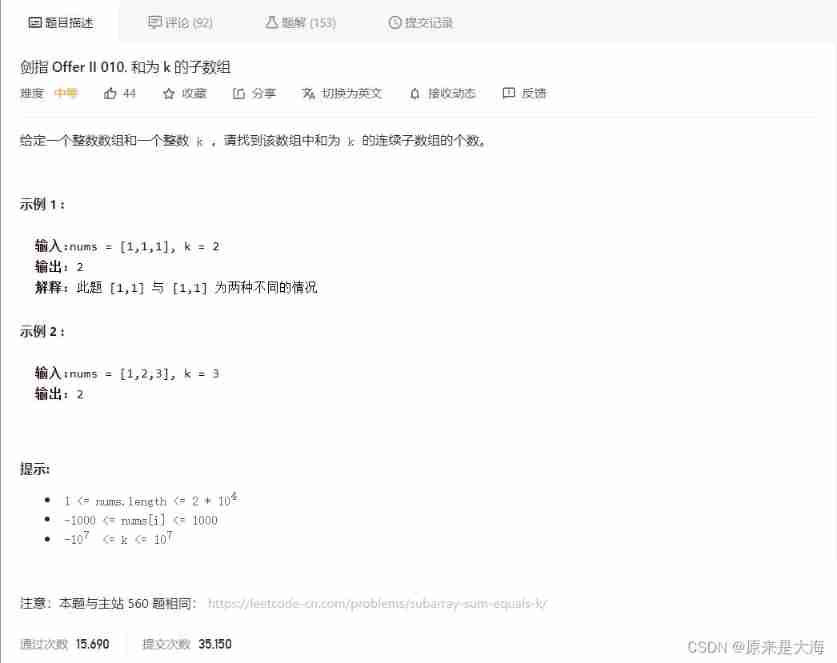
Leetcode-560 and subarray with K

Njupt South Post collection_ Experiment 2
![[turtle confessions collection]](/img/81/b4bacc23691e58e403f1330d0ca7cf.jpg)
[turtle confessions collection] "the moon at the bottom of the sea is the moon in the sky, and the person in front of us is the sweetheart." Be happy for the rest of your life, and be safe for ever ~

【AcWing】4. Multiple knapsack problem I

vtk. VTP download in JS

763. 划分字母区间

USB IP core FPGA debugging (I)

【JVM】垃圾回收机制
随机推荐
Go语言Channel理解使用
How to remove the blank at the top of listview
Merge sort
【Pygame小游戏】这款“打地鼠”小游戏要火了(来来来)
Multipartfile rename upload
Bluetooth development (3) -- look at the air bag
【Pygame小游戏】这款经典的炸弹人超能游戏上线,你爱了嘛?(附源码)
MySQL命令行导入导出数据
[mathematics] [continuum mechanics] symmetry tensor, strain tensor and stress tensor in fluid mechanics
Things about Bluetooth development (1) -- starting with packet capturing data
【Pygame小游戏】《坦克大战》,那些童年的游戏你还记得几个呢?
MP框架基本操作(自用)
How to check the variable waveform when debugging the program? Look here
【Pygame小游戏】不怕你走不过系列:极致AI走迷宫,学习完带你打开新世界大门~(附游戏源码)
2022 college entrance examination quantitative paper | please answer the questions for quantitative candidates
SQL查询,子查询作为结果字段
【Pygame小游戏】激荡大脑思维,一起来玩转奇思妙想“24点”叭~(超赞滴)
[pyGame games] here it is. This Gobang game is super A. share it with your friends~
MySQL command line import and export data
Bluetooth development (8) -- avdtp connection process