Preface
Recently, I am studying the problem of business visualization , In daily work , Flow charts and code are often managed separately .
A system that is maintained many times , In the end, it's hard to say whether the flowchart matches the code .
In a twinkling of an eye, three years have passed , At present, this idea has been gradually implemented into code .
problem
For simple processes
a -> b -> c
It can be easily implemented in code
//  perform a
a();
//  perform b
b();
//  perform c
c();
For parallel processes
a -> b
a -> c
This needs to be implemented by a multithreaded framework
//  perform a
a();

// a At the end of the execution b
new Thread(b).start();
// a At the end of the execution c
new Thread(c).start();
For the process of branch merging
a -> b
a -> c
b -> d
c -> d
//  perform a
a();

// a At the end of the execution b
new Thread(b).start();
// a At the end of the execution c
new Thread(c).start();

//  wait for b,c end
waitComplete(b,c);

//  perform d
d();
a();
b();
c();
d();
survey
Realization
First of all, there should be an interface for drawing flow charts . And can transform the flow chart into json Format .
Here I have chosen Vis.js Of network.
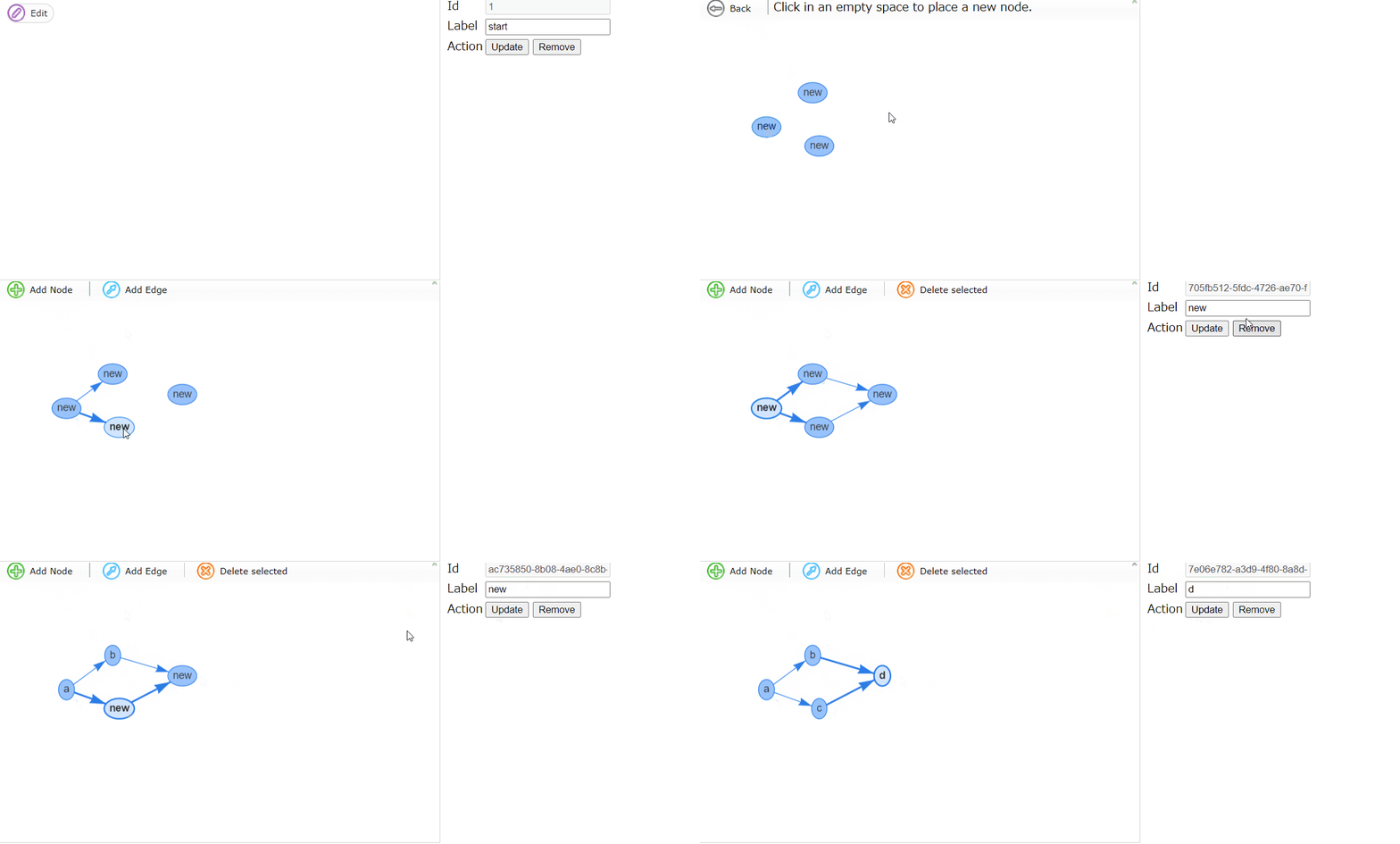
You can edit simple processes , as follows
You can also implement flow charts and json Between each other .
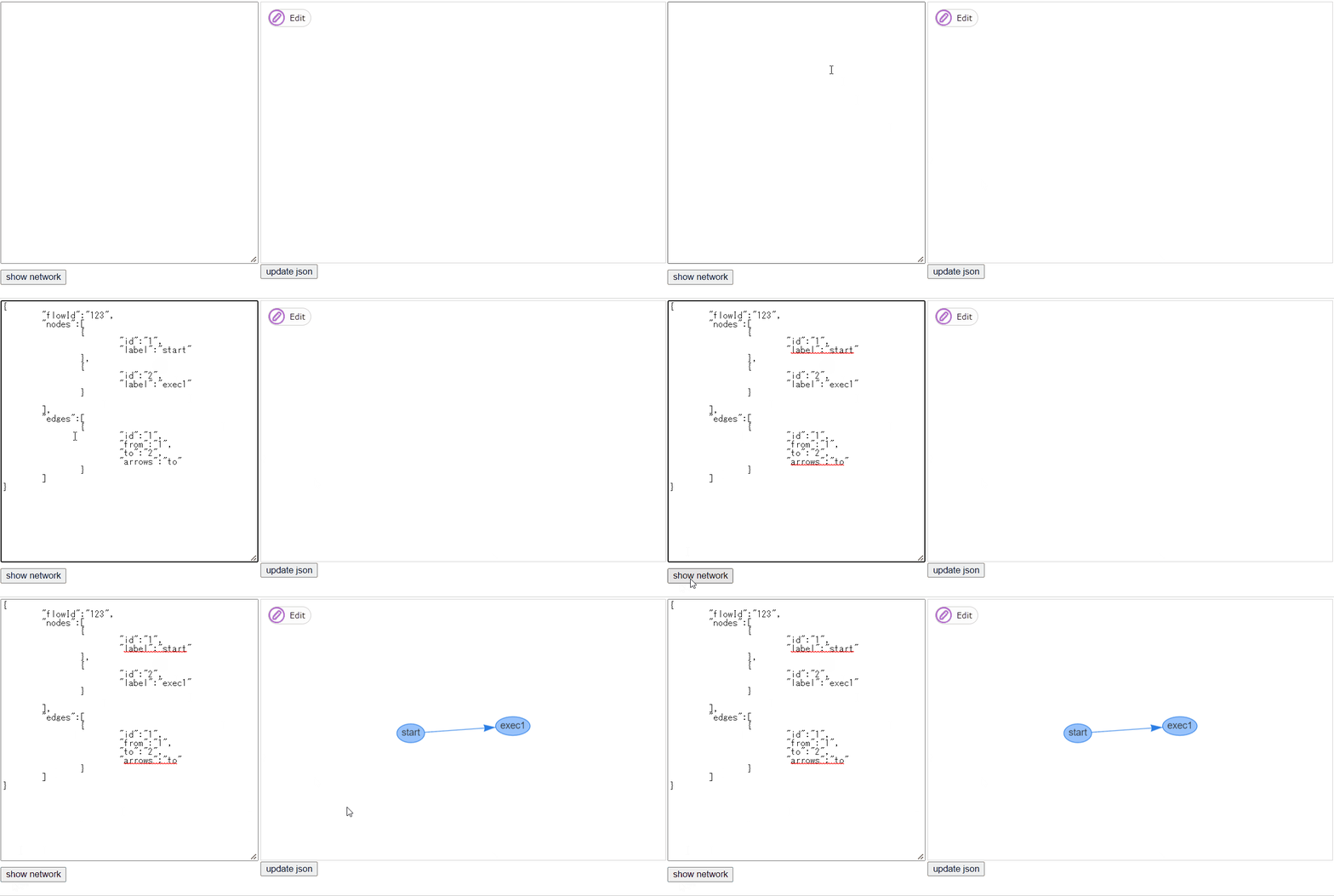
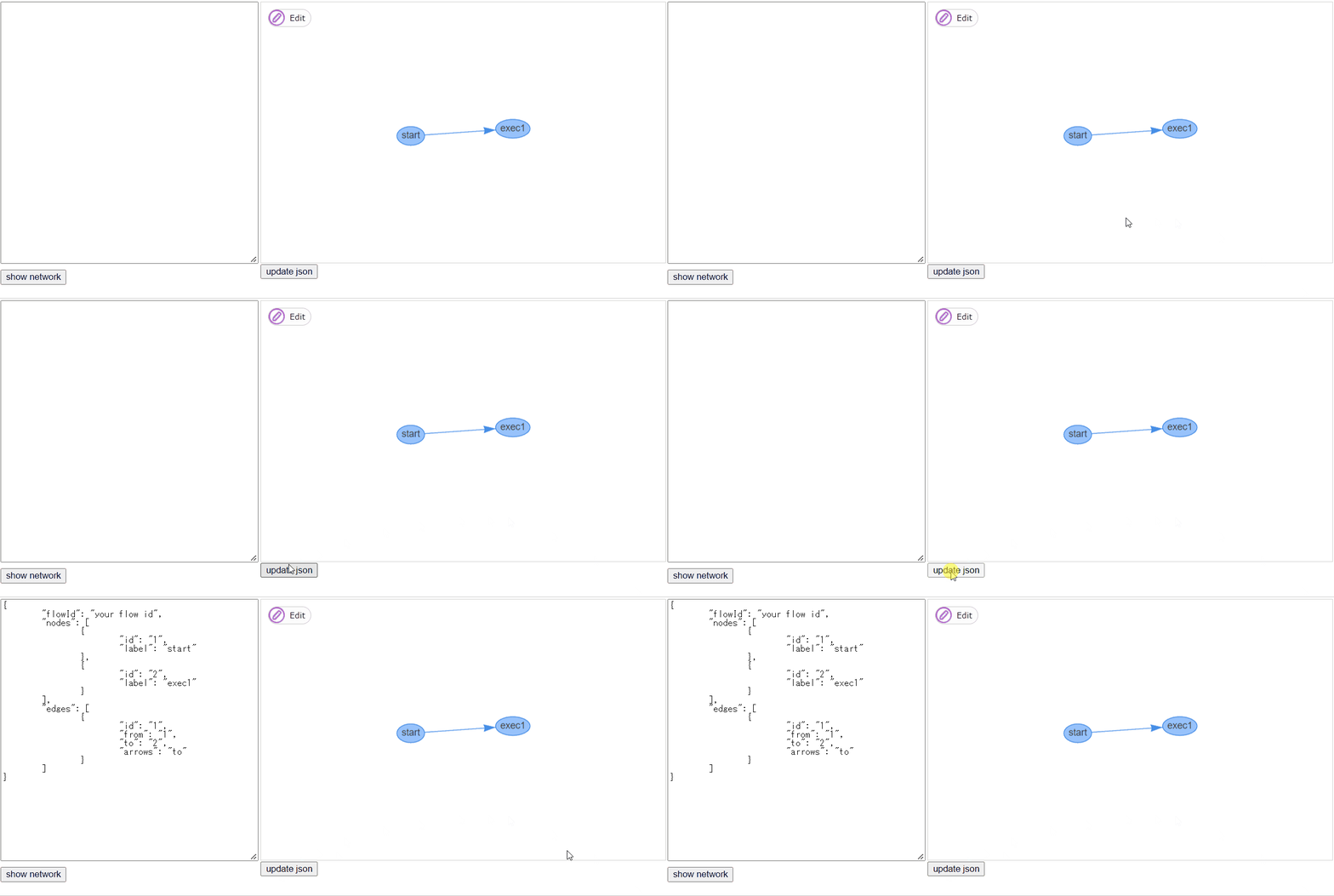
We get the basic information of these nodes , You can get a picture , Then traverse each node of the graph through the program , The effect of running flow chart can be achieved .
Next is the nodes and Java The method of is bound .
I made one Annotation To bind flow chart nodes ,
public @interface Node {

    String id()     default "" ;
    String label()     default "" ;
}
After the node gets the run start event , Get the node to run ID And name , Find the corresponding class Annotation Corresponding method , If found, run the method .
public int execute(String flowId, String nodeId, String historyId, HistoryNodeEntity nodeEntity)      throws Exception{

  String nodeName = nodeEntity.getNodeName();
  System.out.println(     "execute:" + nodeId);
  System.out.println(     "node name:" + nodeEntity.getNodeName());

  Method methods[] =      this .getClass().getMethods();
  if (methods !=      null ) {
    for (Method method:methods) {
      Node node = method.getAnnotation(Node.     class );
      if (node !=      null ) {
        if (node.id().equals(nodeId) || node.label().equals(nodeName)) {
          try {
            method.invoke(     this );
            return 0 ;
          }      catch (IllegalAccessException | IllegalArgumentException | InvocationTargetException e) {
            e.printStackTrace();
            throw e;
          }
        }
      }
    }
  }
  return 0 ;
}
Usage method
We need to make an inheritance from FlowRunner Class , The method and flow Node binding for , And a flow Configuration file for , In the same directory .

MyFlow1.java
public class MyFlow1     extends FlowRunner {

    @Node (label=    "a" )
    public void process_a() {
        System.out.println(    "processing a" );
    }

    @Node (label=    "b" )
    public void process_b() {
        System.out.println(    "processing b" );
    }

    @Node (label=    "c" )
    public void process_c() {
        System.out.println(    "processing c" );
    }

    @Node (label=    "d" )
    public void process_c() {
        System.out.println(    "processing d" );
    }
}
MyFlow1.json
{
    "flowId" :      "123" ,
    "nodes" : [
        {
            "id" :      "1" ,
            "label" :      "start"
        },
        {
            "id" :      "2" ,
            "label" :      "a"
        },
        {
            "id" :      "0b5ba9df-b6c7-4752-94e2-debb6104015c" ,
            "label" :      "b"
        },
        {
            "id" :      "29bc32c7-acd8-4893-9410-e9895da38b2e" ,
            "label" :      "c"
        }
    ],
    "edges" : [
        {
            "id" :      "1" ,
            "from" :      "1" ,
            "to" :      "2" ,
            "arrows" :      "to"
        },
        {
            "id" :      "078ffa82-5eff-4d33-974b-53890f2c9a18" ,
            "from" :      "1" ,
            "to" :      "0b5ba9df-b6c7-4752-94e2-debb6104015c" ,
            "arrows" :      "to"
        },
        {
            "id" :      "90663193-7077-4aca-9011-55bc8745403f" ,
            "from" :      "2" ,
            "to" :      "29bc32c7-acd8-4893-9410-e9895da38b2e" ,
            "arrows" :      "to"
        },
        {
            "id" :      "a6882e25-c07a-4abd-907e-e269d4eda0ec" ,
            "from" :      "0b5ba9df-b6c7-4752-94e2-debb6104015c" ,
            "to" :      "29bc32c7-acd8-4893-9410-e9895da38b2e" ,
            "arrows" :      "to"
        }
    ]
}
Then start the process through the following code .
MyFlow1 myFlow1 =    new MyFlow1();
myFlow1.startFlow();
When the system is shut down , Close the process manager through the following code
FlowStarter.shutdown();
function
The normal end log is as follows
Ready queue thread started.
Complete queue thread started.
json:
{"flowId":"123","nodes":[{"id":"1","label":"a"},{"id":"2","label":"b"},{"id":"0b5ba9df-b6c7-4752-94e2-debb6104015c","label":"c"},{"id":"29bc32c7-acd8-4893-9410-e9895da38b2e","label":"d"}],"edges":[{"id":"1","from":"1","to":"2","arrows":"to"},{"id":"078ffa82-5eff-4d33-974b-53890f2c9a18","from":"1","to":"0b5ba9df-b6c7-4752-94e2-debb6104015c","arrows":"to"},{"id":"90663193-7077-4aca-9011-55bc8745403f","from":"2","to":"29bc32c7-acd8-4893-9410-e9895da38b2e","arrows":"to"},{"id":"a6882e25-c07a-4abd-907e-e269d4eda0ec","from":"0b5ba9df-b6c7-4752-94e2-debb6104015c","to":"29bc32c7-acd8-4893-9410-e9895da38b2e","arrows":"to"}]}
execute:1
node name:a
processing a
execute:2
node name:b
processing b
execute:0b5ba9df-b6c7-4752-94e2-debb6104015c
node name:c
processing c
execute:29bc32c7-acd8-4893-9410-e9895da38b2e
node name:d
processing d
Complete success.
json:
{"nodes":[{"id": "1","label": "a" ,"color": "#36AE7C"},{"id": "2","label": "b" ,"color": "#36AE7C"},{"id": "0b5ba9df-b6c7-4752-94e2-debb6104015c","label": "c" ,"color": "#36AE7C"},{"id": "29bc32c7-acd8-4893-9410-e9895da38b2e","label": "d" ,"color": "#36AE7C"}],"edges":[{"id": "1","from": "1","to": "2","arrows": "to"},{"id": "078ffa82-5eff-4d33-974b-53890f2c9a18","from": "1","to": "0b5ba9df-b6c7-4752-94e2-debb6104015c","arrows": "to"},{"id": "90663193-7077-4aca-9011-55bc8745403f","from": "2","to": "29bc32c7-acd8-4893-9410-e9895da38b2e","arrows": "to"},{"id": "a6882e25-c07a-4abd-907e-e269d4eda0ec","from": "0b5ba9df-b6c7-4752-94e2-debb6104015c","to": "29bc32c7-acd8-4893-9410-e9895da38b2e","arrows": "to"}]}
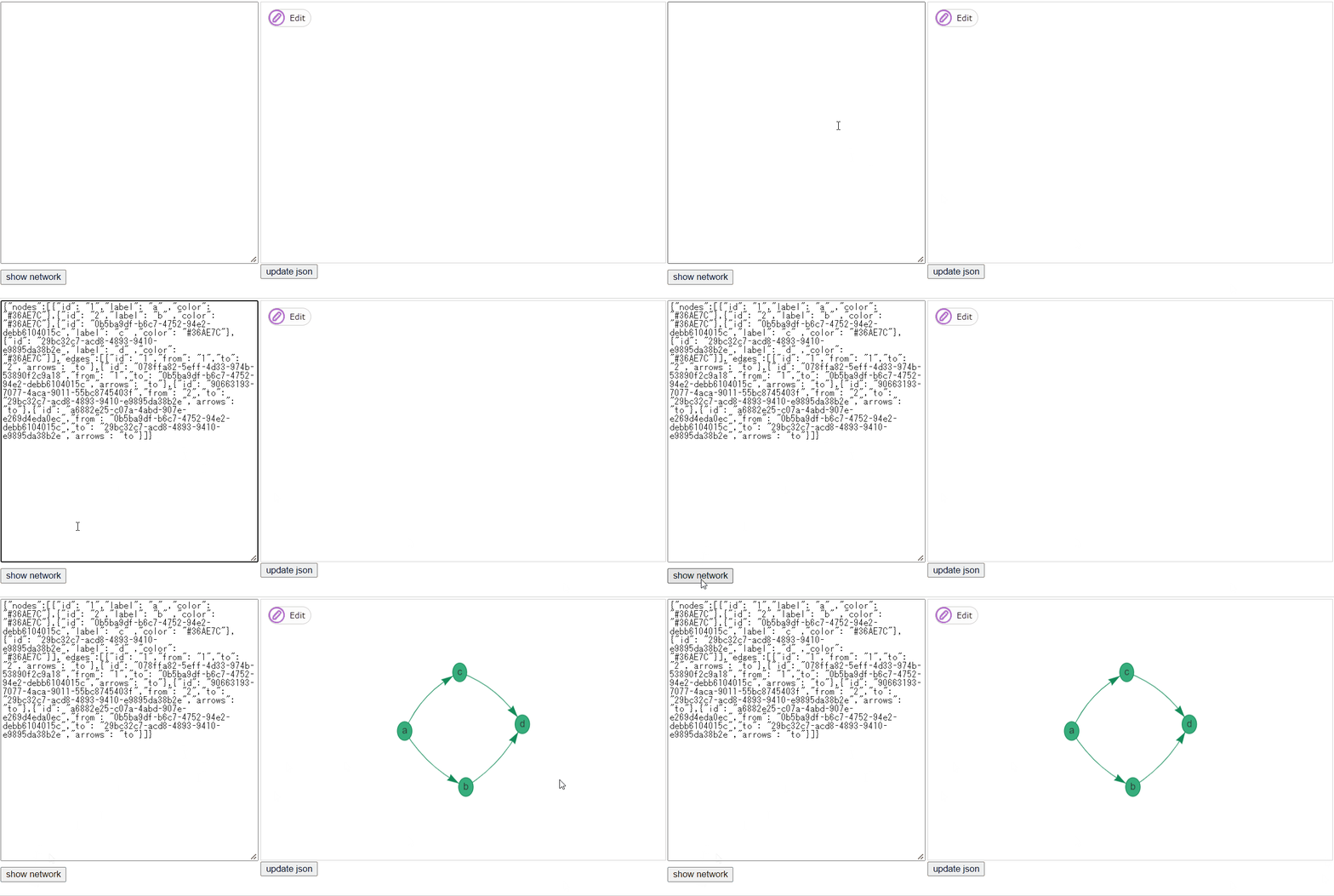
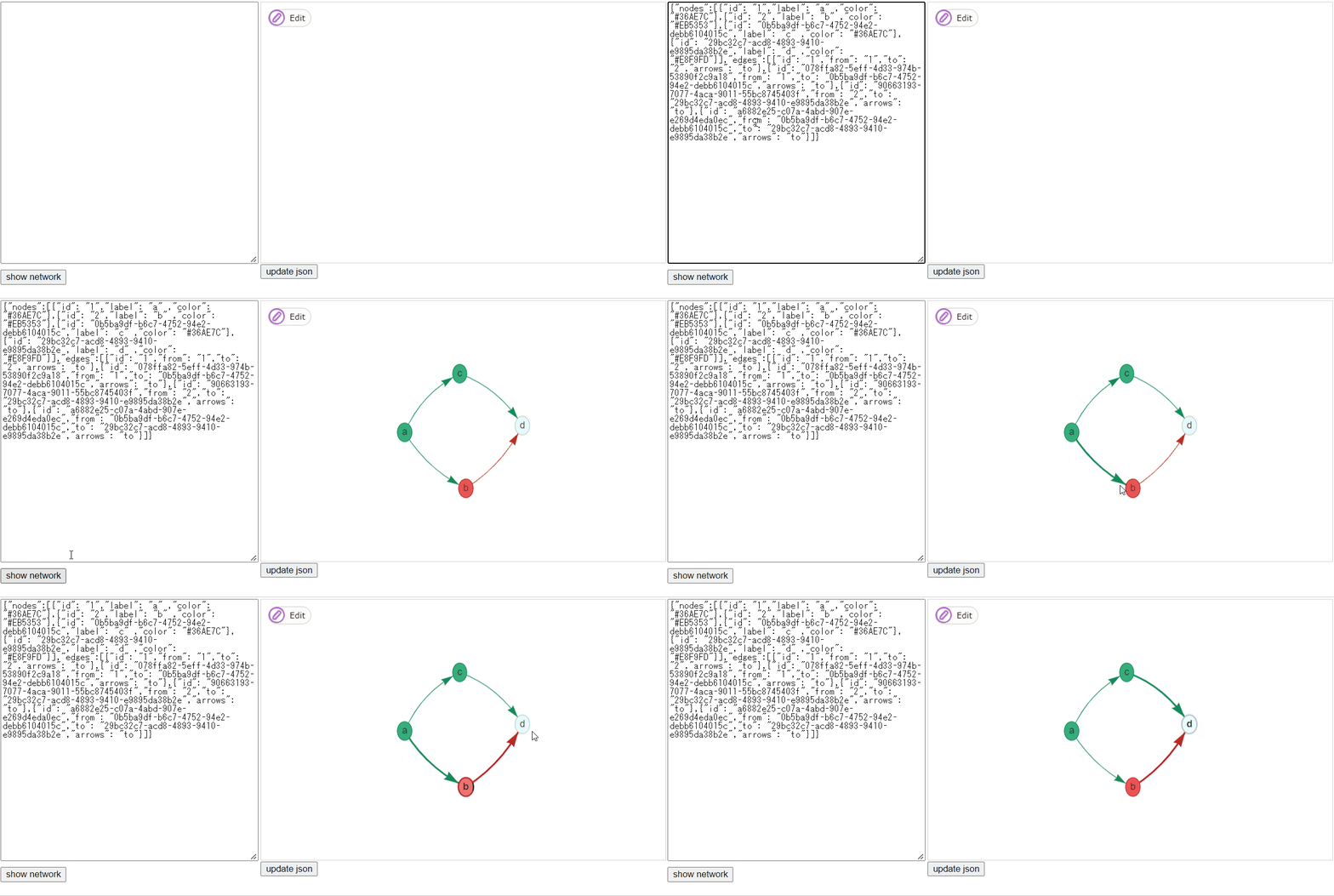
At the end of the process , It will output the execution results and the flow chart status after running .
You can directly json Stick to the position below , Check the results ( Green means normal end , Red indicates abnormal end , White means waiting for execution ).
The abnormal end log is as follows
Ready queue thread started.
Complete queue thread started.
json:
{"flowId":"123","nodes":[{"id":"1","label":"a"},{"id":"2","label":"b"},{"id":"0b5ba9df-b6c7-4752-94e2-debb6104015c","label":"c"},{"id":"29bc32c7-acd8-4893-9410-e9895da38b2e","label":"d"}],"edges":[{"id":"1","from":"1","to":"2","arrows":"to"},{"id":"078ffa82-5eff-4d33-974b-53890f2c9a18","from":"1","to":"0b5ba9df-b6c7-4752-94e2-debb6104015c","arrows":"to"},{"id":"90663193-7077-4aca-9011-55bc8745403f","from":"2","to":"29bc32c7-acd8-4893-9410-e9895da38b2e","arrows":"to"},{"id":"a6882e25-c07a-4abd-907e-e269d4eda0ec","from":"0b5ba9df-b6c7-4752-94e2-debb6104015c","to":"29bc32c7-acd8-4893-9410-e9895da38b2e","arrows":"to"}]}
execute:1
node name:a
processing a
execute:2
node name:b
processing b
execute:0b5ba9df-b6c7-4752-94e2-debb6104015c
node name:c
processing c
java.lang.reflect.InvocationTargetException
	at java.base/jdk.internal.reflect.NativeMethodAccessorImpl.invoke0(Native Method)
	at java.base/jdk.internal.reflect.NativeMethodAccessorImpl.invoke(NativeMethodAccessorImpl.java:62)
	at java.base/jdk.internal.reflect.DelegatingMethodAccessorImpl.invoke(DelegatingMethodAccessorImpl.java:43)
	at java.base/java.lang.reflect.Method.invoke(Method.java:566)
	at io.github.nobuglady.network.fw.FlowRunner.execute(FlowRunner.java:49)
	at io.github.nobuglady.network.fw.executor.NodeRunner.run(NodeRunner.java:93)
	at java.base/java.util.concurrent.Executors$RunnableAdapter.call(Executors.java:515)
	at java.base/java.util.concurrent.FutureTask.run(FutureTask.java:264)
	at java.base/java.util.concurrent.ThreadPoolExecutor.runWorker(ThreadPoolExecutor.java:1128)
	at java.base/java.util.concurrent.ThreadPoolExecutor$Worker.run(ThreadPoolExecutor.java:628)
	at java.base/java.lang.Thread.run(Thread.java:834)
Caused by: java.lang.RuntimeException: test
	at io.github.nobuglady.network.MyFlow1.process_b(MyFlow1.java:16)
	... 11 more
java.lang.reflect.InvocationTargetException
	at java.base/jdk.internal.reflect.NativeMethodAccessorImpl.invoke0(Native Method)
	at java.base/jdk.internal.reflect.NativeMethodAccessorImpl.invoke(NativeMethodAccessorImpl.java:62)
	at java.base/jdk.internal.reflect.DelegatingMethodAccessorImpl.invoke(DelegatingMethodAccessorImpl.java:43)
	at java.base/java.lang.reflect.Method.invoke(Method.java:566)
	at io.github.nobuglady.network.fw.FlowRunner.execute(FlowRunner.java:49)
	at io.github.nobuglady.network.fw.executor.NodeRunner.run(NodeRunner.java:93)
	at java.base/java.util.concurrent.Executors$RunnableAdapter.call(Executors.java:515)
	at java.base/java.util.concurrent.FutureTask.run(FutureTask.java:264)
	at java.base/java.util.concurrent.ThreadPoolExecutor.runWorker(ThreadPoolExecutor.java:1128)
	at java.base/java.util.concurrent.ThreadPoolExecutor$Worker.run(ThreadPoolExecutor.java:628)
	at java.base/java.lang.Thread.run(Thread.java:834)
Caused by: java.lang.RuntimeException: test
	at io.github.nobuglady.network.MyFlow1.process_b(MyFlow1.java:16)
	... 11 more
Complete error.
json:
{"nodes":[{"id": "1","label": "a" ,"color": "#36AE7C"},{"id": "2","label": "b" ,"color": "#EB5353"},{"id": "0b5ba9df-b6c7-4752-94e2-debb6104015c","label": "c" ,"color": "#36AE7C"},{"id": "29bc32c7-acd8-4893-9410-e9895da38b2e","label": "d" ,"color": "#E8F9FD"}],"edges":[{"id": "1","from": "1","to": "2","arrows": "to"},{"id": "078ffa82-5eff-4d33-974b-53890f2c9a18","from": "1","to": "0b5ba9df-b6c7-4752-94e2-debb6104015c","arrows": "to"},{"id": "90663193-7077-4aca-9011-55bc8745403f","from": "2","to": "29bc32c7-acd8-4893-9410-e9895da38b2e","arrows": "to"},{"id": "a6882e25-c07a-4abd-907e-e269d4eda0ec","from": "0b5ba9df-b6c7-4752-94e2-debb6104015c","to": "29bc32c7-acd8-4893-9410-e9895da38b2e","arrows": "to"}]}
At the end of the process , It will output the execution results and the flow chart status after running .
You can directly json Stick to the position below , Check the results ( Green means normal end , Red indicates abnormal end , White means waiting for execution ).
Source code :https://github.com/nobuglady/nobuglady-network
Thank you for reading . welcome Star.