当前位置:网站首页>【云原生】-Docker安装部署分布式数据库 OceanBase
【云原生】-Docker安装部署分布式数据库 OceanBase
2022-06-28 00:47:00 【IT邦德】
哈喽!大家好,我是【IT邦德】,江湖人称jeames007,10年DBA工作经验
一位上进心十足的【大数据领域博主】!
中国DBA联盟(ACDU)成员,目前从事DBA及程序编程
擅长主流数据Oracle、MySQL、PG 运维开发,备份恢复,安装迁移,性能优化、故障应急处理等。
如果有对【数据库】感兴趣的【小可爱】,欢迎关注【IT邦德】
️️️感谢各位大可爱小可爱!️️️
文章目录
前言
快速的体验 OceanBase 的 自动化部署过程,以及了解 OceanBase 集群安装成功后的目录特点和使用方法️ 1.什么是OceanBase
OceanBase是由蚂蚁集团完全自主研发的国产原生分布式数据库 ,始创于2010年。已连续9年平稳支撑双11, 创新推出“三地五中心”城市级容灾新标准 ,是一个在TPC-C和TPC-H测试上都刷新了世界纪录的国产原生分布式数据库。 产品采用自研的一体化架构,兼顾分布式架构的扩展性与集中式架构的性能优势,用一套引擎同时支持TP和AP的混合负载, 具有数据强一致、高可用、高性能、在线扩展、高度兼容SQL标准和主流关系数据库、低成本等特点。

️ 2.硬件要求
1.有笔记本或服务器,内存至少12G 。
2.操作系统不限,能安装 Docker 环境即可。
Docker 官方镜像:https://hub.docker.com/r/obpilot/oceanbase-ce
️ 3.docker部署OceanBase
3.1 下载ob docker镜像
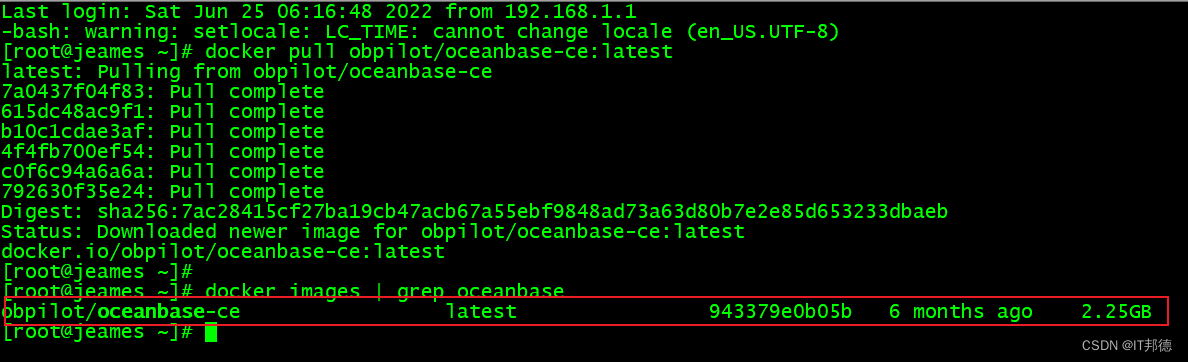
下载镜像:
docker pull obpilot/oceanbase-ce:latest
3.2 创建容器
新容器创建
docker run -itd -m 10G -p 2881:2881 -p 2883:2883
–name oceanbase-ce obpilot/oceanbase-ce:latest
进入容器
[[email protected] ~]# docker exec -it oceanbase-ce bash
进入容器后,可以看看 readme.md 文档

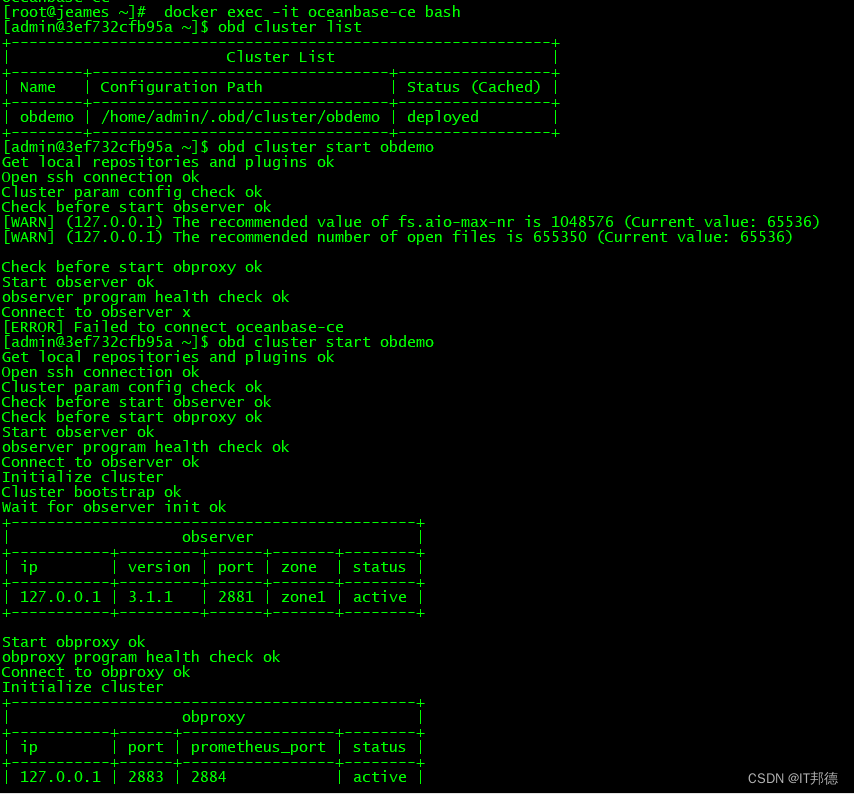
3.3 obd工具查看集群及启动
--  查看集群列表
[[email protected] ~]$ obd cluster list
配置文件:/home/admin/.obd/cluster/obdemo/config.yaml

-- 启动集群
[[email protected] ~]$  obd cluster start obdemo
如果遇到以下两个报错
[ERROR] (127.0.0.1) open files number must not be less than 20000 (Current value: 1024)
[ERROR] (127.0.0.1) not enough memory. (Free: 6.7G, Need: 8.0G)
一个是用户最大打开文件数不够,一个是可用内存不足8G,解决后成功启动。
[[email protected] ~]$ obd cluster list
+------------------------------------------------------------+
|                        Cluster List                        |
+--------+---------------------------------+-----------------+
| Name   | Configuration Path              | Status (Cached) |
+--------+---------------------------------+-----------------+
| obdemo | /home/admin/.obd/cluster/obdemo | running         |
+--------+---------------------------------+-----------------+

[[email protected] ~]$ netstat -tulnp | grep 88
tcp        0      0 0.0.0.0:2881            0.0.0.0:*               LISTEN      95/observer
tcp        0      0 0.0.0.0:2882            0.0.0.0:*               LISTEN      95/observer
tcp        0      0 0.0.0.0:2883            0.0.0.0:*               LISTEN      714/obproxy
tcp        0      0 0.0.0.0:2884            0.0.0.0:*               LISTEN      714/obproxy
3.4 登录ob数据库并创建租户
admin 用户的密码是 : adminPWD123
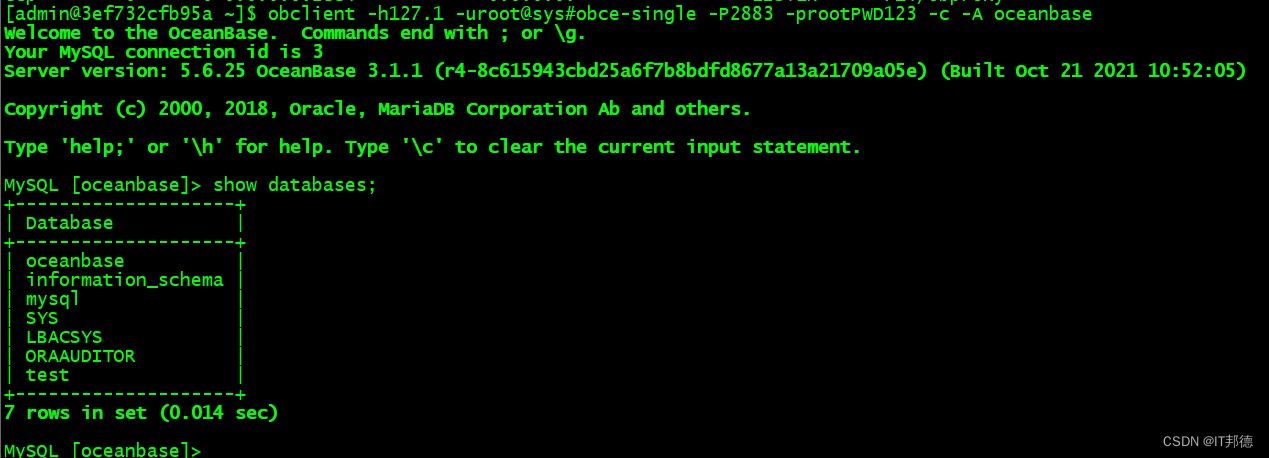
[[email protected] ~]$ obclient -h127.1 [email protected]#obce-single -P2883 -prootPWD123 -c -A oceanbase
Welcome to the OceanBase.  Commands end with ; or \g.
Your MySQL connection id is 3
Server version: 5.6.25 OceanBase 3.1.1 (r4-8c615943cbd25a6f7b8bdfd8677a13a21709a05e) (Built Oct 21 2021 10:52:05)

Copyright (c) 2000, 2018, Oracle, MariaDB Corporation Ab and others.

Type 'help;' or '\h' for help. Type '\c' to clear the current input statement.

MySQL [oceanbase]> show databases;
+--------------------+
| Database           |
+--------------------+
| oceanbase          |
| information_schema |
| mysql              |
| SYS                |
| LBACSYS            |
| ORAAUDITOR         |
| test               |
+--------------------+
7 rows in set (0.014 sec)
创建资源单元、资源池、租户
MySQL [oceanbase]> CREATE resource unit S4C1G max_cpu=4, min_cpu=4, max_memory='1G',
min_memory='1G', max_iops=10000, min_iops=1000, max_session_num=1000000, max_disk_size='1024G';

MySQL [oceanbase]> CREATE resource pool my_pool unit = 'S4C1G', unit_num = 1;

MySQL [oceanbase]> create tenant obmysql resource_pool_list=('my_pool'), primary_zone='RANDOM',comment 'mysql tenant/instance', charset='utf8' set ob_tcp_invited_nodes='%', ob_compatibility_mode='mysql';
3.5 登录obmysql tenant并创建数据库及表等
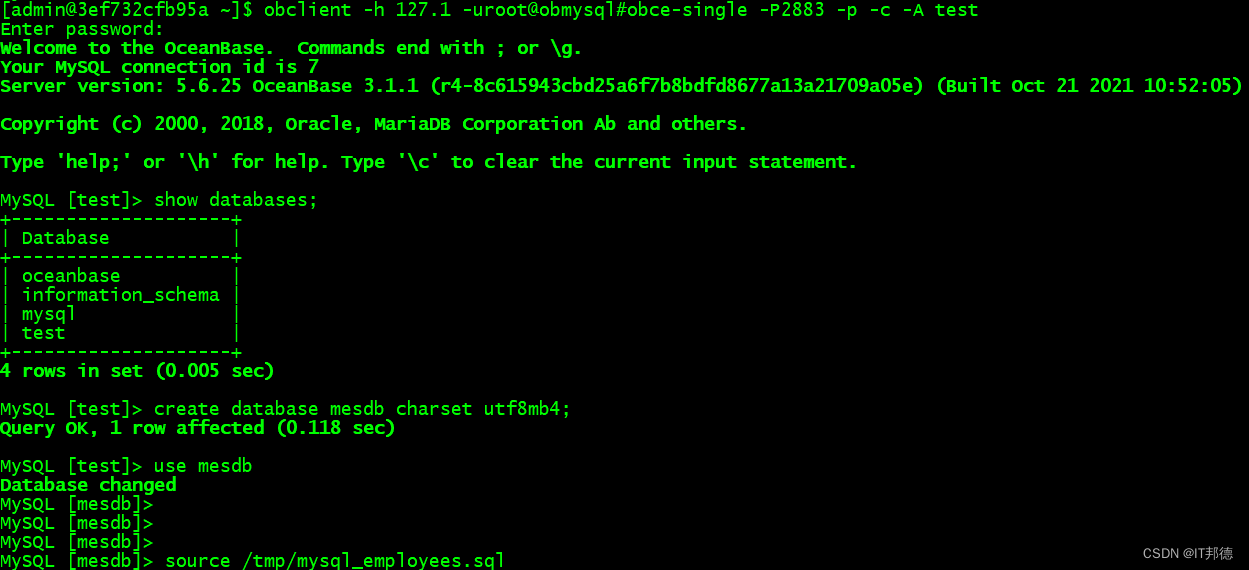
[[email protected] ~]$ obclient -h 127.1 [email protected]#obce-single -P2883 -p -c -A test
Enter password:
Welcome to the OceanBase.  Commands end with ; or \g.
Your MySQL connection id is 7
Server version: 5.6.25 OceanBase 3.1.1 (r4-8c615943cbd25a6f7b8bdfd8677a13a21709a05e) (Built Oct 21 2021 10:52:05)

Copyright (c) 2000, 2018, Oracle, MariaDB Corporation Ab and others.

Type 'help;' or '\h' for help. Type '\c' to clear the current input statement.

MySQL [test]> show databases;
+--------------------+
| Database           |
+--------------------+
| oceanbase          |
| information_schema |
| mysql              |
| test               |
+--------------------+
4 rows in set (0.005 sec)

MySQL [test]> create database mesdb charset utf8mb4;
Query OK, 1 row affected (0.118 sec)

MySQL [test]> use mesdb
Database changed
MySQL [mesdb]>
MySQL [mesdb]>
MySQL [mesdb]>
MySQL [mesdb]> source /tmp/mysql_employees.sql

边栏推荐
- 【历史上的今天】6 月 6 日:世界 IPv6 启动纪念日;《俄罗斯方块》发布;小红书成立
- SQL injection Bypass (2)
- 【历史上的今天】6 月 20 日:MP3 之父出生;富士通成立;谷歌收购 Dropcam
- ShardingSphere-proxy-5.0.0建立mysql读写分离的连接(六)
- Redis~Geospatial(地理空间)、Hyperloglog(基数统计)
- 批阅2022春季学期课程小论文提交情况
- 投资同业存单基金是靠谱吗,同业存单基金安全吗
- 【历史上的今天】6 月 8 日:万维网之父诞生;PHP 公开发布;iPhone 4 问世
- SQL 注入绕过(五)
- I forgot my cell phone today
猜你喜欢

Jenkins - Pipeline 语法

Jenkins - data sharing and transfer between copy artifact plug-in builds

Low code solution - a low code solution for digital after-sales service covering the whole process of work order, maintenance and Finance

Embedded must learn, detailed explanation of hardware resource interface -- Based on arm am335x development board (Part 1)

Cvpr22 collected papers | hierarchical residual multi granularity classification network based on label relation tree

SQL injection bypass (IV)

MySQL collection, here are all the contents you want
Mysql大合集,你要内容的这里全都有
技术人员如何成为技术领域专家

设计电商秒杀系统
随机推荐
Cesium color color (assignment) random color
Wangxinling, tanweiwei Shanhai (extended version of Chorus) online audition lossless FLAC Download
Jenkins - 邮件通知 Email Notification 插件
【历史上的今天】6 月 1 日:Napster 成立;MS-DOS 原作者出生;谷歌出售 Google SketchUp
Teach you how to realize pynq-z2 bar code recognition
Jenkins - Pipeline 语法
Embedded must learn! Detailed explanation of hardware resource interface - based on arm am335x development board (Part 2)
KVM related
Leetcode topic [array] -228- summary interval
Low code solution - a low code solution for digital after-sales service covering the whole process of work order, maintenance and Finance
【历史上的今天】6 月 15 日:第一个手机病毒;AI 巨匠司马贺诞生;Chromebook 发布
ScheduledThreadPoolExecutor源码解读(二)
云平台kvm迁移本地虚拟机记录
Jenkins - Copy Artifact 插件 Build 之间数据共享传递
Opencv——几何空间变换(仿射变换和投影变换)
Use code binding DataGridView control to display tables in program interface
简单文件传输协议TFTP
Jenkins - Pipeline concept and creation method
畢業總結
A set of sai2 brushes is finally finished! Share with everyone!