当前位置:网站首页>LVGL 8.2 Checkboxes as radio buttons
LVGL 8.2 Checkboxes as radio buttons
2022-06-30 10:53:00 【Fairy sword love】
Variable definitions
static lv_style_t style_radio;
static lv_style_t style_radio_chk;
static uint32_t active_index_1 = 0;
static uint32_t active_index_2 = 0;
Event handling callback function
static void radio_event_handler(lv_event_t* e)
{

    uint32_t* active_id = lv_event_get_user_data(e); // Get user data
    lv_obj_t* cont = lv_event_get_current_target(e); //  Get the layout object of the current target event
    lv_obj_t* act_cb = lv_event_get_target(e);// Get the object that generated the event
    lv_obj_t* old_cb = lv_obj_get_child(cont, *active_id); // according to id Sequence number get sub object
    /*Do nothing if the container was clicked*/
    if (act_cb == cont) return; // Don't deal with layout Events generated by layout objects
    lv_obj_clear_state(old_cb, LV_STATE_CHECKED); // Clear previous selection status
    lv_obj_add_state(act_cb, LV_STATE_CHECKED); //  Set the clicked object as selected
    *active_id = lv_obj_get_index(act_cb); // Get the... Of the selected object id Serial number and save in active_id In the memory pointed to
    LV_LOG_USER("Selected radio buttons: %d, %d", (int)active_index_1, (int)active_index_2); // Print active_index_1,active_index_2
}
radio establish
static void radiobutton_create(lv_obj_t* parent, const char* txt)
{

    lv_obj_t* obj = lv_checkbox_create(parent);  // stay parent Create on object checkbox object
    lv_checkbox_set_text(obj, txt);  //  Set the text to txt What's in the pointer
    lv_obj_add_flag(obj, LV_OBJ_FLAG_EVENT_BUBBLE); //  add to LV_OBJ_FLAG_EVENT_BUBBLE sign
    lv_obj_add_style(obj, &style_radio, LV_PART_INDICATOR); //obj Object's LV_PART_INDICATO The Properties section uses style_radio
    lv_obj_add_style(obj, &style_radio_chk, LV_PART_INDICATOR | LV_STATE_CHECKED); // obj Object's LV_PART_INDICATO and LV_STATE_CHECKED The Properties section uses style_radio_chk
}
Checkboxes as radio buttons
/** * Checkboxes as radio buttons */
static void lv_example_checkbox_2(void)
{

    /* The idea is to enable `LV_OBJ_FLAG_EVENT_BUBBLE` on checkboxes and process the * `LV_EVENT_CLICKED` on the container. * A variable is passed as event user data where the index of the active * radiobutton is saved */
    lv_style_init(&style_radio);  // Initial timing style_radio
    lv_style_set_radius(&style_radio, LV_RADIUS_CIRCLE); // Set chamfer to circular
    lv_style_init(&style_radio_chk); // Initial timing style_radio_chk
    lv_style_set_bg_img_src(&style_radio_chk, NULL); // Set the background icon resource to NULL
    uint32_t i;
    char buf[32];
    lv_obj_t* cont1 = lv_obj_create(lv_scr_act());  // Create an object for layout
    lv_obj_set_flex_flow(cont1, LV_FLEX_FLOW_COLUMN);// Set the layout to LV_FLEX_FLOW_COLUMN The way
    lv_obj_set_size(cont1, lv_pct(40), lv_pct(80)); // Set size
    lv_obj_add_event_cb(cont1, radio_event_handler, LV_EVENT_CLICKED, &active_index_1); //  add to LV_EVENT_CLICKED event , User defined data is active_index_1
    for (i = 0; i < 5; i++) {

        lv_snprintf(buf, sizeof(buf), "A %d", (int)i + 1);
        radiobutton_create(cont1, buf);  // Co created 5 individual radio Key
    }
    /*Make the first checkbox checked*/
    lv_obj_add_state(lv_obj_get_child(cont1, 0), LV_STATE_CHECKED); // Select the first 1 individual radio
    lv_obj_t* cont2 = lv_obj_create(lv_scr_act()); // Create an object for layout
    lv_obj_set_flex_flow(cont2, LV_FLEX_FLOW_COLUMN);// Set the layout to LV_FLEX_FLOW_COLUMN The way
    lv_obj_set_size(cont2, lv_pct(40), lv_pct(80)); // Set size
    lv_obj_set_x(cont2, lv_pct(50)); // Set up cont2 Layout x The position is screen mu 50% It's about
    lv_obj_add_event_cb(cont2, radio_event_handler, LV_EVENT_CLICKED, &active_index_2);//  add to LV_EVENT_CLICKED event , User defined data is active_index_2
    for (i = 0; i < 3; i++) {

        lv_snprintf(buf, sizeof(buf), "B %d", (int)i + 1);
        radiobutton_create(cont2, buf);  // Co created 3 individual radio Key
    }
    /*Make the first checkbox checked*/
    lv_obj_add_state(lv_obj_get_child(cont2, 0), LV_STATE_CHECKED);// Select the first 1 individual radio
}
Running effect
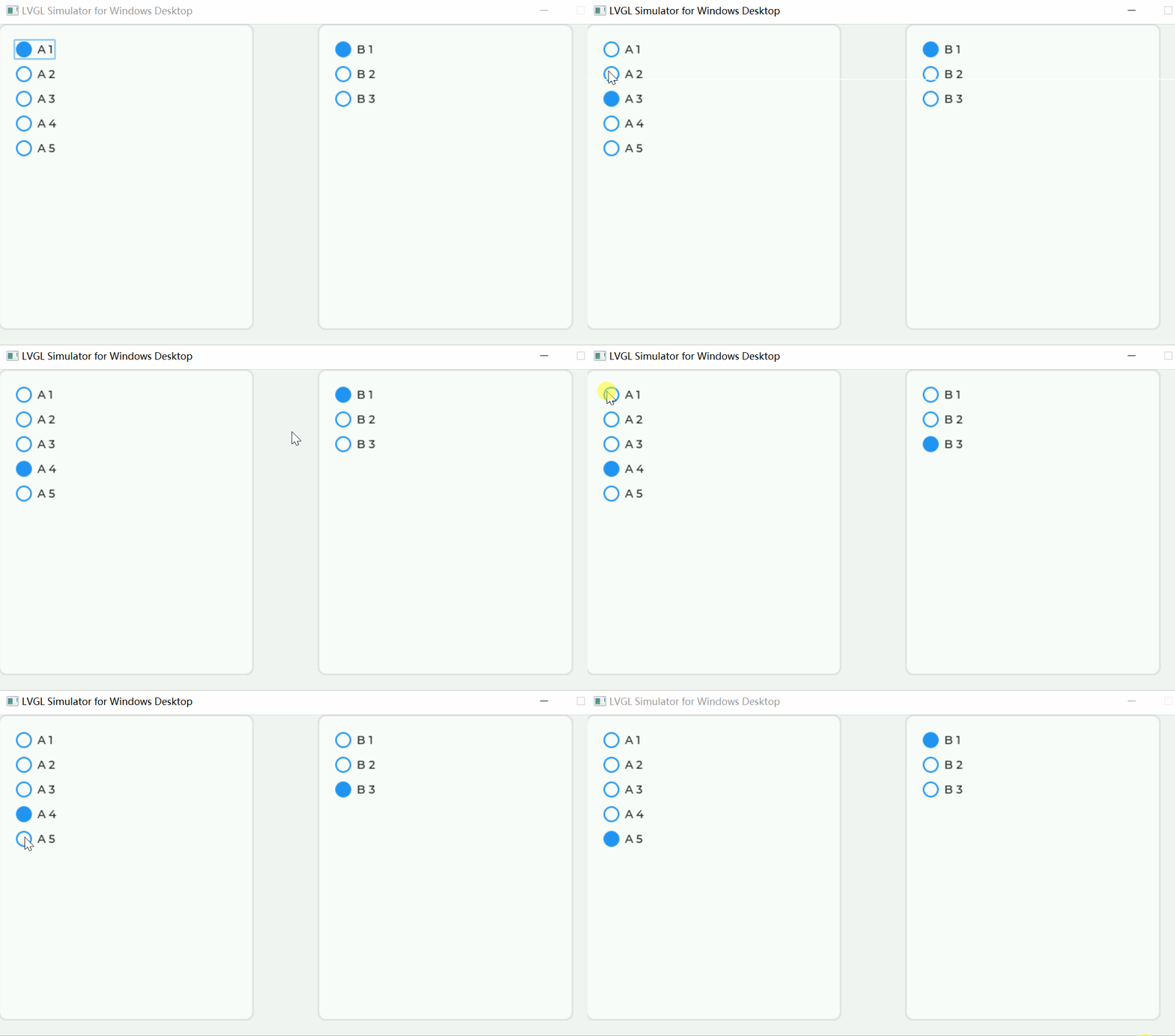
take radiobutton_create Function lv_obj_add_flag Comment out
static void radiobutton_create(lv_obj_t* parent, const char* txt)
{

    lv_obj_t* obj = lv_checkbox_create(parent);
    lv_checkbox_set_text(obj, txt);
  // lv_obj_add_flag(obj, LV_OBJ_FLAG_EVENT_BUBBLE);
    lv_obj_add_style(obj, &style_radio, LV_PART_INDICATOR);
    lv_obj_add_style(obj, &style_radio_chk, LV_PART_INDICATOR | LV_STATE_CHECKED);
}
Running effect
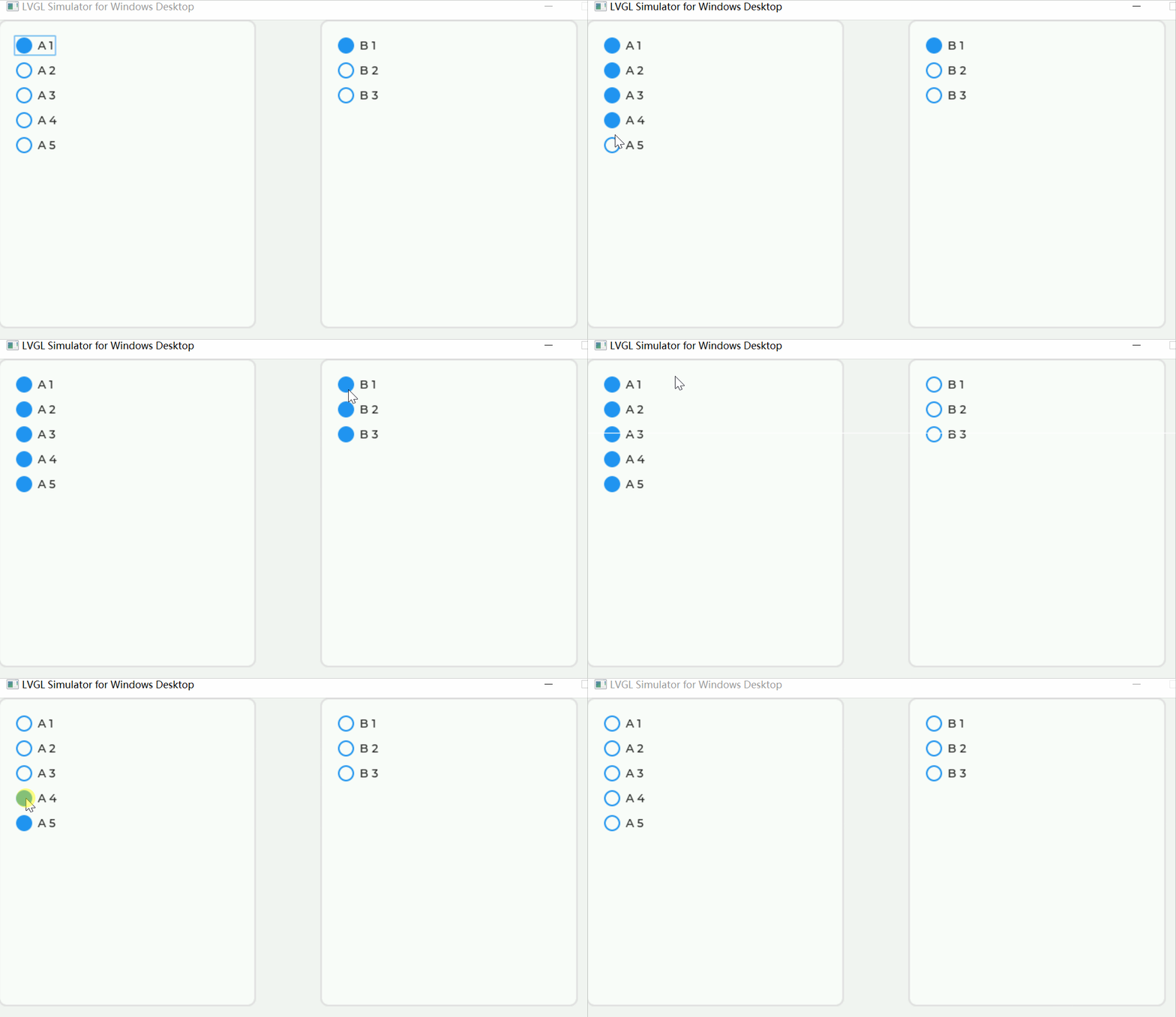
边栏推荐
- 滴滴开源敏捷测试用例管理平台!
- [deep learning] common methods for deep learning to detect small targets
- MATLAB image histogram equalization, namely spatial filtering
- ArcGIS PRO + PS vectorized land use planning map
- The two e-commerce bigwigs' lacy news screens represent the return of e-commerce to normal, which will be beneficial to the real economy
- 超长干货 | Kubernetes命名空间详解
- The programmer was beaten.
- LVGL 8.2 re-coloring
- 基于HAL库的按键(KEY)库函数
- 我的远程办公深度体验 | 社区征文
猜你喜欢

Q-Learning笔记

透過華為軍團看科技之變(五):智慧園區

焕发青春的戴尔和苹果夹击,两大老牌PC企业极速衰败
 [email protected] intelligent instrument teaching aids based on 51 series single chip microcomputer"/>
Skill combing [email protected] intelligent instrument teaching aids based on 51 series single chip microcomputer

Criu enables hot migration

CSDN博客运营团队2022年H1总结

Sarsa笔记

List introduction

DQN笔记

在IPhone12的推理延迟仅为1.6 ms!Snap等详析Transformer结构延迟,并用NAS搜出移动设备的高效网络结构...
随机推荐
& and - > priority
焕发青春的戴尔和苹果夹击,两大老牌PC企业极速衰败
pytorch 笔记:validation ,model.eval V.S torch.no_grad
MySQL从入门到精通50讲(三十二)-ScyllaDB生产环境集群搭建
今晚19:00知识赋能第2期直播丨OpenHarmony智能家居项目之控制面板界面设计
Typescript – classes in Es5, inheritance, static methods
Sarsa笔记
安徽《合肥市装配式建筑施工图审查设计深度要求》印发;河北衡水市调整装配式建筑预售许可标准
05_ Node JS file management module FS
【STL源码剖析】迭代器
Review of mathematical knowledge: curve integral of the second type
The intelligent DNA molecular nano robot model is coming
数学知识复习:第二型曲线积分
Android 开发面试真题进阶版(附答案解析)
LVGL 8.2 Image styling and offset
Criu enables hot migration
What is erdma as illustrated by Coptic cartoon?
[机缘参悟-34]:光锥之内皆命运
Pandora IOT development board learning (HAL Library) - Experiment 1 running lantern (RGB) experiment (learning notes)
Retest the cloud native database performance: polardb is still the strongest, while tdsql-c and gaussdb have little change