当前位置:网站首页>AppGallery Connect场景化开发实战—图片存储分享
AppGallery Connect场景化开发实战—图片存储分享
2022-07-01 18:39:00 【华为开发者论坛】
简介
在上一篇场景开发实战中,我们使用AppGallery Connect(以下简称AGC)的认证服务、云函数、短信服务等服务实现了用户注册通知的功能。 本次,我们使用AGC提供的云函数、云存储和App Linking三大服务实现了图片的存储、在线剪辑和分享功能,相关代码已同步至Github。
实现概览
- 用户在客户端选择需要上传的图片,调用云存储Android/iOS的上传接口将图片上传至云存储。
- 创建处理图片的云函数,选择云存储触发器,每当云存储有新的图片上传都会触发云函数进行缩略图处理。
- 云函数中调用云存储Node.js SDK的下载文件接口将图片下载至内存,通过特定方法处理图片,而后调用云存储Node.js SDK中的上传接口将处理完的图片上传回云存储。
- 端侧通过云存储Android/iOS SDK下载云存储上的缩略图后,通过AppLinking生成分享链接分享给好友,好友点击链接后即可直接打开到应用的指定页面。
端侧上传图片至云存储
请登录AppGallery Connect官方网站,并在控制台中进行操作:
- 启用云存储服务
- 创建新的存储实例
- 设置云存储安全策略
- 设置云存储文件夹结构
在您的应用中进行的操作:
1、使用云存储Android SDK中的getStorageReference方法为存放上传文件的云端地址创建引用:
AGCStorageManagement storageManagement = AGCStorageManagement.getInstance();StorageReference reference = storageManagement.getStorageReference("images/demo.jpg");2、调用SDK中的上传接口将本地的文件上传至存储实例中:
UploadTask task = reference.putFile(new File("path/images/test.jpg"));task.addOnFailureListener(new OnFailureListener(){ @Override public void onFailure(@NonNull Exception exception) { }}).addOnSuccessListener(new OnSuccessListener<UploadTask.UploadResult>(){ @Override public void onSuccess(UploadTask.UploadResult uploadResult) { }});云存储触发云函数
在AppGallery Connect控制台中进行的操作:
- 登录AppGallery Connect,找到云函数并启用。
- 新建函数并设置函数名称,部署信息等相关设置。
- 在“代码文件”配置项处,上传处理图片尺寸的函数部署包至云函数。
- 创建云存储触发器,输入之前创建的存储实例名称并选择事件名称为Complete(意为上传图片成功后开始触发云函数剪裁图片)。
云函数处理图片尺寸
在您的应用中进行的操作:
1、调用云存储Node.js SDK指定需要下载的实例与存储桶并指定本地地址:
const storage = new StorageManagement();const bucket = storage.bucket("photo-7iawi");const remoteFile = bucket.file(fileAddr);localAddr = “\ImageProcess\picture”;2、调用方法下载文件:
try { remoteFile.createReadStream() .on('error', err => { result = {"message":"download file error, " + err.message}; callback(result); }) .on('end', () => { result = {"message":"download file success"}; // callback(result); }) .pipe(fs.createWriteStream(localFile)); } catch (error) { result = {"message":"download file error, " + error.message}; callback(result); }3、下载文件完成后进行处理图片分辨率的操作。
4、图片处理完成后将新的图片上传回云存储。
const options = { destination: 'thumbnail/' + fileName, onUploadProgress: (event) => { } }; bucket.upload(imageAddr, options) .then(res => { result = {"message":"All Success"}; callback(result); }).catch(err => { result = {"message":"upload failed"}; callback(result); });App Linking链接分享
请登录AppGallery Connect官方网站,并在控制台中进行操作:
- 启用App Linking服务。
- 启用服务以后,在链接前缀页签,创建一个全网唯一的链接前缀。
- 配置您应用签名的SHA256文件,具体的配置方法可参考 配置签名指纹证书。
在您的应用中进行的操作:
1、使用云存储接口获取对应图片的下载链接。
private String downloadUrl;private void getDownLoadUrl() { AGCStorageManagement storageManagement = AGCStorageManagement.getInstance(); StorageReference reference = storageManagement.getStorageReference("images/demo.jpg"); Task<Uri> task = reference.getDownloadUrl(); task.addOnSuccessListener(new OnSuccessListener<Uri>() { @Override public void onSuccess(Uri uri) { String downloadUrl = uri.toString(); } }); task.addOnFailureListener(new OnFailureListener() { @Override public void onFailure(Exception e) { } }); }2、将下载链接和对应的图片ID生成分享链接。
private String shortLink;private static final String DOMAIN_URI_PREFIX = "https:// DomainUriPrefix.drcn.agconnect.link"; private static final String SHARE_DEEP_LINK = "share://photo.share.com"; private void createShareLinking(String UserName, String PhotoID, String ImageUrl) { String newDeep_Link = SHARE_DEEP_LINK + "?PhotoID=" + PhotoID; AppLinking.Builder builder = AppLinking.newBuilder() .setUriPrefix(DOMAIN_URI_PREFIX) .setDeepLink(Uri.parse(ImageUrl)) .setAndroidLinkInfo(AppLinking.AndroidLinkInfo.newBuilder() .setAndroidDeepLink(newDeep_Link) .build()) .setSocialCardInfo(AppLinking.SocialCardInfo.newBuilder() .setTitle("It is a beautiful Photo") .setImageUrl(ImageUrl) .setDescription(UserName + " share a Photo to you") .build()) .setCampaignInfo(AppLinking.CampaignInfo.newBuilder() .setName("UserSharePhoto") .setSource("ShareInApp") .setMedium("MediumExample") .build()); builder.buildShortAppLinking().addOnSuccessListener(shortAppLinking -> { shortLink = shortAppLinking.getShortUrl().toString(); }).addOnFailureListener(e -> { }); }3、在AndroidManifest中配置Intent-Filter,用于接收App Linking链接并且直接拉起应用。
<activity android:name=".MainActivity"> <intent-filter> <action android:name="android.intent.action.MAIN" /> <category android:name="android.intent.category.LAUNCHER" /> </intent-filter> <intent-filter android:autoVerify="true"> <action android:name="android.intent.action.VIEW"/> <category android:name="android.intent.category.DEFAULT"/> <category android:name="android.intent.category.BROWSABLE"/> <data android:host=" DomainUriPrefix.drcn.agconnect.link" android:scheme="http"/> <data android:host=" DomainUriPrefix.drcn.agconnect.link" android:scheme="https"/> </intent-filter></activity>4、在应用启动页的OnCreate方法中, 接收并且处理App Linking链接的方法。
AGConnectAppLinking.getInstance().getAppLinking(LoginActivity.this).addOnSuccessListener(resolvedLinkData -> { Log.i(TAG,"StartUp From AppLinking"); if (resolvedLinkData!= null) { String deepLink = resolvedLinkData.getDeepLink().toString(); // your action of StartUp From AppLinking }}).addOnFailureListener(e-> { Log.i(TAG,"Normal StartUp"); // your action of Normal StartUp });测试功能
您可以执行以下操作来测试图片或视频是否可以正常分享:
- 打开您的应用,随机拍摄一张图片存储于手机中。
- 查看图片上传后的处理效果。
- 进入图片详情界面,点击右上角的分享链接,查看是否生成链接并发送给好友。
- 使用好友帐号登录应用,查收并点击链接,测试是否可正常打开分享的图片页面。
更多参考,请下载Demo。
欲了解更多详情,请参见:
华为官网:
https://developer.huawei.com/consumer/cn/forum/topic/0203726140997690403?fid=0101271690375130218?ha_source=zzh
参考文档:
使用云存储上传图片:
使用Applinking分享链接:
创建云函数:
边栏推荐
- 如何在自有APP内实现小程序实现连麦直播
- Reading notes series "modern methods of C language programming" -- Chapter 2
- R语言ggplot2可视化:gganimate包transition_time函数创建动态散点图动画(gif)、shadow_wake函数配置动画的渐变效果(gradual falloff)拖尾效应
- Li Kou daily question - Day 32 -1232 Dotted line
- 精耕渠道共谋发展 福昕携手伟仕佳杰开展新产品培训大会
- 信度系数低怎么办?信度系数具体怎么算?
- code
- 12 data dimensioning processing methods
- 2020,最新手机号码手机验证正则表达式,持续更新
- golang 错误处理
猜你喜欢
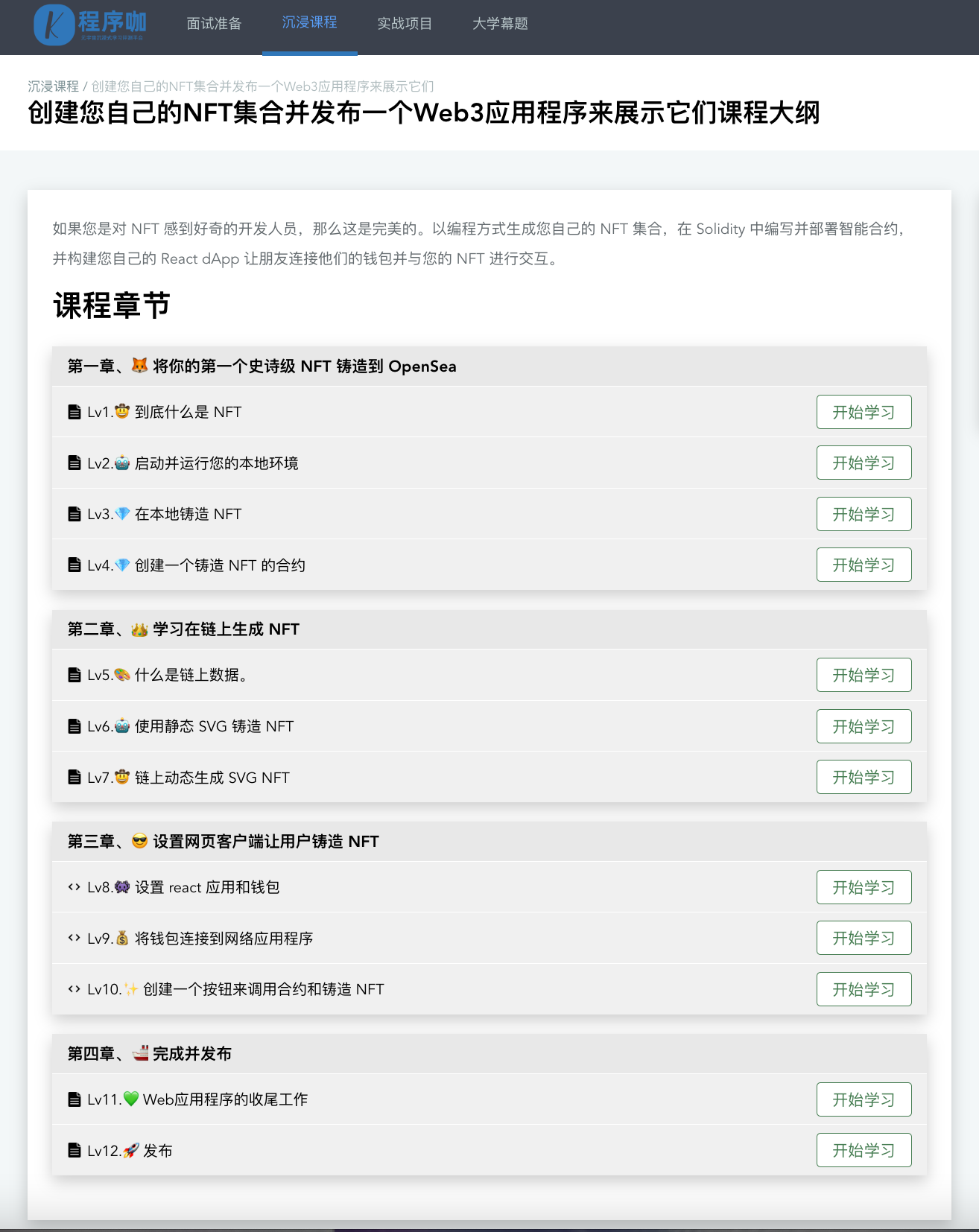
创建您自己的NFT集合并发布一个Web3应用程序来展示它们(介绍)

Li Kou daily question - Day 32 -589 N × Preorder traversal of tree
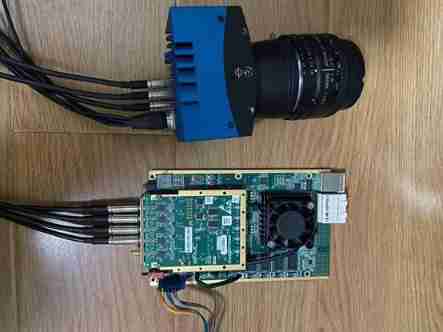
Image acquisition and playback of coaxpress high speed camera based on pxie interface

Leetcode-21 combines two ordered linked lists

Navicat Premium 15 永久破解和2021版本最新IDEA破解(亲测有效)

Lumiprobe bifunctional crosslinker sulfo cyanine 5 bis NHS ester

每周推荐短视频:警惕“现象”与“问题”相互混淆
LeetCode-21合并两个有序链表

Leetcode203 移除链表元素
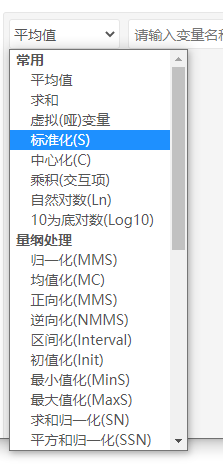
12种数据量纲化处理方式
随机推荐
Find all missing numbers in the array
lefse分析
[today in history] February 15: Pascal's father was born; YouTube was founded; Kotlin language comes out
12. Design of power divider for ads usage record
Database foundation: select basic query statement
3、《创建您自己的NFT集合并发布一个Web3应用程序来展示它们》在本地铸造 NFT
OpenAI|视频预训练 (VPT):基于观看未标记的在线视频的行动学习
用WPF写一款开源方便、快捷的数据库文档查询、生成工具
Implementation of converting PCM file to WAV
golang 错误处理
GAMES202作业0-环境搭建过程&解决遇到的问题
Case study on comprehensive competitiveness of principal components
Lumiprobe 生物分子定量丨QuDye 蛋白定量试剂盒
Halcon image calibration enables subsequent image processing to become the same as the template image
Leetcode-21 combines two ordered linked lists
code
R语言ggplot2可视化:gganimate包transition_time函数创建动态散点图动画(gif)、shadow_wake函数配置动画的渐变效果(gradual falloff)拖尾效应
Sanfeng cloud 0215 I often use
R语言使用dplyr包的transmute函数计算dataframe数据中的指定数据列的移动窗口均值、使用ggplot2包可视化移动均值与原始数据的折线图
Navicat premium 15 permanent cracking and 2021 latest idea cracking (valid for personal testing)