当前位置:网站首页>Kt148a voice chip instructions, hardware, protocols, common problems, and reference codes
Kt148a voice chip instructions, hardware, protocols, common problems, and reference codes
2022-07-02 19:41:00 【Qingyue Electronics】
Catalog
At present, the advantages of this chip are as follows :
1.3 Chip power consumption description
2.2 GPIO Electrical characteristics
2.3 GPIO The internal characteristics of
4.2 Communication examples F3-- Group play
4.3 Communication command F0 describe 【 Ultra-low power consumption 】
4.4 Communication details and precautions
5.1 The first 1 Step to generate an audio file
5.2 The first 2 Step -- Converting audio files
2.3 The first 3 Step -- Use the serial port download tool to download audio
7.1 Refer to the schematic diagram
1. summary
1.1 brief introduction
KT148A It's one paragraph 32 Bit DSP voice chip , The standard SOP8 encapsulation . built-in 420KByte Of voice Space , The biggest support 420 Second speech length , Support multi segment voice , It also supports direct drive 0.5W The speaker , Support users to change voice by themselves
At present, the advantages of this chip are as follows :
- High cost performance , Compared with the traditional OTP Chip , The improvement of process greatly reduces the cost , At the same time, the chip can be burned repeatedly
- Users can change the sound by themselves , Through the serial port at the computer end, you can complete it by yourself , No other expensive tools are required
- The chip comes with enough space , You can pursue higher sound quality
1.2 function sketch
1. 32 position DSP Voice chip 、5MHZ Internal oscillation of ,PLL To 120MHZ; |
2. Working voltage 2.0~5.5V; Pay attention below 3.3V Power supply of , There are differences in hardware details |
3. Standby power consumption is less than 25ua; There is also a low power consumption mode 1.5uA |
4. 16bit Of PWM Output 、 Can drive directly 8 ohm /0.5W horn ; |
5. Provide tools to convert audio format by themselves , All users can operate by themselves , It's simple |
6. 16KHZ It can support at most 200 second .8KHZ It can support at most 400 second |
7. Customers can use Tools and software on the computer side , Change the voice content directly through the serial port |
8. Support one-line serial port control , Of course, you can customize various agreements according to your needs |
9. Support 224 Segment address , There are more requirements to expand ; |
10. With hardware iic Interface 、UART Interface , Various functions can be customized for customers . |
11. The chip has the ability to burn repeatedly , So don't worry about incomplete testing at any time , Lead to batch problems |
1.3 Chip power consumption description
state | Detailed description |
Play status |
|
Idle state |
|
Ultra low power state | 1、 The chip also has an instruction , It is to let the chip enter ultra-low power consumption , That is, the shutdown state , The power consumption is 2uA 2、 See... In the manual for details 4.3 Chapter description |
2. Parameters explain
The chip is SOC programme , Integrated with a 16 Bit MCU, And an audio decoder aDSP, Hard decoding is adopted , It ensures the stability and sound quality of the system . The small package size can better meet the needs of embedding other products
2.1 Pin instructions

Pad No | Pad Name | ATTR | Description describe |
1 | GND | Power | Negative pole of power supply |
2 | PB9 | I/O | Busy The signal = Play output low idle output high Multiplex serial port download , Connect MCU perhaps USB turn TTL Of RX foot |
3 | PB1 | I/O | [ONELINE-DATA] One line serial port input terminal Multiplex serial port download , Connect MCU perhaps USB turn TTL Of TX foot |
4 | PB0 | I/O | KEY Key -- test IO-- Trigger to the ground and play |
5 | SPK1 | Out | There is no difference between positive and negative , Support 8 ohm 0.5W |
6 | SPK2 | Out | There is no difference between positive and negative , Support 8 ohm 0.5W |
7 | VDDIO | Power | Internal to the chip LDO Output , Maximum 100mA |
8 | VBAT | Power | Positive pole of power supply |
Precautions for power supply :
- It is recommended to supply power to the chip , Achieve 5V Power supply , The higher the voltage, the higher the power of the chip driving the horn , The louder the sound
- If it is [3.3--4.2V] Lithium battery scenario , The positive pole of the power supply goes directly into the chip 8 Just feet
- If it is a dry battery power supply scenario , The positive pole of the power supply also goes directly into the chip 8 foot
- If extra low voltage power supply is required , Such as 2V--3V Between the button batteries , Suggested chip 7 Feet and 8 The pin is directly short circuited , Then connect the positive pole of the power supply
2.2 GPIO Electrical characteristics
IO Input features | ||||||
Symbol | Parameters | Minimum | A typical | Maximum | Company | Testing conditions |
VIL | Low-Level Input Voltage | -0.3 | - | 0.3*VDD | V | VDDIO=3.3V |
VIH | High-Level Input Voltage | 0.7VDDIO | - | VDDIO+0.3 | V | VDDIO=3.3V |
IO output characteristic | ||||||
Symbol | Parameters | Minimum | A typical | Maximum | Company | Testing conditions |
VOL | Low-Level Output Voltage | - | - | 0.33 | V | VDDIO=3.3V |
VOH | High-Level Output Voltage | 2.7 | - | - | V | VDDIO=3.3V |
2.3 GPIO The internal characteristics of
Port | General Output | High Drive | Internal Pull-Up Resistor | Internal Pull-Down Resistor | Comment |
PB0,PB1 | 8mA | 64mA | 10K | 60K | 1、PB0 & PB1 default pull down 2、internal pull-up/pull-down resistance | accuracy ±20% |
PB9 | 8mA | 10K | 60K |
2.4 Reference circuit
- A line of Communication protocol
At present, the chip supports one-line serial communication protocol , It is also determined by the time width of high and low levels 0 perhaps 1 .
3.1 Communication format

Put the data cable first DATA, That is to say ONELINE, Pull it down 6ms after , send out 8 Bit data , Send low order first , Then send the high-order message . Use the high-level and low-level ratio to represent the value of each data bit .

Be careful : The high level must be in front , Low level is in the rear .
Recommended 200us:600us. Value range : narrow pulse =[150us--400us] Wide pulse [500us--1000us]
Pay attention to 3:1 and 1:3 Level proportion to ensure stable communication .
Pay attention to the beginning 6ms Low level , During initial commissioning , Try to use an oscilloscope or logic analyzer to see , Error in 10% Both sides can accept
1、0x00H To 0xDFH Define a function code for the voice address code .
2、0xFE Is the voice stop code , Send this command to stop playing voice .
3、 The interval between codes must be greater than 20ms
3.2 Communication command
NO. Serial number | Data code | Voice Speech meter |
0 | 0x00 | Retain |
1 | 0x01 | voice 1 |
2 | 0x02 | voice 2 |
3 | 0x03 | voice 3 |
…… | ||
224 | 0xE0~0xEF | 15 Level volume ,0xE0H Is the minimum volume 0,0xEFH Maximum volume ( Power on default ). ( If you need to adjust the volume , Then send the volume code first , Partition 20ms Send the voice code again ) |
225 | 0xF0 | To turn it off . Enter the ultra-low power consumption state =1.7uA, See 4.3 chapter After entering this state , You also need a control chip , You need to lower it first DATA foot 40ms The purpose is to wake up the chip , You can send commands to control normally , |
242 | 0xF2 | Cyclic code -- See 4.1 chapter If you need to cycle a sound , Then send the voice code first , Partition 20ms Retransmit cyclic code ) |
243 | 0xF3 | Code play -- See 4.2 chapter F3H+ Voice address A, Voice address B, Voice address C,… At the playback address A When , Don't interrupt after receiving the code , End of play A, Just play it B, And then play C….F3 And address 20ms Time delay of . And one group of concatenated addresses and the next group of addresses need 40ms Time delay (“F3+ Voice address ” For a set of concatenated addresses ) |
254 | 0xFE | Stop code |
/*******************************************************************************
 -  Function description : One line communication data transmission 【 Pay attention to debugging , Use an oscilloscope or logic analyzer to check the pulse width 】
 -  Subordinate module : Inside
 -  Parameter description :dat =  Data to be sent
 -  Return instructions : nothing
********************************************************************************/
#define IO1_HIGH()		JL_PORTA->DIR &= ~BIT(6);JL_PORTA->OUT |=  BIT(6);
#define IO1_LOW()		JL_PORTA->DIR &= ~BIT(6);JL_PORTA->OUT &= ~BIT(6);

void oneline_send_one_data(u8 dat)
{
    u8 i = 0 ;
    IO1_LOW() ;/* Now pull the bus down */
    udelay(5000) ;/* Time delay 6MS ---  Here is the starting signal for initiating communication */
    CPU_SR_ALLOC();// Close the interrupt -- Chips are different , The interfaces may be different
    OS_ENTER_CRITICAL();// Close the interrupt
    for(i=0 ; i<8 ;i++){
        if(dat & 0x01){
            IO1_HIGH() ;
            udelay(500);/* Time delay 600us*/
            IO1_LOW();
            udelay(170) ;/* Time delay 200us*/
        }else{
            IO1_HIGH() ;
            udelay(170);/* Time delay 200us*/
            IO1_LOW();
            udelay(500) ;/* Time delay 600us*/
        }
        dat = dat >> 1 ;/* At the time of sending , Send the highest bit first , Send the next high bit , And so on */
    }
    IO1_HIGH() ;/* When you are free, just pull the foot up */
    OS_EXIT_CRITICAL();// Open the interrupt
    /* At the same time pay attention to , When the chip is initialized , Please pull up the signal pin .*/
}

oneline_send_one_data(0x05);// Corresponding to play the 5 Segment sound /*******************************************************************************
- Function description : One line communication data transmission 【 Pay attention to debugging , Use an oscilloscope or logic analyzer to check the pulse width 】
- Subordinate module : Inside
- Parameter description :dat = Data to be sent
- Return instructions : nothing
********************************************************************************/
#define IO1_HIGH()JL_PORTA->DIR &= ~BIT(6);JL_PORTA->OUT |= BIT(6);
#define IO1_LOW()JL_PORTA->DIR &= ~BIT(6);JL_PORTA->OUT &= ~BIT(6);
void oneline_send_one_data(u8 dat)
{
u8 i = 0 ;
IO1_LOW() ;/* Now pull the bus down */
udelay(5000) ;/* Time delay 6MS --- Here is the starting signal for initiating communication */
CPU_SR_ALLOC();// Close the interrupt -- Chips are different , The interfaces may be different
OS_ENTER_CRITICAL();// Close the interrupt
for(i=0 ; i<8 ;i++){
if(dat & 0x01){
IO1_HIGH() ;
udelay(500);/* Time delay 600us*/
IO1_LOW();
udelay(170) ;/* Time delay 200us*/
}else{
IO1_HIGH() ;
udelay(170);/* Time delay 200us*/
IO1_LOW();
udelay(500) ;/* Time delay 600us*/
}
dat = dat >> 1 ;/* At the time of sending , Send the highest bit first , Send the next high bit , And so on */
}
IO1_HIGH() ;/* When you are free, just pull the foot up */
OS_EXIT_CRITICAL();// Open the interrupt
/* At the same time pay attention to , When the chip is initialized , Please pull up the signal pin .*/
}
oneline_send_one_data(0x05);// Corresponding to play the 5 Segment sound
void oneline_test_CMD_F2(void){
oneline_send_one_data(0x01) ;
udelay(20) ;/* Time delay 25ms*/
oneline_send_one_data(0xF2) ;
udelay(20) ;/* Time delay 25ms*/
} To achieve the effect of , It's the first sound , Loop Playback , Don't stop . If you need to stop , Can send FE Instructions
4.2 Communications give an example F3-- Group play
void oneline_test_CMD_F3(void){
oneline_send_one_data(0xF3) ;
udelay(20) ;/* Time delay 25ms*/
oneline_send_one_data(0x01) ;
udelay(20) ;/* Time delay 25ms*/
oneline_send_one_data(0x02) ;
udelay(20) ;/* Time delay 25ms*/
oneline_send_one_data(0x03) ;
udelay(20) ;/* Time delay 25ms*/
} Group play No 1 paragraph 、 The first 2 paragraph 、 The first 3 Segment sound , Play in sequence . If you need to stop , Can send FE Instructions
meanwhile , In the process of combined playing , New combined playback data received , Will stop the current combo playback , Go ahead and play the new command
4.3 Communications Instructions F0 describe 【 Ultra-low power consumption 】
1、 Designed for chip access to ultra low power , Because the chip after the playback , Will automatically enter standby mode , Power consumption is maintained at 25uA .
2、 If the power consumption of the chip is lower , You need to send F0 Instructions , In any state
3、 The chip receives F0 After the instruction , Will enter the shutdown state , Power consumption is maintained at 1.7uA about
4、 If the chip needs to receive instructions again , You must first dat Signal down 40ms, Let the chip wake up , Just send the data
4.4 Communications Detail Notes
1、 control MCU After power on , The first time we need to communicate IO, That is to say ONELINE Pin is set to high level output
2、 Try and KT148A Communication between chips , strand 1K The resistance of , To adapt to different levels
3、 Chip 2 foot PB9, On the air , The voltage is about 3.1V about . Once idle , this IO Will become 2.8V about
Because there is a mechanism for idle to enter low-power standby in the chip .
The chip supports changing the sound through the serial port , The required tools are as follows :
- PC End of the audio compression software --- We provide
- PC End of the download tool software --- We provide
- USB turn TTL Serial port tool --- Recommended CH340G Of USB turn TTL modular
5.1 The first 1 Step to generate an audio file
1、 This can be done through TTS Synthesis software , Make your own mp3 perhaps wav file . You can also find live recording and so on
2、 After getting these audio files , You can listen to the effect
3、 The effect of audio , It must be done in this step , Include , Fix the sound 、 Head to tail , Adjust the volume, etc
To be continued .........
5.2 The first 2 Step -- Converting audio files

1、 Use the tool software we provide , The format can only be selected F1A
2、 Sampling rate and code rate , Just make your own flexible choices , General recommendation “ Sampling rate 16K”, Bit rate 6K , The effect is very good
If space permits , Just play freely
3、 Add files , Select the output directory , Finally, click Convert
- He will put the original audio file , Born into xxx.f1a File format , Note that this file cannot be played on the computer , It can only be downloaded to the chip to decode and play
2.3 The first 3 Step -- Use the serial port download tool to download audio

1、 Be sure to put the chip 5 Power on when the foot is short circuited to the ground , Hear the horn “ drop ” A voice , Just loosen it
2、 This is the time , The chip will automatically enter the download state . Recommended selection CH340G Of USB turn TTL modular
3、 then , Connect the serial port module to the computer ,USB turn TTL Of TX Chip connected 2 foot ,USB turn TTL Of RX Chip connected 3 foot , And then together . That's all right.
4、 Click... On the upper computer , Open the serial port , Baud rate is fixed 115200 , Select import file , Click again “ Download all ”, Waiting for completion 5、 Note that after downloading , Can use chip 4 Foot to ground trigger , Listen to the downloaded sound
- common problem
problem | 1、KT148A What is it? ? What functions does it have ? What are the characteristics of ? |
Answering question |
|
problem | 2、KT148A What is the working voltage ? What is the current ? The control mode How much is the ? How large speakers do you support ? |
Answering question |
Diode selection 4001 perhaps 4148 Anything like that .
|
problem | 3、KT148A I weld to PCB Behind the board , Why didn't there be any reaction ? |
Answering question |
|
problem | 4、KT148A How to download voice to chip Inside? ? In what order are the copies ? |
Answering question |
|
边栏推荐
- 字典
- Web2.0 giants have deployed VC, and tiger Dao VC may become a shortcut to Web3
- ShardingSphere-JDBC5.1.2版本关于SELECT LAST_INSERT_ID()本人发现还是存在路由问题
- 2022.7.1-----leetcode. two hundred and forty-one
- AcWing 1127. 香甜的黄油 题解(最短路—spfa)
- Quanzhi A33 uses mainline u-boot
- AcWing 1131. 拯救大兵瑞恩 题解(最短路)
- Notes de lecture sur le code propre
- AcWing 383. Sightseeing problem solution (shortest circuit)
- PXE installation "recommended collection"
猜你喜欢
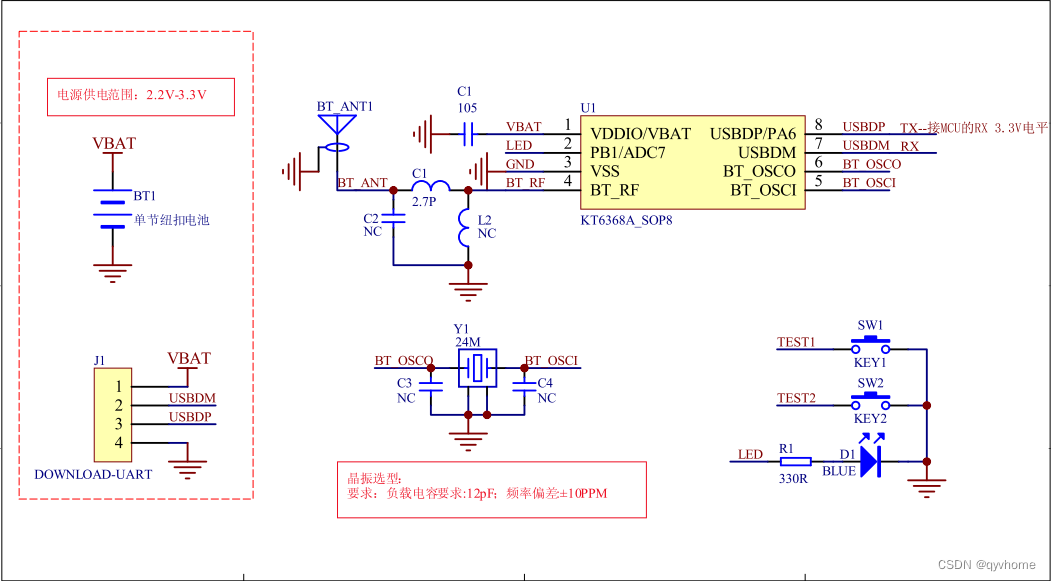
蓝牙芯片ble是什么,以及该如何选型,后续技术发展的路径是什么

zabbix5客户端安装和配置
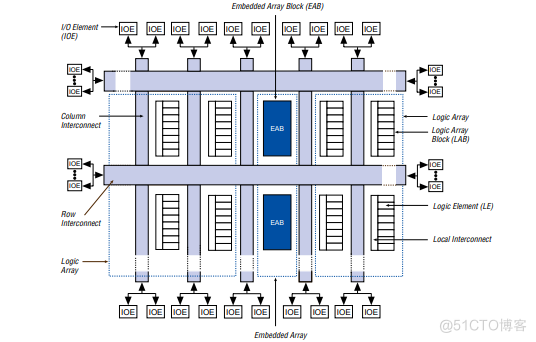
嵌入式(PLD) 系列,EPF10K50RC240-3N 可编程逻辑器件
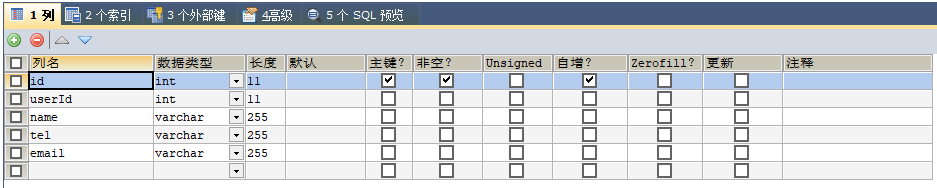
KS004 基于SSH通讯录系统设计与实现

SQLite 3.39.0 发布,支持右外连接和全外连接
Watchful pioneer world outlook Architecture - (how does a good game come from)
搭建哨兵模式reids、redis从节点脱离哨兵集群

IEDA refactor的用法
Educational Codeforces Round 129 (Rated for Div. 2) 补题题解

Istio部署:快速上手微服务,
随机推荐
函数高阶-柯里化实现
AcWing 383. Sightseeing problem solution (shortest circuit)
Pytorch版本、CUDA版本与显卡驱动版本的对应关系
IDEA编辑器去掉sql语句背景颜色SQL语句警告No data sources are configured to run this SQL...和SQL Dialect is Not Config
定了,就是它!
AcWing 1131. 拯救大兵瑞恩 题解(最短路)
AcWing 903. 昂贵的聘礼 题解(最短路—建图、dijkstra)
AcWing 342. 道路与航线 题解 (最短路、拓扑排序)
Data Lake (XII): integration of spark3.1.2 and iceberg0.12.1
AcWing 343. Sorting problem solution (Floyd property realizes transitive closure)
Understanding and function of polymorphism
452-strcpy、strcat、strcmp、strstr、strchr的实现
Istio1.12:安装和快速入门
Chic Lang: completely solve the problem of markdown pictures - no need to upload pictures - no need to network - there is no lack of pictures forwarded to others
checklistbox控件用法总结
KT148A语音芯片ic的用户端自己更换语音的方法,上位机
Implementation of 452 strcpy, strcat, StrCmp, strstr, strchr
KS004 基于SSH通讯录系统设计与实现
使用IDM下载百度网盘的文件(亲测有用)[通俗易懂]
Reading notes of code neatness