当前位置:网站首页>Wsl2 using GPU for deep learning
Wsl2 using GPU for deep learning
2022-06-30 08:03:00 【weizg456】
Environment building
First, check your system version , When needed win10 Preview or win11 To succeed ..
Reference link
https://docs.nvidia.com/cuda/wsl-user-guide/index.html#installing-wip
1.wsl2 install
wsl2 The installation is actually very simple , Generally speaking, it can be divided into two steps
- Install activation wsl2 function
In fact, you can directly refer to Official reference documents . But in fact, I didn't use the command directly to succeed here , Here we refer to another Official documents , Successfully installed wsl2. - install linux Distribution version
linux The installation of the distribution is also mentioned in the official tutorial above , In fact, you can download and install the corresponding version directly from the Microsoft application store .( What I have installed here is ubuntu18.04.)
2.GPU Relevant environment installation
If you are good at English, you can see The official tutorial , It's very detailed .
2.1cuda Drive installation
This part is in windows Installed in the system , from link Download for wsl Developed cuda drive . Install... After downloading , The first option I choose by default ( Install the graphics driver and experience Program ), After installation, you need to restart the computer to take effect . What needs to be reminded here is that the official prompt computer only needs this one cuda drive , It can be either windows System services can also be wsl2 Inside ubuntu system service .
After installation, it can be installed in windows Runs from the command line
nvidia-smiTo get GPU The current running state of , Otherwise, the installation may fail .
2.2.cuda toolkit install
Here we will directly follow the official order in wsl2 Of ubuntu Execution in terminal .
Here, I personally suggest that before executing the command ubuntu Bring it with you apt-get updated ( Use update and upgrade command ).
And here in the third line of command dep The bag is very large , Yes 2 More than a G, If possible, you can download it in a scientific way .
$ wget https://developer.download.nvidia.com/compute/cuda/repos/wsl-ubuntu/x86_64/cuda-wsl-ubuntu.pin
$ sudo mv cuda-wsl-ubuntu.pin /etc/apt/preferences.d/cuda-repository-pin-600
$ wget https://developer.download.nvidia.com/compute/cuda/11.4.0/local_installers/cuda-repo-wsl-ubuntu-11-4-local_11.4.0-1_amd64.deb
$ sudo dpkg -i cuda-repo-wsl-ubuntu-11-4-local_11.4.0-1_amd64.deb
$ sudo apt-key add /var/cuda-repo-wsl-ubuntu-11-4-local/7fa2af80.pub
$ sudo apt-get update
$ sudo apt-get -y install cuda
2.3. Example verification
$ cd /usr/local/cuda-11.4/samples/4_Finance/BlackScholes
$ make BlackScholes
$ ./BlackScholes

Initializing data...
...allocating CPU memory for options.
...allocating GPU memory for options.
...generating input data in CPU mem.
...copying input data to GPU mem.
Data init done.

Executing Black-Scholes GPU kernel (131072 iterations)...
Options count             : 8000000
BlackScholesGPU() time    : 0.207633 msec
Effective memory bandwidth: 385.295561 GB/s
Gigaoptions per second    : 38.529556
Error message appears , It can be seen that the permission is insufficient , Use sudo Can be generated .
A new error message appears , The reason is that before cuda Driver installation failed .
terms of settlement : open windows Update advanced options in settings , Check the first one , The system will automatically wsl Perform driver related updates .
Finally, it was found that it seemed that the operating system kernel caused , There are two solutions , One is to join win10 Preview experience plans to upgrade the operating system kernel , The second is to upgrade win11. My version is 19043.1348, It is said that it is necessary to 20145 Or higher .
I decided to upgrade win11 了 .,,, upgrade win11 After that, everything was normal , Even in wsl Can be used directly in the console of nvidia-smi Command to view the graphics card , I'm convinced .
边栏推荐
- At the age of 25, I started to work in the Tiankeng industry with buckets. After going through a lot of hardships to become a programmer, my spring finally came
- Wechat applet reports errors using vant web app
- 深度学习——词汇表征
- Experiment 2 LED button PWM 2021/11/15
- Introduction notes to pytorch deep learning (11) neural network pooling layer
- Personal blog one article multi post tutorial - basic usage of openwriter management tool
- mysql无法连接内网的数据库
- C preliminary chapter learning route
- right four steps of SEIF SLAM
- How to handle the expired data of redis and what are the elimination mechanisms?
猜你喜欢
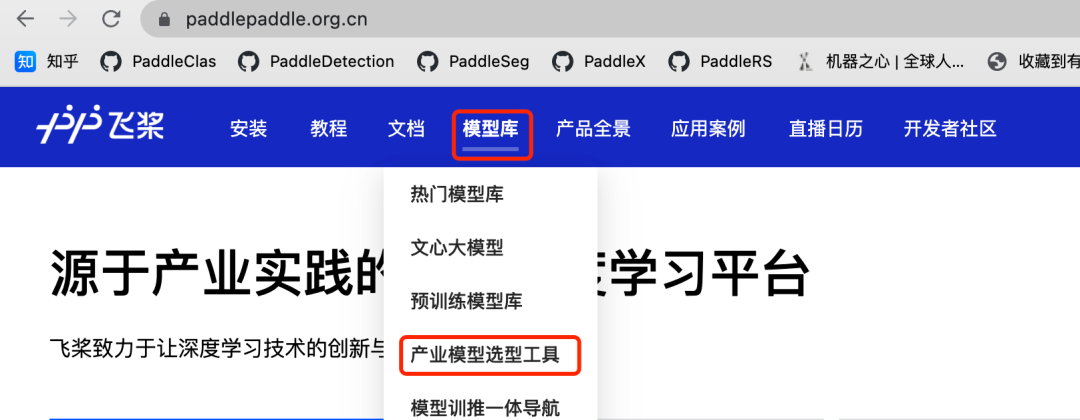
Hit the industry directly | the flying propeller launched the industry's first model selection tool

期末复习-PHP学习笔记5-PHP数组

深度学习——网络中的网络以及1x1卷积

Vulfocus entry target

深度学习——使用词嵌入and词嵌入特征

深度学习——循环神经网络

Inversion Lemma

【花雕体验】14 行空板pinpong库测试外接传感器模块(之一)
![December 4, 2021 [metagenome] - sorting out the progress of metagenome process construction](/img/03/eb6e6092922cf42c2c9866e7bb504d.jpg)
December 4, 2021 [metagenome] - sorting out the progress of metagenome process construction

为什么大学毕业了还不知道干什么?
随机推荐
【花雕体验】14 行空板pinpong库测试外接传感器模块(之一)
Vulfocus entry target
Want to change careers, but don't know what to do? This article is written for you who are confused
深度学习——嵌入矩阵and学习词嵌入andWord2Vec
回文子串、回文子序列
Miracle Mu server rental selection is real and easy to use, stable and intrusion proof
January 23, 2022 [reading notes] - bioinformatics and functional genomics (Chapter 6: multiple sequence alignment)
【花雕体验】13 搭建ESP32C3之PlatformIO IDE开发环境
Cadence physical library lef file syntax learning [continuous update]
[tensorflow GPU] building of deep learning environment under windows11
深度学习——目标定位
Palindrome substring, palindrome subsequence
【笔记】Polygon mesh processing 学习笔记(10)
Armv8 (coretex-a53) debugging based on openocd and ft2232h
领域驱动下cloud项目中单个服务的示例
[notes] polygon mesh processing learning notes (10)
深度学习——LSTM
Final review -php learning notes 1
Simple application of generating function -- integer splitting 2
Do you know the IP protocol?